




Dave Green


Want more information on Orderable’s move to PHP 7.4? This guide will explain why we’ve made this decision and how you can upgrade your WordPress site.
After thoroughly evaluating Orderable, we’ve decided to upgrade the minimum PHP version we support. From February 8th, 2024, we will transition from PHP 5.6 to PHP 7.4.
Why PHP 7.4?
PHP 7.4 is a significant improvement over its predecessors. It offers:
- Enhanced speed: Experience faster website performance.
- Increased security: Benefit from advanced security features to keep your site safe.
- New features: Like better caching, reduced memory usage, and language features that we can utilize in our plugin updates.
So now we know the benefits of 7.4, and why we’re switching, we’ll walk you through how to find out what PHP version your site is currently on and how to upgrade.
How to upgrade your WordPress site’s PHP version
If your WordPress site runs on an older version of PHP, upgrading to PHP 7.4 (or higher) is crucial before February 8th, 2024. Doing so will ensure your site continues running smoothly without interruptions or downtime.
The following steps will help you do this.
Checking your PHP version
- Log in to your WordPress dashboard.
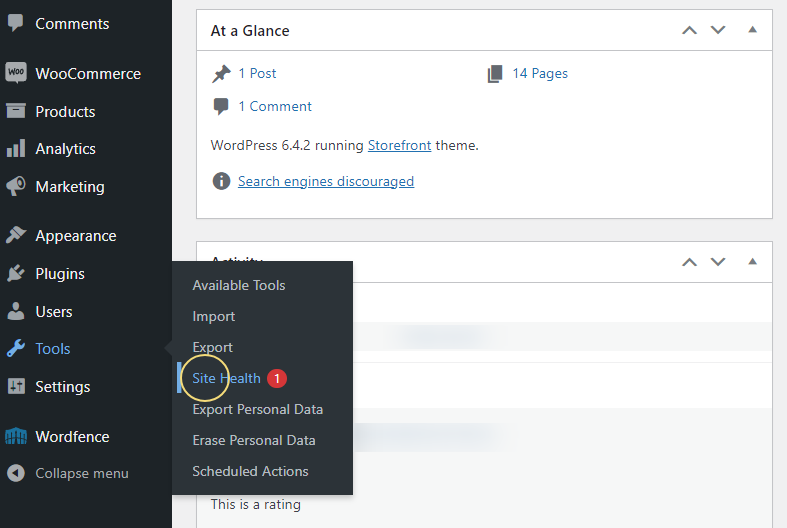
- Go to Tools > Site Health.
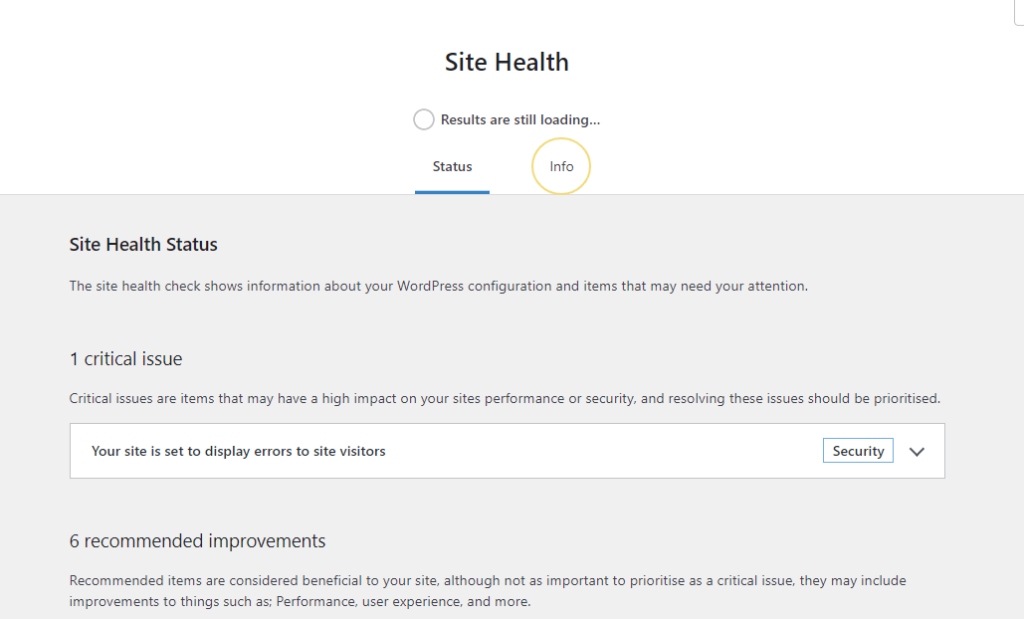
- Click the Info tab.
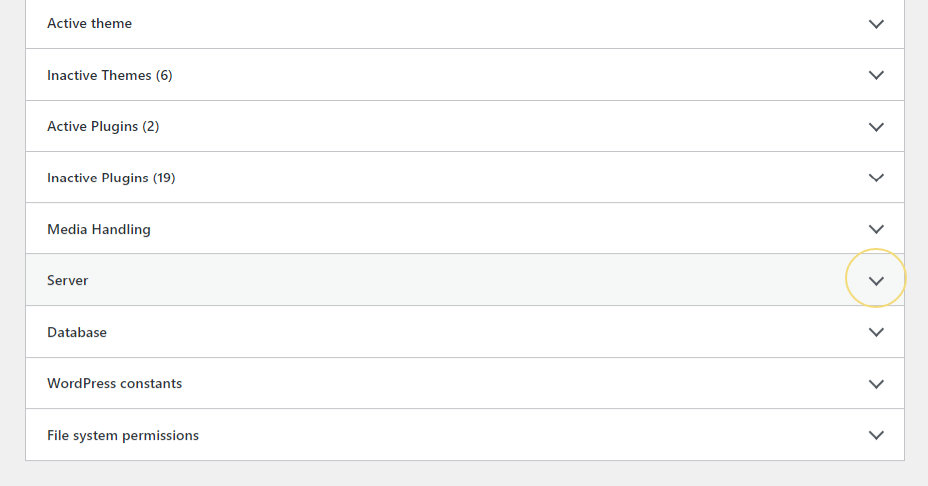
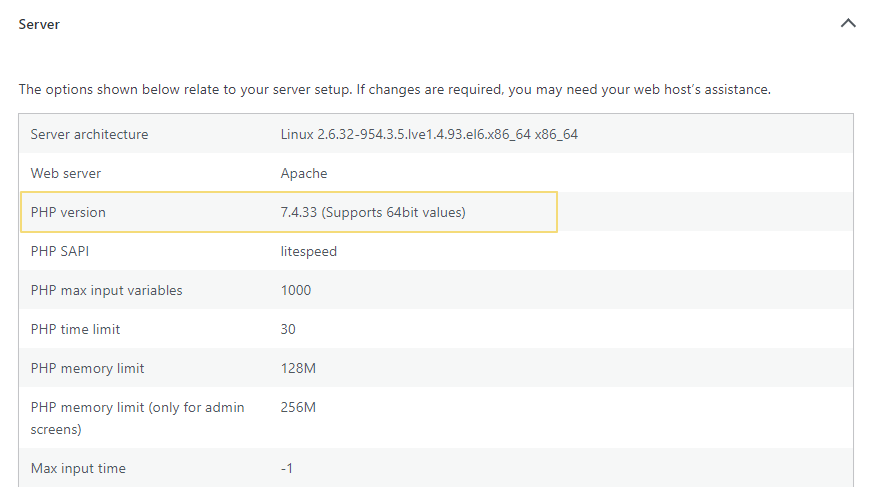
- Scroll down to the Server section to find your current PHP version.
If your PHP version is lower than 7.4, it’s time to upgrade. We’ll look at how to do that next.
Upgrading your PHP version
Not sure how to proceed with the upgrade? Here’s what you can do:
- Read the WordPress PHP guide: This official guide has everything you need to know about upgrading your WordPress PHP version, including easy-to-follow instructions and tips.
- Decide how to proceed: Depending on your skills and knowledge, you can either upgrade your PHP version yourself, contact your hosting provider, or ask a web developer to assist you.
Need assistance?
If you have any questions/concerns relating to the PHP upgrade, feel free to reach out to us.
Dave is an experienced WordPress and WooCommerce professional with over a decade of building solutions in the agency world, who is now focused on commercial plugins and SaaS products.
He joined Orderable in November 2021, contributing to the ongoing feature and maintenance development of Orderable in addition to his other duties as lead developer on plugins such as Iconic’s WooThumbs, before taking over as Product Manager of Iconic & Orderable in November 2023. In August 2024, Dave stepped away from development duties to focus on growing Iconic & Orderable.
Don’t miss out on the latest Orderable news!
Sign up for our newsletter to receive the latest news from the blog, you’ll get pinged every week with a digest of the latest updates.
[fluentform id=”6″]

Related Articles

How to Print Invoices, Receipts, and Delivery Notes in WooCommerce

Get Ready for the 2024 Stellar Sale at Orderable!

Why Highlighting Local Ingredients Can Increase Your Restaurant Sales
Get Your Restaurant Online With Orderable
The WooCommerce plugin designed to help restaurants take orders online – with no added fees!
View Pricing

