Join our community to connect with fellow users and share tips.
When creating your layout, you might find the order of your categories is wrong. If you’d like to have more control over your category order, you can do so by taking the following steps:
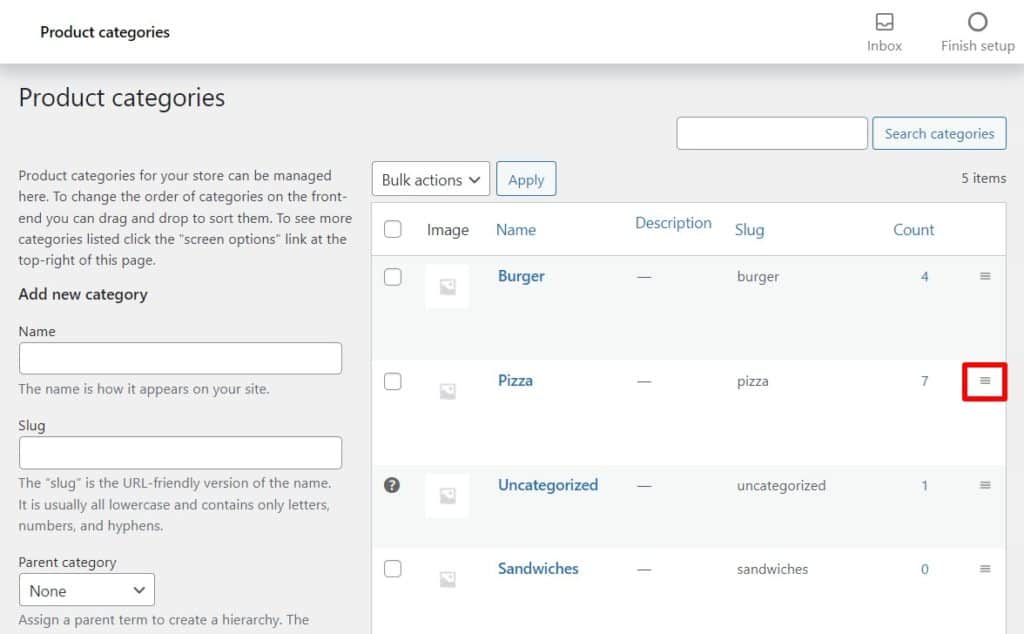
From your WordPress dashboard, go to Products > Categories. On this page you’ll see all your product categories listed in a table.
On the far right, next to the Count column, you’ll see three horizontal lines. When you click on these, you’ll be able to drag and drop your categories into the right order.