

How to Handle Restaurant Complaints in 2026

How to Handle Restaurant Complaints in 2026


Gina Lucia


Looking to get better at handling restaurant complaints this year? This guide is here to help.
Most complaints you receive will only stay negative if you ignore them and never address them. But if you want to turn complaints into an opportunity to showcase great customer service, avert catastrophe, and save face, you’re in the right place.
Instead of ignoring restaurant complaints, we’ll show you how to prepare and positively handle them in-house and online and prevent further complaints in the future.
Throughout this guide, we’ll cover the following:
- Why customers complain about restaurants (and examples of the most common restaurant complaints)
- How to handle customer complaints in a restaurant — within your establishment and also online.
First of all, let’s explore the main reason why a customer might complain about a restaurant.
Get Your Restaurant Business Online With Orderable
Orderable is a user-friendly WordPress plugin that adds online ordering to your restaurant website.
Add your dishes, create your online ordering menu, customize your delivery schedule, and manage orders with ease.


Why customers complain about restaurants
Customers will complain about a restaurant when an expectation isn’t met.
This means that there’s something that was supposed to happen that didn’t. For instance, the food quality was subpar, the service might have been slow or rude, or the delivery person arrived late. In any event, your customer was inconvenienced or worse.
When the problem is severe enough for the customer to reach out (and complain), they’re undoubtedly upset.
Some might complain directly to you in person, while others will share their complaint with other people, friends, or family by word of mouth. Others will take it to social media or leave a bad review on Yelp, TripAdvisor, Google, etc., or whatever online review sites you’re listed on.
📈 In fact, according to a study, 1 in 25 unhappy customers will complain directly to you. An overwhelming 95% of unhappy customers don’t complain openly. Instead, 13% of them will share their complaint with more than 15 people out there. Around 40% voice their dissatisfaction on social media platforms and review sites (and they expect a response from you in one hour).
In any case, all the outcomes are bad unless you deal with them appropriately (we’ll give you a hand on this).
The first step in effectively managing complaints is to identify and understand the most common types of complaints that customers might have about your restaurant. Where do these complaints originate?
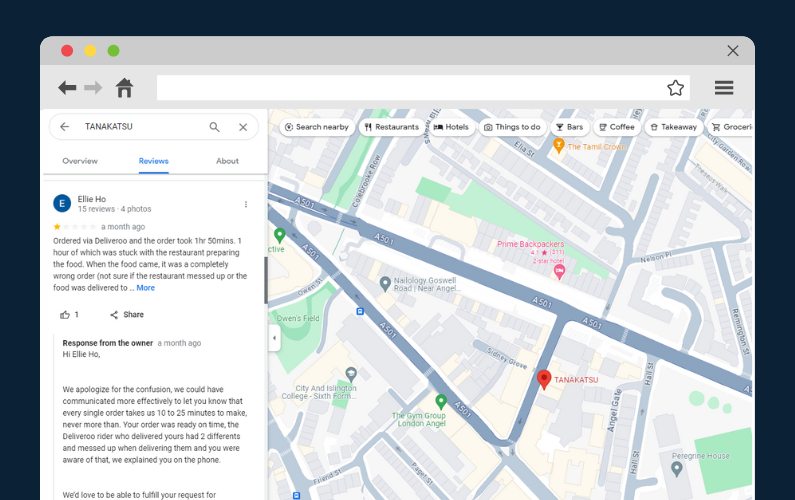
What are the most common restaurant complaints customers have?
Some of the most common restaurant complaints customers can raise include:
- Food and drink-related complaints. Such as low-quality food or drink, order mix-ups, inadequate portions, unavailable food products, food poisoning, and so on.
📈 Some 70% of Americans cite incorrect food temperatures as a major turnoff. 62% complain of receiving the wrong order. Another 52% say food doesn’t look or taste as described in the menu.
- Uncleanliness (and other safety concerns). Poor server hygiene, dirty restrooms, etc. This is not to mention that the pandemic added new anxieties regarding health and safety.
- General atmosphere. Noisy or disruptive diners nearby, poor table placement (near the door, kitchen, close seating arrangements, etc.), loud music, poor lighting, etc.
- Poor customer service. 72% of customers find servers rude, have a bad attitude, ignore guests, or can’t answer simple questions. Slow service is another frequent issue.
📈 Customer service complaints in restaurants are relatively common. Additionally, 59% say servers remove their plates before they finish, and 61% feel rushed through meals, etc.
- Online ordering complaints. Slow restaurant website or app, lack of menu varieties, delivery arriving late or cold, online payment problems, etc.
- Food pricing. Overpriced menu items, automatic gratuities added to guests’ bills, incorrect check calculations, etc.
- Miscellaneous complaints. There are long waits for a table, reservation issues, allergies and dietary restrictions, insufficient nutritional information, parking issues, etc.
All these are valid reasons for a restaurant customer to voice their complaint with your establishment.
So, how do you handle such complaints from unhappy diners so that you both experience the most pleasant outcome possible? Or, let’s put it better – how do you prepare to manage such complaints and avoid them altogether?
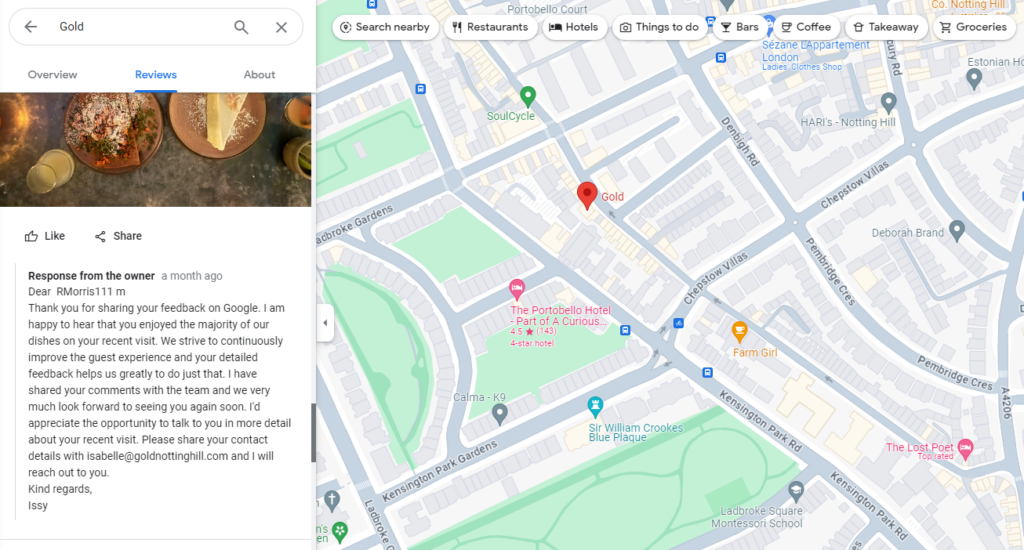
How to handle complaints in a restaurant
📈 If you resolve complaints in a customer’s favor, they’re likely to do business with you again 70% of the time.
And up to 95% of customers will give you a second chance if you successfully handle their complaints. But if you get it wrong, that customer may never come back.
Therefore, after identifying the most common restaurant complaints within your establishment, the next step is to figure out ways to address them effectively. Be prepared to handle customer complaints as they arise and work to resolve them smoothly.
We’ll walk you through practical tips on handling complaints within your establishment and online next.

How to handle and improve restaurant complaints in-house
The following are some tips to reduce and handle customer complaints within your establishment.
Constantly evaluate the entire in-house dining experience
The overall dining experience in a restaurant is made up of several moving parts. These include the food quality, atmosphere, ambiance, customer service, cleanliness, menu and pricing, food service, wait times, comfort, etc.
These are the things guests usually pay close attention to when they arrive at your establishment. If their first impression is wanting, a complaint is sure to follow.

Questions to ask yourself
To evaluate your in-house dining experience, begin viewing your restaurant through the eyes of the customer. What do they see when they first arrive at your restaurant? Do they see missing lights in your sign or smudged prints on the entrance door glass?
What happens when they first enter your restaurant? Do they clearly understand the seating arrangement or ordering expectations? Are they properly greeted? Is the dining room and restrooms clean? Are tables bussed?
How about when they approach the service line or get seated at a table? How long does the appetizer or entree order take to arrive at customer tables?
💡 All these things (and more) need to be systematized to ensure the expected guest experience – as well as systems for dealing with mistakes. If you need a place to start, follow our guide on how to improve restaurant customer service.
Generally, such analysis can help identify areas of improvement, reinvent your dining experience, and ultimately reduce complaints.
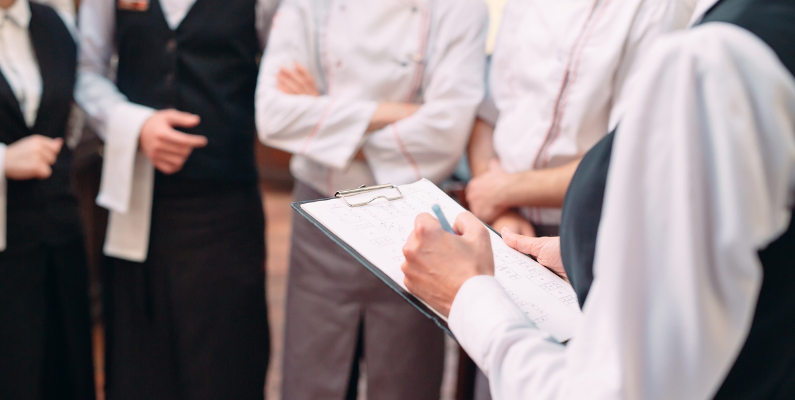
Training staff members in handling complaints
Who do your guests mostly interact with in your establishment? It’s likely the host/hostess, waitstaff, bartenders (if any), bussers, managers, and occasionally the chefs or cooks.
Because of this, all team members should receive proper training on handling guest complaints during their stay. Train them on how to react, respond, and deal with different restaurant complaints, such as food quality, service speed, or billing issues. And how to follow the appropriate procedures and escalate the problem if needed.
📈 For instance, 24% of customers dislike being called pet names like ‘honey,’ ‘sweetie,’ or ‘dear.’ So, train your staff to ask customers for their names. Only a few employees ask for the customer’s name 21% of the time. So, address customers by their names.
Most importantly, develop a structured plan to handle complaints. Part of this plan should train your staff to listen, apologize, provide solutions, record feedback, follow up, and thank guests.
💡 For more tips on training your staff, check out our guide on improving restaurant customer service.
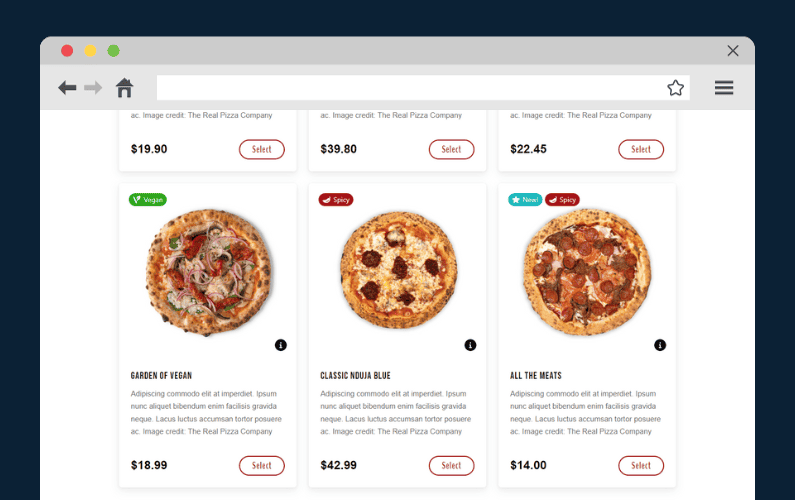
Customize your dining experience to accommodate dietary restrictions and enhance food and drink satisfaction
📈 It’s estimated that 33 million Americans have food allergies. Common allergens include shellfish, eggs, nuts, wheat, soy, and sesame, among others.
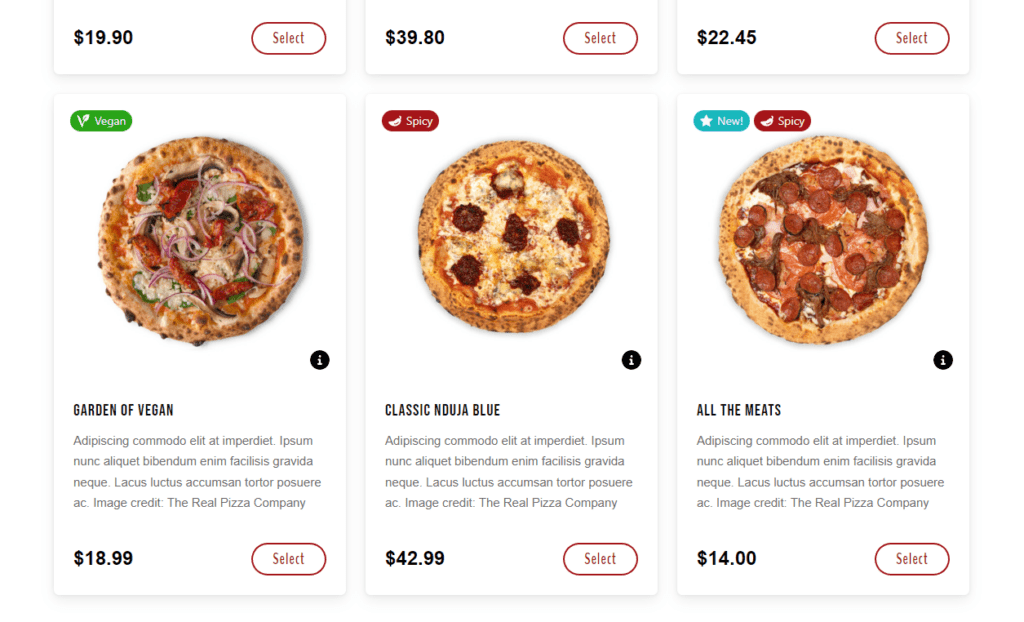
If you serve these food products, providing dietary restriction options for customers with specific food allergies ensures they can still enjoy a meal without worry.
Other common dietary restrictions include things like:
- Intolerances, e.g., lactose, gluten.
- Underlying health conditions such as low sodium for hypertension, low sugar for diabetes, etc.
- Personal beliefs/preferences like paleo diet and ketogenic diets.
- Ethical or religious beliefs, e.g., kosher, halal, vegan, etc.
Accommodating these dietary restrictions to your food and drink selection shows customers that you care about their dining experience. Consequently, this results in higher satisfaction, reduces complaints, and more positive reviews.
💡 We have this guide on adding conspicuous dietary product labels to your menu item description to help you start.
Make food safety a priority
Most guests don’t know this, but food safety complaints should be handled through your local public health department.
It pays to notify the local public health authority beforehand of any complaint – you’ll gain a good reputation with the inspectors and get in front of the complaint. But for cases of suspected food poisoning and foodborne illness, work with doctors on this. As your first concern is the guest’s health, advise them to visit a doctor for a diagnosis.
Not to mention some of the steps you can take with your in-house team to improve your food safety standards (and restore customer confidence) include:
- Draw up a food complaint complaint procedure. Then, regularly train your staff on handling food safety complaints.
- Direct complaining customers to the “person in charge” who can handle food safety issues.
- Empathize with the diner.
- Launch a thorough internal investigation to find out the cause.
- Implement strict hygiene protocols, proper food storage and handling procedures, etc.
- Do routine inspections.
If you want to avoid food allergy mishaps, develop a proper menu item description that indicates all allergens in a dish. Customize your menu with dietary product labels, as we did in the previous step.

Have a strategy in place when a customer does complain – who handles it?
It’s not easy to handle customer complaints.
But if you were to handle them effectively, putting a structured plan or protocols in place that team members can follow to address and resolve restaurant complaints can be useful. It means that you can control the situation and get an outcome that’s favorable to you (and the customer as well).
What should the strategy include?
Generally, a strategy outlines a step-by-step guideline and policies for handling complaints. It identifies the type of complaints customers can raise (e.g., food quality, service speed, ambiance).
It then designates specific staff members like the manager, supervisor, and customer service representative to handle complaints. These people are trained in conflict resolution and customer service skills.
So, when a customer complains, the staff who first hears it shouldn’t just listen and acknowledge the customer’s concern. They should immediately inform one of the staff members responsible for handling specific complaints.
They can then meet with the customer, listen to the issue, and offer a solution (e.g., replacement dish, discount, apology). The handler can also follow up with the customer after they’ve resolved the issue.
Tip: It is important to document the complaint and its resolution for future reference and training your staff.
Up next, we’ll show you how to handle online complaints against your restaurant from online customers.

How to handle and improve restaurant complaints online
Today, one unhappy customer can reach thousands of people online, sending their complaints about your restaurant viral.
It’s already bad enough that negative comments are more contagious than positive ones. You’ve likely seen videos where rude customer service staff made situations worse by not listening or resolving complaints.
So, how do you handle complaints online and avoid all this?
Provide clear contact information for further support on your restaurant website
The idea behind this is simple.
By providing a phone number, email, or an easy-to-find and easy-to-understand complaint form. You demonstrate to unhappy customers that you are reachable and ready to address their concerns.
Therefore, those customers who want to reach out and voice their concerns with you have an easy time calling you, emailing, or filling out a complaint form.

However, you must be careful customer complaints are routed to the appropriate channels. This way, you can respond to complaints in the shortest time possible and reduce frustration by quickly resolving issues.
How about those who take their complaints to review sites?
Have a strategy in place for responding to negative reviews online
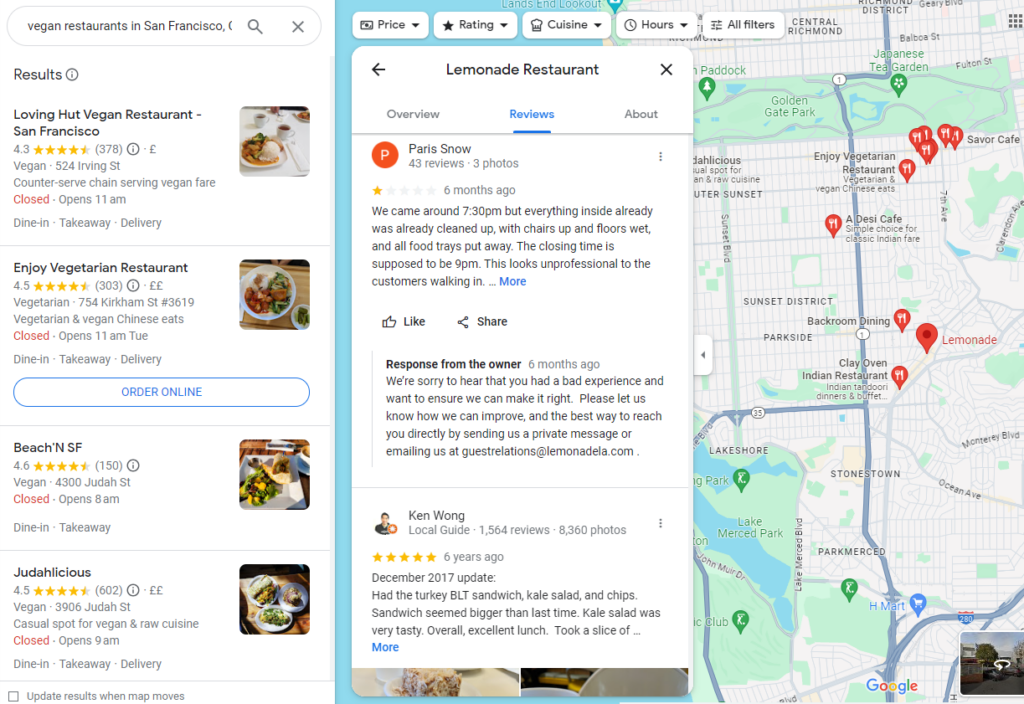
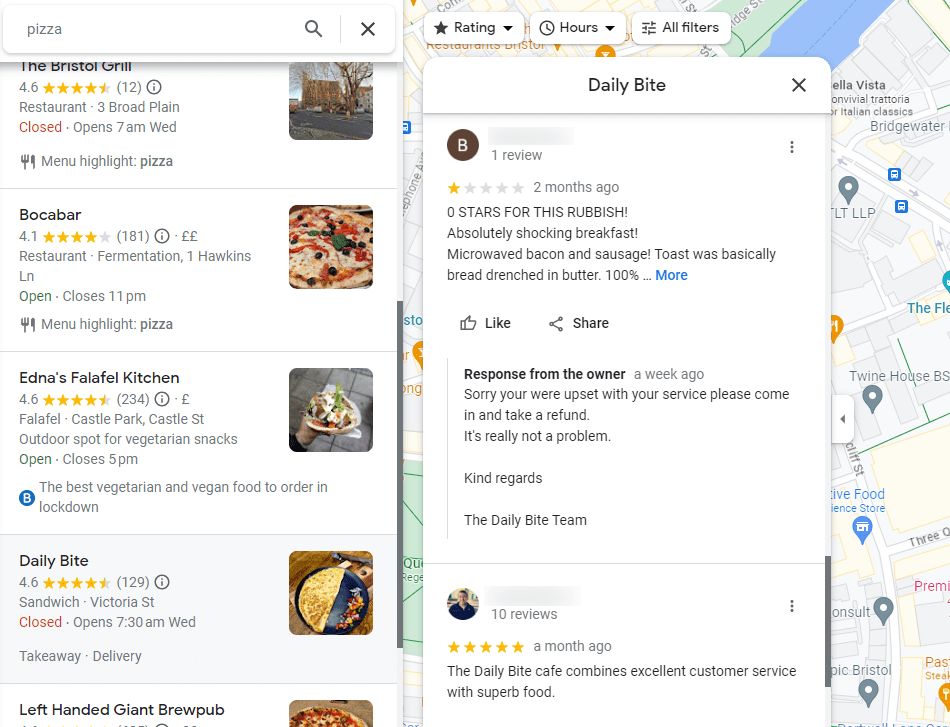
Ignoring a negative review isn’t a good idea. So, if you respond to negative reviews, you need a strategy before you say anything back to your customers.
📈 Customers expect businesses to respond to their negative reviews quickly. 53% expect a response within seven days, while 1 in 3 expect a response within three days.
So, if you do happen to receive a negative review, you need to act fast. The first thing you must keep in mind is that not all negative reviews are valuable.
There are two types of negative reviews
- Those from genuinely disappointed customers who have had a bad experience.
- And then there are the troll types who seek attention, trying to blackmail you, or threatening a bad review if you don’t refund.
You can’t insure your restaurant against trolls. But constructive feedback, on the other hand, is a goldmine for your business.
💡 We know that bad reviews can sometimes be tough to hear. So, we have this guide on responding to negative reviews with ideas that can help, like personalizing your responses.
Only decide on a communication strategy that will match your brand identity and tone of voice. Try to keep it consistent across all review sites.
Have a strategy in place for responding to negative social media comments and posts
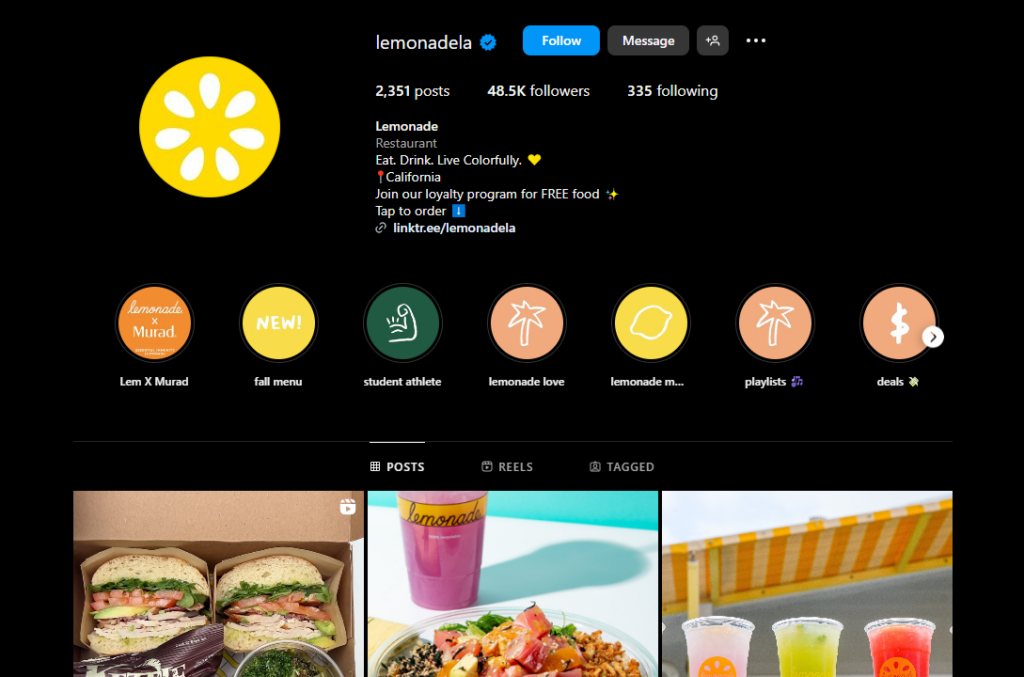
The quickest way to handle social media complaints is to respond quickly – within an hour or less than 24.
Have a small team monitoring your social media channels for mentions, comments, reviews, complaints, etc. If there’s a complaint, they should respond promptly using a professional, empathetic tone. It’ll make you look more professional and compassionate in the public eye.
Some complaints might require you to take the conversation offline. Invite the customer to send a direct message or contact you via phone or email to discuss the issue in detail. Or, offer a solution.
Instead of sharing your contacts with every disgruntled customer, create a social media account for customer service complaints. Tell them you’d be happy to help them if they don’t mind sending their information your way.
It’s a great way to open up a more private line of communication with the customer. It’s also important for follow-up.
Otherwise, handling social media complaints is more or less similar to responding to negative reviews.
Remember to communicate internally. Share feedback and complaint details with relevant staff members and investigate in-house to prevent future occurrences.
Put together a follow-up strategy for these complaints
Doing follow-up implies checking if unhappy customers were satisfied with your response to their complaint.
Customer will remember this moment, and it will enhance their overall experience. All it takes is a simple phone call or message.
Here’s how you can go about it:
- First of all, you need to record the details of the complaint, the customer’s information, and the resolution provided.
- Then, decide on a timeframe for follow-up, such as 24-48 hours after the initial resolution. Schedule reminders to ensure follow-ups are not missed.
- Reach out to customers either by phone, email, or direct message. Express your gratitude and ask specific questions to gauge the customer’s satisfaction.
- Regardless of the outcome, thank the customer again for their patience and for allowing you to improve.
- Update the outcome of your follow-up for future reference.
Tip: Always review follow-up outcomes. You may identify recurring issues or areas for improvement and improve for the better.
By having a follow-up strategy, you ensure that complaints are fully resolved, demonstrate a commitment to customer satisfaction, and form stronger, more loyal relationships with them.
Improve your entire online experience with Orderable
Sometimes, your online dining experience can do much better with little touch-ups.
If you want to avoid complaints about deliveries arriving late or cold, hidden charges, automatic gratuities, or lack of menu variety. It’s time to revamp your entire online dining experience with Orderable.
What is Orderable?
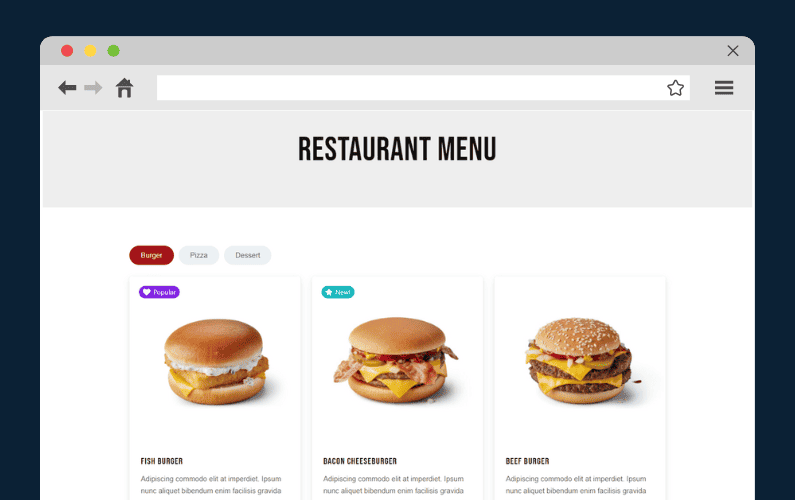
Orderable is a WordPress plugin that adds a robust online ordering system directly to your restaurant website.
It upgrades critical aspects of the online dining experience so your customers have no reason to complain. These aspects include accurate menu descriptions, user-friendly and quick menu ordering, order customization, and more.
So, what Orderable features can help restaurant owners achieve this easily?
Get Your Restaurant Online With Orderable
The WooCommerce plugin designed to help restaurants take orders online – with no added fees!

Key features of the Orderable plugin that can help you reduce complaints
The following are just some of the Orderable features that can help you reduce complaints:
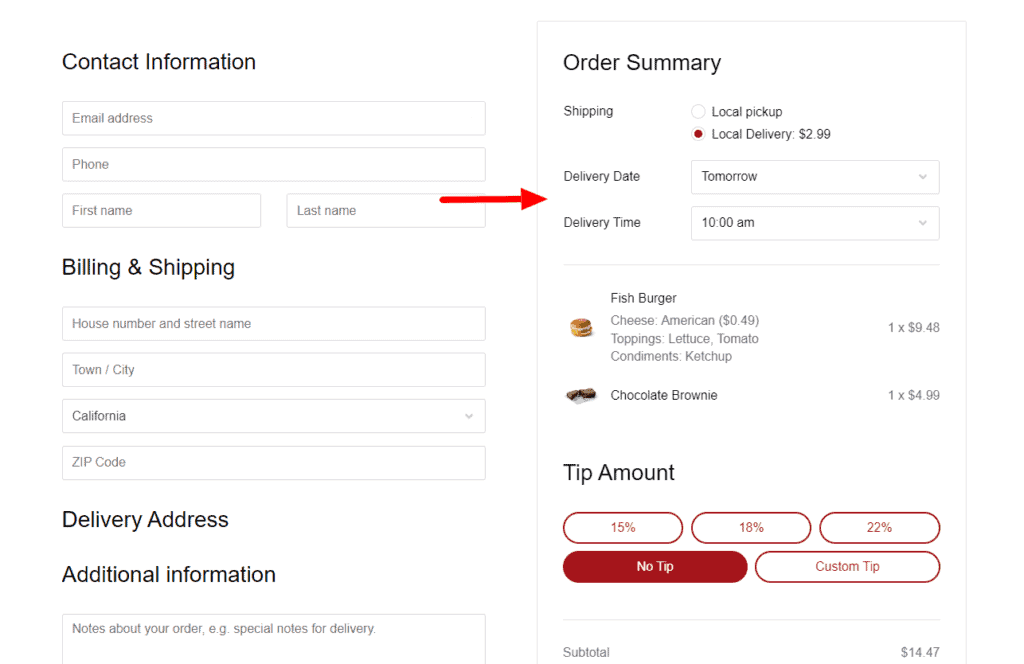
- Add delivery and pickup timeslots that work. With Orderable’s time slots, you can set realistic times when you’re available to deliver or have orders ready for local pickup. This is convenient for you and your customers and can complaints about late deliveries.
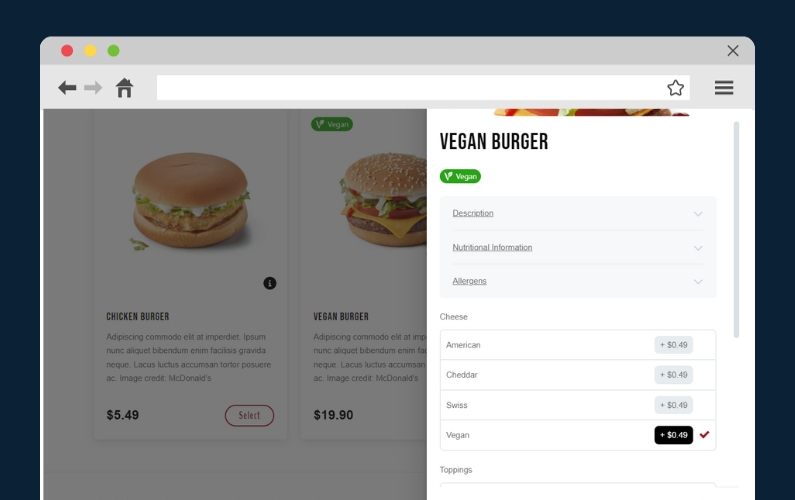
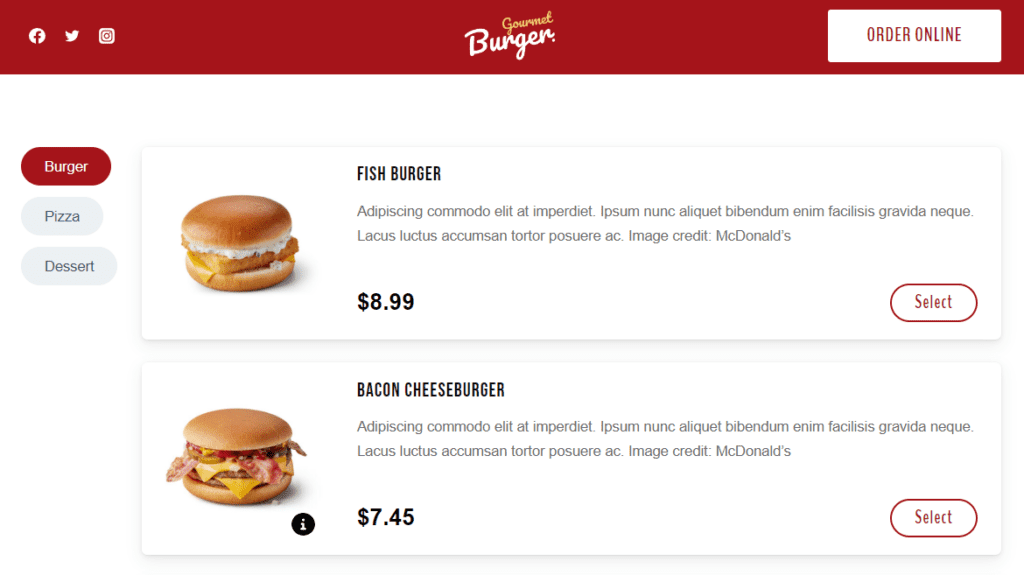
- Customizable menu options. Orderable comes with ready-made product layouts you can use for your menus. You can edit the menu design, add menu items with authentic food photos, and write detailed descriptions. You can also add cheese, toppings, condiments, etc., that diners can use to customize their food orders.
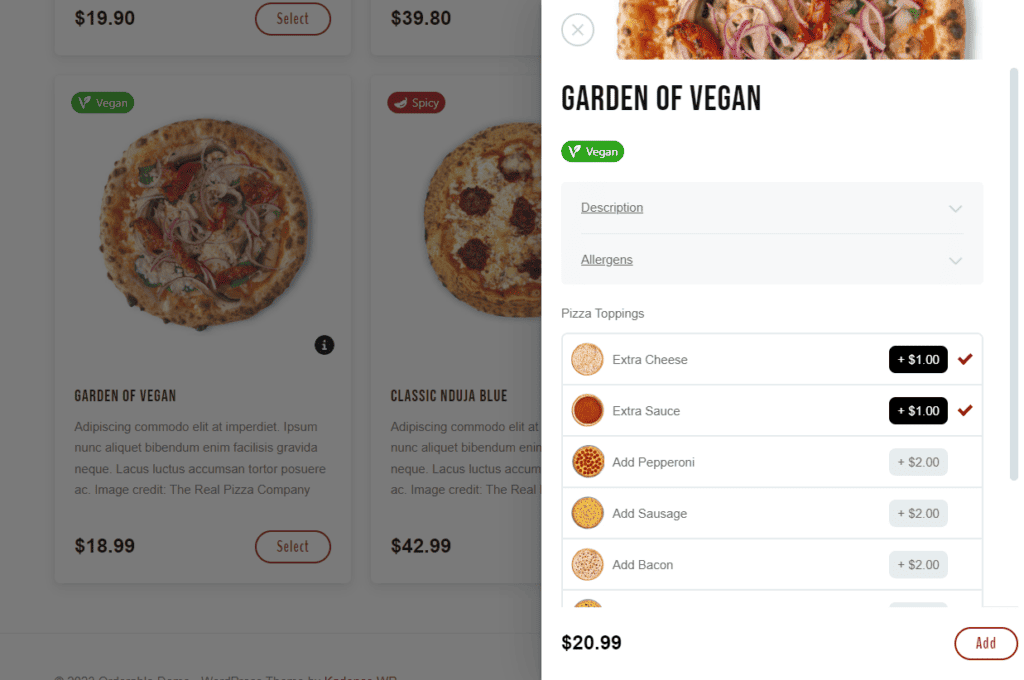
- Clear pricing and fees. Any menu layout you’ll use and the checkout page displays all costs upfront, eliminating surprises and potential disputes over charges.
- Provide allergen and nutritional information. Use dietary labels that indicate, for instance, allergens like gluten, lactose, etc., in a dish. If you want to add nutritional info like calorie counts to your menus and give customers peace of mind.
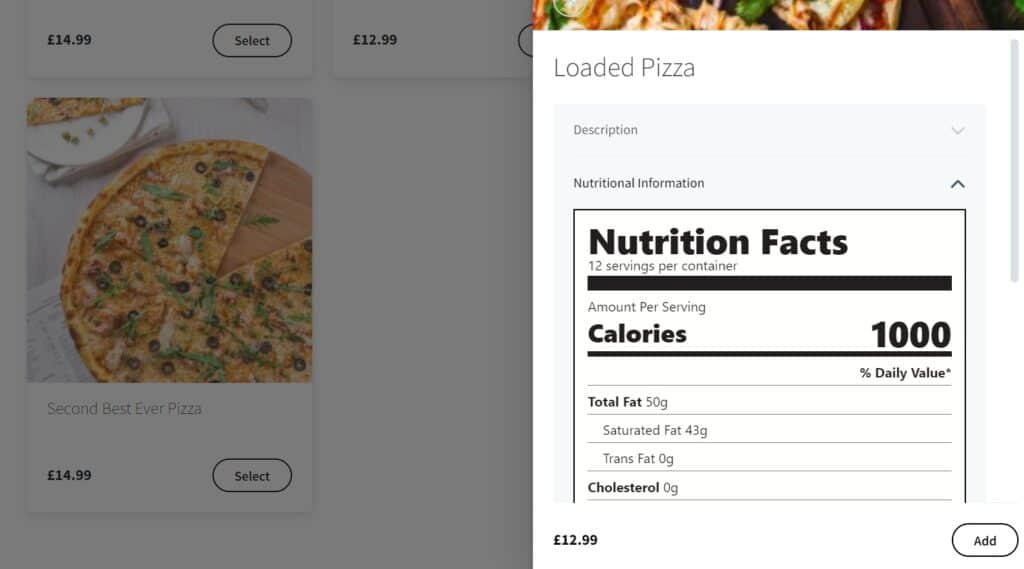
- Multiple delivery options. For example, local deliveries, pickups, ASAP deliveries, next-day deliveries, and more.
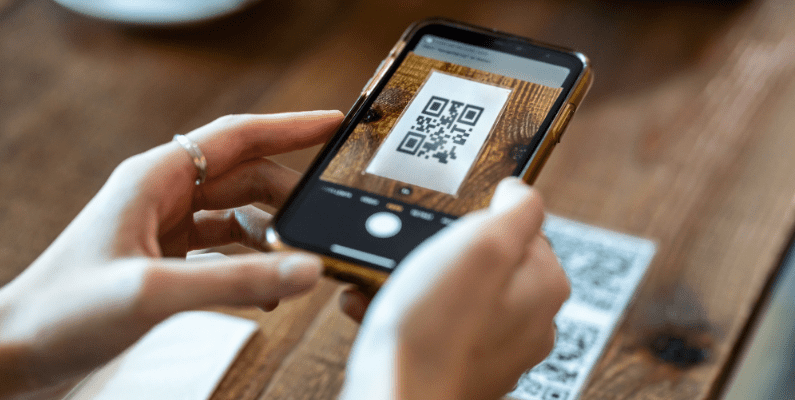
- Start QR code table ordering. With this system, customers can conveniently scan QR codes assigned to their tables, browse the menu, and place orders using their smartphones. These orders are then accurately assigned to the corresponding table, significantly reducing the chances of mixing up orders.
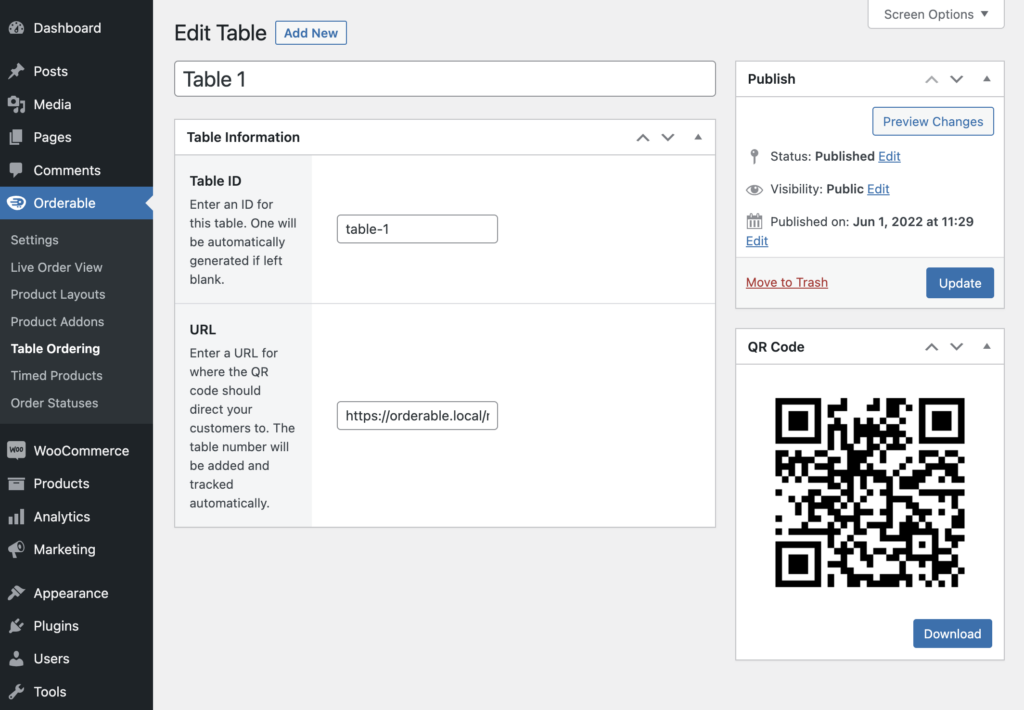
- Clear live order management screen. After customers place orders, the back-of-house staff can see orders as they come in real time on this screen and start prepping orders.

- Send immediate order confirmation notifications. It reassures customers that you’ve received their orders, the order is being processed, dispatched, etc.
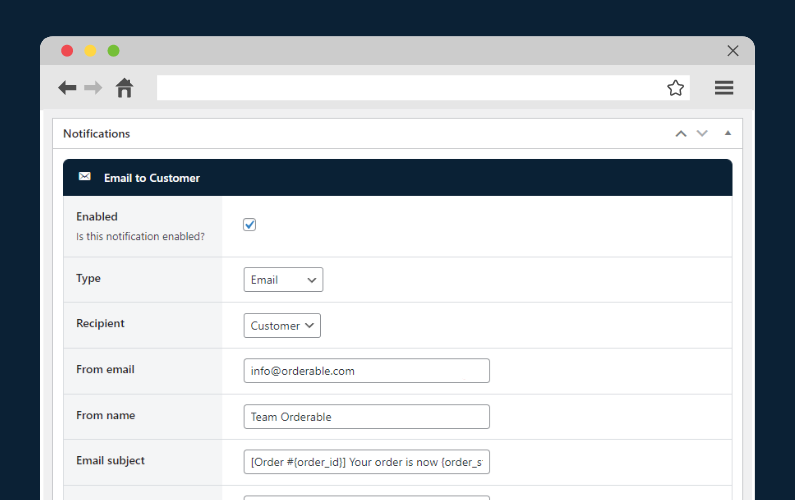
The list is endless with Orderable. You can also boost sales with Orderable features like tip prompts, order bumps, product add-ons, and more.
Get to grips with restaurant complaints today
Most restaurants do their best to avoid customer complaints or negative reviews altogether. But not all restaurant complaints are bad. They can be helpful in several ways. They allow you to win their trust again and enhance their dining experience.
You can do it by making sure a customer’s complaint is successfully handled and followed up. One great way to reduce restaurant customer complaints is to revamp your entire online dining experience with the plugin Orderable.
This plugin doesn’t only add a robust online ordering system to your website. It upgrades certain critical aspects of online ordering, like the menu, order accuracy, convenience, pricing, customization options, etc., so customers have no excuse to complain.
So, if you run an online restaurant (or want to start one), get started with Orderable today!
Get Your Restaurant Business Online With Orderable
Orderable is a user-friendly WordPress plugin that adds online ordering to your restaurant website.
Add your dishes, create your online ordering menu, customize your delivery schedule, and manage orders with ease.
Gina Lucia is our in-house Content Manager at Orderable. She writes articles, user guides, technical documentation, and creates videos on everything WooCommerce and Orderable.
Gina has been working in the WordPress/WooCommerce space since 2012 when she developed WordPress websites for clients large and small.
For the past 8 years, she’s been writing about everything WordPress and WooCommerce, becoming an expert in what makes a WooCommerce store succeed.
When not writing, Gina loves to tend to her vegetable garden, read, or travel to mainland Europe.
Don’t miss out on the latest Orderable news!
Sign up for our newsletter to receive the latest news from the blog, you’ll get pinged every week with a digest of the latest updates.
[fluentform id=”6″]

Related Articles
6 Essential Features for a Successful Restaurant Website
How to Increase Restaurant Sales in 2026
How to Create a QR Code for Your Restaurant Menu
Get Your Restaurant Online With Orderable
The WooCommerce plugin designed to help restaurants take orders online – with no added fees!
View Pricing

