

How to Create an Action Plan to Increase Sales in a Restaurant

How to Create an Action Plan to Increase Sales in a Restaurant


Gina Lucia


Looking to create a concise action plan to increase sales in your restaurant but don’t know what format to use or what to include? We’re here to help.
As a restaurant owner, if you’re constantly mulling over ways to increase your restaurant sales, you’re headed in the right direction. But, implementing ideas with an action plan can provide the structure and focus required to streamline and turn those ideas into tangible results.
So, if this is exactly what you’re after, stick around! We’ll show how to format an effective restaurant sales action plan and what you should include.
Throughout this guide, we’ll cover the following:
- Why your restaurant should put together an action plan
- How to format your restaurant action plan
- What you should include in an action plan to increase sales in a restaurant
Let’s begin with why it is important to have a well-organized action plan in the first place.
Get Your Restaurant Business Online With Orderable
Orderable is a user-friendly WordPress plugin that adds online ordering to your restaurant website.
Add your dishes, create your online ordering menu, customize your delivery schedule, and manage orders with ease.


Why put together a restaurant sales action plan?
An action plan is simply a document that lists the steps that must be taken to achieve a specific goal.
So, rather than blindly implementing strategies to boost restaurant sales, setting up an action plan breaks this goal into smaller, realistic, actionable steps that can be easily monitored in the long run.
It also clarifies what resources are required to increase your business sales. A well-developed action plan formulates a timeline for when specific tasks need to be completed.
So, why is it important to have such a detailed action plan to increase your restaurant sales?
What are the benefits of putting together an action plan?
If you want to run a successful restaurant business smoothly, you’ll require a well-organized sales action plan for the following reasons:
- It brings clarity and focus to your goal. Instead of springing directly into action, you’ll have enough time to think your goal through, add structure to your goal, and develop a clear roadmap. You’ll be less likely to step in the wrong direction.
- It turns your idea into a reality. An action plan helps you identify concrete steps required to pursue your goal to increase restaurant sales. Then, break them down into manageable tasks you can easily achieve.
- It allows for proper resource management. It’s easier for restaurant management to prepare and allocate the right resources if they know the actionable steps in advance.
- It helps your staff to do the right thing at the right time. You won’t waste your time and money by doing the right thing at the wrong time or the wrong thing at the right time.
- It enables you to assign responsibilities in-house. Through an action plan, everyone will know their tasks and be accountable.
- It allows you to anticipate (or identify) challenges you’ll face and plan for them. Of course, increasing sales isn’t going to be a smooth journey. If you’re familiar with these challenges earlier and how to tackle them, the better.
- It lets you achieve your goal on a timeline. Developing an action plan allows you to set a timeline or deadline to complete a strategy or action. This will create a sense of urgency and keep everyone accountable.
Let’s make this more practical by discussing the format for creating an action plan to increase sales in a restaurant.

How to format your restaurant action plan
Before we get into the specifics, creating an effective action plan for your restaurant requires a clear and structured approach.
Using a restaurant action plan template to organize your details (or action steps) can make this a lot easier. It’s a pre-structured document that provides a framework to create and plan your new action plan more efficiently. It also reduces the likelihood of human error or leaving out important information from an action plan.
Usually, an action plan template is available in different file formats like Google Docs. This can be a great option for restaurateurs who want a dynamic document for easy real-time updates and team collaboration. Other file formats a template might use include Word, Pages, or collaborative spreadsheets.
For a more formal presentation style, such as when pitching to potential investors or partners, consider using PowerPoint. Choose a format that suits you and your team.

7 key elements of a well-written restaurant action plan
A well-formatted action plan can be broken down into the following sections:
- Goal statement. Begin by clearly stating the primary objective of your action plan. For example, this action plan aims to increase your restaurant sales by 20% over the next six months.
- Current situational analysis. Here, you can provide an overview of the current conditions of your restaurant operations, including sales data, customer feedback, and market trends. In this section, you can also identify your strengths and weaknesses and the opportunities you can take.
- Actionable steps. This is where you thoroughly detail the actions required to achieve your goal.
- Timeline. This section maps out the schedule and milestones from start to finish.
- Resources required. Here, you’ll list the resources needed to execute a plan. That is your staff, technology, and budget required.
- Responsibilities (optional). It assigns individual (or team) action steps.
- Review. Here you’ll explain how you’ll measure the overall success of your action plan after some time. It can include key performance indicators (KPIs) such as increased sales, customer satisfaction scores, and online engagement metrics.
Once you have chosen your format, you can start filling it with detailed strategies. Let’s find out some strategies you can include in your action plan to increase sales in a restaurant.
What should your action plan to increase sales in a restaurant contain?
The following are some strategies to include in your action plan to increase restaurant sales immediately.
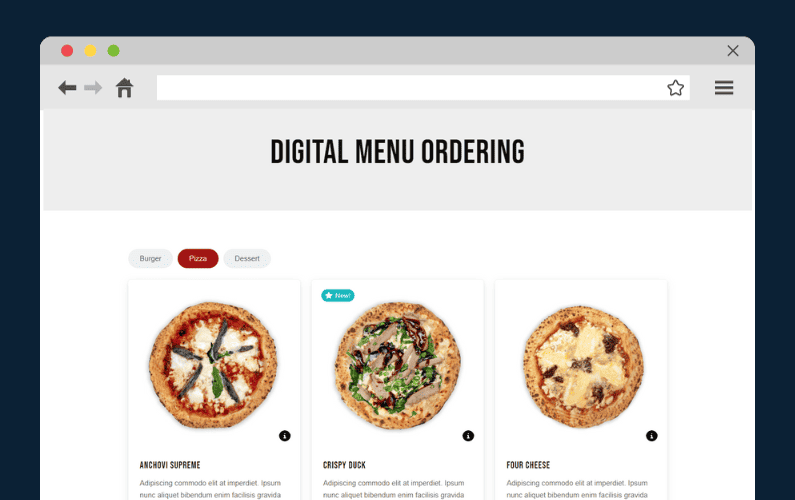
Offer online ordering
Offering online ordering implies selling more of your food to a new customer base – the online customers. Since the pandemic, online ordering has increasingly become the go-to option for many.
📈 Now, over 70% of customers frequently search restaurants online, daily, to place food orders directly from their websites.
📈 It’s a booming business. In fact, this year alone, the revenue in the Online Food Delivery market is forecasted to reach US$1.22tn.
Online ordering is convenient. Customers can order and enjoy hot, fresh meals from their favorite restaurants from the comfort of their homes or workplaces.
If you’re a business owner and want to gain a slice of this market share and boost your sales through the roof, the key is adding an effective online ordering system to your site.
We have the best one on the market today – Orderable. The best part? It’s easy and quick to install.
Why use the Orderable plugin to increase your sales?
Orderable is a commission-free WordPress plugin that quickly adds a robust online ordering system directly to your restaurant website.

Once set up, this plugin allows potential customers to easily browse your online menu, customize their orders, and buy your food via your website. You set the delivery/collection schedule and determine the number of orders you want to fulfill for maximum sales.
So, how does the Orderable plugin turn every step into an opportunity to boost sales?
Get Your Restaurant Business Online With Orderable
Orderable is a user-friendly WordPress plugin that adds online ordering to your restaurant website.
Add your dishes, create your online ordering menu, customize your delivery schedule, and manage orders with ease.
How does Orderable boost your restaurant sales?
The following are the benefits and features of Orderable that can help boost restaurant sales.
- Create a delivery schedule that works for you (with flexible settings). With Orderable, you determine specific days of the week on which you’ll offer pickup or delivery services. Then, set the maximum number of orders you can fulfill for that day. The principle behind this is simple: the more orders you fulfill within a delivery day, the higher your sales volume.
- Spread out order fulfillment throughout the day using time slots. Time slots do two things. It helps you handle orders more efficiently by setting a certain number of orders you can fulfill at various times of the day. Customers can also pick a time for their delivery or pickup and avoid the chaotic rush of orders at peak times.
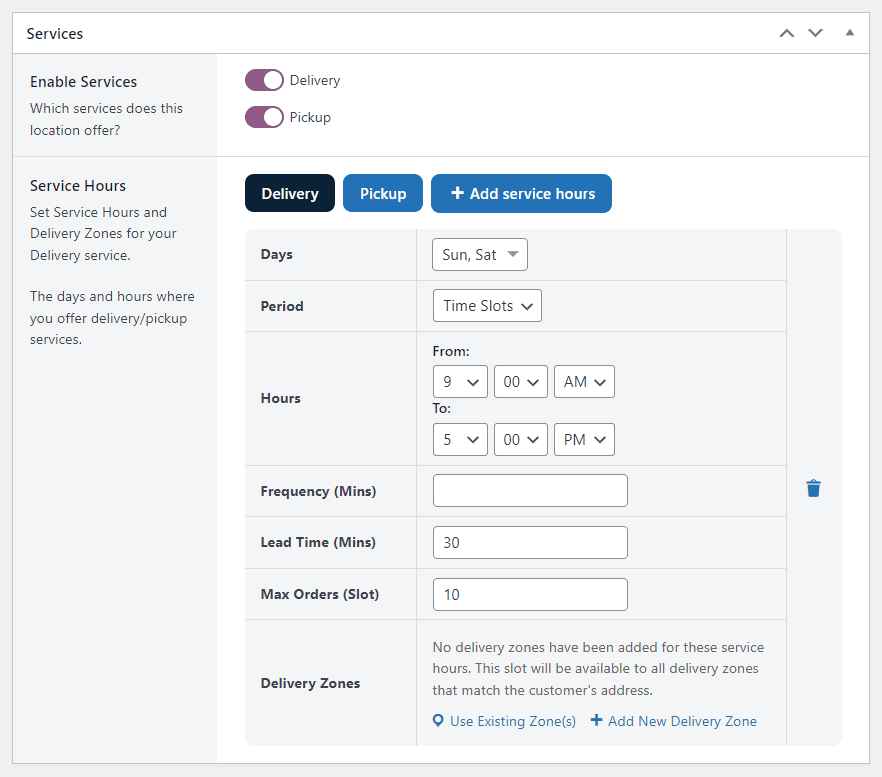
- Charge extra delivery fees for ASAP, same-day, next-day deliveries, etc.
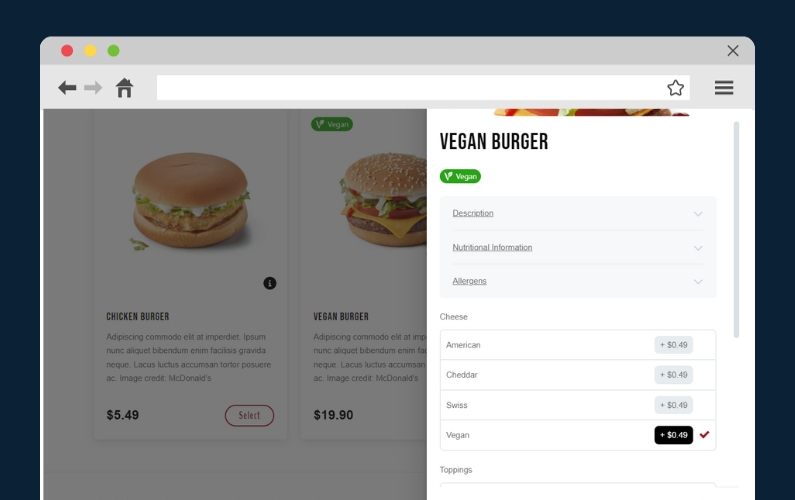
- Optimize your menu with Orderable layouts. It allows you to add high-quality food images, write menu descriptions, add nutritional/allergen info, and add dietary product labels or badges like chef’s specials, popular, new, promotional discounts, etc., to grab customers’ attention quickly.
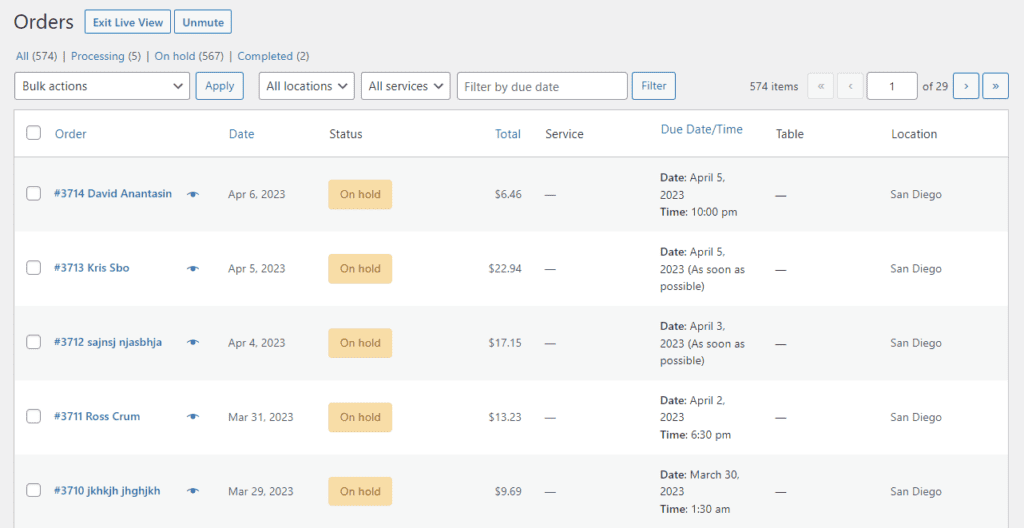
- A live order management screen. So your kitchen can see live orders as they come in in real time and accurately work on them behind the scenes.
Boost sales through a higher average order value
Orderable lets you increase sales by getting customers to spend more per order.
- It gives diners the ability to customize their menu options. This plugin lets customers customize their orders with condiments, toppings, appetizers, etc., at an additional price. This also boosts the average order value of an order.
- It has multiple sales-boosting features designed to earn you even more. These include:
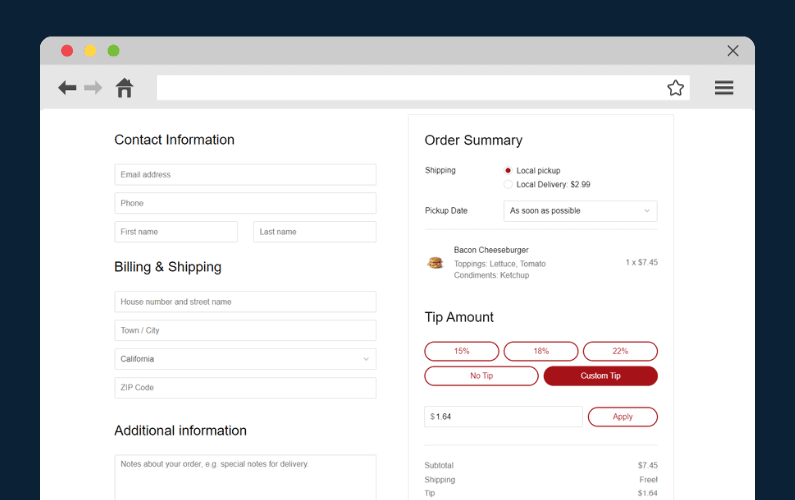
- Checkout tipping. Allows you to add tip prompts to your checkout to boost revenue.
- Cross-sell with order bumps and suggest complementary menu items, like a drink or side dish, that go well with the customer’s chosen entrée. Increasing your average order value.
- Upsell with upgrades and product add-ons to allow customers to customize their orders with add-ons and customization.
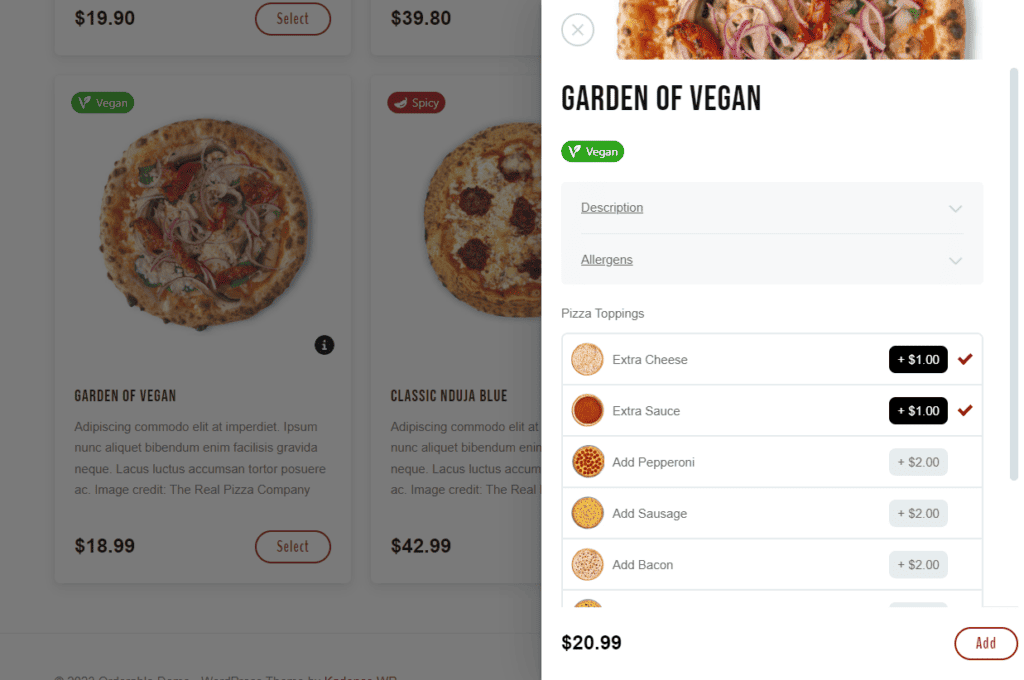
📈 Cross-selling can drive your sales up by 20%. On the other hand, upselling can boost your sales by up to 30%.
- By itself, the checkout process is quick so customers can checkout as quickly as possible. If you want to, you can apply incentives like promo codes to your checkout process.
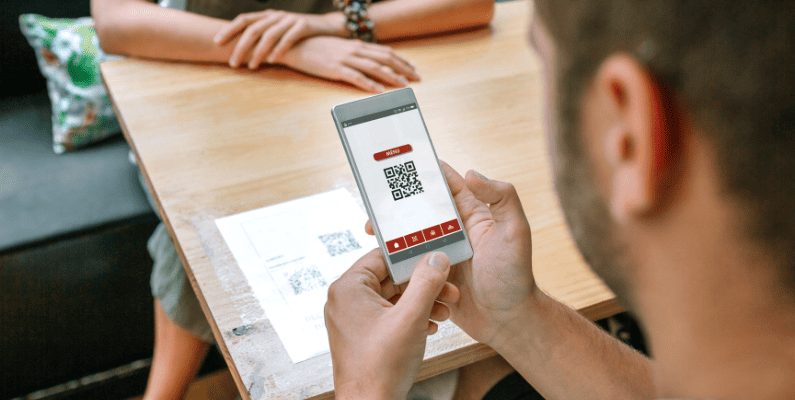
If you have a physical storefront, this plugin also allows you to create a table-ordering system for dine-in customers – a service that’s likewise in demand. Then, implement these features to boost your in-house sales.

Set up a loyalty program
One primary objective of customer loyalty programs is to increase retention.
It isn’t just about the sales you can make from an existing customer base. You want customers to remain with your restaurant after they dine with you (and drive repeat business).
A higher retention means a steady flow of restaurant revenue. And it cuts down on your costs to constantly acquire new customers. However, for your loyalty program to be effective, it has to serve a real purpose for the customer, not just your bottom line.
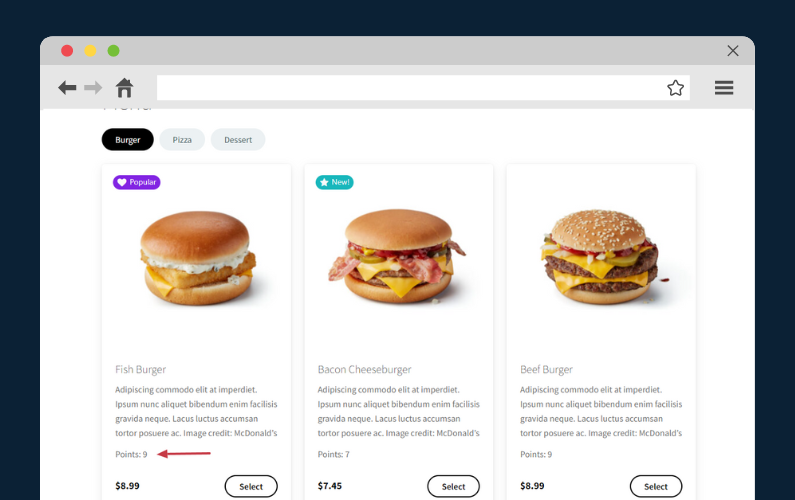
For instance, you can reward loyal customers with priority seating, exclusive menus, event invitations, personalized rewards, timely promotions like happy hours, celebrate birthdays or anniversaries, etc.
💡 We’ve already covered this at length in our guide on creating a restaurant loyalty program.
Additionally, if you want to up your email marketing strategy game and increase sales, we’ve sorted this out as well for you. Sending personalized emails is an excellent way to nurture existing customers and keep your brand top of mind with them.

Evaluate your in-house dining experience and plan for improvements
📈 Did you know that 17% of customers could leave your restaurant after just one bad experience? This can be a huge setback, particularly when you’re trying to increase your sales and grow your restaurant business.
So, the next thing you need to do is reinvent the customer experience in your restaurant and entertain guests. Diners want to know they’ll be well taken care of from the moment they step inside your restaurant.
How do you go about this? First of all, you need to find out where you stand and see what’s working now.
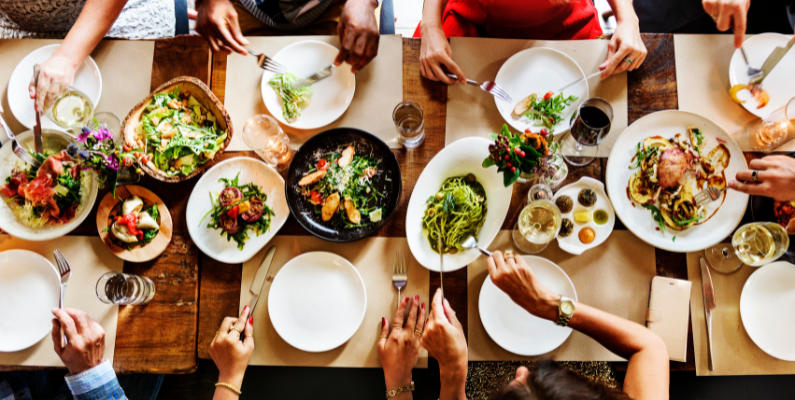
Are your employees well-trained in handling customers or complaints? What’s your table arrangement or management system like? How about the ambiance? Is it welcoming and comfortable? How about lighting and music?
📈 These are the kind of guest experiences that 77% of customers recommend to their friends through word of mouth and not forget.
After thoroughly evaluating your in-house dining experience and identifying areas of improvement, you can proceed to optimize your customer experience.
💡 You can find some ideas on how to perform customer service optimization using this guide.

Take a hard look at your food costs
Selling as much food as possible is crucial for boosting food sales in your restaurant. However, one critical aspect that most restaurateurs tend to overlook is their food costs.
Ignoring this metric can negatively impact the profitability of your food sales.
For instance, if your overall food cost percentage metric is higher than the restaurant industry average, it can hurt your profits in two ways. You’ll have less wiggle room to lower menu prices and attract customers.
Or, a higher food cost can force you to raise prices to make a profit, which can push customers away. This makes it harder to grow your business.
The benefits of improving your food cost percentage
Therefore, by calculating your food cost percentages, you can easily:
- Identify if your recipe costs are too high and rectify it.
- Identify food cost drivers like overstocking, food wastage (like improper storage, preparation mistakes, spillages, refires, etc), and improper portion control and mitigations.
- See if your current menu prices reflect your food costs accurately and generate a healthy profit margin.
- Make smarter menu decisions, like revamping your menu through techniques like menu engineering.
- and more.
📈 In fact, menu engineering alone can help you grow your sales by up to 15%.
To simplify this, we have a detailed guide to help you calculate your food cost percentage properly. We also share techniques to lower this metric, suppose it’s higher than the restaurant industry average.
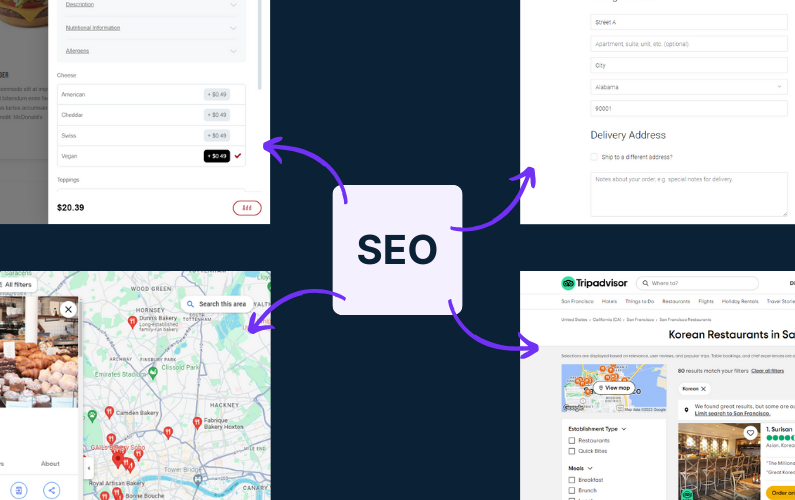
Improve foot traffic with local SEO
Part of increasing your restaurant sales is ensuring more nearby customers can easily find you online.
One effective way a local business like yours can do this is to optimize for near-me searches. Near-me searches are location-specific search queries, usually aimed at getting quick results nearby, for example, Korean restaurants near me.
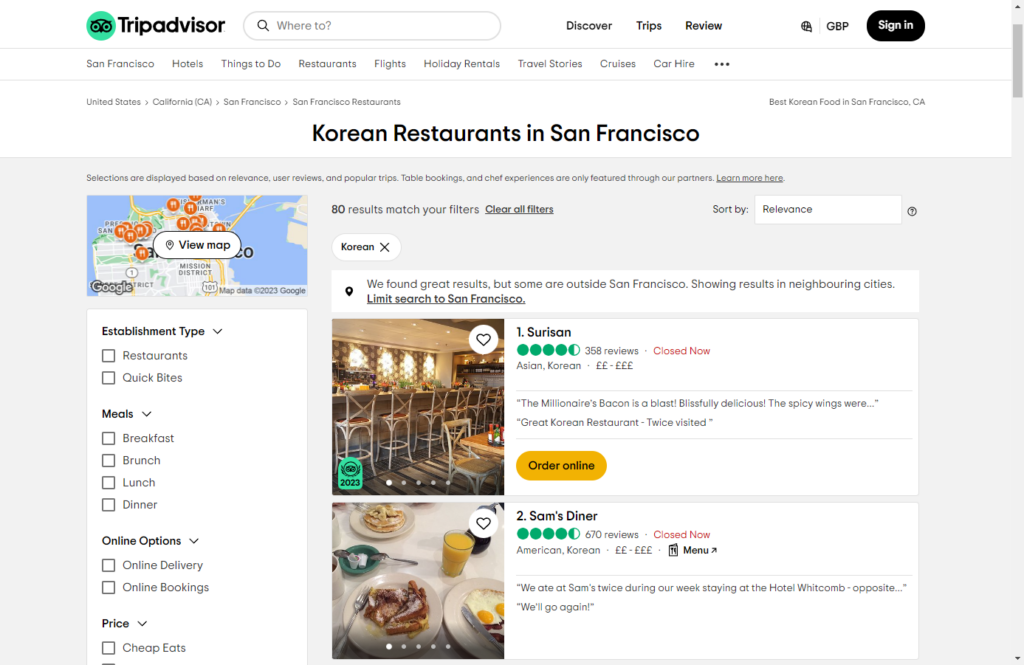
However, just by being geographically closer to your searchers doesn’t mean you’ll rank high in search engine results. You need to really tap into the local search optimization to be easily found online.
Perfecting your Google My Business profile is one of the first steps to improving your local SEO. It controls how your restaurant shows up on Google Maps and Search. Use targeted keywords, verify your listing, and keep it up to date at all times if you want to rank higher.
💡 You can find other additional local restaurant marketing tips here.
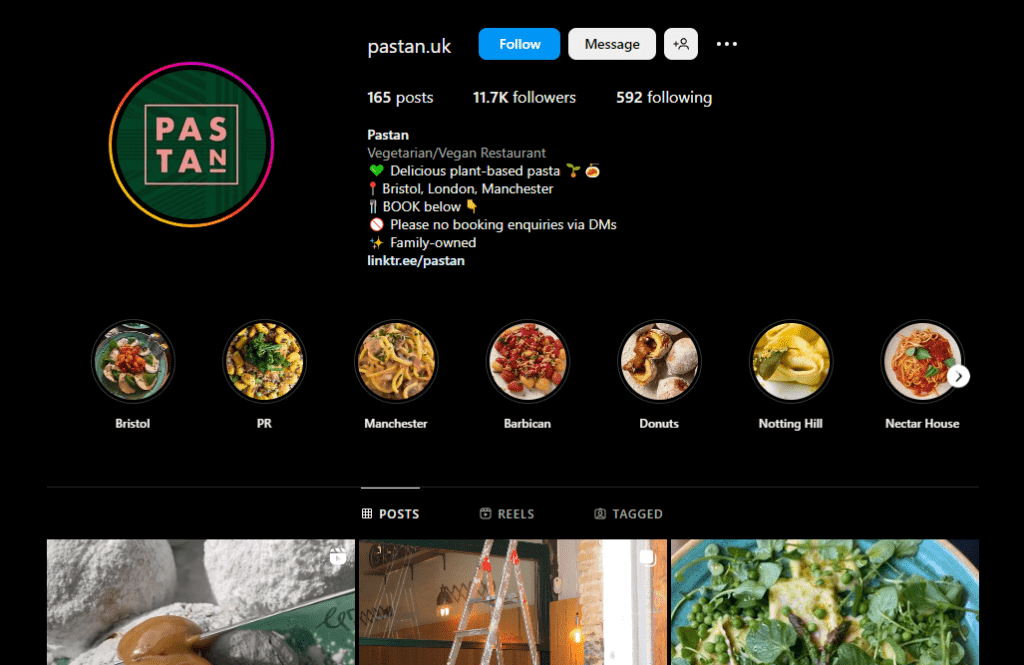
Get started with or improve your social media presence
Another way new customers can find you is via social media platforms.
Think of it this way: you can reach thousands, if not millions, of viewers, using popular restaurant marketing hashtags like #foodphotography and #instafood.
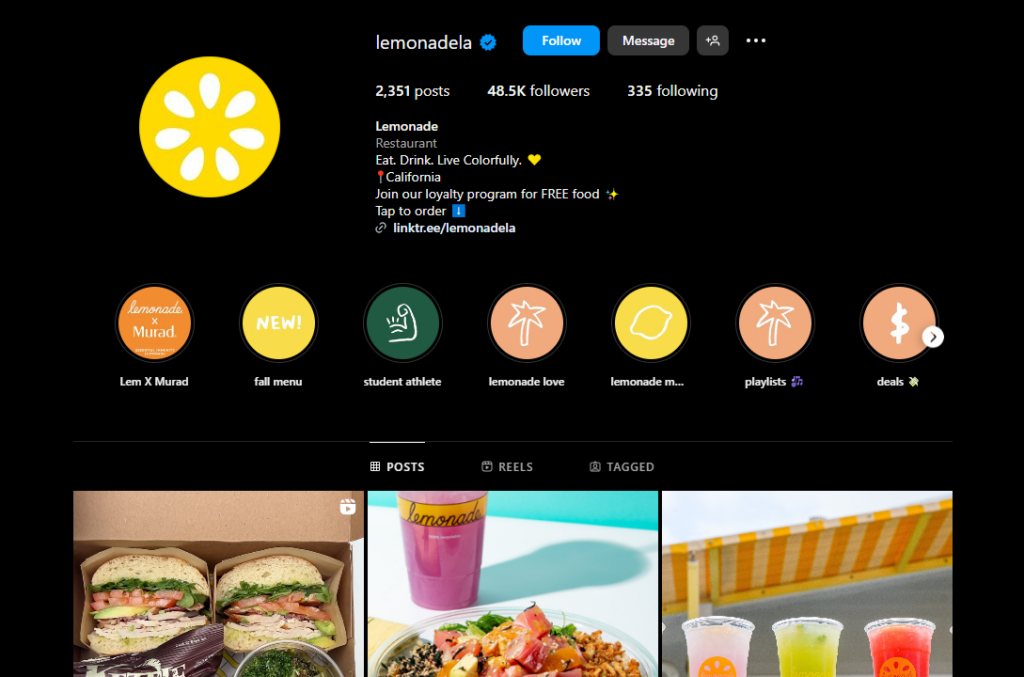
Sharing high-quality food images with location tags on platforms like Instagram and Facebook can help you market your business.
So, if you aren’t on social media, you’re missing out. If you’re already on one of these platforms, here are just a few tips you can try:
- Optimize your bio/profile on each social media channel with all restaurant information, location address, emails, directions, contacts, etc., before you hit publish.
- Feature behind-the-scenes content, post employee spotlights, and share internal stories, for example, through Instagram reels. This can help build a strong relationship with your target audience.
- Promote seasonal menu items. Most social media platforms are free, and if you use effective marketing strategies, promotions and advertising can be free (or cheap) as well.
- Engage with users. Respond to both positive and negative comments.
📈 Want to know how customers react when they’re engaged? Customers who are actively engaged with brands spend 60% more in each transaction and are five times more likely to choose you in the future.
- Use social media tools like Google Alerts and Hoosuite to monitor brand mentions.
- Work with influencers.
- and more.

Include additional revenue streams (special events, merch, meal kits, sauces, etc)
Finally, while dine-in sales may be your restaurant’s main source of income, it isn’t wise to rely on a single source of income. To diversify your income, you can include new revenue streams like cooking classes, selling branded merchandise like t-shirts or mugs, etc.
If you have enough restaurant space, you can host special occasions like birthdays, weddings, and anniversaries. Or, host events like live music, football matches, etc, to supplement your income.
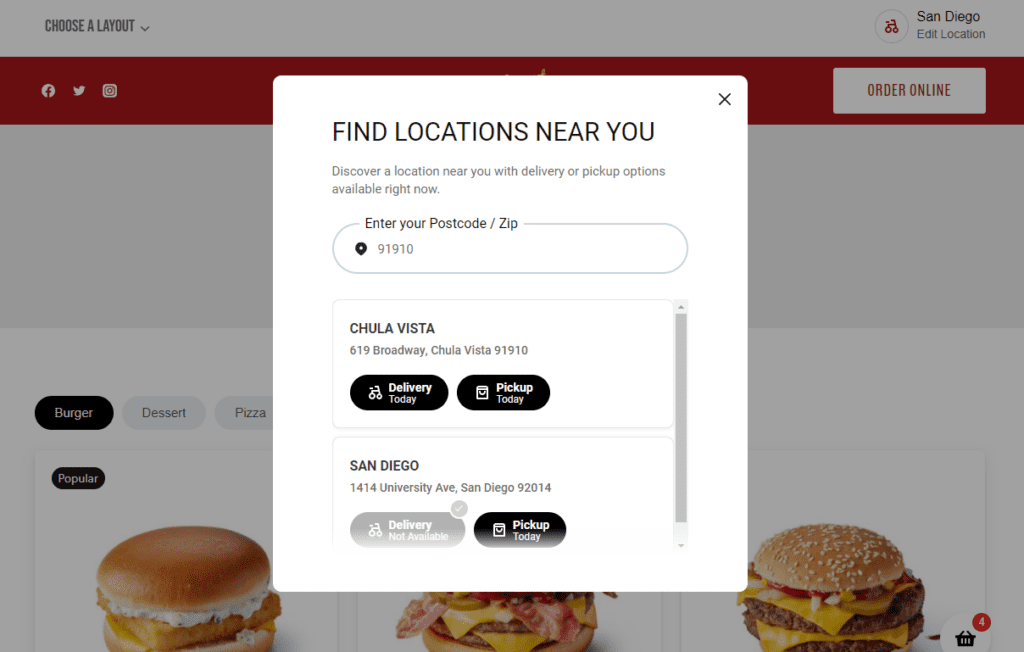
Opening a new restaurant location is another viable option. With Orderable’s multi-location feature, customers can easily order from the location closest to them. This feature enables you to handle online ordering for all your restaurants on a single website.

Put together your action plan to increase sales in a restaurant today
If you’re always working on ways to boost restaurant sales, compiling them in an action plan template is a step in the right direction. It can help you know exactly where to start, improve your restaurant sales, and monitor progress in the long run.
Some tested strategies you can implement to increase sales include customer loyalty programs, optimizing local SEO, improving customer service, offering online ordering, and more.
With Orderable, you can add an online ordering system to your restaurant website and have online ordering as part of your action plan. Apart from making it easy for you to set up an online ordering system, it equips you with sales-boosting features designed to help make your action plan successful.
Don’t wait any longer. Start delivering your food to online customers using Orderable. It only requires a few configurations and modifications from you.
Get Your Restaurant Business Online With Orderable
Orderable is a user-friendly WordPress plugin that adds online ordering to your restaurant website.
Add your dishes, create your online ordering menu, customize your delivery schedule, and manage orders with ease.
Gina Lucia is our in-house Content Manager at Orderable. She writes articles, user guides, technical documentation, and creates videos on everything WooCommerce and Orderable.
Gina has been working in the WordPress/WooCommerce space since 2012 when she developed WordPress websites for clients large and small.
For the past 8 years, she’s been writing about everything WordPress and WooCommerce, becoming an expert in what makes a WooCommerce store succeed.
When not writing, Gina loves to tend to her vegetable garden, read, or travel to mainland Europe.
Don’t miss out on the latest Orderable news!
Sign up for our newsletter to receive the latest news from the blog, you’ll get pinged every week with a digest of the latest updates.
[fluentform id=”6″]

Related Articles
How to Add a Tip at the Checkout in WooCommerce

What is a Quick Service Restaurant in 2026?

48 Fresh Ideas for Restaurant Events (2026 Edition)
Get Your Restaurant Online With Orderable
The WooCommerce plugin designed to help restaurants take orders online – with no added fees!
View Pricing

