



Gina Lucia


If you’re looking for the best online menu inspiration ideas to help you create an appetizing menu, this guide is here to help.
There’s power in good restaurant menu design. It creates a positive first impression and can help seal the deal. If your menu’s design feels outdated, hard to navigate, or not optimized however, you could lose customers.
In this guide, we’ve compiled some of the best restaurant menus you can use to inspire your menu’s design. We’ll look at the features that make them successful and how to implement them for yourself.
Here’s a breakdown of what we’ll cover:
- What features make a great online menu?
- How to implement these features with Orderable.
- 10 real-world online menus to draw inspiration from.
Before diving into real-world menu examples to draw inspiration from, let’s first go over how to create an optimized menu.
How to create the best online menu possible
You probably know how important it is for your restaurant to have an online food menu. To put this into perspective, a study by Touch Bistro revealed that 94% of Millennials check online menus before dining out.
In other words, your menu is key in helping customers dine at your restaurant. Most of their experience is spent browsing your menu and picking the items that appeal to them. This includes not only customers who order online but also customers who dine in.
It’s not just customers that benefit from restaurant menus. As the restaurant owner, your menu helps to market your business, and it keeps your business running smoothly.
It is important to note that having a menu isn’t just about listing food and their prices. You need to design your menu well to get the most out of it. So, let’s discuss what makes a great online menu.
What makes a great online menu?
A great online ordering menu must cover the basics well. By this, we mean that it should be:
- Easy to read – Everything, from the typography and color scheme to the layouts, must be carefully selected so that customers can easily browse.
- Easy to navigate – Customers should not have to read and re-read your menu to find what they want.
- Consistent with your brand – Your menu should be an extension of your brand’s identity. When customers look through it, it should set the tone for what they can expect when they dine with you.
The basics aside, some features make great online menus because they take it up a level. These include:
A mobile-first design
A mobile-first design should be your top priority if you want to create a great online ordering menu. Why? Mobile users dominate the online ordering space. 60% of all restaurant orders today come from mobile devices.
Having a mobile-friendly menu caters to a majority of your customers. It makes your menu easy to navigate on their smartphones, which could translate to more sales.
Clear visuals
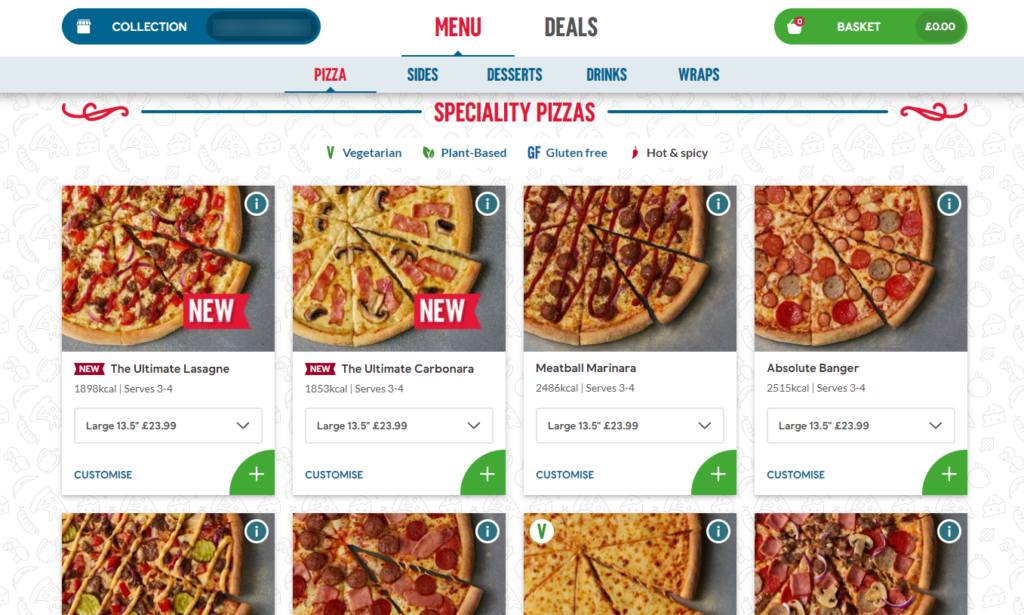
An excellent online menu will always have clear, high-quality images of food items. This is a great way to whet your customers’ appetite and show them what to expect if they order from you.
To affirm how important clear visuals are, let’s look at some numbers:
- In a recent study, 75% of customers revealed that the images they see on a restaurant’s website influence their decision to dine there.
- Grubhub reports that restaurants featuring high-quality images of their food on their menus see an average 30% increase in sales.
A simple ordering process
A good menu must be efficient. Customers should be able to browse through it and order from it as quickly as possible. They shouldn’t have to jump through hoops to place an order. This will likely discourage them, leading to lost sales.
So, before you add all the glitz and glam to beautify your menu, you should first ensure that customers can place an order with minimal steps.
Customization options
Customization options mean that customers can modify their orders to suit their preferences. For example, adding toppings (to ice cream or pizza), selecting sauces, changing portion sizes, etc. This provides a way for customers to personalize their orders.
The importance of personalization is pretty well documented. In a business leaders survey by Twilio, 62% admitted that their personalization efforts led to improved customer retention.
Special promotions and upsells
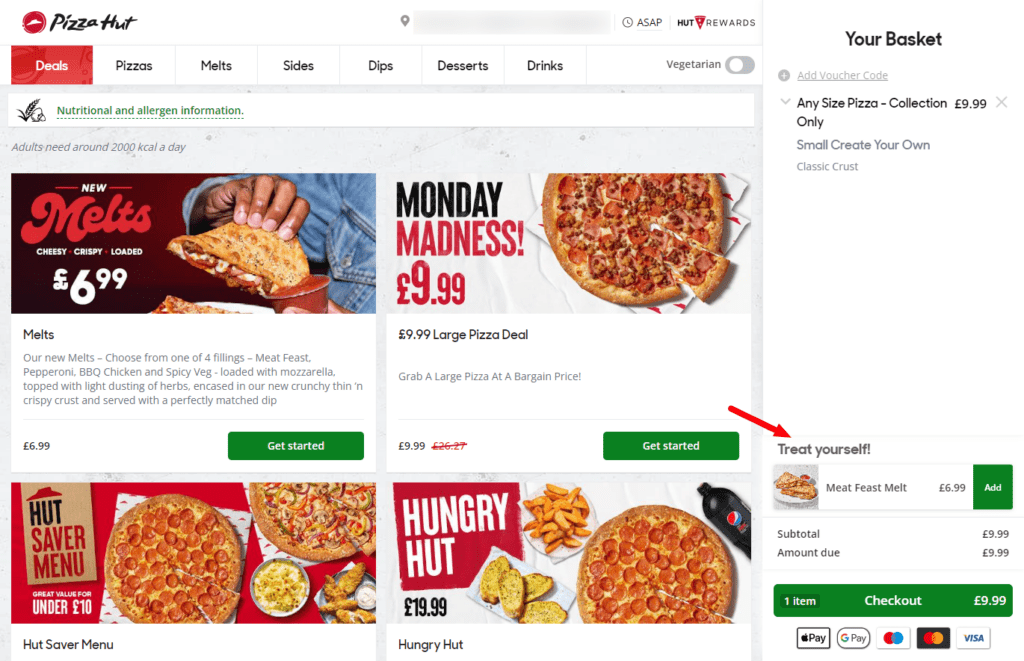
Finally, an optimized menu should be able to get extra sales for you through special promotions and upsells. Let’s say a customer wants to order a burger. The menu can recommend fries or a Diet Coke to go with that.
Or even an ice sundae to go with their fruit pie. The suggestions here are ‘smart’ and depend on what customers have added to their order.
Your average order value increases once customers add the suggested product to their purchase.
So now you know the features you need to create an optimized menu. The next step is figuring out how to implement these features in your online menu. This is what the WordPress plugin Orderable is for.
Get Your Restaurant Business Online With Orderable
Orderable is a user-friendly WordPress plugin that adds online ordering to your restaurant website.
Add your dishes, create your online ordering menu, customize your delivery schedule, and manage orders with ease.


How to implement these features with Orderable
If you’ve set up your restaurant website on WordPress, you can use Orderable to implement these features and more to create efficient, great-looking menus.

What is Orderable?
Orderable is an online ordering plugin for restaurant websites on WordPress. It allows you to add an online ordering system to your WordPress website and equips you with everything you need to start taking orders online.
Orderable allows you to take orders for delivery/takeout or for those customers who want to dine in. Customers can select their own delivery or local pickup times, and you can tailor these to your restaurant’s working hours and available staff.
One of Orderable’s standout features is that it allows you to design efficient, great-looking menus. So, let’s look at some reasons you should use it for your online menu.

Why use Orderable for your online menu
Here are the key reasons that make an excellent case for using Orderable for your online menu.
Easy menu setup
Orderable allows you to create a food menu by simply creating a layout and populating it with your food products/dishes. This process is so simple that you don’t need to hire a graphic designer to do it for you.
Orderable also gives you customization control over your menu’s appearance. You get to pick the typefaces, add eye-catching clear visuals, etc., and make it fit with your restaurant’s theme.

Simple ordering process
Customers can easily browse through your menu and directly order from it. No extra steps are required. You can allow them to place an order by clicking on a menu card instead of the ‘Place Order’ button.
With Orderable, your menu will also have an app-like design, perfect for customers ordering from mobile devices.
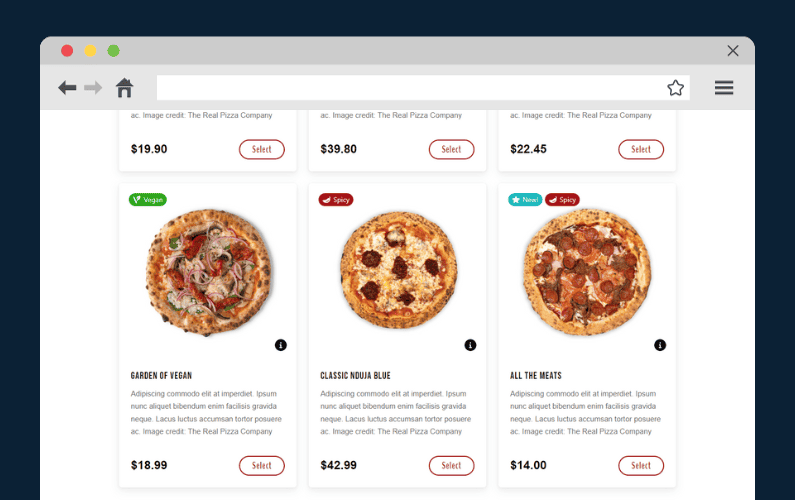
You can add allergen information to products on the menu
To ensure customers don’t order something that could harm them, Orderable enables you to add allergen information to your products. Products with possible allergens such as peanuts, eggs, and soy milk will have an ‘i’ icon. When customers click on this, they’ll see all possible allergens in the food they want to order.
You can highlight special food groups with product labels
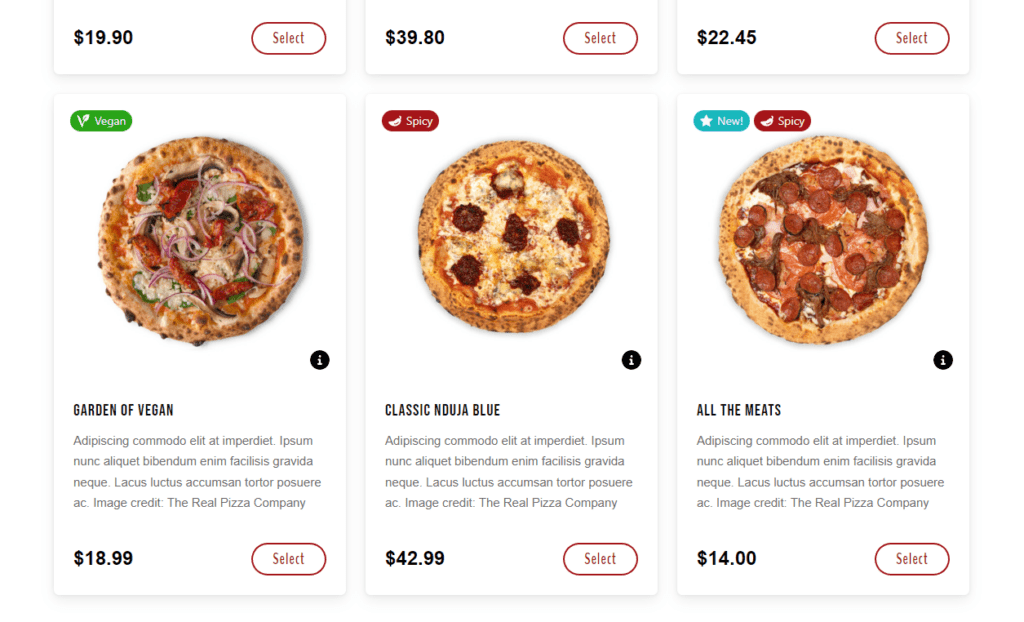
If you offer special types of food, such as lactose-free, gluten-free, vegan options, etc., you can use Orderable’s product labels to highlight them. This way, customers looking for them can easily find them.
You can boost your average order value with order bumps
Order bumps are product suggestions your menu makes for customers when they add a specific item to their cart. These suggestions are products that go well with what a customer is interested in.
Earlier, we mentioned burgers, fries, or any soda with pizza. When customers add them to their purchases, they spend more per order.
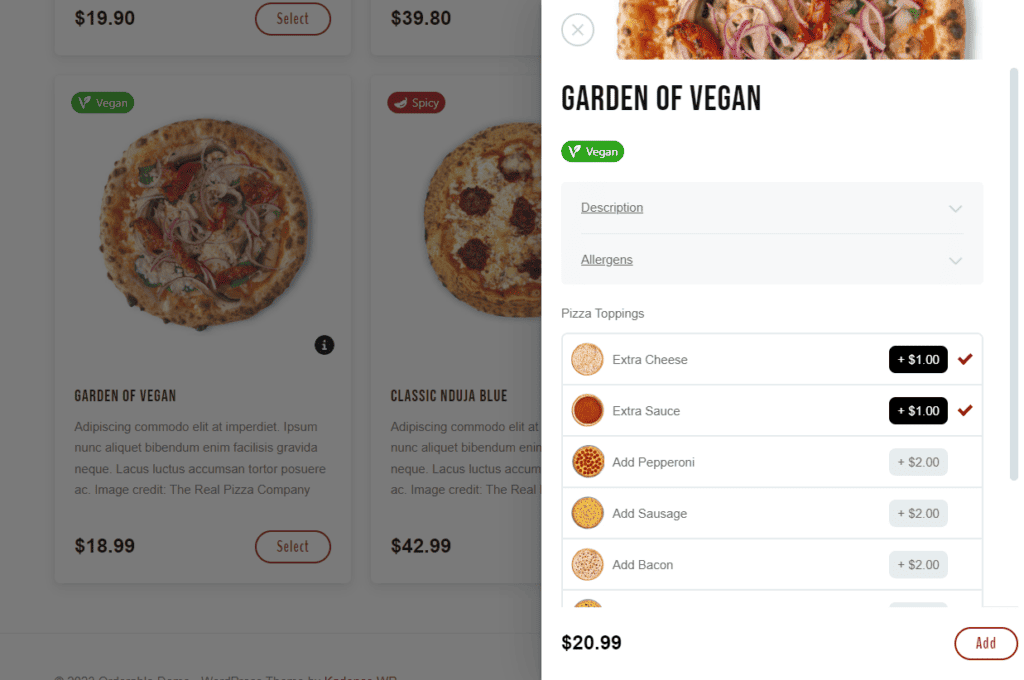
Custom product variations
With Orderable’s product add-ons, you can allow customers to customize their food to suit their preferences. This includes adjusting portion sizes, adding or removing toppings, etc.
Whether creating a new menu or updating an existing one, you can quickly get stuck on its design. You might not know which menu design ideas would work well for your menu and which won’t.
You can look at what has worked for others to break this rut and use it as inspiration. With that in mind, let’s look at 10 online menu inspiration ideas.
Get Your Restaurant Business Online With Orderable
Orderable is a user-friendly WordPress plugin that adds online ordering to your restaurant website.
Add your dishes, create your online ordering menu, customize your delivery schedule, and manage orders with ease.
10 online menu inspiration ideas
In this section, we’ll look at 10 real-world menus to draw menu inspiration ideas from them. We’ll cover a variety of menu designs and features.
By the end of it, you should have a pretty good idea of how you can creatively set up your restaurant menu. Let’s begin.
1. Chipotle Mexican Grill
Chipotle Mexican Grill (commonly known as Chipotle) is a popular American fast-casual restaurant chain specializing in Mexican-inspired food. Making it perfect for your menu inspiration.
This includes:
- Burritos.
- Tacos.
- Quesadilla.
- Bowls (containing a mixture of rice, beans, steak, cheese, etc).
What makes Chipotle’s menu unique?
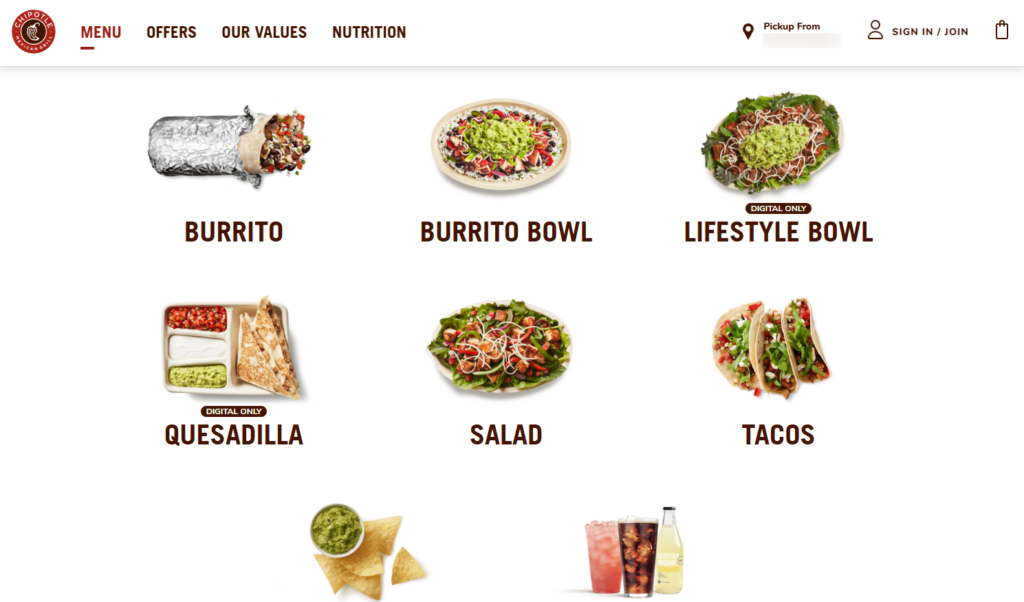
Unlike many fast-casual chains that offer lengthy, overwhelming menus, Chipotle’s menu is as simple as needed. It features high-quality photos of food in ample white space. There’s no cluttering whatsoever.
It also has several customization options for diners to pick what they want in their orders.

Why it works well for Chipotle
Chipotle’s minimalist menu is straightforward to use. It features limited menu items (8) to avoid any clutter. Customers can easily browse through it and place orders.
It walks them through this process, where they pick a location and customize their order before placing it. It also stays on-brand by featuring the brand’s colors all over.
How to implement something similar for your menu
Chipotle’s menu is a great place to draw design inspiration from if you run a fast-casual establishment such as a food truck or a drive-thru. It’s pretty easy to emulate.
You only need to feature your brand’s colors and display a handful of your products. And when you want to add the order customization feature to your menu, take advantage of Orderable’s product add-ons.
With this feature, you’ll allow customers to add sides, special sauces, toppings, etc. before clicking Place Order.
2. BAO City
BAO City is a London-based restaurant that sells traditional Chinese flavors with a few twists. Their signature menu item is the Gua Bao – which is a fluffy steamed bun filled with various ingredients such as:
- Pork belly.
- Fried chicken.
- Slow-cooked beef, etc.
Apart from baos, they also sell noodles, dumplings, rice dishes, and other sides.
What makes BAO City’s menu unique?
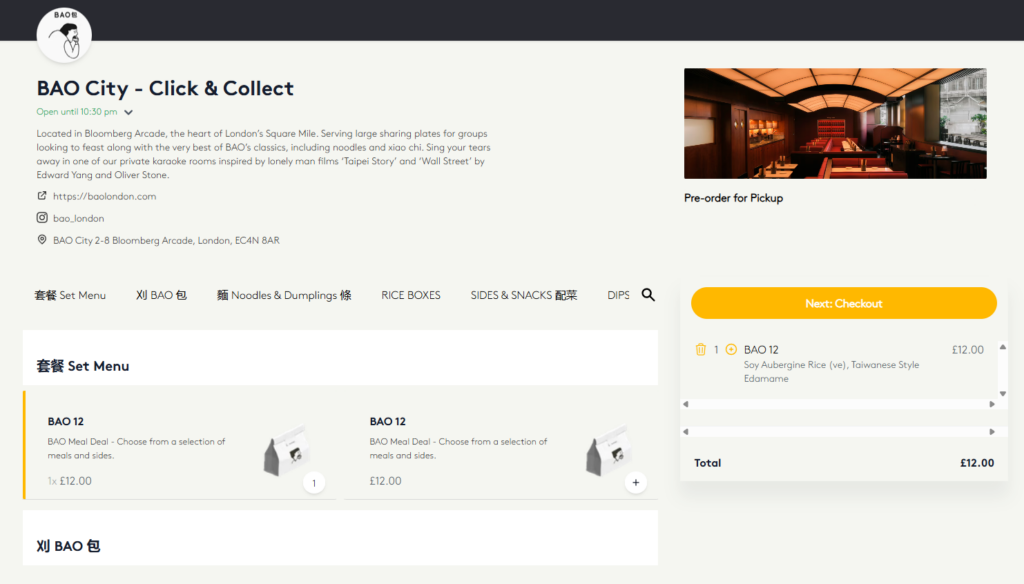
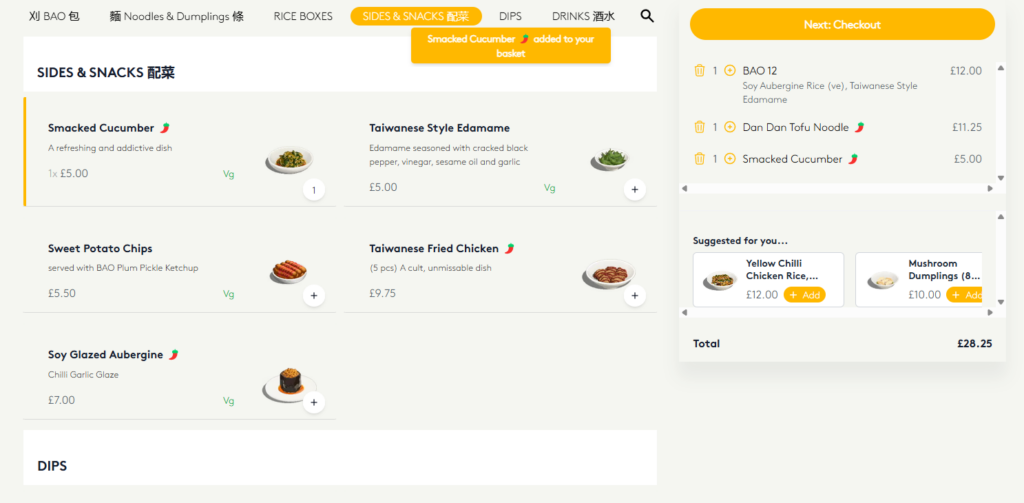
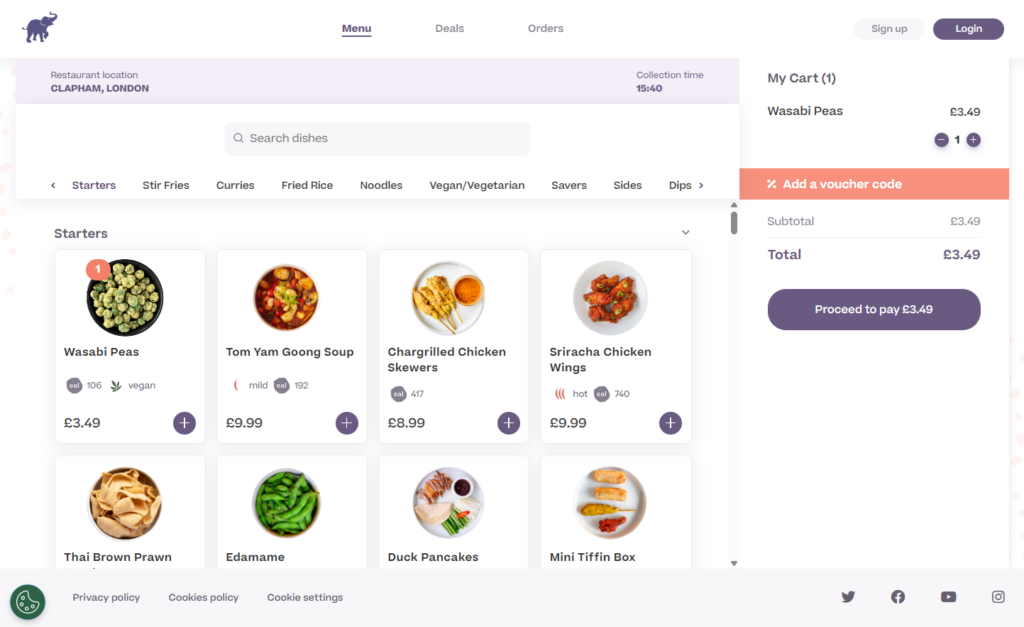
Although BAO City primarily sells traditional cuisines, it has a modern menu to present them. The menu is divided into sections, following a hierarchical structure where the main dishes are at the top, followed by secondary dishes and drinks.
The menu headers are multilingual (Mandarin and English). It is also worth mentioning that the menu cards are clickable. Once customers click them, they can customize their orders.
Why it works for them
BAO City’s menu drives sales because (like Chipotle’s) it is easy to use. Everything is neatly arranged in categories, making it easy for customers to find what they want. On top of that, it is mobile-optimized.
The menu’s elements are neatly stacked on each other, making for a smooth menu browsing experience on mobile devices.
How you can implement BAO City’s menu model for your restaurant
Creating a simple, but practical menu layout isn’t easy, but Orderable can help you do it. You can create a menu layout using Orderable’s product layouts from your product categories.
After this, you can choose to:
- Display them in a grid or a list.
- Choose the order in which the categories are displayed.
3. Sweetgreen
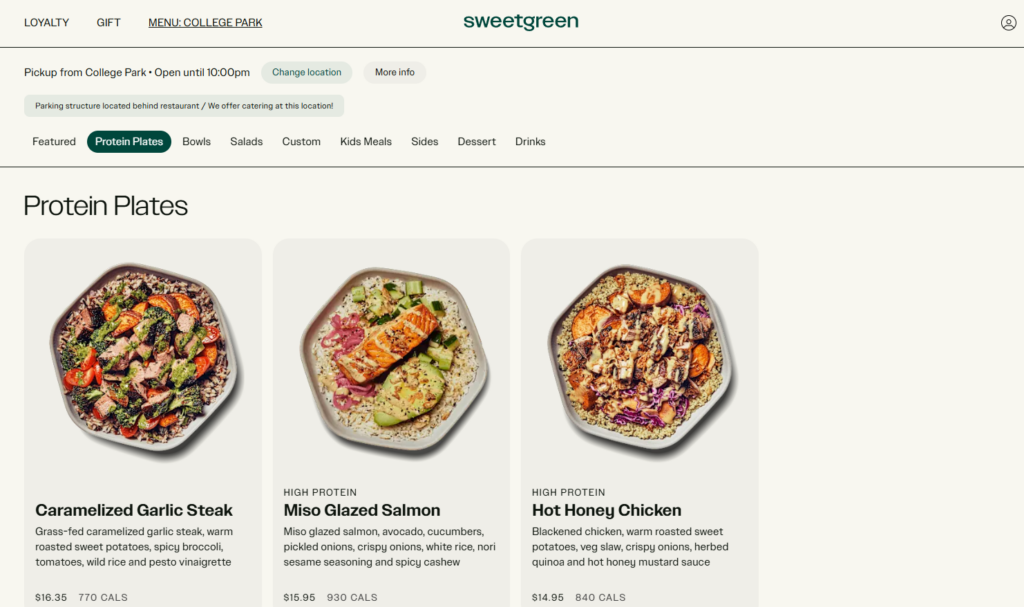
Sweetgreen sells fresh, healthy foods in the form of bowls and salads. It emphasizes using fresh, whole, and seasonal ingredients. Diners can customize the specific ingredients in their bowls or salads.
What makes their menu unique?
Sweetgreen’s is by far the most customizable menu we’ve covered so far, making it perfect menu inspiration. Let’s say a customer selects one of its protein plates, for instance, the Caramelized Garlic Steak plate. They can pick the base (like wild rice), toppings (spicy broccoli), and dressing.
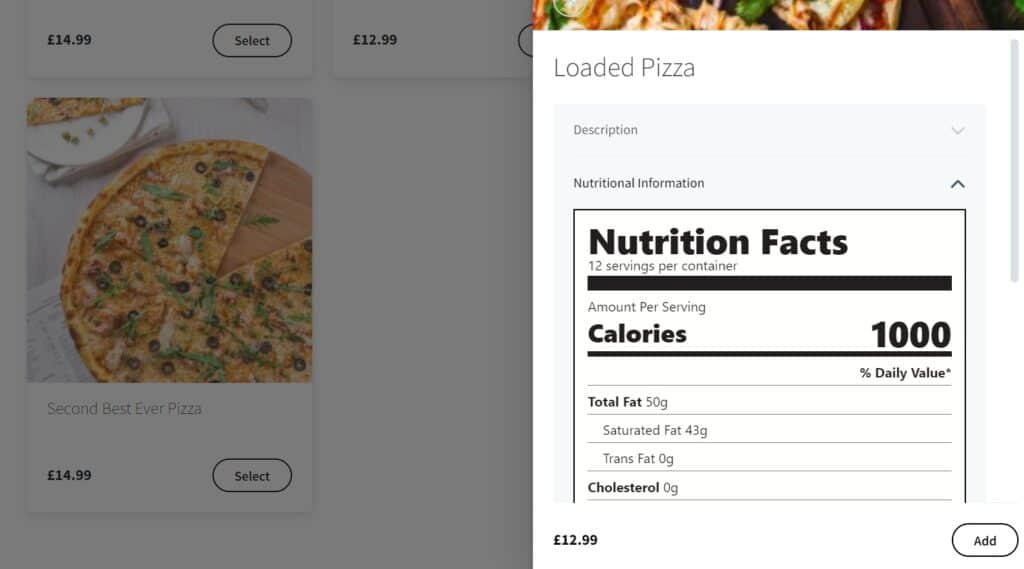
To top it off, it has a calorie calculator that updates in real time as customers select their options.

Why this menu setup works well for Sweetgreen
Sweetgreen targets health-conscious customers. The menu caters to them with the calorie calculator. This seems like a ‘nice-to-have’ feature, but it helps them to seal the deal with undecided customers.
On top of that, Sweetgreen makes use of order bumps. When customers add a bowl or salad to their carts, a right-side panel with menu items that go well with it pops up.
How to implement this menu inspiration in your own restaurant
You might need to do a bit of custom coding to add a calorie calculator to your restaurant website on WooCommerce and integrate it with your menu. However, if you don’t want to go that far, you can include calorie information in the product description or use nutritional information with Orderable.
You’ll show customers how many calories a combo meal has per serving. This will still appeal to health-conscious customers.
4. Domino’s Pizza
Domino’s Pizza is one of the world’s largest pizza delivery chains, making it great for menu inspiration. It has locations worldwide, including Europe, Asia, and parts of Africa. Domino’s is known for selling all types of classic and specialty pizzas. They also sell sides and extras to go with their pizzas.
How is their menu unique?
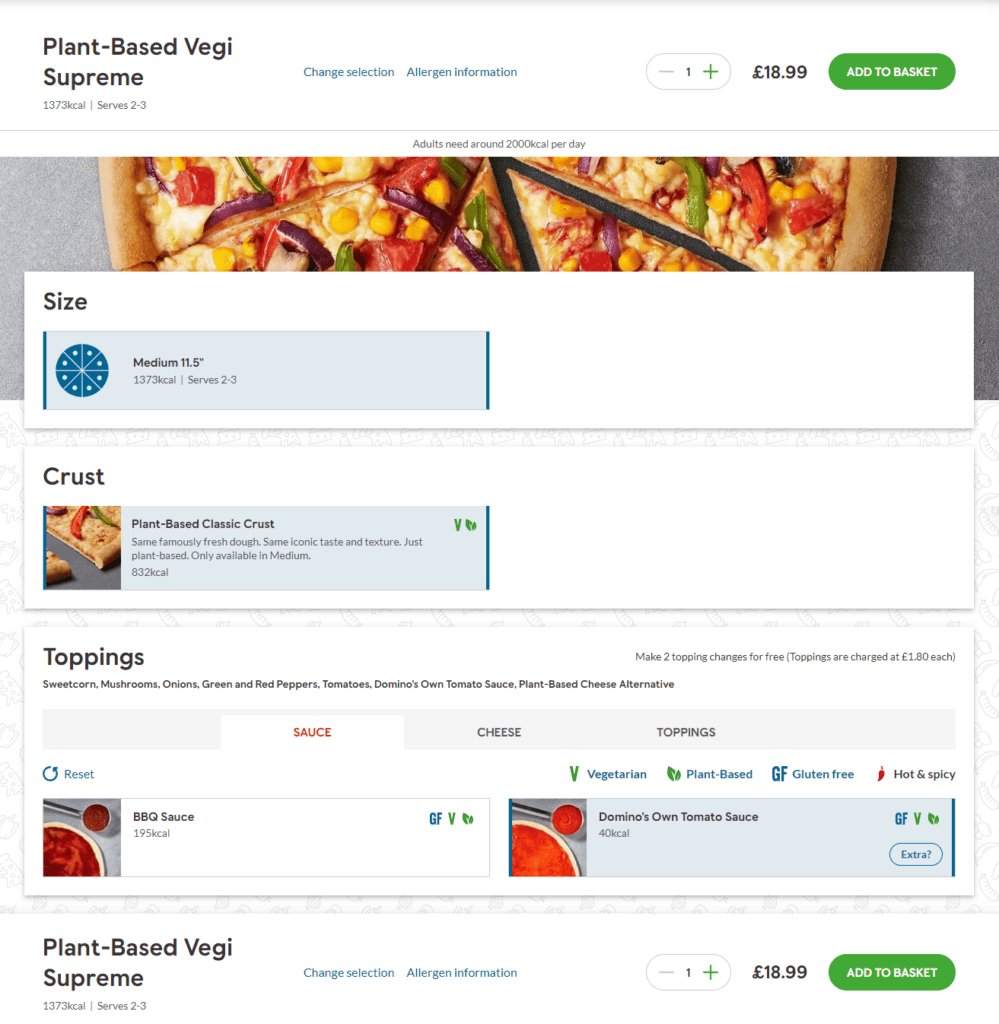
Like most of the menus we’ve looked at so far, Domino’s menu is easy to use, and the orders are customizable. Customers can select the type of crust, toppings, sauces, and sides to go with their order.
What Domino’s does differently is how adaptable their menus are. Their menus are localized – meaning they’re different for different regions worldwide. The menu items are also different. For instance, you’ll see Teriyaki Chicken Pizza in Japan and Paneer Tikka Pizza in India.
Why this works for them
People from different parts of the world consume different types of food predominantly. By making its menu adaptable, Domino’s Pizza caters to customers in different parts of the world. This is one of the ways Domino’s Pizza improves customer satisfaction.
How to implement this menu inspiration in your own restaurant
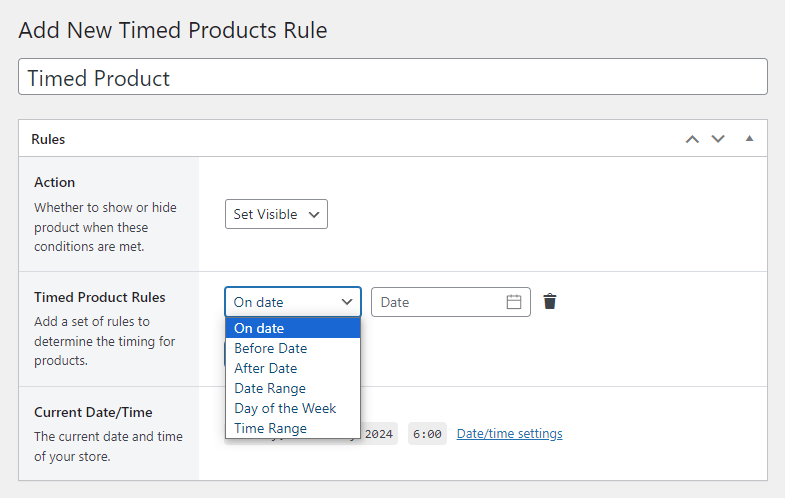
You might think that creating an adaptable menu is difficult, but with Orderable, you’re in luck. With Orderable’s timed products, you can create a dynamic menu in which the menu items displayed change based on specific conditions.
You can set rules to display breakfast food during morning hours and dinner foods during the evening. This way, you’ll cater to what customers want to eat at specific times.

5. SusieCakes
SusieCakes is a US-based bakery chain with multiple locations across the country. They specialize in selling different types of cakes plus other pastries like cookies. They offer local pickup services for people near their bakeries and deliveries nationwide.
How SusieCakes menu is unique
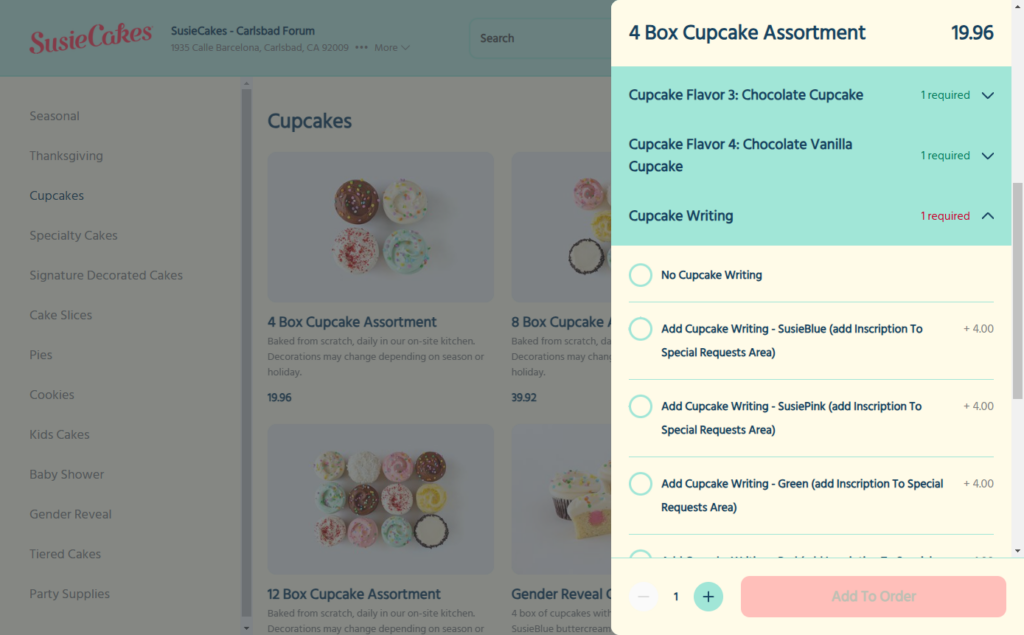
SusieCakes’ menu features large menu cards to showcase high-quality photos of their cakes. Each image has an effect that expands it when customers hover over it. This allows customers to examine the cake’s colors and texture in detail.
In addition, each menu item is accompanied by a star rating. This star rating gives undecided customers the social proof they need to purchase.
Why SusieCakes menu works
SusieCakes sets up its menu to be appealing to potential customers. The high-quality images of their cakes whet their customers’ appetites before they buy. And if customers are unsure about buying from them, the high star ratings and reviews will convince them.
How to implement something similar for your restaurant
You can never go wrong with investing in restaurant food photography. So be sure to take high-quality photos of your food and show them off on your menu.
When taking these photos, you can:
- Set your food up like a stylist.
- Implement techniques like the golden triangle, the rule of thirds, etc.
We’ve covered these tips and more in our Restaurant Food Photography guide. To add reviews to your menu items, you can install a review plugin such as Reviews Plus.
6. Joe & The Juice
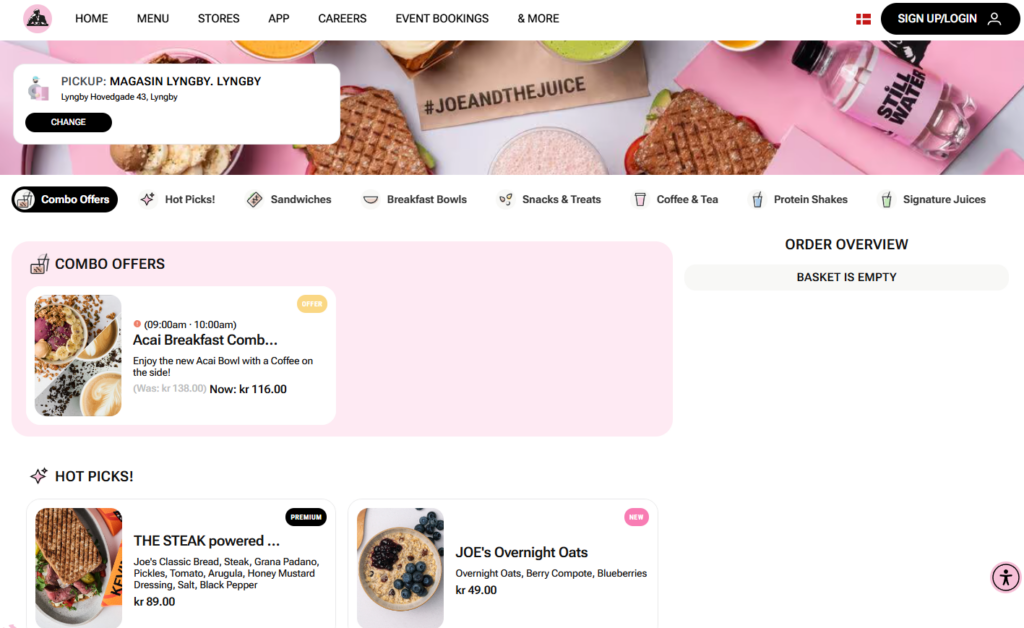
Joe & The Juice is a chain of juice bars and coffee shops distributed in Europe, Asia, and North America. They predominantly sell juices, coffee, and sandwiches. You’ll also find protein shakes, breakfast bowls, snacks, etc.
What’s unique about Joe & The Juice’s menu?
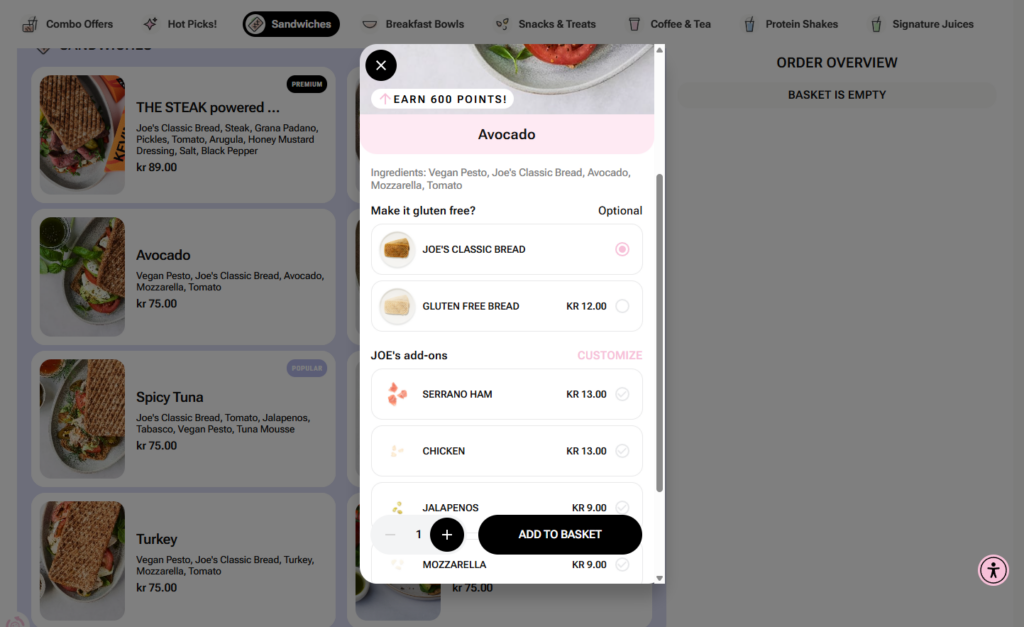
Joe & The Juice promotes itself as a health brand, selling healthy drinks to its customers. This brand value is well represented in their menu. They have a real-time calorie calculator (like Sweetgreen).
They stand out because they include nutrition and allergen information for each dish.
Why this works for them
Joe & The Juice aims to attract health-conscious customers. The calorie calculator and the information on nutrition and allergens help them with that. Allergen information helps customers who have allergies to food that could cause them harm.
How to implement this in your restaurant
Orderable allows you to add allergen information to each menu item. This will appear as an ‘i’ icon on the product image. Once customers click on this icon, it will expand to reveal all the possible allergens in the food item.
7. Miznon
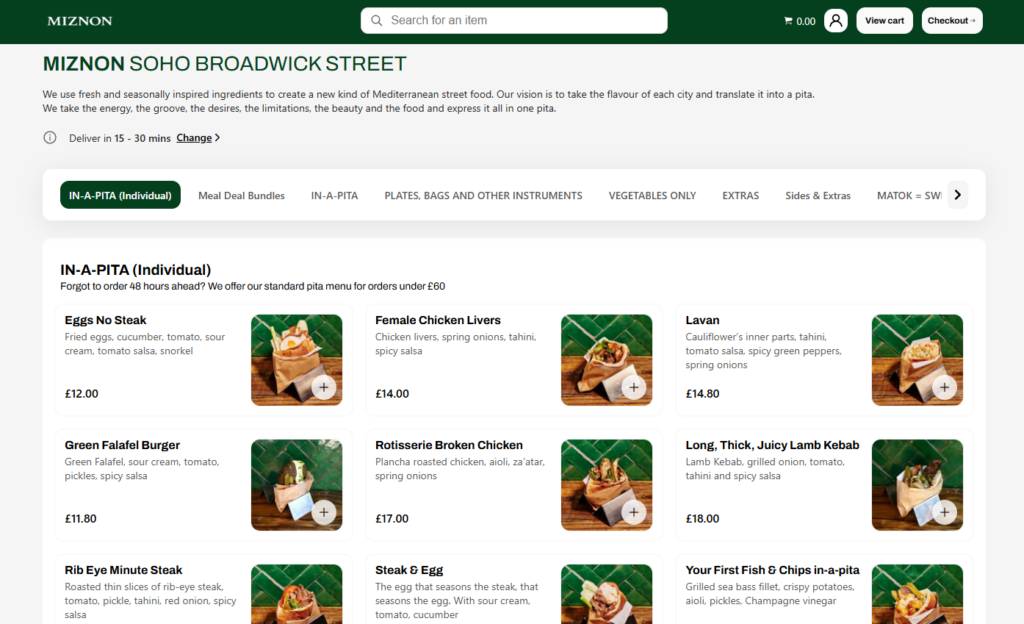
Miznon is a Mediterranean street food joint based in Broadwick Street, London. They mainly sell pitas, falafels, kebabs, and their related sides. Recently, their menu has expanded to include items such as vegetables and plates containing combinations of different foods.
What makes Miznon’s menu unique?
From the outset, Miznon’s menu looks like a standard one. Foods are segmented into categories. Customers can pick what they like and place an order. The orders are customizable, like most menus here.
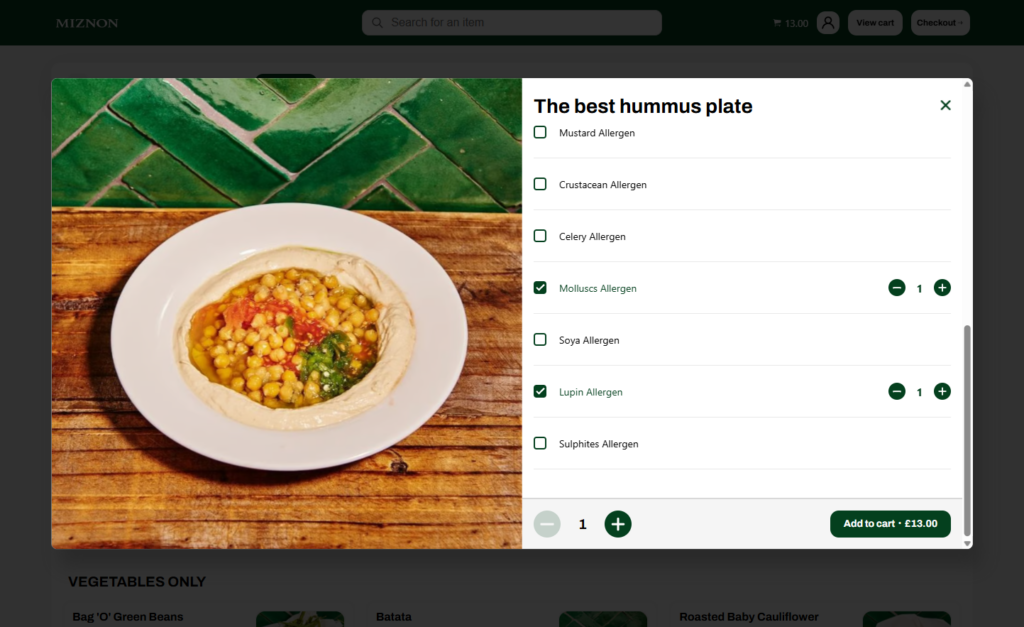
Here’s where it gets interesting. When customers modify their orders (especially the plates), Miznon allows them to add or remove potential allergens from the plates. This works so well for them because it is an added service that doesn’t add any extra fees to the prices of the plates.
How to implement this menu inspiration in your restaurant
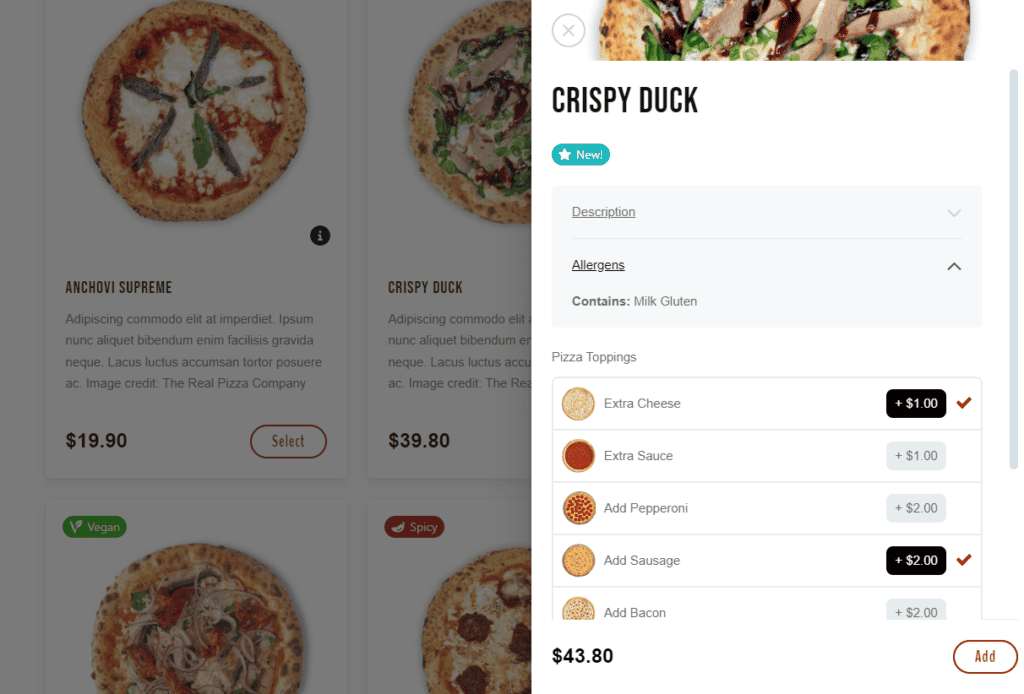
Replicating Miznon’s menu setup is nearly impossible without overhauling your kitchen. So what can you do instead? Use Orderable to list potential allergens in each item on your menu (as mentioned previously). Then, let customers decide which of your products don’t have allergens that would affect them.
8. Pasta Evangelists
This is a UK-based culinary brand specializing in selling freshly cooked artisan pasta dishes. They started out delivering pasta meal kits all over the UK. Since then, they’ve evolved to set up restaurants offering dine-in and delivery services.
How their menu is unique
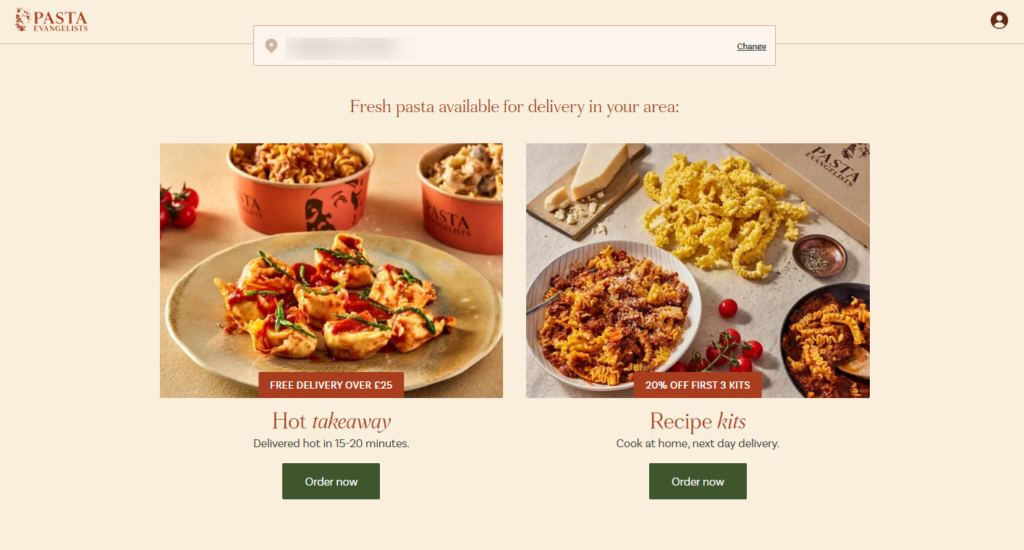
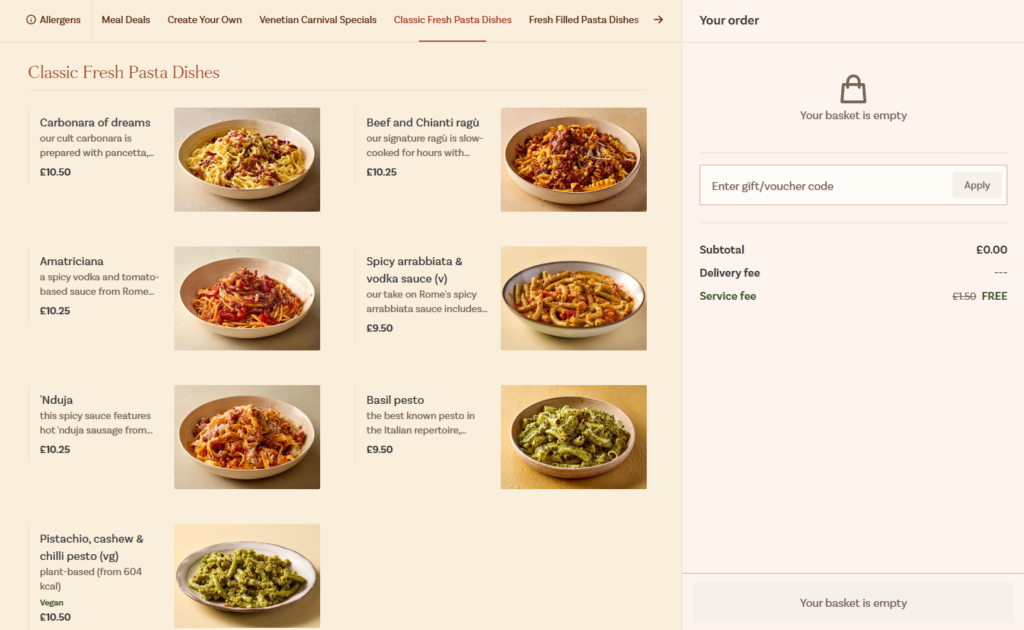
Pasta Evangelists offers two main types of dishes on their menu:
- Hot, freshly cooked pasta ready for delivery.
- Recipe meal kits.
The recipe kits provide customers with the ingredients and methods to prepare different pasta dishes, such as truffle mac and cheese. Because of this, the recipe kit menu is quite detailed to provide information about meals, how to prepare them, ingredients, and allergens.
The Pasta Evangelists menu also uses product labels to highlight limited-range and highly recommended items.
Why it works well for them
The extra information included in the Pasta Evangelists’ menu is essential. Customers buying recipe kits need to know what they contain and how they’ll prepare them.
The ‘limited range’ product labels highlight the dishes available over a short period. This triggers FOMO in customers who want to act fast so they don’t miss out on limited-time offers.
How to implement this in your restaurant
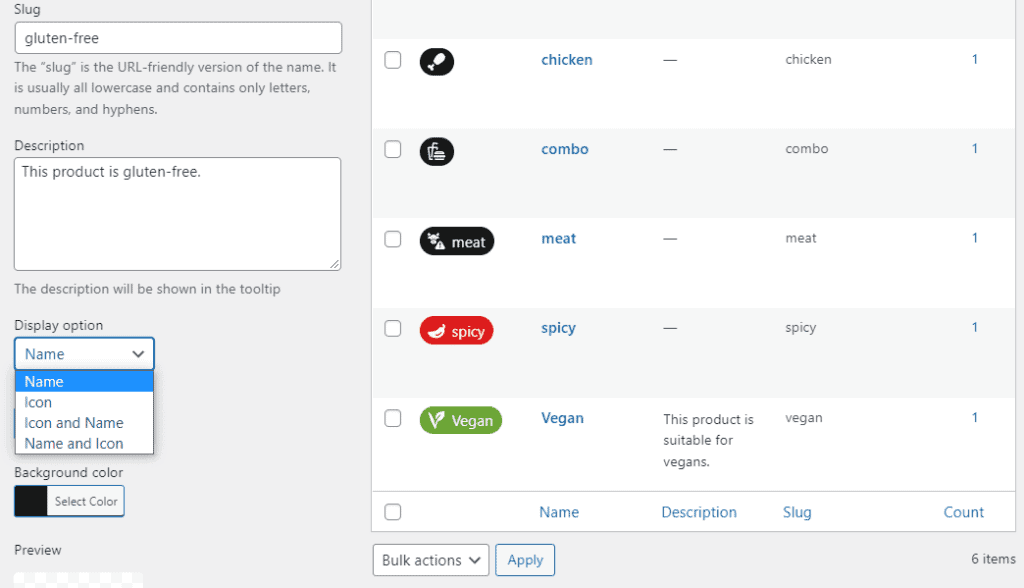
You can similarly use Orderable’s product labels to trigger FOMO in your customers. These customizable product labels allow you to change the icon, font, color, etc.
This helps them highlight your limited-time offers or menu items that are running out.
9. Bareburger
Bareburger is a popular burger outlet in the US, especially in New York and New Jersey. They prioritize selling organic, grass-fed beef burgers. But that’s not all they’re known for. They also sell healthier food options, such as vegan and gluten-free bowls and salads.
You can order food for delivery or local pickup. On top of this, Bareburger also offers catering services.
How Bareburger’s menu is unique
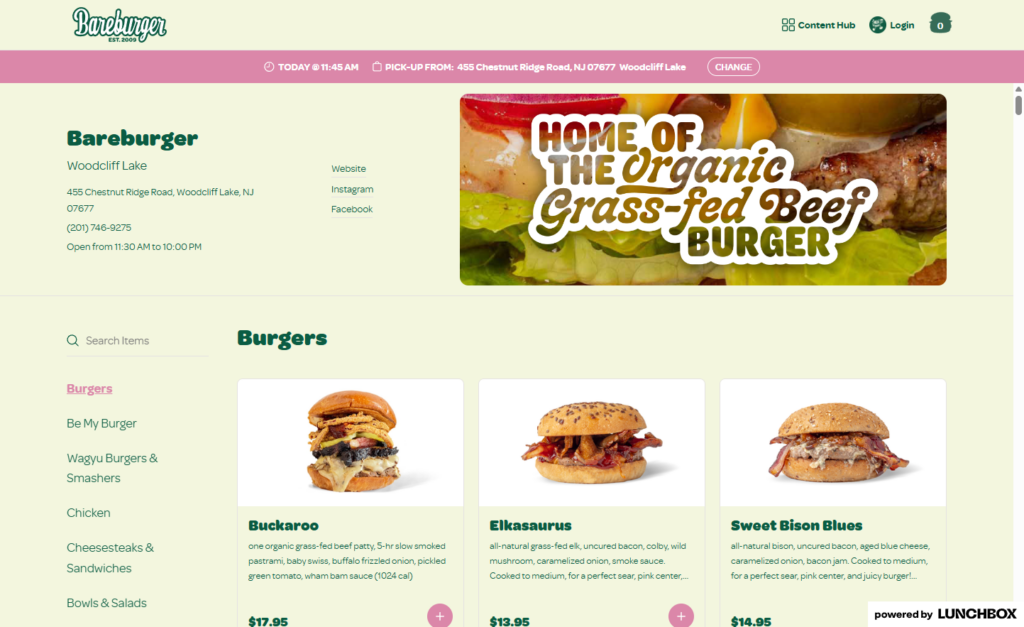
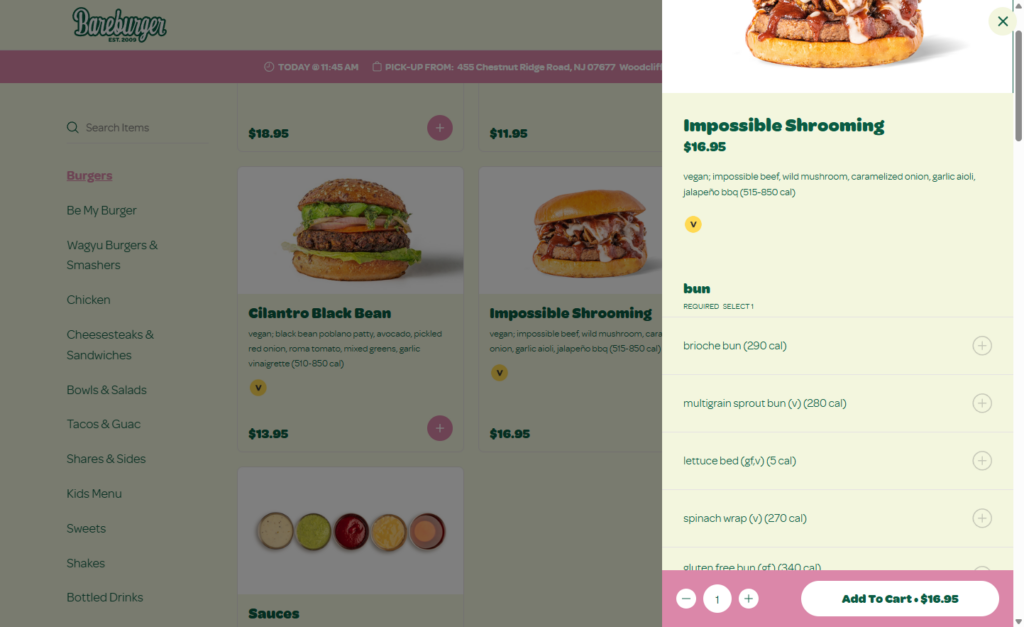
Bareburger sells fast food, but they’re committed to doing it sustainably. As such, their menu comprises healthier options such as salads. Bareburger uses product labels to highlight gluten-free and vegan salads and bowls on its menu.
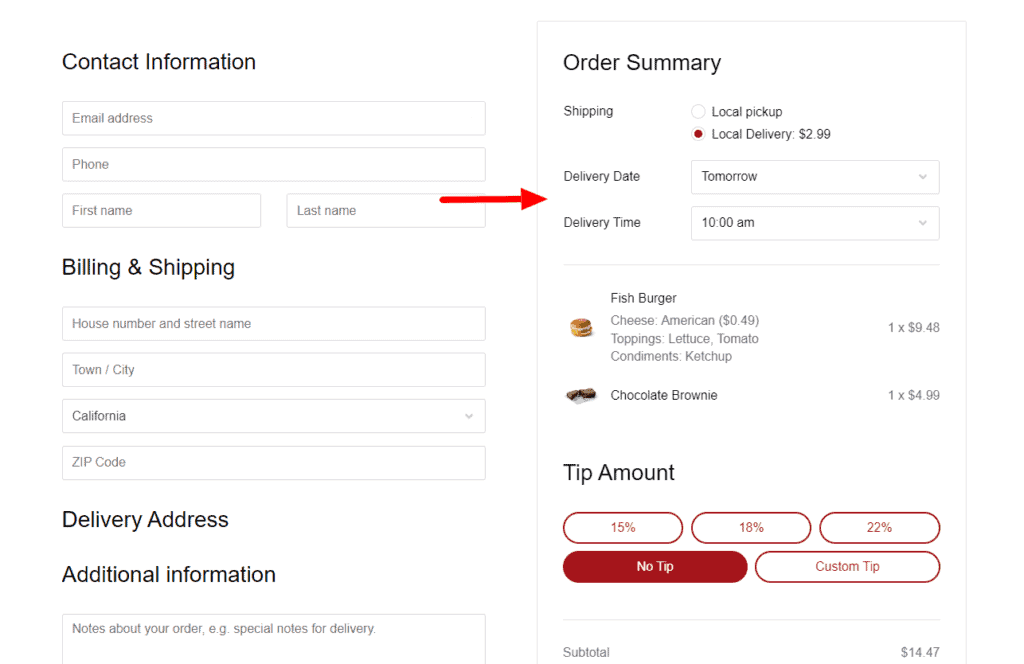
Also, when you place an order, you’ll be asked to pick a location and a date for when you want to receive the food.
Why this setup works well for Bareburger
By highlighting unique diet options in its menu, Bareburger enables customers looking for these food groups to find them easily. They also use delivery date slots, allowing customers to pick when it is most convenient for them to receive or pick up their orders.
These two powerful customer experience features make Bareburger convenient for their customers.
How to implement this menu inspiration in your restaurant
We’ve covered how to tag special diet foods using Orderable’s product labels. Now, we want to focus on delivery slots – specifically allowing customers to pick a delivery date.
Orderable has a time slots feature that allows you to create a delivery/local pickup schedule in your menu. Customers can select a date and time when it is convenient for them to receive or pick up their orders.
You can set maximum orders per time slot, ASAP delivery slots, and holidays when you don’t do deliveries. You can create a schedule that works for you and your customers.
10. Camile
Camile is a restaurant in Winchester that mainly sells Thai cuisine. This includes fried rice, noodles, and stir-fries. Like many brands that want to cater to health-conscious customers, Camile offers vegan and vegetarian options.
How Camile’s menu is unique
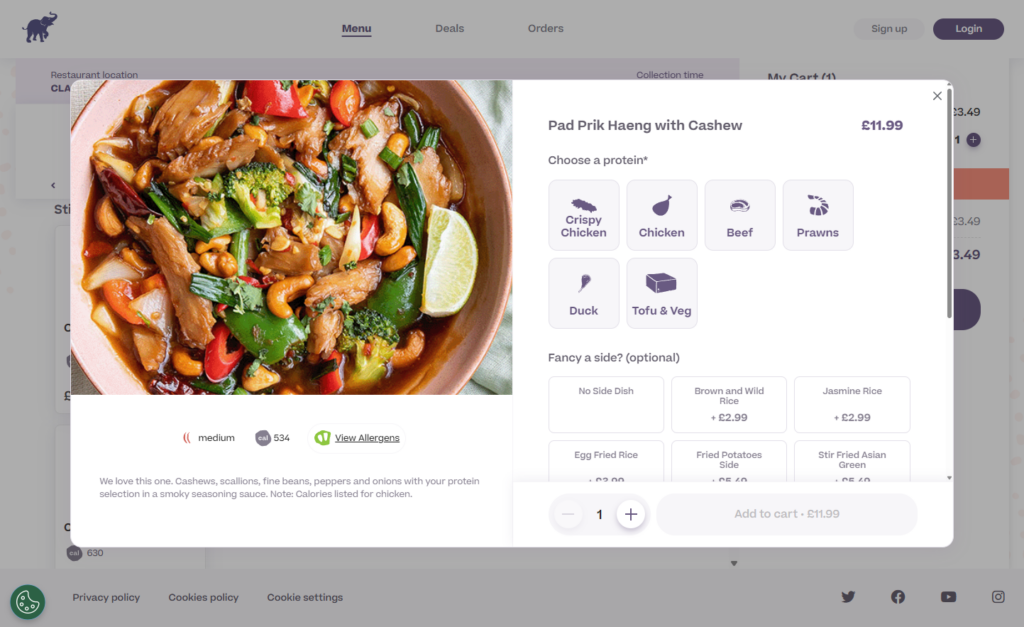
Camile deals in Thai food, which is known for its spiciness. But not all dishes are hot, and the spice level varies depending on the dish. Camile uses product labels to indicate the spice level for each dish.
This ranges from hot to medium and finally mild. Menu items without any spiciness have a calorie quantity label only.
Why it works well for them
Spicy dishes can be intense for some diners, mainly when they aren’t used to high heat levels. By providing information on the spice levels, Camile ensures customers make informed decisions. Knowing the heat level in advance makes them more likely to enjoy their meal without discomfort. This makes Camile great menu inspiration.
How to implement this in your restaurant
If you sell spicy food, you need to inform your customers of the level of spiciness. Orderable’s product labels can also come into play to help you implement this. You can create different icons for the various levels of spice. Then, attach these labels to menu items according to how spicy they are.
Take action on menu inspiration today
A well-optimized online menu is key to your restaurant’s success. It simplifies the ordering process for your customers, which will likely lead to more sales.
In this guide, we covered the features that make for a great online menu and saw them in action in real-world restaurants across the globe. We hope you can use the tips and real-world menu inspiration examples discussed here to optimize your online menu.
When you do, use Orderable to help you implement these features.
Get Your Restaurant Business Online With Orderable
Orderable is a user-friendly WordPress plugin that adds online ordering to your restaurant website.
Add your dishes, create your online ordering menu, customize your delivery schedule, and manage orders with ease.
Gina Lucia is our in-house Content Manager at Orderable. She writes articles, user guides, technical documentation, and creates videos on everything WooCommerce and Orderable.
Gina has been working in the WordPress/WooCommerce space since 2012 when she developed WordPress websites for clients large and small.
For the past 8 years, she’s been writing about everything WordPress and WooCommerce, becoming an expert in what makes a WooCommerce store succeed.
When not writing, Gina loves to tend to her vegetable garden, read, or travel to mainland Europe.
Don’t miss out on the latest Orderable news!
Sign up for our newsletter to receive the latest news from the blog, you’ll get pinged every week with a digest of the latest updates.
[fluentform id=”6″]

Related Articles
How to Start a Flower Business from Home in 2026

How to Convince Skeptical Diners to Order Online for the First Time
6 Essential Features for a Successful Restaurant Website
Get Your Restaurant Online With Orderable
The WooCommerce plugin designed to help restaurants take orders online – with no added fees!
View Pricing

