



Gina Lucia


If you’re looking for quick-service restaurant (QSR) best practices for 2026, this guide is here to help you tighten things up without burning out your team.
The good news is, you don’t need a dozen new tools or a massive rebuild to make things better. There are a handful of practical best practices that can make your service smoother, your team less stressed, and your orders more profitable. And if you’re using WordPress, Orderable can help you put a lot of this into practice directly on your own site, without relying only on third-party apps.
In this guide, we’ll look at:
- What ‘quick-service restaurant’ really means in 2026.
- Seven best practices that help you handle orders across in-person, pickup, and delivery.
- How online ordering fits into each practice.
- Where Orderable can support you with things like digital menus, time slots, order throttling, and upsells.
By the end, you’ll have a clear checklist of what to focus on next, plus a realistic way to bring these ideas into your existing setup.
First, let’s quickly define what we mean by a quick-service restaurant in 2026.
Get Your Restaurant Business Online With Orderable
Orderable is a user-friendly WordPress plugin that adds online ordering to your restaurant website.
Add your dishes, create your online ordering menu, customize your delivery schedule, and manage orders with ease.


What is a quick-service restaurant in 2026?
A quick-service restaurant, or QSR, is a type of restaurant business concept in the restaurant industry. Quick-service restaurants serve a high volume of customers, often with counter-service or minimal table service. The menu’s focused, the tickets are short, and the goal is to move orders from ‘placed’ to ‘served’ as quickly and consistently as possible.
In 2026, that’s still true, but expectations have shifted. You’re dealing with far more off-premise orders: pickup, delivery, curbside, and sometimes all three at once. Customers are used to ordering from their phones even when they’re standing inside your restaurant, and they expect the same smooth experience they get from big delivery apps.
At the same time, you’re under pressure to keep queues short, prevent the kitchen from getting overwhelmed, and avoid mistakes when online and in-person orders stack up together. All while keeping customer satisfaction high.
The rest of this guide looks at best practices that apply to both on-premises and online ordering, with your own website and digital menu at the center.
Free Download: Restaurant Business Plan Template
Want to start your restaurant business without jumping through heardles? Our free restaurant business plan template will walk you through the steps.
Best practice 1: Unify your ordering channels instead of juggling them
When orders come in from everywhere with no real system behind them, things break. One member of staff is answering the phone, another is dealing with walk-ins, someone else is watching a tablet for third-party orders, and the kitchen’s trying to keep track of tickets coming from three different directions. That’s when mistakes, delays, and ‘where’s my order?’ calls start to pile up.
The more scattered your ordering is, the harder it is to:
- See what’s actually in the queue for food preparation.
- Prioritise tickets fairly between in-store and online customers.
- Spot when the kitchen’s at breaking point.

Instead, try to pull as many orders as you can into one consistent flow. That usually means:
- Letting customers order directly from your website, especially for pickup and delivery.
- Giving guests QR codes for table ordering, so they can order and pay from their phones without extra trips to the counter.
- Making sure your menu is mobile-friendly, so takeaway and delivery customers have the same smooth experience.
When everything runs through a single system, it’s much easier for your team to see what’s happening and keep the service smooth and avoid bottlenecks.
This is where Orderable fits in. You can use Orderable to power online ordering directly on your WordPress site, so website orders, QR code table orders, and pickup or delivery orders all run through the same dashboard. Your staff look in one place, your kitchen gets a consistent ticket format, and you spend less time juggling devices and more time getting food out on time.

Best practice 2: Design a fast, mobile-first digital menu
Most of your customers will look at your menu on their phone for mobile ordering, even if they’re standing in your restaurant. If that menu is slow to load, hard to read, or full of tiny text and endless options, they’ll either rush the decision or give up altogether. A good digital menu feels simple and obvious.
Aim for:
- Simple categories and clear names. Group items into intuitive sections like ‘Burgers’, ‘Sides’, ‘Combos’, ‘Drinks’, and use names people instantly understand.
- Short descriptions with key details. One or two lines is usually enough, with the information that actually matters: spice level, allergens, portion size, and any standout ingredients.
- Easy modifiers and add-ons. Let people choose sizes, extras, and swaps without scrolling through a wall of checkboxes. The flow should feel like a conversation, not a form.

Orderable helps here by giving you product layouts that are built for mobile. You can show menu items in a scannable grid or list, with high-quality images, categories, and modifiers that make sense on a small screen. That means customers spend less time trying to figure out how to order and more time actually ordering, which speeds up your restaurant operations and keeps queues moving.
Best practice 3: Control kitchen capacity with smarter scheduling
If your digital orders run on ‘first-come, first-served’, your kitchen’s going to get slammed. Online orders don’t know you’ve just had a busload of customers walk in. They just keep coming. That’s how you end up with stressed staff, long waits, and frustrated pickup customers at peak hours. You need a way to control the flow instead of letting it control you, especially for a fast-food restaurant.

Good capacity management/operational efficiency usually includes:
- Limiting the number of orders per time slot. Decide how many orders your kitchen can comfortably handle in, say, 15 minutes, and cap it there.
- Separating pickup and delivery windows. Treat them as different streams so one doesn’t silently crush the other.
- Building in realistic food prep times. Be honest about how long your menu actually takes with your current team, not how long you wish it took.
For example, let’s say your kitchen can comfortably handle 12 orders every 15 minutes. You set that as your limit. Once the 12 slots for 6:00-6:15 pm are full, your online system automatically pushes new orders to the 6:15-6:30 pm slot. To customers, it still feels smooth and predictable, but your team isn’t drowning in tickets due to ‘ASAP’.
Orderable makes this practical. You can use Orderable’s time slots and max orders to control how many orders you accept in each interval and to manage pickup and delivery availability automatically. That way, your digital orders stay in sync with what your kitchen can actually handle, and service stays steady.
Get Your Restaurant Business Online With Orderable
Orderable is a user-friendly WordPress plugin that adds online ordering to your restaurant website.
Add your dishes, create your online ordering menu, customize your delivery schedule, and manage orders with ease.
Best practice 4: Make off-premise ordering (pickup and delivery) feel effortless
Off-premise ordering is a core part of how quick-service restaurants operate. For many customers, their entire experience of your brand is a takeout, drive-thru, or delivery order. If that feels confusing or unreliable, they won’t just blame the driver; they’ll blame you.
You want pickup and delivery to feel as simple and predictable as walking up to the counter.
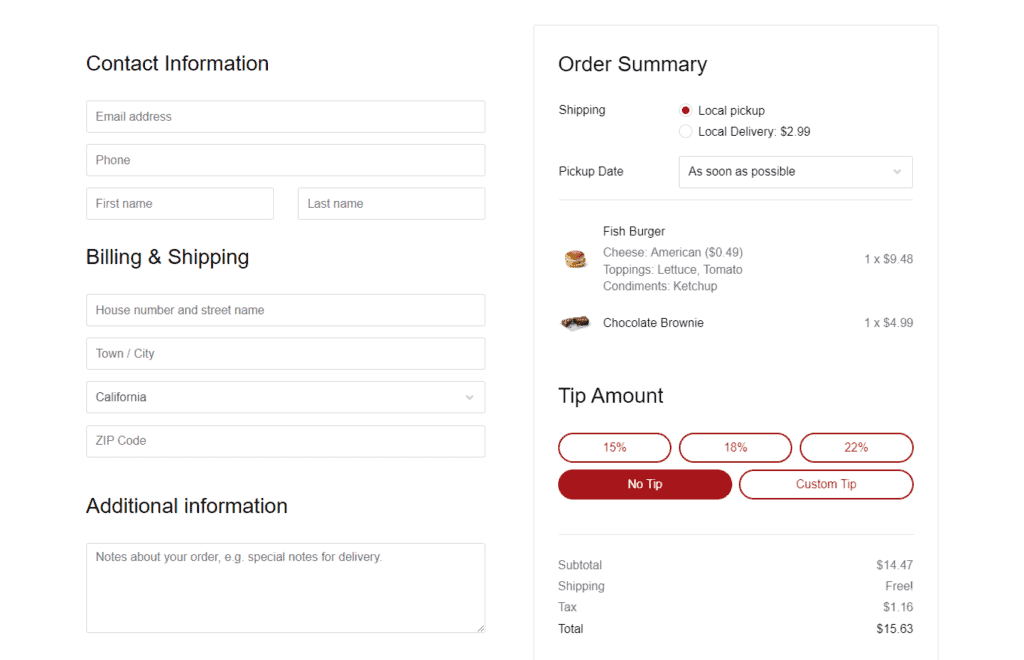
Aim for a smooth, clear customer experience:
- Give customers a clear choice between pickup, delivery, and (if relevant) curbside right at the start of the ordering process. They shouldn’t have to hunt for it at checkout.
- Set accurate delivery areas and fees so people know exactly where you deliver and what it costs before they spend time building an order.
- Communicate when orders will be ready in a way that matches reality in real-time, if possible.
You can even treat this like a quick checklist for your site:
- Can customers easily see whether you offer pickup, delivery, or both?
- Do they know if you deliver to their address before they order?
- Do they get a clear ‘ready by’ or ‘delivery window’ time, not just ‘as soon as possible’?
- Is it obvious what to do when they arrive for pickup or curbside?
Orderable helps you take a lot of that friction away. You can use Orderable to set clear service types, define delivery zones and fees, and show accurate times for pickup orders based on your time slots and capacity. That way, off-premise orders feel organised and predictable for customers, and much easier for your team to manage during busy periods.
Best practice 5: Increase average order value with smart upsells, not hard sells
In a quick-service restaurant, margins are tight. A small increase in the average order value across a whole day, week, or month can make a big difference to your profit, especially when your fixed costs keep going up. The trick is to nudge orders up in a way that feels natural, not pushy.
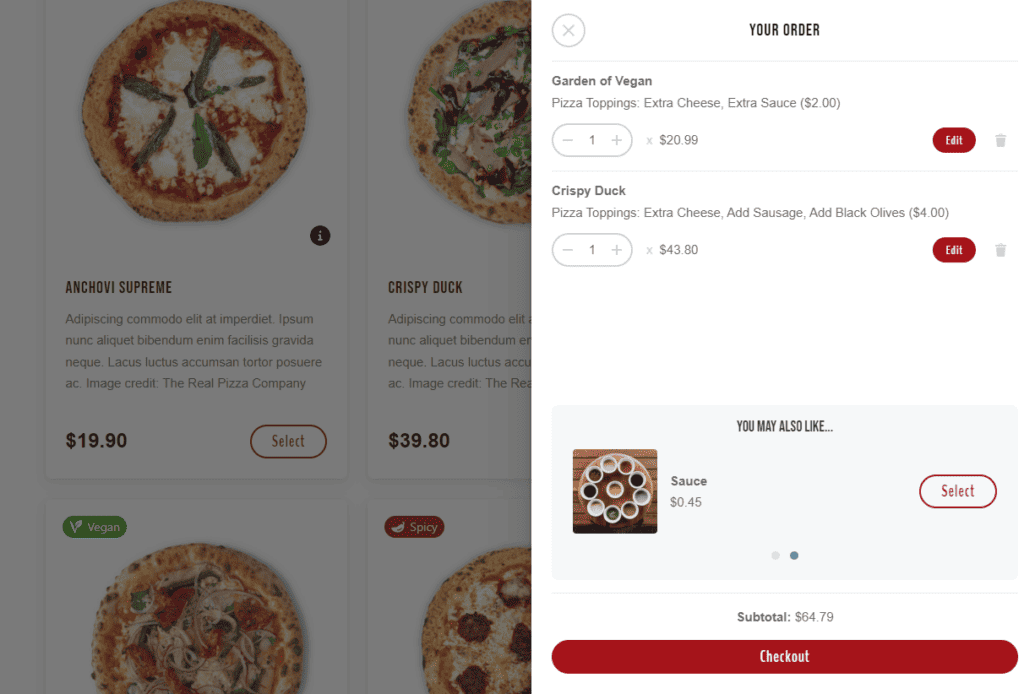
Good practices here include:
- Suggesting logical add-ons and sides like drinks, desserts, sauces, or extra toppings that genuinely fit with the main item. If someone orders a burger, offering fries or a drink makes sense. This is a good opportunity to do staff training so your team knows exactly what to upsell and cross-sell.
- Offering simple bundles or ‘meal deals’ that are easy to understand at a glance. ‘Burger + fries + drink for X’ is clearer than a long list of separate add-ons.
- Avoiding choice overload. If you throw six different upsells at every order, customers will either ignore them or feel irritated. One or two well-placed suggestions are usually enough.
Upsells work best when they’re integrated into the ordering flow, rather than dumped on customers at the last second.
Orderable makes this much easier to manage. You can use Orderable’s add-ons and cross-sell options to suggest sides, upgrades, or ‘make it a meal’ style bundles right where they make sense: on the product card, in the customisation step, or before checkout. That way, customers see relevant options that improve their meal, your average order value inches up, and nobody feels like they’re being sold to for the sake of it.

Best practice 6: Streamline front-of-house and staff workflows
Best practices only work if your team can actually follow them. If staff are trying to juggle handwritten notes, phone orders, third-party tablets, and a busy counter, things get messy fast. Orders get missed, tickets are hard to read, and new staff take ages to get up to speed.
You want a setup that makes life easier for the people actually running the service.
On the staff side, aim for:
- Clear, readable order tickets that show exactly what was ordered, any modifiers, and the promised time, without anyone having to decode scribbles.
- Order routing to the right prep station, so the grill team, fryer, and drinks station all see what’s relevant to them without wading through everything else.
- Minimal transcribing or double-entry, because every time someone has to copy an order from one system to another, you add time and risk.
Digital orders that arrive pre-structured help a lot here. When customers choose their items, sizes, and add-ons online, the system already has everything in a clean format. That reduces mistakes, speeds up training for new staff, and means your team can spend more time cooking and less time fixing errors.
Orderable supports this by giving you an order management view where staff can see all incoming orders in one place. From a POS system tablet at the counter or in the kitchen, they can mark orders as in progress or complete, and keep an eye on what’s coming up next. Instead of chasing bits of paper or flipping between devices, your team has a single, live picture of what needs to be done. This makes for smoother daily operations and a better dining experience for those ordering in-house.

Best practice 7: Use data and feedback to improve your menu and service
Data is one of the biggest advantages of running orders through a digital system. Every ticket tells you something about what customers like, when they order, and how well your setup’s working. If you pay attention to that, you don’t have to guess your way through menu and service changes.
Use ordering data to see what’s really working
Start with the basics, your reports can show you:
- Bestsellers, weak items, and customer preferences. Which dishes fly out, and which rarely get ordered? Bestsellers might deserve better placement, photos, or bundles. Weak items might need a rethink, a tweak, or to come off the menu.
- Peak times and staffing needs. When do you get the most orders? Are the kitchen and front-of-house staffed properly for fast service, or constantly playing catch-up?
- Upsells and bundles that actually convert. Which add-ons and ‘make it a meal’ offers get clicked and bought, and which ones do customers ignore?
This helps you invest effort in the changes that will genuinely move the needle.
Review patterns in choices and customer feedback
It’s also worth checking for patterns regularly, not just when something goes wrong.
Look at:
- Top-selling items. Are they easy to find on your menu and highlighted in the right categories? Could you build simple bundles around them?
- Common customisations or add-ons. If people keep adding extra cheese or swapping sides, maybe those should be clearer options or pre-built combos.
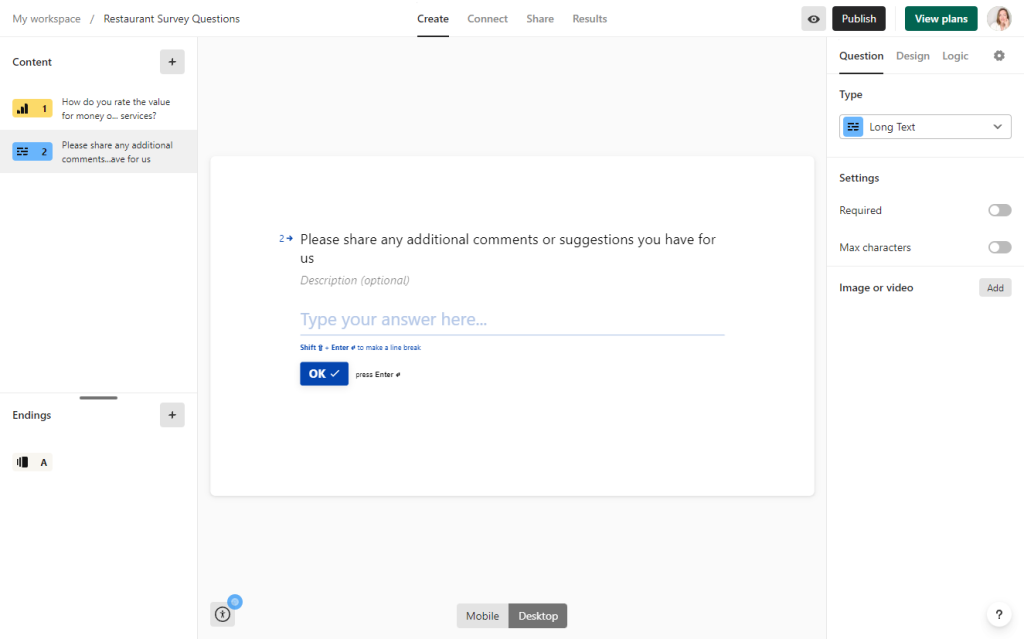
- Customer notes and feedback. Repeated questions or complaints usually point to something that’s unclear on the menu, confusing in the ordering flow, or off in your prep times. You’ll want to work on these to improve customer loyalty and encourage repeat business.
Small, regular tweaks based on this information can make your service feel smoother without big overhauls.
FAQs: What do quick-service restaurant owners ask about online ordering and best practices?
If you already have a WordPress site, you can usually add basic online ordering in a matter of days rather than months. The practical work is setting up your digital menu, deciding on pickup and delivery options, and testing a few real orders with your team before you tell customers. A tool like Orderable handles the ordering flow, time slots, and service types for you, so you can focus on the menu and how you want customers to order, rather than building a system from scratch.
The key is to stop treating online orders as unlimited. Instead of letting everything come in ‘as soon as possible’, set clear time slots and limits that match what your team can actually handle. For example, you might cap the number of orders per 15-minute window and separate pickup and delivery capacity. Orderable makes this practical by letting you set up time slots and order throttling, so that once a slot is full, new orders are automatically pushed to the next available time slot. That way, your kitchen stays busy but not overloaded.
Consistency is usually the foundation. Customers come to a quick-service restaurant for something fast, predictable, and reliable. If they get roughly the same quality, waiting time, and experience every time, they’re far more likely to come back, even if you are not the cheapest option. Good systems, clear menus, well-trained staff, and sensible use of digital tools all support that consistency, but the core goal is always the same: make it easy for customers to know what to expect and then deliver on it.
A typical example of a quick-service restaurant would be a counter-service fast food burger place, a fried chicken outlet, a pizza-by-the-slice shop, or a fast-casual taco bar. These are the types of places where customers order at the counter or via kiosk and either take their food away or sit down without full table service. Examples of fast-casual restaurants include Chick-fil-A, McDonald’s, Taco Bell, and Burger King.
Wrap-up: get your quick-service restaurant ready for 2026
You’ve seen how a few focused changes can make a big difference: unifying your ordering channels, building a mobile-first menu, controlling kitchen capacity with time slots, smoothing out pickup and delivery, using smart upsells, streamlining staff workflows, and learning from your own data and feedback.
You don’t have to overhaul everything at once. Start with the area that hurts most, fix that, then move on to the next. If you run your site on WordPress, Orderable is the easiest way to put these best practices into action, from digital menus and QR ordering to time slots, throttling, and upsells, all managed in one place. Try Orderable and turn your website into a system that supports your QSR, instead of something else you have to juggle.
Get Your Restaurant Business Online With Orderable
Orderable is a user-friendly WordPress plugin that adds online ordering to your restaurant website.
Add your dishes, create your online ordering menu, customize your delivery schedule, and manage orders with ease.
Gina Lucia is our in-house Content Manager at Orderable. She writes articles, user guides, technical documentation, and creates videos on everything WooCommerce and Orderable.
Gina has been working in the WordPress/WooCommerce space since 2012 when she developed WordPress websites for clients large and small.
For the past 8 years, she’s been writing about everything WordPress and WooCommerce, becoming an expert in what makes a WooCommerce store succeed.
When not writing, Gina loves to tend to her vegetable garden, read, or travel to mainland Europe.
Don’t miss out on the latest Orderable news!
Sign up for our newsletter to receive the latest news from the blog, you’ll get pinged every week with a digest of the latest updates.
[fluentform id=”6″]

Related Articles
Create a WordPress Restaurant Menu (in 4 Steps)
Introducing Orderable Product Labels

Important Update: Minimum PHP Version Changing to 7.4
Get Your Restaurant Online With Orderable
The WooCommerce plugin designed to help restaurants take orders online – with no added fees!
View Pricing

