

How to Do an Internal Restaurant Audit in 2026

How to Do an Internal Restaurant Audit in 2026


Roxana Claudia


If you’re wondering how to do an internal restaurant audit this year, we’ve got you covered.
This guide explains why conducting an internal audit is a good idea and provides a step-by-step framework for starting.
A well-structured internal audit helps identify operational inefficiencies, compliance risks, and revenue leaks, ensuring your restaurant runs smoothly and remains competitive.
What you’ll learn in this guide:
- What a restaurant audit is and why it matters.
- Key areas to assess, both in-house and online.
- A step-by-step process for conducting a restaurant audit.
By the end of this guide, you’ll have the tools to optimize your restaurant’s operations and boost your bottom line stress-free.
Get Your Restaurant Business Online With Orderable
Orderable is a user-friendly WordPress plugin that adds online ordering to your restaurant website.
Add your dishes, create your online ordering menu, customize your delivery schedule, and manage orders with ease.


What is an internal restaurant audit?
An internal restaurant audit reviews all aspects of a restaurant’s operations, from food safety and food service to financial discrepancies and operating procedures.
The goal is to identify inefficiencies, comply with health and safety regulations, and improve operations (where possible) for better profitability. Many successful restaurants analyze audit reports quarterly to stay competitive.
Why is an audit important?
- Identifies problems early. Catch minor issues before they turn into costly mistakes.
- Ensures compliance. Health and safety violations can lead to fines or closure.
- Optimizes efficiency. Streamline kitchen workflow, inventory management, and service processes.
- Boosts customer satisfaction. Address complaints and improve service quality.
Now, let’s look at the key areas of a restaurant audit.
Key elements of a restaurant audit (both in-house and online)
A thorough audit should cover both physical and digital aspects of restaurant operations. Balancing these physical and digital components is essential for success. Let’s explore each area in detail.

In-house audit areas
The following are key elements to include in your restaurant audit of in-house operations. We’ll go into all these in more detail later.
Health and food safety
Ensure proper food storage at the correct temperatures, separate raw and cooked items, check expiration dates and labeling procedures, and ensure that staff adhere to strict handwashing and sanitation protocols.
Kitchen efficiency
Assess the layout for bottlenecks, streamline prep processes, and ensure staff are trained to reduce waste and inefficiency. Also, check that appliances are regularly maintained and functioning optimally.
Inventory and supply chain management
Track food costs, the accuracy of stock levels to reduce food waste, and relationships with suppliers. Monitor for consistent order accuracy and timeliness.
Operational efficiency
Observe staff during peak and off-peak hours, review training materials, and assess how well employees follow protocols, including those for upselling and customer engagement.
Financial performance
Examine sales data, profit and loss, bank statements, and expense reports. Evaluate menu pricing and the cost of goods sold (COGS) against restaurant industry benchmarks.
Each area represents a critical touchpoint for your customer’s experience and your restaurant’s profitability.
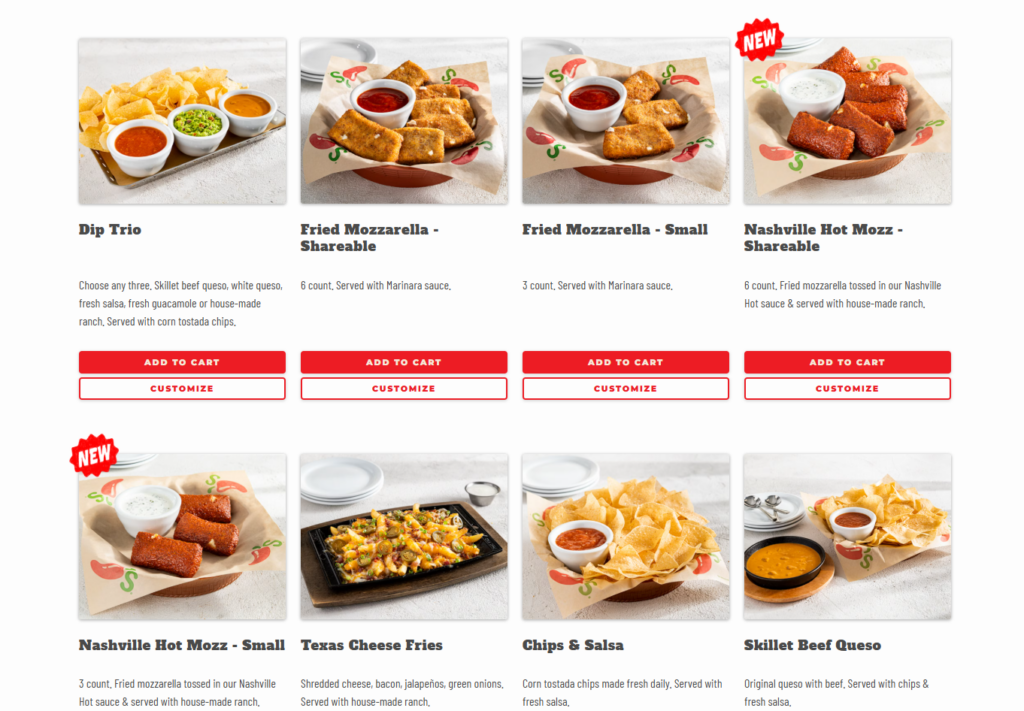
Online audit areas
You’ll want to include the following key elements in your restaurant audit for online operations. We’ll go into all these in more detail later.
Online ordering system efficiency
Test the online ordering process from start to finish, looking for easy navigation, clear menu descriptions, and multiple payment options. Ensure there are no delays and that the order tracking and confirmation processes are running smoothly.
Website and mobile experience
Check for responsive design, mobile compatibility, and fast load times. Ensure your site highlights current promotions and events and showcases mouth-watering photos of your menu items.
Customer reviews and feedback
Regularly monitor reviews on platforms like Google, Yelp, and social media. Look for trends in feedback, whether it’s about food quality, service speed, or overall experience, and address recurring issues.
Digital marketing performance
Assess the reach and engagement of your social media posts, the effectiveness of digital ads, and the conversion rates of email campaigns. Track website traffic to see how many visitors become customers.
Every detail counts from when a guest considers your restaurant, whether through your website or at your front door, to when they leave.
Regularly auditing these elements helps you catch issues early, maintain high standards, and adapt quickly to changing customer expectations or market conditions.
Ready to roll up your sleeves? Let’s get into how to conduct each type of audit.
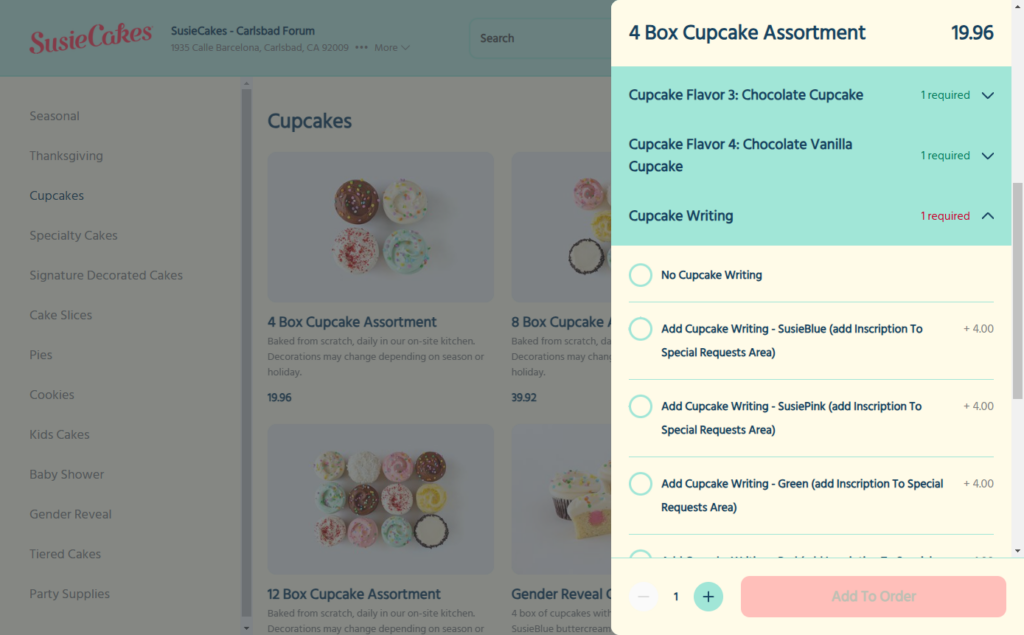
How to conduct a restaurant audit (online)
A strong online presence is just as crucial as smooth in-house operations. A slow or confusing online ordering process can result in lost revenue, while weak digital marketing can limit customer reach.
Here’s how to audit your restaurant’s online operations:
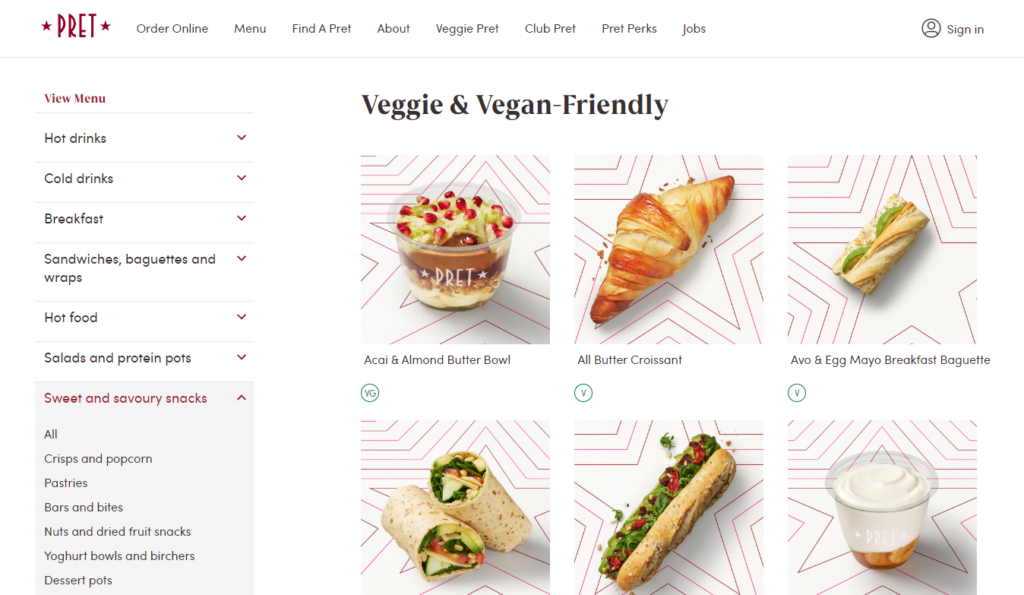
Step 1: Assess your online ordering system
Your restaurant’s online ordering system is one of the most crucial parts of its digital success. A slow, confusing, or frustrating ordering experience can lead to lost revenue, abandoned carts, and negative customer feedback.
To ensure smooth and efficient operations, put yourself in your customer’s shoes and test the process from start to finish.
Place a test order to check for usability and speed
Would you order from your website or app if you were a customer? Conduct a complete test order from a desktop, mobile device, and tablet to see if the process is simple and intuitive.
Look for:
- Ease of navigation: Can customers quickly find their favorite menu items?
- Clarity of menu descriptions: Are item details, portion sizes, and ingredients clearly stated?
- Load speed: Does the site or app load within 2-3 seconds? Slow speeds can frustrate users and cause them to leave.
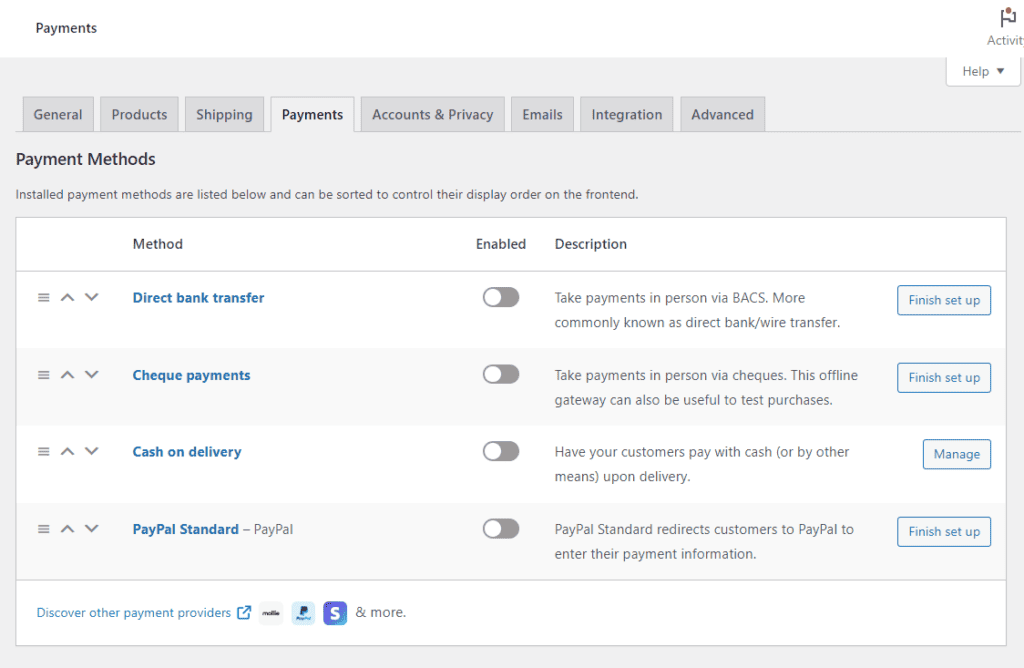
Ensure the checkout process is fast, intuitive, and offers multiple payment options
A complicated or lengthy checkout process is one of the top reasons for lost online sales.
Here’s what you can do:
- Minimize the number of steps: the fewer clicks, the better.
- Offer guest checkout: don’t force customers to create an account before placing an order.
- Provide multiple payment methods: accept credit/debit cards, Apple Pay, Google Pay, and PayPal for convenience.
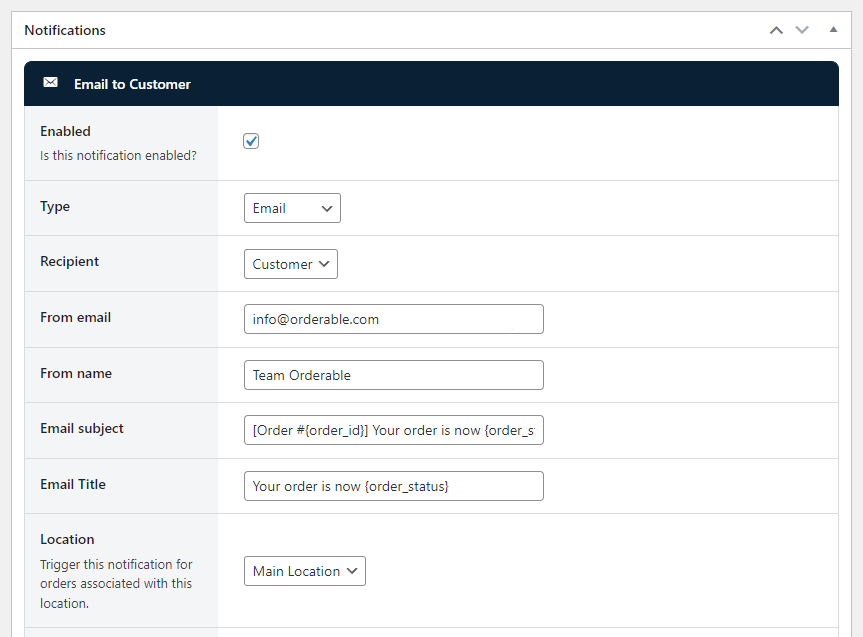
Check for order-tracking capabilities and confirmation emails
Customers expect real-time updates on their orders. Without confirmation emails or tracking, they might feel uncertain about their purchase.
Ensure that:
- Order confirmation emails/SMS are sent immediately after a purchase.
- Tracking updates (e.g., “Your order is being prepared” and “Your order is on the way”) are enabled.
- Customers can easily contact the restaurant if they have any issues.
A frictionless online ordering system increases conversions, improves customer retention, and boosts revenue.
Now that your ordering system is smooth, optimize it further with Orderable.
Step 2: Optimize online ordering with Orderable
Use Orderable to streamline online orders. Unlike third-party delivery apps that charge high commission fees, Orderable gives you complete control over customer interactions while maximizing profits.
Here are some of the benefits of using Orderable:
Keep more of your profits by ditching third-party platforms
Popular delivery apps (Uber Eats, DoorDash, Grubhub) charge 15-30% commissions per order, which cuts deeply into profits.
Orderable lets restaurants take control by offering direct online ordering, so you can:
- Avoid high commission fees and keep more revenue.
- Build stronger customer relationships instead of relying on third-party platforms.
- Offer exclusive discounts or promotions to drive direct orders.

Offer real-time order scheduling and customization
Customers love flexibility when placing orders, and with Orderable, you can:
- Allow customers to schedule orders in advance to reduce peak-hour congestion.
- Customize delivery times based on restaurant capacity.
- Offer special requests (e.g., allergies, spice level, extra toppings) clearly.
Get Your Restaurant Business Online With Orderable
Orderable is a user-friendly WordPress plugin that adds online ordering to your restaurant website.
Add your dishes, create your online ordering menu, customize your delivery schedule, and manage orders with ease.
Optimize the checkout process for mobile users
Mobile represents 60% of all digital restaurant orders today. A clunky mobile experience means lost customers.

Orderable ensures a smooth, mobile-friendly checkout process by:
- Making menus easy to browse on small screens.
- Eliminating unnecessary steps that slow down transactions.
When ordering online, customers expect speed, convenience, and control. They’ll switch to a competitor in seconds if the process is frustrating.
Orderable helps your restaurant stay ahead of the curve with a friction-free, high-converting online ordering system that works for both you and your customers.
Now that your ordering system is fully optimized, let’s audit your website and mobile experience to keep customers engaged.

Step 3: Review your website and mobile experience
Your restaurant’s website and mobile experience are often customers’ first interactions with your brand. A slow, outdated, or difficult-to-navigate site can frustrate users and drive them to competitors.
Here’s how to audit and optimize your website for maximum engagement and conversions.
Test your website’s load speed (it should be 2-3 seconds or faster)
Customers expect instant access to menus, promotions, and ordering options. If your site takes longer than 3 seconds to load, 57% of visitors will leave.
How to Test:
- Use tools like Google PageSpeed Insights to analyze your site’s speed.
- Optimize images and videos to reduce load times.
- Ensure your site is hosted on a reliable, high-speed server.

Make sure your site is fully mobile-optimized
With most customers ordering on their smartphones, a site that isn’t mobile-friendly loses sales instantly.
Your website should:
- Automatically adjust to fit any screen size (responsive design).
- Have large, easy-to-tap buttons for menu navigation and ordering.
- Keep forms and checkout simple and avoid excessive typing.
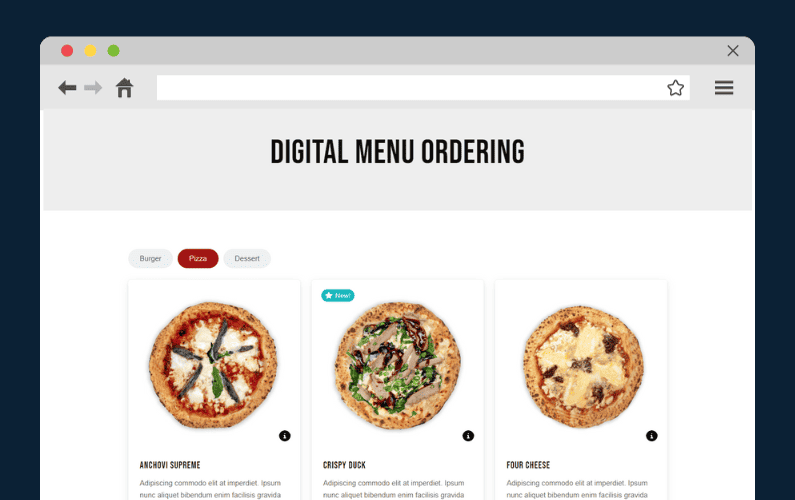
Ensure your menu and promotions are up to date
Customers who land on your site and see outdated menu items or expired promotions may lose trust in your business.
Regularly check that:
- All menu items are listed with accurate descriptions and pricing.
- Seasonal specials and limited-time offers are prominently displayed.
- Your menu is delivered in text format, not as a PDF, which can be frustrating on mobile.
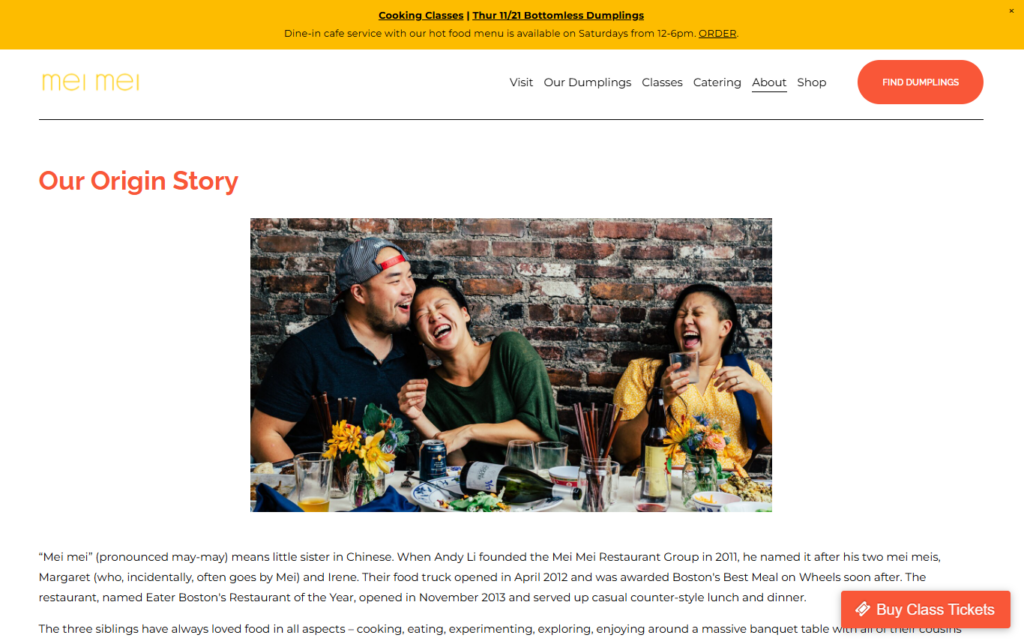
Improve website navigation to keep it simple and clear
A cluttered, confusing website frustrates users and drives them away. Your website should have:
- A clear, easy-to-find “Order Now” button on the homepage.
- Simple navigation with only essential menu items (Menu, About, Locations, Contact, Order Online).
- A search function, especially if your menu is extensive.
Your website is your restaurant’s 24/7 salesperson. If it’s slow, confusing, or outdated, customers won’t stick around and go to a competitor with a better digital experience.
Now that your website is fully optimized, let’s audit customer feedback and reviews to ensure you’re meeting expectations.
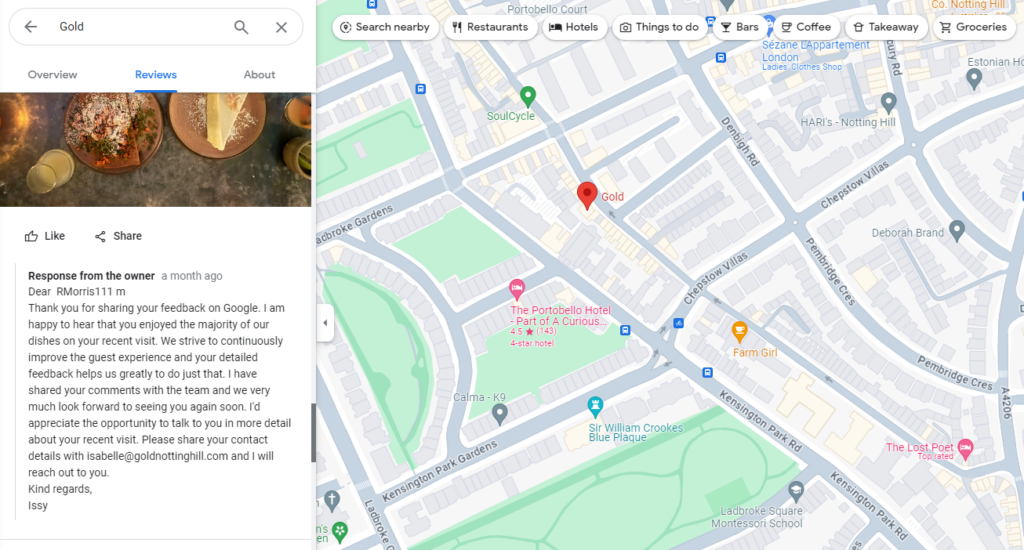
Step 4: Audit your customer feedback and reviews
Online reviews and customer feedback can make or break a restaurant’s reputation. It’s important to include these in your restaurant audit.
With 94% of consumers saying online reviews influence their dining decisions, managing and responding to customer feedback is essential.
Here’s how to audit, analyze, and improve your customer feedback process:
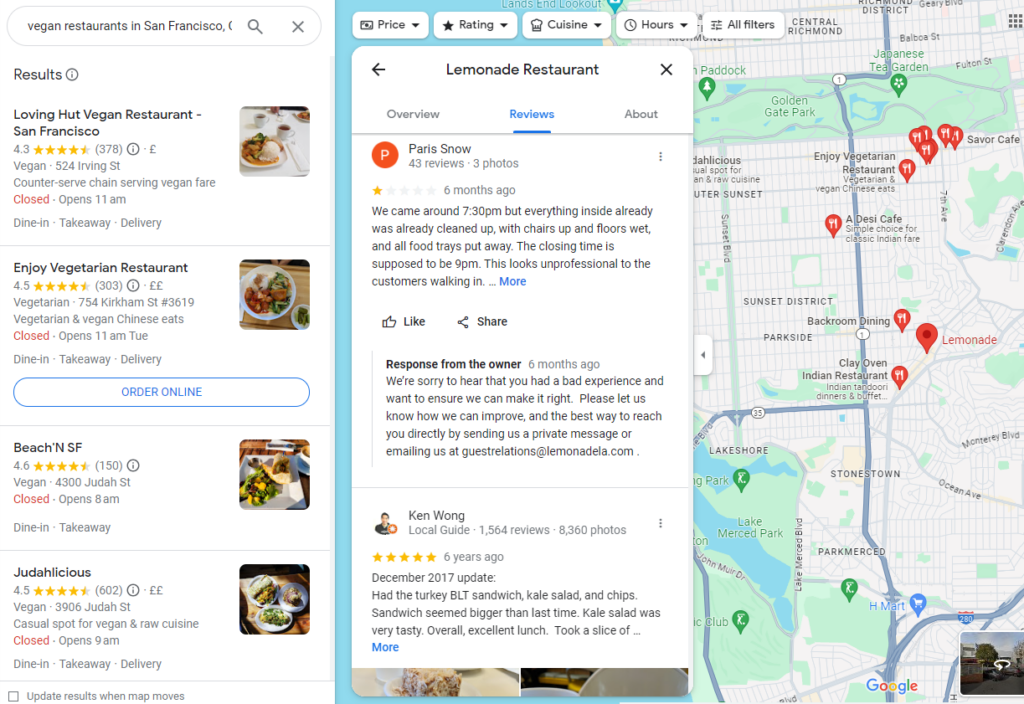
Monitor Google, Yelp, and social media for reviews
Your first step is to gather all customer feedback across multiple platforms.
This includes:
- Google reviews: the most visible and influential for local SEO.
- Yelp: a go-to for restaurant reviews, especially in the U.S.
- Facebook and Instagram: Customers often leave comments or direct messages about their experiences.
- Delivery Platforms (DoorDash, Uber Eats, Grubhub, etc.): Even if you prioritize direct orders, reviews on these platforms impact public perception.
How to Do It:
- Set up Google Alerts for mentions of your restaurant.
- Use tools like ReviewTrackers to consolidate reviews in one place.
- Assign a staff member to check and respond to reviews daily.
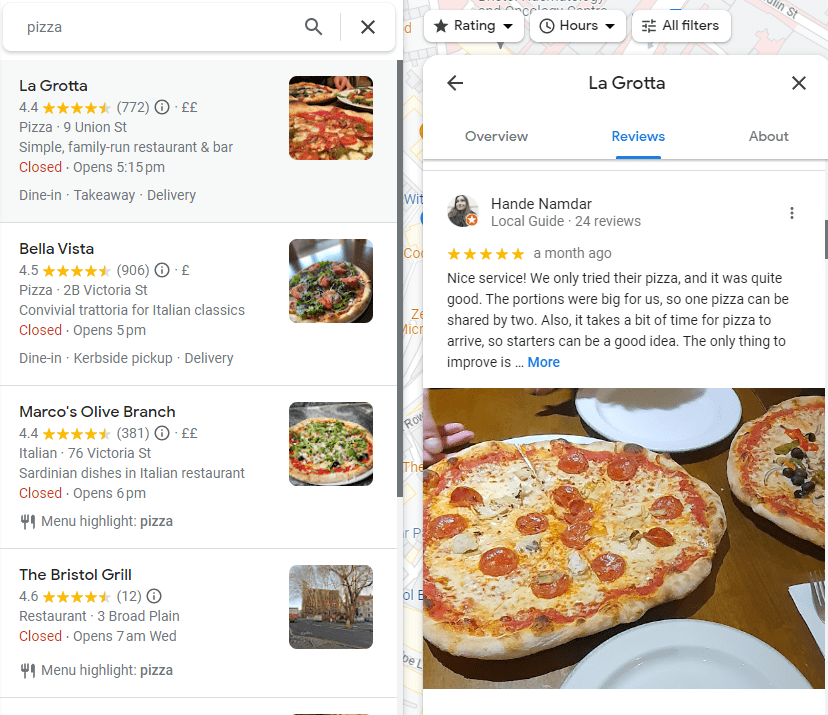
Identify recurring issues and patterns in customer feedback
Once you’ve collected reviews, analyze them for trends:
- Are multiple customers complaining about slow service?
- Do they frequently mention inconsistent food quality?
- Are delivery orders arriving cold or incomplete?
How to Do It:
- Create a simple spreadsheet to log common themes from reviews.
- Separate feedback into actionable categories: Service, Food Quality, Ambience, Online Experience, Delivery, etc.
- Identify which issues can be fixed immediately and which require long-term adjustments.
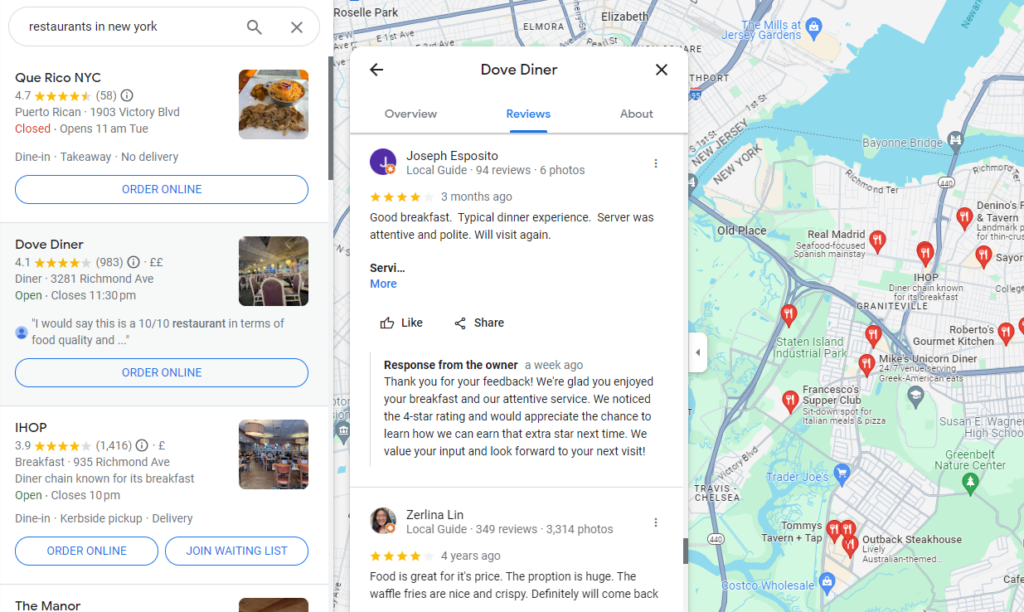
Respond to negative reviews professionally and proactively
Negative reviews happen to every restaurant, but how you handle them matters more than the complaint itself. A well-crafted response can turn an unhappy customer into a repeat guest.
Best practices for responding:
- Acknowledge the complaint: show the customer that their feedback is valued.
- Apologize without being defensive, even if the complaint seems unfair.
- Offer a solution: invite them back for a better experience, provide a discount, or promise internal improvements.
- Keep it short and professional: don’t engage in public arguments.
Encourage happy customers to leave positive reviews
Great experiences often go unspoken because customers don’t always think to leave a review. Encourage them to share their positive experiences.
Ways to get more positive reviews:
- Train team members to ask satisfied customers to leave a review.
- Place QR codes on receipts and at tables that link directly to your review page.
- Offer a small incentive, such as a free drink or a discount, for leaving a review.
Your online reputation directly impacts your revenue. When potential customers search for your restaurant, they’ll see your star rating before anything else.
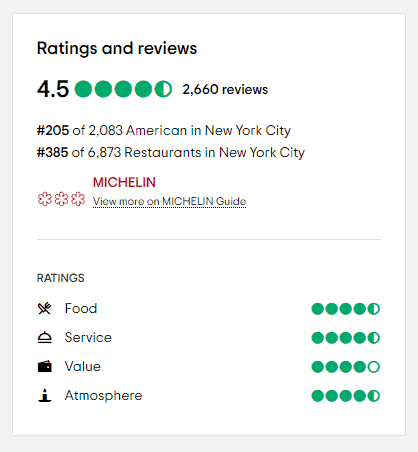
Regularly monitoring and responding to reviews helps you:
- Build trust with new customers.
- Address operational issues you might have overlooked.
- Turn unhappy guests into loyal patrons.
Now that your customer feedback process is optimized, let’s evaluate your digital marketing performance to maximize customer engagement.

Step 5: Evaluate your digital marketing performance
Your digital marketing efforts directly impact how well your restaurant attracts new customers and keeps existing ones returning.
The restaurant audit process should thoroughly examine your website traffic, social media engagement, and email marketing success.
Here’s how to analyze and improve your digital marketing performance:

Assess website traffic and conversion rates
Your website is a tool for attracting and converting visitors into paying customers. Something is wrong if it receives traffic but few people place orders or make reservations.
How to do it:
- Use Google Analytics to check how many visitors your site gets and where they come from
- Track conversion rates: what percentage of visitors place an order, book a table, or sign up for your email list?
- Identify pages with high bounce rates. If people leave your site quickly, they may not find what they need.
Review social media engagement and ad performance
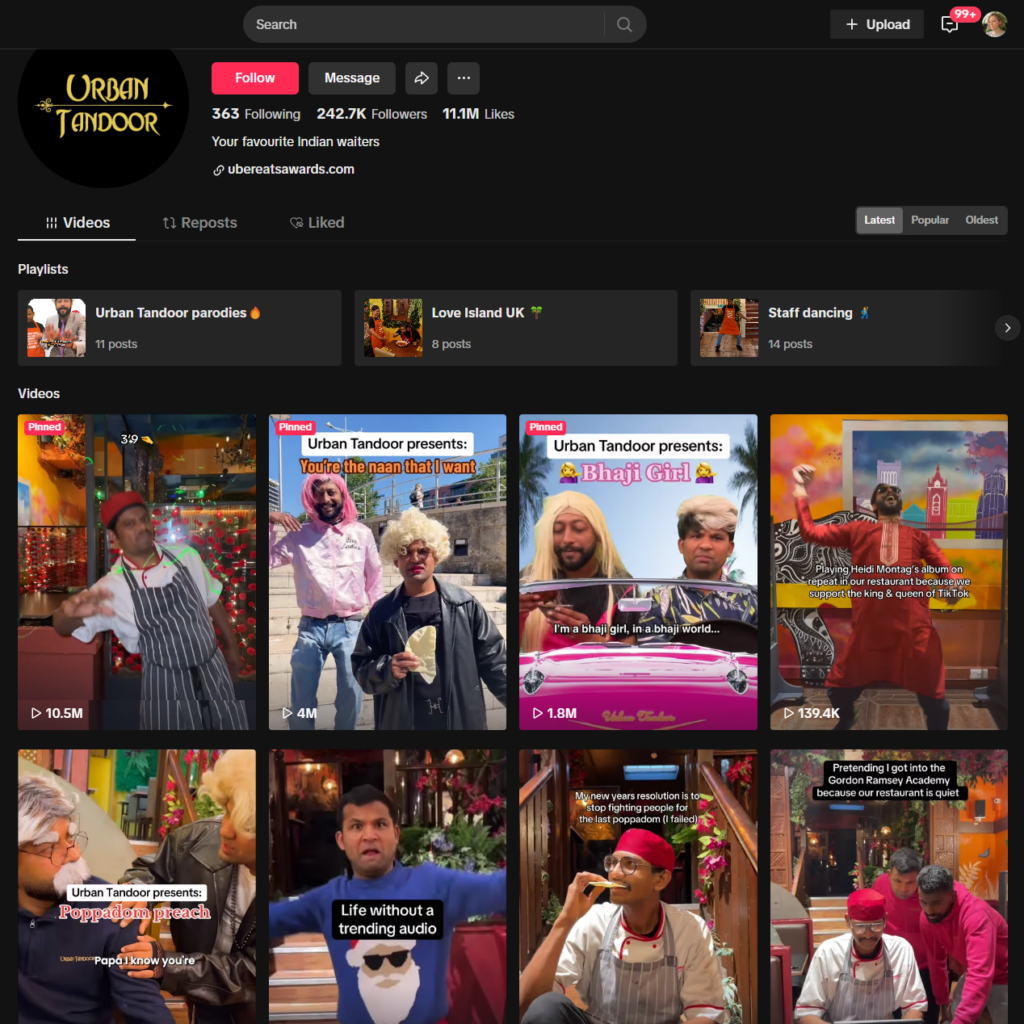
Social media is a powerful way to connect with customers, but if your posts aren’t getting engagement or your ads aren’t driving traffic, they need tweaking.
How to do it:
- Check engagement metrics like likes, shares, comments, and saves.
- Review which types of content perform best (videos, promotions, behind-the-scenes posts, etc.)
- Analyze ad performance: Are your Facebook and Instagram ads generating enough return on investment (ROI)?
Analyze email marketing campaigns
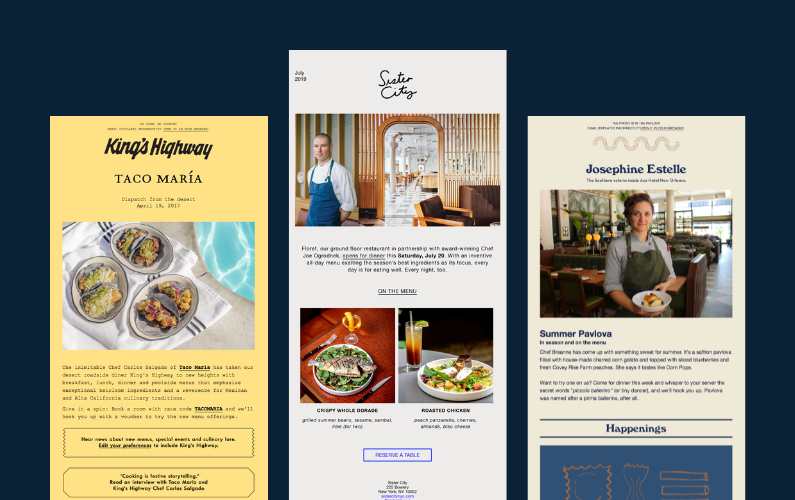
Email marketing remains one of the most effective ways to drive repeat business, but only if done right. High unsubscribe or low open rates indicate that your emails aren’t resonating with customers.
How to do it:
- Check open rates: Are customers reading your emails?
- Review click-through rates: are they clicking on promotions and special offers?
- Segment your audience: send targeted emails based on customer preferences, past orders, or special occasions.
Digital marketing is critical to restaurant success, but you could be spending money and effort in the wrong areas without proper tracking.
Now that your digital marketing is optimized, it’s time to take a complete look at your in-house operations with a restaurant audit.

How to conduct a restaurant audit (in-house)
While online audits improve customer acquisition, an in-house audit ensures smooth daily operations. A well-run kitchen and front-of-house create a better customer experience, reduce waste, and improve efficiency.
Here’s a step-by-step guide to auditing your physical restaurant:
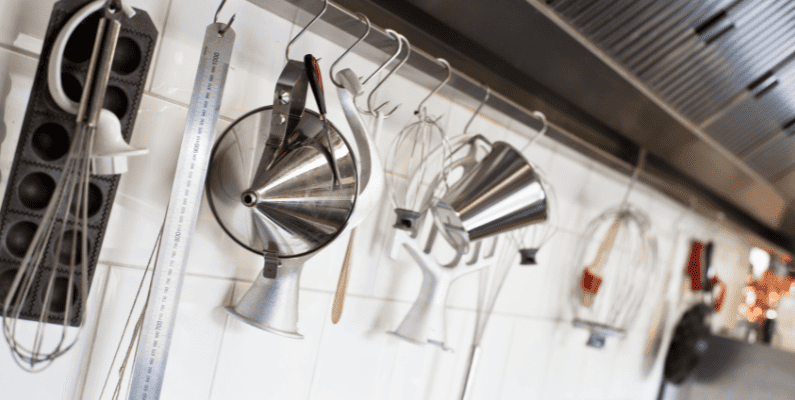
Step 1: Conduct a kitchen and food safety check in your restaurant audit
Food safety is non-negotiable. A violation can result in fines, negative reviews, or even a shutdown. A thorough kitchen audit helps maintain high industry standards, prevents contamination, and ensures compliance with health regulations.
Inspect food storage and expiration dates
Sticking to food safety standards helps prevent foodborne illnesses and reduce waste.
- Check that perishable items are stored at the correct temperatures (refrigerated items should be at or below 40°F, and frozen foods at 0°F).
- Ensure dry storage areas are clean, well-ventilated, and free of pests.
- Verify that expiration dates are clearly labeled and stock is rotated using the first-in, first-out (FIFO) method.
Ensure all kitchen staff follow proper hygiene practices
Careless food preparation and poor hygiene can ruin a restaurant’s reputation.
- Confirm that all staff wash their hands frequently and wear gloves when handling food.
- Check that kitchen uniforms are clean and that hairnets or hats are worn.
- Ensure all food prep areas and utensils are sanitized regularly.
Test kitchen equipment
Faulty equipment can slow down service and compromise food quality.
- Inspect refrigerators and freezers to ensure they maintain proper temperatures.
- Check that ovens, grills, fryers, and stovetops are functioning correctly and being cleaned regularly.
- Test thermometers and other food-safety tools.
Once the kitchen is in top shape, the next step is reviewing inventory and supply chain efficiency to keep costs under control and prevent shortages.

Step 2: Review inventory and supply chain efficiency
A well-managed inventory and supply chain keep food costs under control, prevent shortages, and reduce waste. This area’s inefficiency can lead to higher expenses, menu inconsistencies, and lost profits.
A thorough internal restaurant audit helps ensure that stock levels align with demand, vendors are reliable, and cost-saving opportunities are maximized without compromising quality.
Check food waste levels and portion sizes
Food waste is one of the biggest profit drains in the restaurant business. Over-ordering, improper storage, and inconsistent portion sizes contribute to lost money.
- Track which ingredients are frequently wasted: are certain items over-prepped or expiring before use?
- Ensure portion sizes are consistent by using weighed measurements instead of estimates.
- Review prepped vs. sold food reports to identify trends in waste.

Assess vendor reliability and order accuracy
Late deliveries, missing items, or inconsistent product quality can disrupt service and lead to customer dissatisfaction.
- Track vendor on-time delivery rates and order accuracy over the past few months.
- Inspect the quality of received goods: are the produce and proteins meeting expected standards?
- Negotiate with suppliers if there are frequent delays or substitutions.
Find cost-saving opportunities without sacrificing quality
Reducing costs means optimizing where your money is going. This shouldn’t be forgotten in your restaurant audit.
- Compare ingredient costs with market trends: are there cheaper yet equally high-quality alternatives?
- Review portion costs to see if certain dishes need a price adjustment.
- Look for bulk purchasing deals on high-use ingredients without risking spoilage.
With inventory and the supply chain under control, the next focus is on staff performance and employee training to ensure everyone contributes to an efficient, customer-friendly operation.

Step 3: Monitor staff performance and training in your restaurant audit
Your staff is the backbone of your restaurant, and their performance directly affects customer satisfaction, efficiency, and sales.
A well-trained team that works smoothly under pressure can increase revenue through better service, faster table turnover, and effective upselling.
This part of the audit helps identify areas where employees excel, and additional training is needed.

Observe staff during peak hours
Peak hours put your team to the test. How they handle high customer volume determines whether your restaurant thrives or struggles.
- Watch how servers manage multiple tables. Are they attentive, or do they seem overwhelmed?
- Assess how the kitchen and front of house communicate. Are orders being relayed accurately?
- Track how long it takes from order placement to delivery of the food item. Are customers waiting too long?

Check if employees are following upselling strategies
A strong upselling strategy can increase check averages without making customers feel pressured.
- Listen to how servers recommend add-ons. Do they naturally suggest appetizers, premium sides, or desserts?
- Check if bartenders offer signature cocktails or suggest higher-end drinks.
- Track which servers have higher ticket averages. What are they doing differently?

Provide additional training if needed
Consistent training ensures that all employees perform at the same high level.
- Conduct role-playing exercises to improve customer interactions.
- Offer ongoing menu knowledge training so staff can confidently answer guest questions.
- Provide refreshers on handling complaints professionally.
With a well-trained team, the next focus is on financial performance, ensuring your restaurant is profitable and sustainable.

Step 4: Analyze financial performance
A restaurant can have great food and service, but it won’t stay profitable unless the numbers add up. Analyzing revenue, expenses, and pricing strategies ensures that your restaurant remains financially healthy.
This audit step helps identify unnecessary costs, improve profit margins, and adjust pricing based on demand.
Compare revenue and expenses over the past quarter
To understand where your restaurant stands financially, you must compare income vs. costs over the past few months.
- Review sales reports to track revenue trends. Are certain days or times performing better than others?
- Break down fixed costs (rent, utilities, payroll) and variable costs (food, beverages, marketing)
- Calculate profit margins for each menu item. Are some dishes barely breaking even?

Identify areas where costs can be reduced
Cutting costs doesn’t mean sacrificing quality. Small changes can lead to big savings over time. So remember to include this in your restaurant audit.
- Analyze food waste reports. Are expensive ingredients being overordered or discarded?
- Negotiate with vendors for bulk discounts or find alternative suppliers.
- Evaluate labor costs. Are you overstaffing during slow hours?

Adjust pricing strategies based on market demand
Your pricing should reflect customer demand, food costs, and competitor pricing.
- Identify best-selling items and consider slight price increases if demand is strong.
- Evaluate whether low-margin items should be removed or reworked.
- Introduce limited-time offers or combo deals to increase per-customer spending.
With optimized financial performance, the final step is evaluating the overall customer experience to ensure guests leave happy and return.

Step 5: Evaluate the overall customer experience
A great customer experience keeps diners coming back and drives positive word-of-mouth marketing. Even small details, such as how long a customer waits for their food, your restaurant’s ambiance, or your staff’s friendliness, can influence whether they return.
This audit step helps ensure that every part of the guest experience, from arrival to departure, meets or exceeds expectations.

Conduct a mystery diner test
One of the best ways to get an honest assessment of your restaurant’s customer experience is to see it from a guest’s perspective.
- Have a friend, family member, or hired mystery diner visit and take detailed notes on their experience.
- Evaluate service speed. How long does it take to be seated, served, and receive the check?
- Assess staff attentiveness. Are they friendly, knowledgeable, and helpful?

Check if ambiance, cleanliness, and service meet expectations
A restaurant’s atmosphere affects how comfortable and welcome customers feel.
- Ensure the dining area, restrooms, and entrance are always spotless.
- Check lighting and music levels. Is the environment inviting or too loud/dim?
- Monitor whether staff greet guests warmly and make them feel valued.
Make adjustments based on customer feedback and audit findings
Once you’ve identified areas for improvement, it’s time to take action.
- Update staff training based on recurring service complaints.
- Adjust seating layouts or reservation systems if wait times are consistently long.
- Address menu concerns. If customers frequently mention missing items or unclear descriptions, update them accordingly.
A restaurant with great food but poor customer experience won’t succeed in the long term.
With the complete restaurant audit, it’s time to take action and continuously improve for long-term success.

Get to grips with restaurant audits today
Regular restaurant audits help optimize operations, reduce costs, and enhance the customer experience.
To stay competitive, restaurant owners should conduct in-house and online audits.
Take action now:
- Perform an internal audit to identify problem areas.
- Optimize your online ordering system with Orderable.
- Schedule regular audits to maintain high efficiency.
A well-audited restaurant delivers a seamless customer experience that keeps guests returning.
Get Your Restaurant Business Online With Orderable
Orderable is a user-friendly WordPress plugin that adds online ordering to your restaurant website.
Add your dishes, create your online ordering menu, customize your delivery schedule, and manage orders with ease.
Roxana Alexandru is a self-employed instructional designer and content creator specializing in corporate training, e-learning, technical articles, and scripting. She has over a decade of experience working in multiple industries, such as Finance, IT, and product management, to name a few, which gives her a unique perspective on content creation. She has also written extensively on being an introvert, with many articles featured on Introvert, Dear. She is passionate about self-help, personal growth, and seeing life through various lenses. When she’s not thinking about writing, she’s venturing outside with her two kids and husband, often traveling to new places.
Don’t miss out on the latest Orderable news!
Sign up for our newsletter to receive the latest news from the blog, you’ll get pinged every week with a digest of the latest updates.
[fluentform id=”6″]

Related Articles

6 Creative Restaurant Drink Menu Ideas for 2026

Online Food Ordering Trends to Watch in 2026
How to Create a Restaurant Table Ordering System
Get Your Restaurant Online With Orderable
The WooCommerce plugin designed to help restaurants take orders online – with no added fees!
View Pricing

