

Restaurant Payment Processing Equipment Every Owner Must Understand

Restaurant Payment Processing Equipment Every Owner Must Understand


Jake Fischground


Choosing the right payment processing equipment is one of the most critical decisions you’ll make as a restaurant owner, and it’s about much more than just the hardware. It’s about finding a system that supports you even during your busiest hours, while avoiding confusing contracts that chip away at your hard-earned profits.
Let’s set aside the marketing promises and break down your options based on the realities of running a restaurant. The difference between a smooth-running operation and nightly chaos often comes down to three key factors:
- Reliability: How consistently does your system process payments when the pressure is on?
- True cost: How much do you actually pay per transaction once all the hidden fees and surcharges are calculated?
- Flexibility: Can you easily adapt, swap, or upgrade your setup as your business grows and changes, or are you locked into a single vendor’s ecosystem?
To help you make the best choice, we’ll look under the hood of some of the key players in the industry. We’ll compare the all-in-one, proprietary systems of Toast, Square, and Clover with the flexible, open approach of combining powerful software, such as Jovvie and Orderable, with the hardware you choose.
Get Your Restaurant Business Online With Orderable
Orderable is a user-friendly WordPress plugin that adds online ordering to your restaurant website.
Add your dishes, create your online ordering menu, customize your delivery schedule, and manage orders with ease.


Payment processing vs POS systems
A Point of Sale (POS) system is the software that manages restaurant operations like orders and inventory, while payment processing is the service that handles the financial transaction of moving money from a customer’s account to the business.
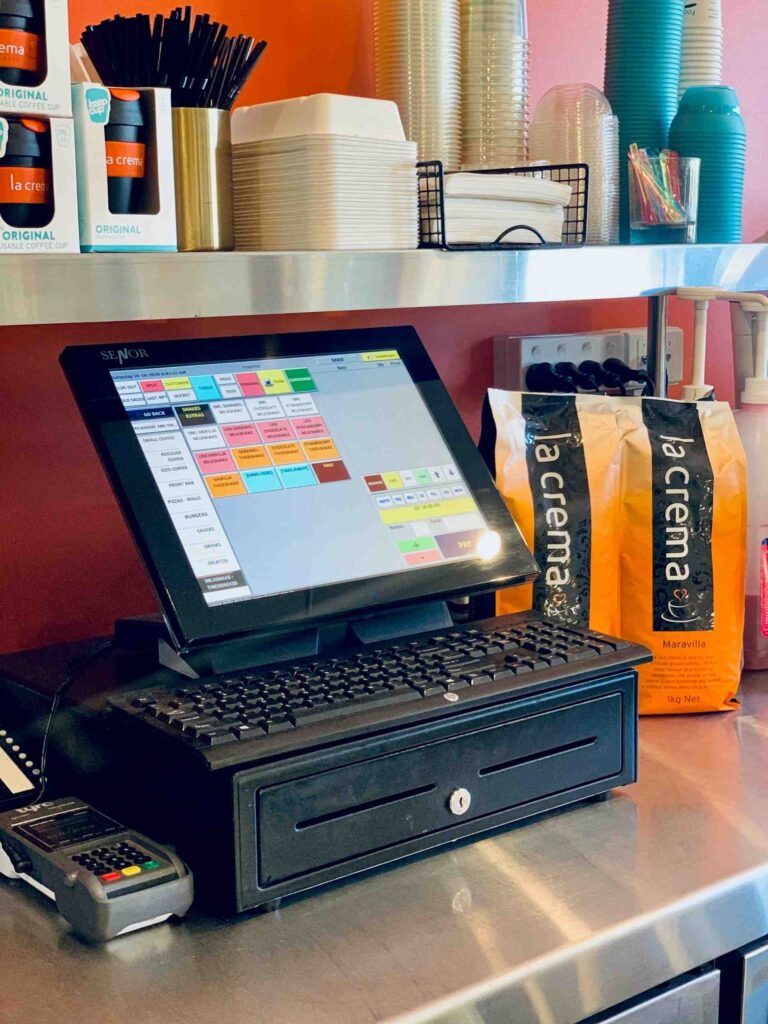
Restaurant order processing system-1 | Photo by FrabPOS Team on Unsplash
This difference leads to two main approaches you can take:
- Bundled systems: Companies like Toast and Clover provide an all-in-one package, offering hardware, POS software, and payment processing together. This simplifies setup and gives you a single point of contact for support, but it also locks you into their specific payment processing rates and contract terms.
- Separated systems: A solution like Jovvie acts as your POS software but allows you to connect to various payment processors, such as Stripe. This model gives you the freedom to shop for the best transaction rates and switch processors in the future without having to replace your entire system.
This matters because the costs are structured differently. Payment processing typically involves a percentage-based fee for every transaction. POS software often involves a predictable monthly subscription fee, but this fee is for the software itself. You will also be paying a separate, percentage-based fee for each transaction.
When they are bundled, it can be difficult to see what you’re truly paying for. Separating them gives you more control over your biggest variable cost.
Modern payment methods that your restaurant needs
To keep your lines moving and customers happy, your restaurant needs to accept payments in all the ways people prefer to pay today. Gone are the days of “cash or credit”. Modern diners expect a variety of fast and secure options right at their fingertips.

Setting up different payment systems-2 | Source: Unsplash
Your setup should be ready for:
- Traditional cards: Includes all methods for physical credit and debit cards, such as chip (EMV), magnetic swipe, and tap-to-pay (NFC).
- Digital wallets: Includes services like Apple Pay and Google Pay that use a smartphone’s integrated NFC chip for contactless payment.
- QR code payments: Includes systems that allow customers to scan a code with their phone to view a bill and complete payment, a feature offered by platforms like Orderable.
- Cash: While digital is growing, cash remains an important payment option to accommodate all guests.
Failing to offer these choices, especially popular digital wallets, can directly impact your sales. Not having the right equipment means turning away good customers who no longer carry physical cards or cash.
The self-service revolution: kiosks and QR ordering
Self-service technology is no longer just for massive fast-food chains. Driven by labor shortages and customer demand for convenience, self-ordering has become an essential tool for restaurants of all sizes.
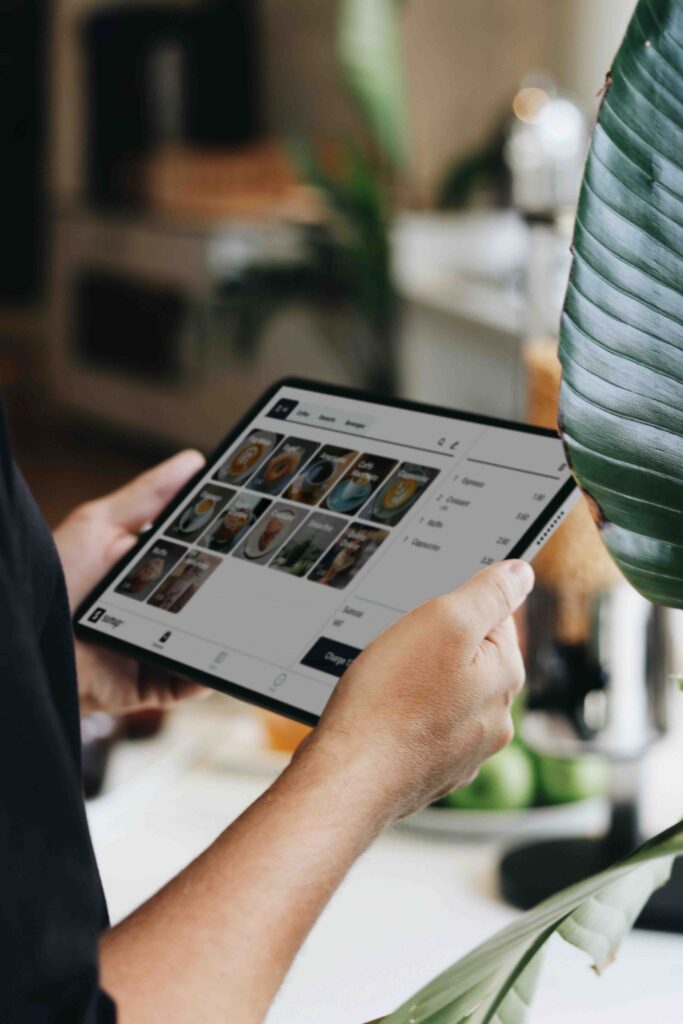
Self-ordering tablet-based kiosk-3 | Photo by SumUp on Unsplash
However, the main challenge has always been cost, with traditional kiosk hardware running to thousands of dollars per unit. Fortunately, you don’t need expensive, specialized equipment to offer a great self-service experience. A flexible POS system opens up more affordable and modern options, such as:
- Tablet-based kiosks: The combination of Jovvie with a restaurant-focused plugin like Orderable can turn any off-the-shelf tablet into a full-featured self-service kiosk. Customers can browse your menu, customize their items, and pay on the spot, with every order perfectly synced to the same inventory your staff uses.
- QR code ordering: For an even lower barrier to entry, QR code menus allow customers to order and pay right from their own phones. Placing a unique code at each table lets diners explore the menu at their own pace, reducing the server’s workload during busy rushes and appealing to guests who prefer a low-contact experience.
Adopting these tools doesn’t mean creating an impersonal environment. Instead, smart operators use self-service to free their staff from the routine task of taking orders. This allows your team to focus more on enhancing the guest experience, from ensuring food quality to providing attentive, personal service.
That brings us to the question…
Is pay-at-table technology worth the cost?
Yes, bringing payments directly to the table is one of the most effective ways to increase your restaurant’s efficiency. When customers can pay as soon as they’re ready, you can clear tables faster, reduce wait times, and serve more guests during a busy shift. The key is choosing an implementation strategy that matches your budget and customer base.
The cost and complexity of this technology can vary widely. One approach is to equip servers with handheld devices. Using a flexible system like Jovvie with Orderable, a server can use a smartphone or tablet to process an order and then accept a tap-to-pay transaction right at the table. While effective, this can require a hardware investment for each server on shift.
For most restaurants, a hybrid approach works best. You can make QR codes the primary, convenient option at every table while keeping one or two handheld terminals available for those who prefer a more traditional card transaction. This keeps your investment low while accommodating every guest’s preference.
Comparing major restaurant payment systems
You should choose the payment system that best fits your restaurant’s specific needs and priorities. Each of the major players is optimized for something different, from reliability to flexibility.
Here’s a breakdown of the key differences:
| System | Best For | Key Features | Pricing | Trade-offs |
| Toast | High-volume restaurants needing extreme reliability. | • Restaurant-grade hardware. • Robust offline mode. • Cellular payment backup. | Starts at $69/month + processing fees. | Premium price point. |
| Square | Simplicity and speed. | • Fast setup. • Intuitive interface. • Transparent flat-rate pricing. | Free plan with 2.6% + $0.15 per tap, chip, or swipe transaction. | •Consumer-grade hardware • Fewer deep, restaurant-specific features. |
| Clover | A balance of purpose-built hardware and flexibility. | • Specific restaurant plans. • Option to buy or finance hardware. | For quick-service restaurants: $849+ $89.95/month + fees (e.g., 2.3% + $0.10). | A middle-ground option between simplicity and specialized features. |
| Browser-basedJovvie+Orderable | Eliminating hardware dependency and syncing online/physical sales. | • Uses WordPress/WooCommerce as a central database. • Bring your own devices. | Lower initial hardware cost. | Requires you to manage the integration of software components. |
What equipment do I need to accept restaurant payments?
To accept payments, restaurants need a central terminal or tablet ($200–$1000), a card reader ($50–$300) for chip and tap payments, and a receipt printer ($50–$200). A reliable, high-speed internet connection is also essential for processing transactions quickly and securely.
With Jovvie+Orderable, you don’t need a card reader or a receipt printer because Jovvie supports tap-to-pay through a connecting phone or tablet, and Orderable lets you send digital receipts!
Having said that, the more important question is what kind of hardware you need.
- Restaurant-grade hardware is built to survive the chaos of a busy restaurant. Their devices often have IP ratings for water and dust resistance, enhanced drop protection, and long-lasting batteries.
- Consumer devices, like iPads or Android tablets, can work perfectly well in more controlled settings. However, they aren’t designed for the heat, spills, and rough handling of a high-volume kitchen or dining room.
How much does payment processing actually cost restaurants?
The true effective rate for payment processing is typically 2.5% to 3.5% of the transaction total. This final cost is reached after accounting for the interchange fees, network fees from card brands like Visa or Mastercard, and the payment processor’s specific markup. To figure out what you’ll really pay, you need to look beyond the advertised monthly rate.
Your expected sales volume is the best guide for choosing the right model.
- For lower-volume or new restaurants, a modular approach like Jovvie and Orderable offers a low barrier to entry. This is because the initial software fees are typically lower, and you can use your own existing hardware to get started.
- For high-volume restaurants, the durability and all-in-one reliability of proprietary hardware from Toast or Clover become more valuable. The higher upfront cost is an investment in preventing system failures during your busiest hours.
It’s also vital to consider long-term flexibility. With a modular system, you can change your payment provider or upgrade your hardware one piece at a time. Switching from an all-in-one provider like Toast often requires a significant new investment and can be complicated by long-term contracts.
Making your decision: a practical framework
Instead of getting lost in feature lists, you can use a practical framework to identify the system that best fits your specific operational needs. Answering these questions will point you in the right direction.
- What is your technical comfort level? Be honest about your own skills. If you are comfortable managing a WordPress site and its various plugins, the flexibility of a system like Jovvie will feel powerful and natural. If you prefer a single point of contact for all technical issues, a bundled system is a safer bet.
- What is your real sales volume? Base your calculations on actual numbers. For restaurants processing over $50,000 per month, every fraction of a percent in transaction fees matters more than the monthly software cost. For lower-volume shops, a low monthly software fee might be the top priority.
- What are your growth plans? If you plan to open multiple locations, a cloud-based system like Toast is built for easy, centralized management and scaling. If you’re staying in a single, local spot, the flexibility of a no-contract option provides the freedom to adapt as needed.
- What technology do you already use? If your restaurant already takes online orders through a WordPress and WooCommerce food ordering website, a solution like Jovvie is the logical choice, as it creates perfect, seamless synchronization between your online and in-person inventory.
- What are your must-have features? For a cafe, this might include sub-3-second transaction speeds, ingredient-level inventory tracking, and a simple loyalty program. A flexible system allows you to add nearly any feature through plugins, but this can also add complexity to your setup.
- What is your exit strategy? Consider the cost of switching later. Systems like Toast often use two-year contracts with hefty termination fees that lock you in, while the modular nature of Jovvie makes it easy to swap out individual components if you find a better deal.

How long does POS implementation really take?
POS implementation can take an average of three weeks, even though many vendors promise a one-week timeline. The additional time is typically required for accurately importing complex menu data with all modifiers, conducting thorough staff training, and testing the system during live service to work out any issues.
Your restaurant’s future starts with this decision
The right payment system is a foundation for your restaurant’s future growth and stability. Your immediate next step is to use the framework above to audit your current setup and clearly define your top priorities. From there, schedule demos or free trials with your top two options to see how they perform in a real-world environment.
Remember, no solution is permanent. The smartest choice is to find an affordable system that solves your current problems, knowing you have the freedom to adapt as your needs evolve. A modular approach with Jovvie and Orderable is characterized by low upfront costs, no vendor lock-in, and the ability to add or change features as you grow, keeping you in complete control. Don’t let your payment system dictate how you run your business. Discover how Jovvie and Orderable can give your restaurant the freedom and flexibility to thrive!
Get Your Restaurant Business Online With Orderable
Orderable is a user-friendly WordPress plugin that adds online ordering to your restaurant website.
Add your dishes, create your online ordering menu, customize your delivery schedule, and manage orders with ease.
Jake is the marketing guru and co-founder of BizSwoop. When he’s not helping small and medium businesses learn about e-commerce you might find him taking a walk by the water or playing a game of pinball.
Don’t miss out on the latest Orderable news!
Sign up for our newsletter to receive the latest news from the blog, you’ll get pinged every week with a digest of the latest updates.
[fluentform id=”6″]

Related Articles

How to Calculate Food Cost Percentage in 2026

6 Restaurant Revenue Streams to Utilize in 2026

50 Restaurant Terms and Definitions for Beginners
Get Your Restaurant Online With Orderable
The WooCommerce plugin designed to help restaurants take orders online – with no added fees!
View Pricing

