

What is a Quick Service Restaurant in 2026?

What is a Quick Service Restaurant in 2026?


Gina Lucia


If you’re wondering what defines a quick service restaurant (QSR) in 2026, and how to set one up fast, this guide breaks it all down.
We’ll cover:
- What a quick service restaurant is and how it differs from other restaurant types.
- The key features that define a successful QSR in today’s market.
- How to set up your own quick service restaurant, step by step.
- A powerful WordPress tool called Orderable that helps streamline online ordering and operations for QSRs.
Let’s start with the basics. What exactly is a quick service restaurant, and why are they still going strong in 2026?
Get Your Restaurant Business Online With Orderable
Orderable is a user-friendly WordPress plugin that adds online ordering to your restaurant website.
Add your dishes, create your online ordering menu, customize your delivery schedule, and manage orders with ease.


What is a quick service restaurant?
TL;DR: A QSR is a restaurant built around speed, affordability, and simplicity. Customers order fast, get food fast, and either take it away or eat quickly on-site.
A quick service restaurant, often shortened to QSR, is a restaurant designed to serve food fast, with minimal wait times and a streamlined customer experience.
QSRs prioritize speed, convenience, and affordability. Customers typically order at a counter or online, receive their food quickly, and either dine in casually or take it to go. There’s little to no table service involved.

Well-known examples of QSRs include:
- Wendy’s
- Pizza Hut
- Chick-fil-A
- Burger King
- Taco Bell
- Popeyes
While fast food chains dominate the QSR category, it also includes independent restaurants and small local spots that prioritize efficiency, high turnover, and quick customer satisfaction.
In short: if your goal is to serve great food fast, without the full-service dining experience, you’re likely running (or planning to run) a quick service restaurant.
Are quick service restaurants only fast-food chains?
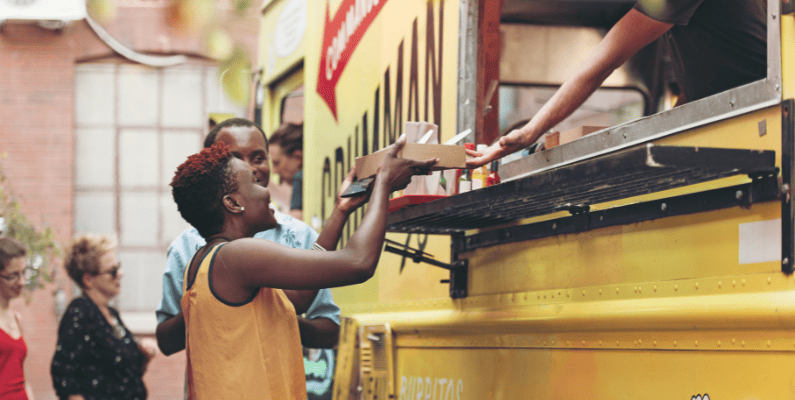
While global brands like McDonald’s and Taco Bell are the most recognizable examples of quick service restaurants, the QSR model isn’t limited to big fast food chains.

Quick service restaurants can also include:
- Local sandwich shops.
- Pizza counters.
- Cafés with limited menus.
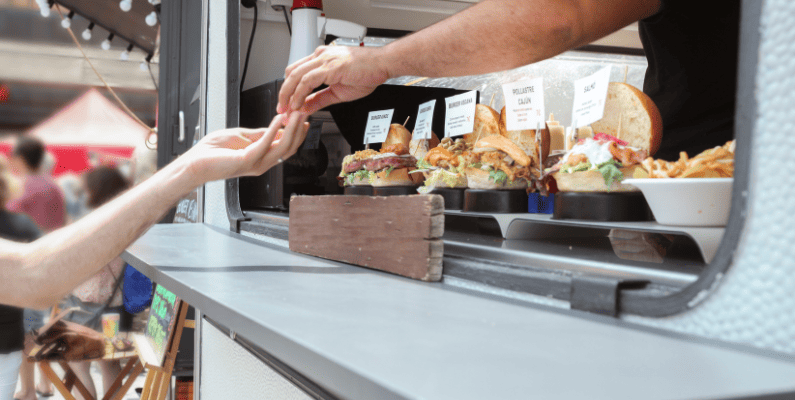
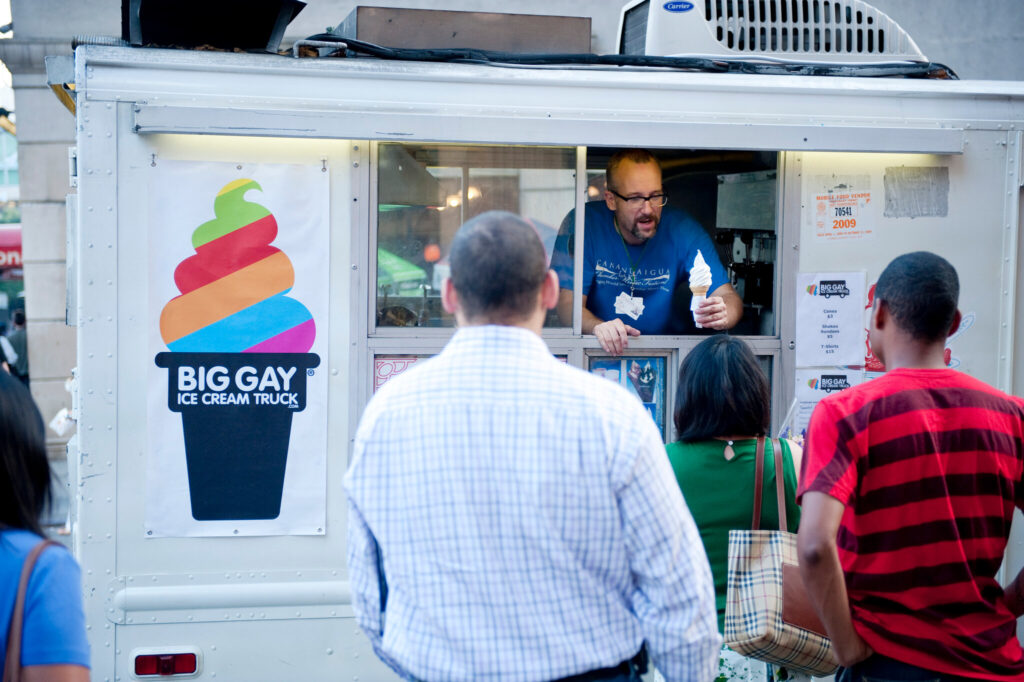
- Food trucks.
- Takeaway noodle bars.
- Bakery-café hybrids.
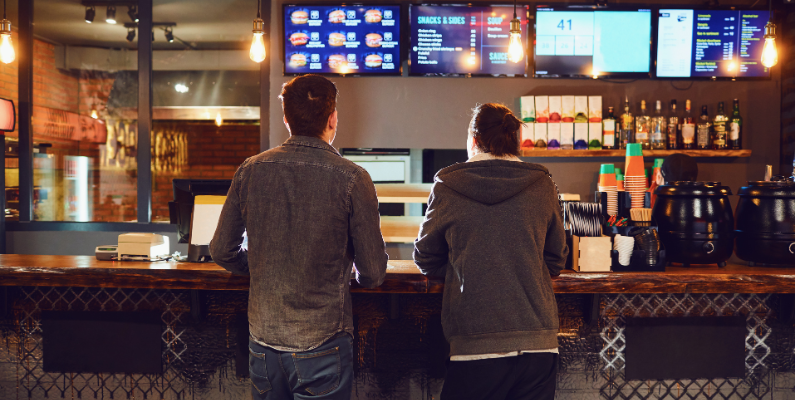
What they all have in common is the service style. Fast, efficient, and low-friction. Customers order at a counter, drive-thru, or online. There’s usually no table service, and food is made to be ready quickly with minimal wait times.
Menus are often simple, affordable, and focused on speed and volume rather than customization or presentation.
So, whether you’re running a small takeaway or building the next neighborhood go-to for grab-and-go meals, if you prioritize speed and simplicity, you’re likely operating a QSR.
Before we dive into the must-have features of a QSR, let’s clarify what doesn’t count as one.
What’s the difference between QSR, fast-casual, and fast food?
The terms get used interchangeably, but here’s a quick breakdown:
| Feature | QSR | Fast-Casual |
|---|---|---|
| Order placement | Counter, kiosk, or online | Counter, sometimes table service |
| Food prep speed | Under 10 minutes | Slightly longer prep |
| Ambience | Functional | More premium |
| Price point | $7–$12 | $12–$20 |
| Examples | McDonald’s, Subway | Chipotle, Shake Shack |
When people talk about quick service restaurants, they’re often referring to fast food restaurants, and the two terms are frequently used interchangeably.
But there’s a small distinction:
- Fast food is the everyday phrase most customers use.
- Quick service restaurant (QSR) is the industry term used to describe this category of fast, efficient food service.
So yes, chains like McDonald’s, Burger King, Domino’s, and Dunkin’ are all considered QSRs. The same goes for regional drive-thrus, small-scale pizza joints, or other counter-service spots that prioritize speed.
How about fast-casual restaurants?
Fast-casual restaurants sit between fast food and full-service dining. They still offer quick ordering (usually at a counter), but the overall experience feels more premium.
Examples of fast-casual chains:
- Panera Bread
- Chipotle
- Shake Shack
- Nando’s
Free Download: Restaurant Business Plan Template
Want to start your restaurant business without jumping through heardles? Our free restaurant business plan template will walk you through the steps.

Fast-casual restaurants still qualify as “quick service” in some definitions, but they operate with slightly different expectations, especially around food quality and environment.
Next, let’s walk through how to set up a successful quick service restaurant from the ground up.
How do you set up a quick service restaurant?
We won’t walk through every step here. Instead, we’re focusing on the three most important foundations you’ll need to get right if you want your QSR to succeed from day one.
These are the areas that make or break a quick service restaurant in today’s market:
- Your location and service setup.
- Your kitchen and menu design.
- Your ordering and fulfillment systems.
Let’s take a closer look at each one.
How do you conduct market research for a QSR?
If you study well-known fast food chains, you’ll spot a clear pattern:
- KFC is all about fried chicken.
- McDonald’s is known for burgers.
- Subway focuses on sandwiches.
These quick service restaurants don’t try to serve everything; they specialize. That focus isn’t just branding. It helps them build efficient kitchens, repeatable processes, and menus that are fast and easy to execute.
When launching your own QSR, your goal is to find a focused food concept that’s:
- Popular in your area.
- Easy to prepare quickly.
- Cost-effective to produce.
- Aligned with what people already love to eat.

Why market research matters
Market research helps you figure out what’s working in your area, and what gaps you can fill.
Ask yourself:
- What kinds of quick meals are people already buying? (e.g. rice bowls, wraps, fried chicken, plant-based options)
- What’s missing from the current food scene?
- What are people searching for or talking about on local forums or food apps?
Your concept doesn’t have to reinvent the wheel. It just needs to be clear, focused, and executable at speed.
Once you’ve found the right concept, it becomes the foundation for everything else: your kitchen layout, your menu, your pricing, and your order flow.
A good research process will also help you:
- Identify your ideal customer. Their age, habits, income, and food preferences.
- Benchmark the competition. See what other QSRs are doing well, and spot opportunities to stand out.
Next, let’s look at how your kitchen and menu should support your QSR concept from day one.
What should be included in a QSR business plan?
Having a business plan makes a big difference, businesses with a plan grow up to 85% more than those without one. Why? Because a plan forces you to think through how your restaurant will run, how it will grow, and how it will stay profitable.
Writing a business plan helps you:
- Set clear goals and define your restaurant concept.
- Think through your finances, from startup costs to cash flow.
- Plan how you’ll staff, operate, and market your restaurant.
- Spot potential challenges before they slow you down.

What to include in your QSR business plan
Your business plan doesn’t have to be long or complicated. It just needs to cover the essentials:
- Your core food concept. What will you serve, and why will people want it?
- Your target customer. Who’s your ideal diner, and what do they care about?
- Market research. What are competitors doing, and where’s your opportunity?
- Startup costs and projections. How much will it cost to launch and run your QSR?
- Operations and staffing plan. Who will do what, and how will your day-to-day run?
Looking for inspiration? Check out our coffee shop business plan guide for a real-world example that’s easy to adapt to quick service restaurants.
How do you set up your QSR to run efficiently?
Speed is the backbone of any quick service restaurant. From your layout to your tech stack to your team, every part of your setup should support fast, accurate service.
Here’s how to build a QSR that runs like clockwork.

How do you design a kitchen for fast service?
Your kitchen layout should keep things moving with as little friction as possible.
That means:
- Prep, cook, and packaging stations should be close together.
- Staff should have enough space to move without bumping into each other.
- Common tasks should happen in sequence, not at random corners of the kitchen.
A well-designed space makes everything from lunch rushes to large online orders easier to handle.
What tools speed up quick service operations?
Technology can dramatically increase your service speed and reduce human error.
Here are a few essentials for QSRs:
- Point of Sale (POS) system. Speeds up order-taking and tracks sales in real time.
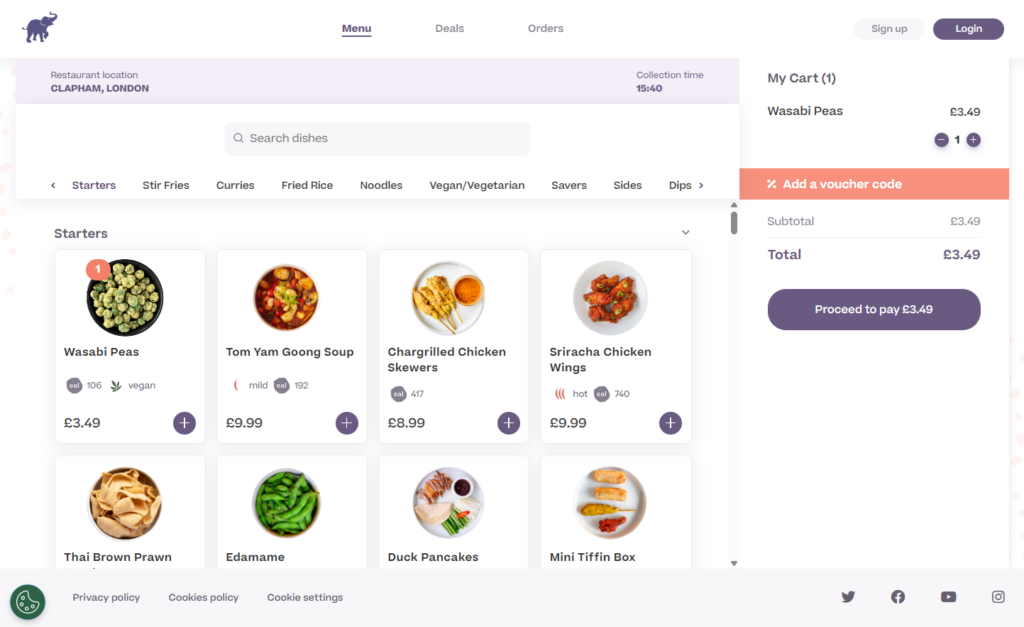
- Online ordering platform. Handles takeout and delivery without tying up your in-house staff.
- Kitchen Display System (KDS). Displays real-time order info on a screen so staff don’t miss a beat.
- Automation tools. Like self-serve beverage stations or smart fryers, to streamline repetitive tasks.
How do you train QSR staff for speed and consistency?
Fast service doesn’t come from tech alone. It comes from a well-trained team.
Make sure every team member:
- Knows the flow of the kitchen and their exact responsibilities.
- Understands how to use the tools and systems you’ve put in place.
- Is empowered to solve problems quickly, not just follow scripts.
Let’s break down the defining features that set quick service restaurants apart, and how you can build them into your setup from day one.

What makes a restaurant “quick service”?
To qualify as a true quick service restaurant (QSR), your setup needs to support fast, seamless ordering and fulfillment. That doesn’t mean you have to run a drive-thru. Even small dine-in spaces can deliver a fast-service experience with the right tools.
One key feature that helps? Table ordering.
What is table ordering?
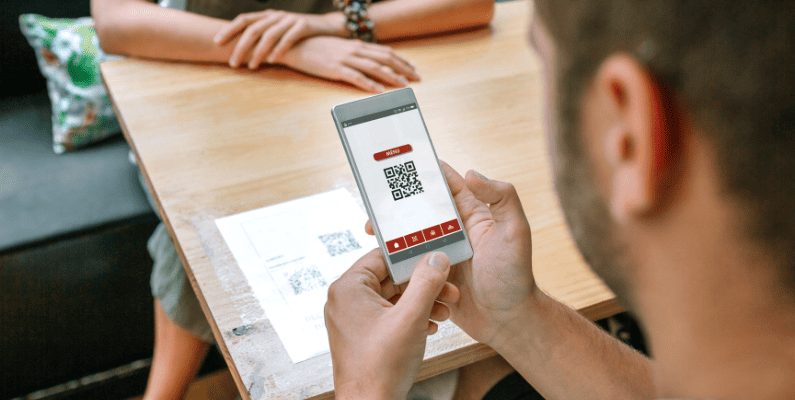
Table ordering lets customers order and pay for food directly from their table, using their smartphone or a digital menu. There’s no need to wait in line or flag down a server.
It’s an ideal option if your QSR has a few dine-in tables or benches but still wants to maintain a fast, self-service model.
How table ordering works
The system is simple and intuitive:
- A QR code is displayed at each table.
- Customers scan the code with their phone to view the full menu.
- They place their order and pay directly through the digital system.
- The order goes straight to the kitchen, complete with table number and any custom requests.
- When ready, food is brought out to the customer’s table.
No waiting, no miscommunication, and no need for counter queues.
Why table ordering fits the QSR model
Table ordering blends speed with convenience.
Here’s why it works:
- It speeds up service. Guests can order the moment they sit down. No waiting in line.
- It improves accuracy. Orders go straight to the kitchen, just as the customer submitted them.
- It feels modern and efficient. Customers appreciate the self-service option, especially during busy hours.
And if you’re worried about the cost of setting up fancy touchscreen tablets at every table, don’t be. A QR-based system does the job just as well and is far more affordable.

Why should you use Orderable for table ordering?
Orderable is a powerful WordPress plugin that makes it easy to set up table ordering in your quick service restaurant, no custom tech or expensive hardware required.
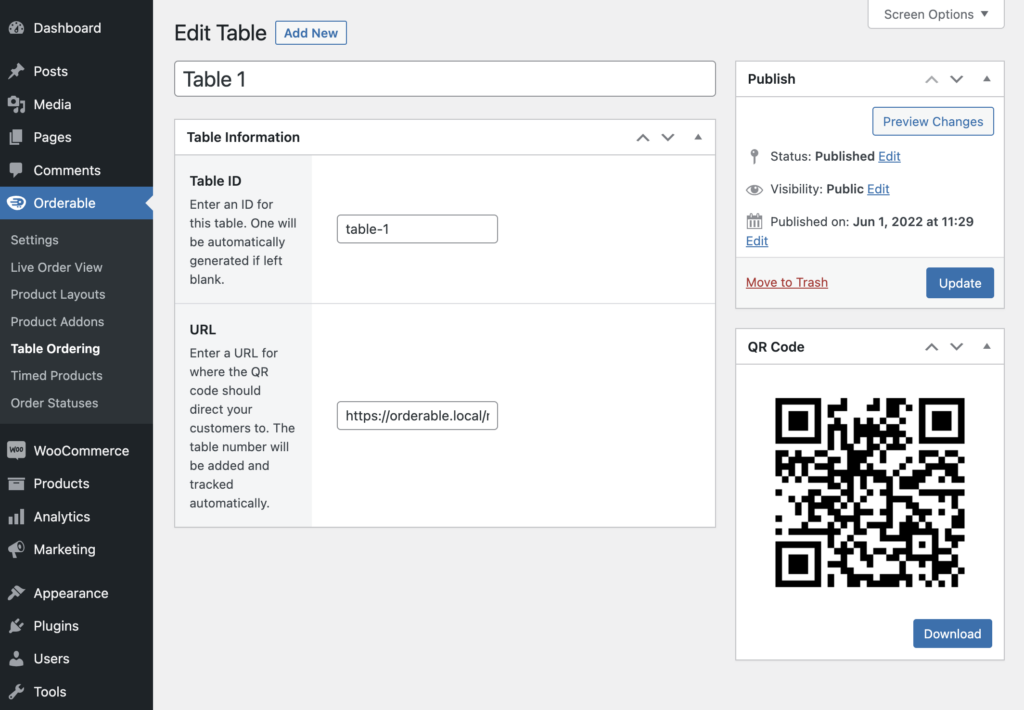
With Orderable Pro, you can create unique QR codes for each table in your restaurant. Customers simply scan the code with their phone, browse your online menu, and place their order, right from their seat.
How it works
Here’s how Orderable simplifies the entire table ordering process:
- Add each table to your system. Just enter a table name or number. Orderable automatically assigns a unique ID to each one (or you can set it manually).
- Link to your online menu. Create your digital menu with Orderable, and Orderable will generate a custom QR code for each table.
- Print and display. Print the QR codes, laminate them if needed, and place them on tables with a simple call-to-action like “Scan to Order.”
- Track incoming orders by table. When a customer places an order, your team sees exactly which table it came from.
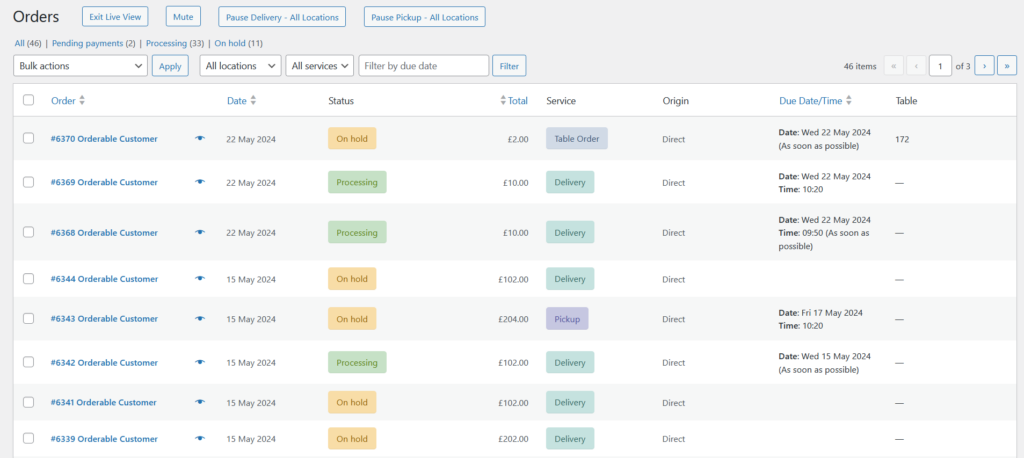
Because each QR code is tied to a specific table, your staff can prepare the right order and deliver it directly to the correct guest. That means faster service, fewer errors, and a smoother dining experience.
Want more setup tips? Check out our full guide to creating a restaurant table ordering system with Orderable, including what to look for in a digital menu, how to manage payments, and how to optimize the entire guest flow.
Provide a counter or self-service kiosk for fast ordering
Because quick service restaurants focus on speed over sit-down service, most rely on counter ordering or self-service kiosks to keep things moving.
Let’s look at how both options work, and why they matter.
What is counter service and how does it help?
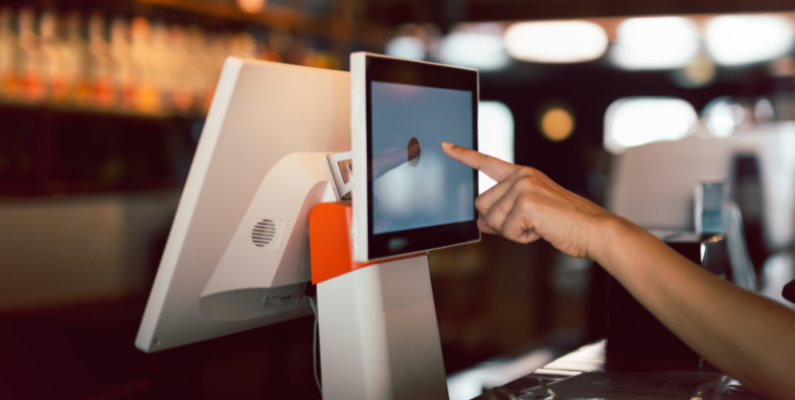
Counter service is a common setup where customers walk up to a counter, place their order, pay, and then wait for their food to be prepared. Once it’s ready, they return to the counter to pick it up.
If you’ve ever ordered a coffee at Starbucks or a meal at Subway, KFC, or McDonald’s, you’ve experienced counter service firsthand.
Why counter service works for QSRs:
- It’s fast and familiar. Customers know what to do and expect a quick turnaround.
- It allows for upselling. Staff can offer combos, upgrades, or add-ons during the order process.
- It’s easy to manage. Especially in smaller spaces with high foot traffic.
Downside: Personal interaction is limited, and during busy periods, long lines can lead to frustration or walkouts.
What is a self-service kiosk and why consider one?
Self-service kiosks offer the same ordering experience, just without the staff. These touchscreen stations let customers:
- Browse the menu.
- Place an order.
- Pay on the spot.
They’re great for busy QSRs because they reduce line pressure and give customers control over their ordering experience.
Why kiosks are worth considering
- They shorten wait times during peak hours.
- They boost order accuracy by putting control in the customer’s hands.
- They increase upsells through prompts and visuals built into the digital menu.
Kiosks can also be used alongside counter and table ordering to give customers multiple ways to order, making your service model more flexible and scalable.
Next, we’ll explore the final piece of the QSR puzzle: offering online ordering for pickup and delivery.
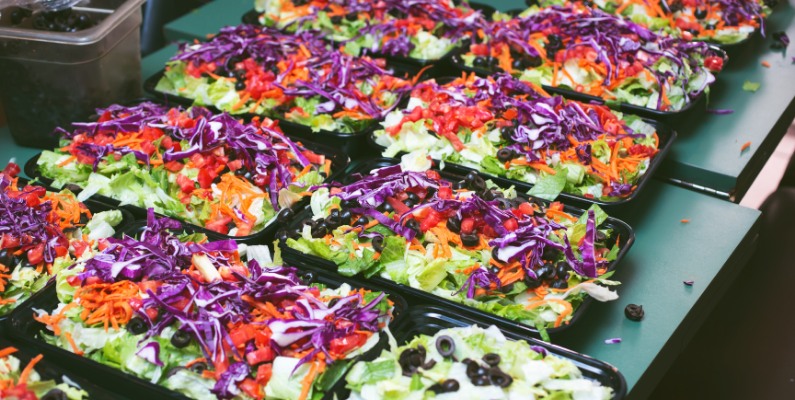
Fast food preparation (usually under 10 minutes)
Speed is non-negotiable in a quick service restaurant. One of the key expectations in this industry is that meals should be ready in 10 minutes or less.
This is possible because most QSR-style food relies on simple, repeatable preparation and pre-cooked or prepped ingredients. In other words, cooking becomes more like assembling.
Examples of common QSR prep strategies:
- Chop vegetables, make sauces, and cook proteins in advance.
- Use fast-cooking methods like deep frying, grilling thin patties, or blending.
- Stick to food that’s easy to portion, package, and serve on the go.
Typical QSR items that follow this approach include:
- Burgers.
- Fries.
- Chicken tenders or nuggets.
- Smoothies and milkshakes.
These foods don’t require full table service, and they’re built for speed, helping you serve more people, reduce wait times, and deliver a consistent experience.

Offer a limited, focused menu
One of the smartest things you can do as a QSR operator is keep your menu simple.
Why? Because the more items you offer, the slower your kitchen becomes. That means more ingredients to manage, more prep steps, and more complexity. The opposite of quick service.
What is a limited menu?
A limited menu is a tightly curated list of dishes designed for speed, simplicity, and consistency.
Every item should be:
- Easy to prepare.
- Aligned with your core concept.
- Popular with your target audience.
Example: KFC revolves around one hero item: fried chicken. Everything else (sides, drinks, combos) supports that main offering. It’s focused, clear, and fast.
You can take the same approach. Choose one food category, like wraps, rice bowls, or wings, that you can prepare in under 10 minutes. Base your menu around it.
Why a limited menu works so well in QSRs:
- Faster decision-making for customers = shorter lines and quicker service.
- Consistent quality because your team can perfect a smaller range of dishes.
- Simpler inventory management with fewer ingredients to store and rotate.
- Lower costs on staffing, equipment, and food waste.
A focused menu makes your business more efficient, and that’s exactly what quick service is all about.
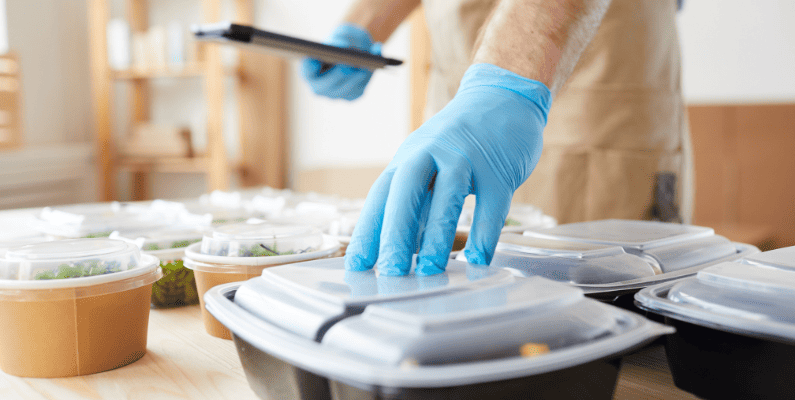
Why should QSRs offer takeaway and delivery services?
Quick service restaurants are designed for speed and convenience, which is why most customers prefer to eat off-site. Whether they’re grabbing lunch to go, ordering from work, or eating in the car, dine-in isn’t usually the priority.
While you might offer a few tables or benches for quick bites, most QSRs don’t have large dining rooms or elaborate décor.
Instead, customers expect an easy way to:
- Order ahead and pick up their food
- Have their meal delivered directly to them
And the data backs this up: 70% of customers say they prefer ordering food directly from a restaurant, rather than going through third-party apps.
To meet that demand, you need a smooth, reliable online ordering system, and that’s where Orderable comes in.

How do you set up online ordering with Orderable?
Orderable is a WordPress plugin built specifically for local restaurants and takeout businesses. It lets you set up and manage your own commission-free online ordering system, so you can take orders for pickup and delivery directly through your website.
Get Your Restaurant Business Online With Orderable
Orderable is a user-friendly WordPress plugin that adds online ordering to your restaurant website.
Add your dishes, create your online ordering menu, customize your delivery schedule, and manage orders with ease.
Why restaurants choose Orderable for takeout and delivery
Here’s how Orderable helps you manage online orders, and grow your QSR business:
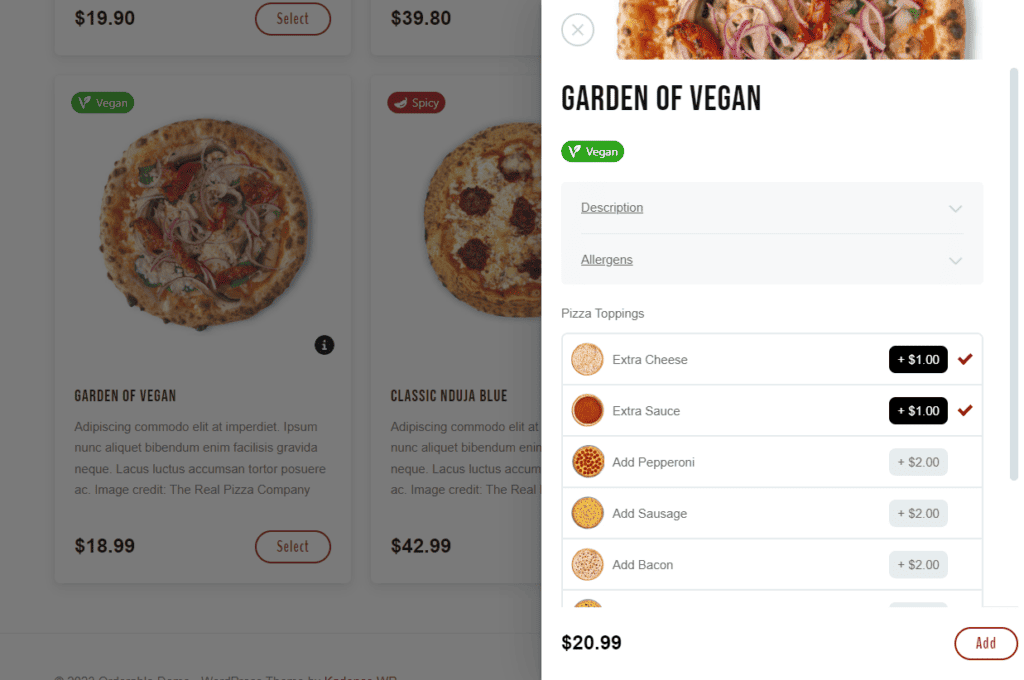
Simple, customizable menu management
- Easily build and manage your online menu.
- Add item descriptions, adjust pricing, and brand the layout to match your business.
- Mobile-optimized layouts make it easy for customers to browse and order on any device.
- Highlight dietary options (e.g., vegan, halal) or show real-time availability.
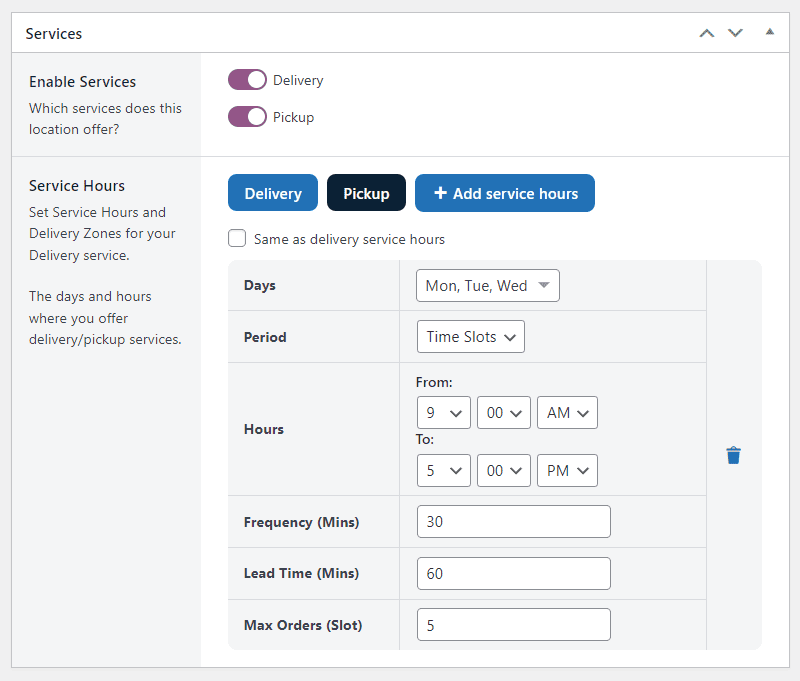
Flexible pickup and delivery scheduling
- Set custom business hours and fulfillment windows.
- Use time slots to control kitchen flow and prevent order overload.
- Offer same-day or ASAP delivery options to meet customer expectations.
Real-time order tracking and management
- View all incoming orders on a live order screen.
- See key details like customer name, address, and special requests at a glance.
Built-in sales boosters
- Offer product add-ons, order bumps, and tip prompts during checkout.
- Integrate with WooCommerce Points and Rewards to run a loyalty program.
By offering direct ordering through your website, you get full control over your customer experience and keep 100% of your profits.
Finally, let’s look at how pricing and customer turnover complete the quick service model.
Lower price point
One of the biggest reasons quick service restaurants (QSRs) attract so many customers is their affordable pricing.
For example, someone with just $8 can walk into a fast food spot and walk out with a burger, fries, and a drink, fast, filling, and budget-friendly.
This kind of pricing makes QSRs a go-to option for everyday meals. And because the upfront cost is low, it opens the door for upselling, like adding drinks, sauces, desserts, or combo upgrades to increase your average order value.
What’s the ideal price range for a QSR menu?
Most quick-service meals fall between $7–$12. That’s the sweet spot for affordability, while still leaving room for profit, if your food costs are managed wisely.
Want help pricing your menu? Check out our guide to calculating food cost percentage to keep your pricing both profitable and customer-friendly.
How does customer turnover affect QSR success?
Another defining trait of QSRs is speedy service, which naturally leads to high customer turnover.
Whether it’s a dine-in guest who finishes in under 15 minutes or an online customer picking up a to-go order, the goal is the same: keep the line moving.
This fast pace means you can serve more customers per hour, which helps:
- Increase daily revenue.
- Maximize your kitchen output.
- Keep wait times low, even during peak periods.
When done right, this model scales well, even in small spaces, because you’re cycling through more transactions in less time.
FAQs about quick service restaurants
QSR stands for “Quick Service Restaurant,” a fast-paced restaurant model that prioritizes speed, efficiency, and affordability.
QSR is the industry term. Fast food is the everyday phrase. Both refer to fast, convenient food service models.
Start with a focused menu, write a business plan, streamline your kitchen layout, and use tools like Orderable to simplify ordering.
Costs vary based on location, but QSRs typically have lower startup costs than full-service restaurants due to smaller spaces and faster turnover.
Yes! Plugins like Orderable let you accept online orders, offer table service, and manage your restaurant all from your WordPress website.
Set up your quick service restaurant today
Quick service restaurants succeed when they’re built for speed, simplicity, and convenience.
In this guide, we’ve covered how to:
- Streamline food prep with a focused, fast menu.
- Offer multiple ordering options (table, counter, kiosk, online).
- Set up takeaway and delivery services that customers expect.
To make it all work smoothly, tools like Orderable can help you manage online orders, table service, and upsells, right from your WordPress site.
Start with a clear plan, the right systems, and a fast, friendly experience. Your customers will keep coming back.
Get Your Restaurant Business Online With Orderable
Orderable is a user-friendly WordPress plugin that adds online ordering to your restaurant website.
Add your dishes, create your online ordering menu, customize your delivery schedule, and manage orders with ease.
Gina Lucia is our in-house Content Manager at Orderable. She writes articles, user guides, technical documentation, and creates videos on everything WooCommerce and Orderable.
Gina has been working in the WordPress/WooCommerce space since 2012 when she developed WordPress websites for clients large and small.
For the past 8 years, she’s been writing about everything WordPress and WooCommerce, becoming an expert in what makes a WooCommerce store succeed.
When not writing, Gina loves to tend to her vegetable garden, read, or travel to mainland Europe.
Don’t miss out on the latest Orderable news!
Sign up for our newsletter to receive the latest news from the blog, you’ll get pinged every week with a digest of the latest updates.
[fluentform id=”6″]

Related Articles

Advantages of Using an Online Food Ordering System
What is a Virtual Kitchen & How to Start One in 2026
How to Sell Food Online in 2026
Get Your Restaurant Online With Orderable
The WooCommerce plugin designed to help restaurants take orders online – with no added fees!
View Pricing

