

What Successful Pop Up Restaurants Can Teach You About Online Ordering

What Successful Pop Up Restaurants Can Teach You About Online Ordering

Roxana Claudia


If you want to improve your online ordering strategy, there’s much to learn from successful pop-up restaurants. From Manhattan to Los Angeles, the restaurant industry is filled with plenty of examples to be inspired by.
Pop-ups have perfected the art of creating urgency, exclusivity, and efficiency. All these factors can help your new restaurant stand out and thrive online.
👋 In this guide, we’ll dive into the methods that make pop-up restaurants so effective at drawing in crowds and generating excitement.
We’ll cover:
- How pop-ups create urgency with limited-time offerings.
- Ways they build hype and engagement before launching.
- The role of exclusivity in attracting loyal customers.
- How simplified menus improve the ordering experience.
Each strategy has an online application you can implement today. You can often use tools like the WordPress plugin Orderable to streamline and customize the process.
Get Your Restaurant Business Online With Orderable
Orderable is a user-friendly WordPress plugin that adds online ordering to your restaurant website.
Add your dishes, create your online ordering menu, customize your delivery schedule, and manage orders with ease.


What is a pop-up restaurant?
A pop-up restaurant is a temporary dining experience that offers a unique menu and atmosphere for a limited time, often in unconventional spaces.
Pop-ups create excitement by offering exclusivity and urgency. They let chefs and restaurateurs experiment with new ideas, menus, and concepts without a long-term commitment.
Pop-up restaurants have gained popularity in recent years, partly because they can adapt quickly to trends and customer feedback.
Their streamlined operations and unique marketing strategy provide valuable lessons that any restaurant can apply, even those engaged in fine dining and especially those in online ordering.
Let’s see what those lessons are.

Lessons from successful pop-up restaurants and food trucks (you can use to improve online ordering)
This section will look at strategies that make these pop-up eateries so effective and how you can incorporate them into your restaurant’s online ordering system. Before getting into them, we want to highlight the Orderable plugin for WordPress websites, our recommended online ordering system.
With Orderable, you can add online ordering to your restaurant’s WordPress website quickly and easily.
Here are some benefits and highlights of using it:
- You can manage online ordering in-house without any additional fees.
- You can use product labels to highlight limited-time offers or specials.
- You can customize the menu layout to enhance the customer experience.
As you will notice in the upcoming lessons, Orderable is flexible and can be customized to your needs.
1. Creating urgency with limited-time offerings
Pop-up restaurants thrive on urgency. Customers know they only have a short window to experience the menu, which motivates them to act fast.
📈 The pop-up concept capitalizes on a “here today, gone tomorrow” appeal that drives customers to act quickly rather than wait. According to WiserNotify, limited-time CTAs can increase conversion rates by up to 332%.
Limited-time offerings tap into a psychological trigger known as the “scarcity effect,” where the fear of missing out (FOMO) makes an item feel more desirable.
The benefits of creating urgency
- Boosts immediate sales. Customers are more likely to make a quick decision and place an order, helping you increase sales volume in a shorter timeframe.
- Increases return visits. When customers know new items appear regularly and won’t last, they’re more likely to return to see what’s new.
- Generates word-of-mouth buzz. People love to share exciting, exclusive experiences. Customers who know your menu changes often are more likely to spread the word and draw in new visitors.
By adding urgency to online ordering, traditional restaurants can replicate a pop-up’s high-energy, limited-access appeal while building excitement around their brand and product.
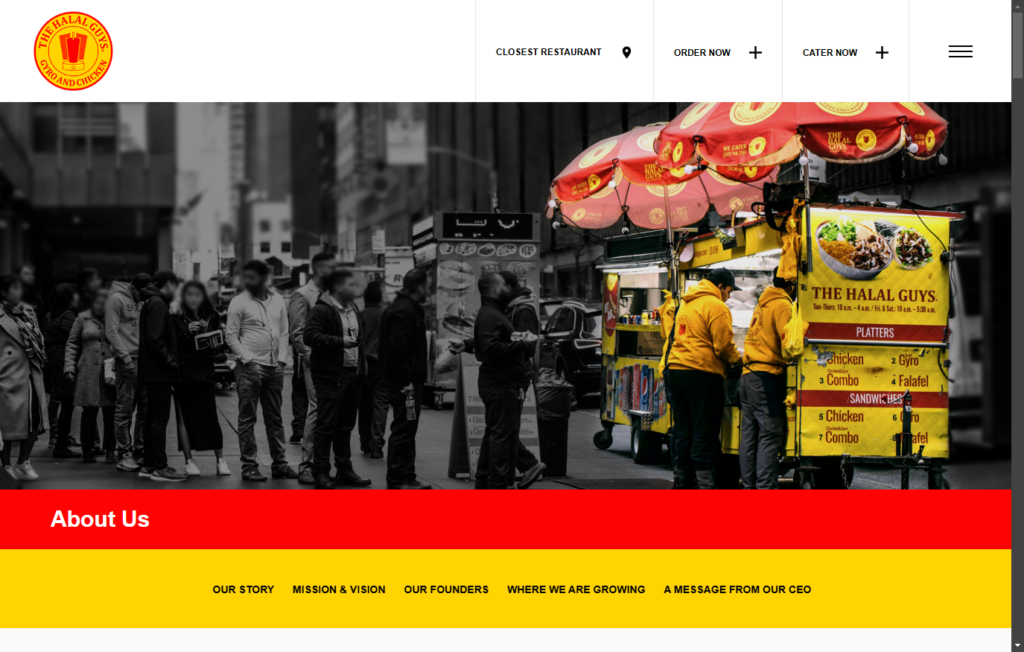
Example: The Halal Guys, which started as a limited-time food cart in New York City, created excitement by letting people know they wouldn’t be around forever. These entrepreneurs built a following that eventually became a global brand due to their strategy.

How to apply it to online ordering
Bring urgency to your online menu by creating limited-time sections, such as “Today Only” or “Weekend Special,” where customers know they can only access items temporarily.
With the WordPress plugin Orderable, you can mark items as limited-time offerings and even set time limits for these specials. You can do this with Orderable’s product labels.
These labels can include terms like “New,” “Limited-Time,” “Best Seller,” or even custom labels that highlight unique dietary options such as “Vegan” or “Gluten-Free.” Adding these custom tags is intuitive, making it easy to manage and adjust based on seasonal changes, promotional goals, or menu updates.
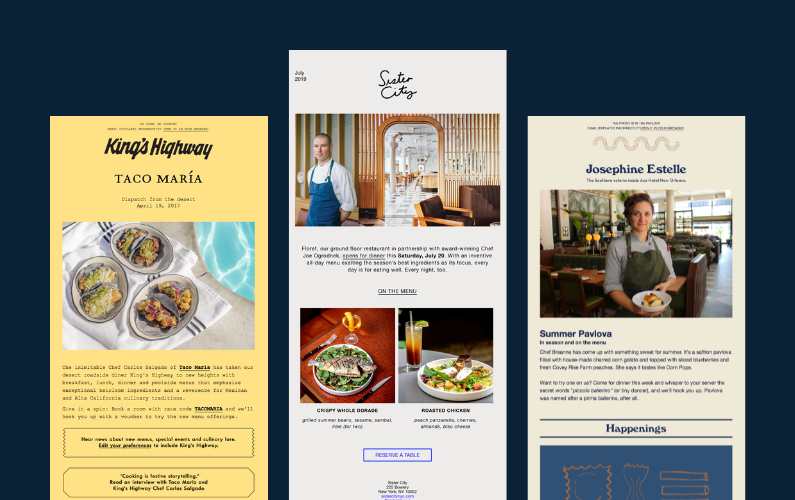
2. Building hype with pre-launch marketing
Successful pop-ups are known for building anticipation well before they open, often using social media to create buzz and draw in customers.
Building hype around a new offering or event engages your audience early. This “pre-launch marketing” strategy sets a foundation for initial solid sales and customer engagement.
This occurs because customers feel drawn into the story of a new menu item or the ambiance from the beginning. By generating interest beforehand, you can drive immediate orders and ongoing loyalty as customers stay tuned for your latest launches.
The benefits of pre-launch marketing
- Builds anticipation and excitement. When customers eagerly await something, they’re more likely to act quickly when it becomes available, resulting in high demand at launch.
- Strengthens customer connection. When customers feel involved in a launch, they’re more likely to be loyal, following your updates and regularly checking in to see what’s next.
- Boosts social engagement. Pre-launch teasers provide engaging content for social media, sparking comments, shares, and tags, which naturally increase your reach and attract new potential customers.
By building up to a new menu item or promotion, you can generate excitement and even rally a dedicated following that brings increased orders right out of the gate.
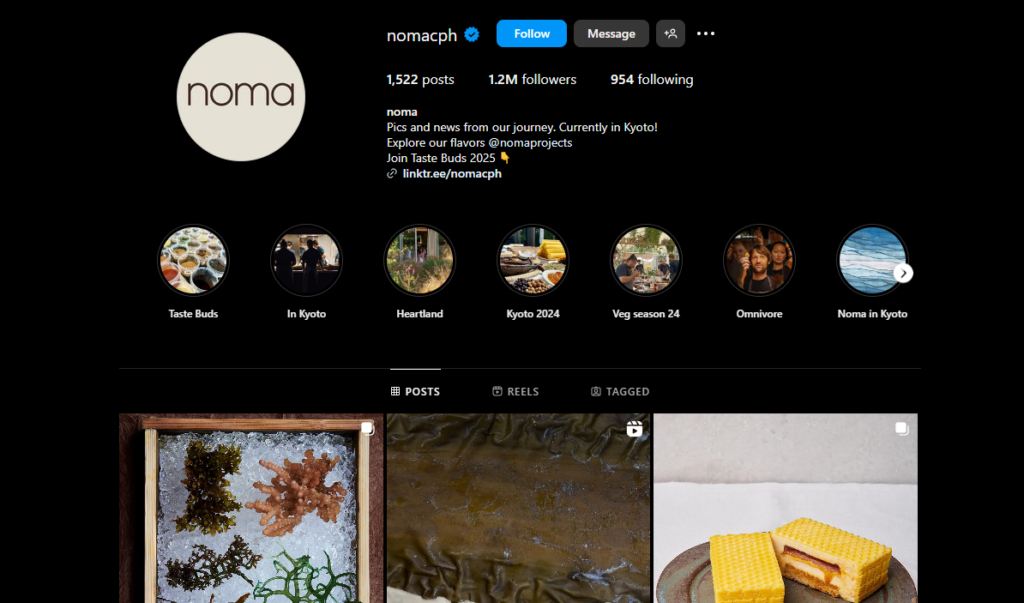
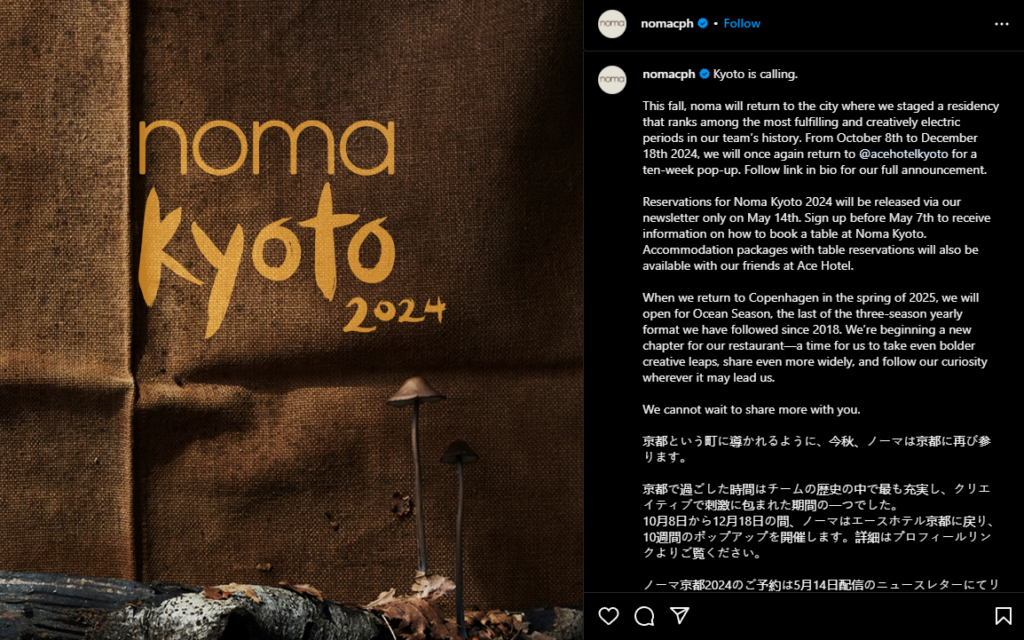
Example: The Noma Under the Bridge pop-up in Copenhagen generated hype by posting teasers and countdowns on Instagram, creating a massive following that couldn’t wait for opening day.
How to apply it to online ordering
Use social media to promote upcoming limited-edition menu items with behind-the-scenes previews or countdowns.
Orderable can help you take it a step further with its functionality to schedule new items to “go live” at a specific time. Paired with a countdown timer, this creates a synchronized online launch where customers can immediately jump in and order the new item.
3. Emphasizing exclusivity
Pop-up restaurants often make customers feel part of an exclusive experience. This new restaurant concept draws in diners who want to experience something unique.
This exclusivity builds brand loyalty and makes customers feel like insiders. It encourages repeat business and even word-of-mouth marketing as they proudly share their “VIP” experience.
For existing restaurants, exclusivity makes each experience memorable and creates a desire for customers to return and experience that same sense of privilege again and again.
The benefits of exclusivity
- Increases customer loyalty. Customers who feel they have access to something unique are more likely to become loyal fans who return to experience these exclusive offerings.
- Boosts average order value. Exclusive items often have a perceived higher value. This allows restaurant owners to charge a premium while customers enjoy the “special” feeling of ordering something others can’t get.
- Encourages word-of-mouth and social sharing. Customers who feel like insiders are likelier to share their experience with friends or post about it on social media. This attracts new patrons and increases your restaurant’s visibility.
📈 According to Deloitte, 60% of consumers value early or exclusive access to loyalty programs, which fosters a deeper connection with the brand and reinforces customer loyalty.
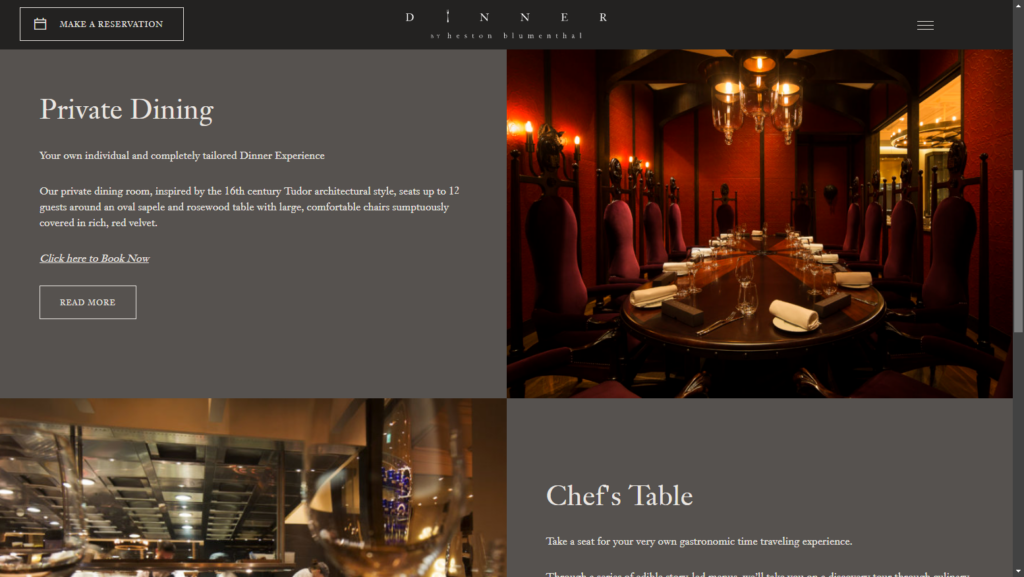
Example: Dinner by Heston Blumenthal hosted a series of exclusive pop-up dinners, making attendees feel like VIPs in a one-of-a-kind setting.

How to apply it to online ordering
Offer “Online-Only” items or create a section for VIP members or loyalty program customers to bring a sense of exclusivity to your online menu.
For instance, you could offer a rotating “Chef’s Secret” menu item only to online customers and for a limited time. Promote these exclusives on social media and email marketing to keep customers engaged and make them feel they’re in on something unique.

4. Pop up restaurants opt-for speed and efficiency
Pop-up restaurants rely on a streamlined process to serve as many customers as possible in a limited time. Efficiency is essential to keep lines moving and customers satisfied.
The organizers streamline every aspect of the operation, from menu design to the order process, ensuring customers can get in and out quickly without sacrificing quality.
This emphasis on speed and efficiency is just as valuable in online ordering, where a smooth, fast experience can lead to higher conversion rates and improved customer satisfaction.
The benefits of speed and efficiency
- Reduces cart abandonment. The fewer steps and time it takes for a customer to place an order, the more likely they are to complete it. A streamlined process helps eliminate unnecessary friction, minimizing abandoned orders.
- Improves customer satisfaction. Fast, hassle-free service creates a positive experience, increasing the likelihood of repeat business and positive reviews.
- Handles high-traffic times seamlessly. A simplified, efficient ordering system can handle large volumes during peak times without overwhelming your staff or frustrating customers.
📈 According to PwC, nearly 80% of consumers rank speed, convenience, and friendly service as the most crucial elements of a positive experience.
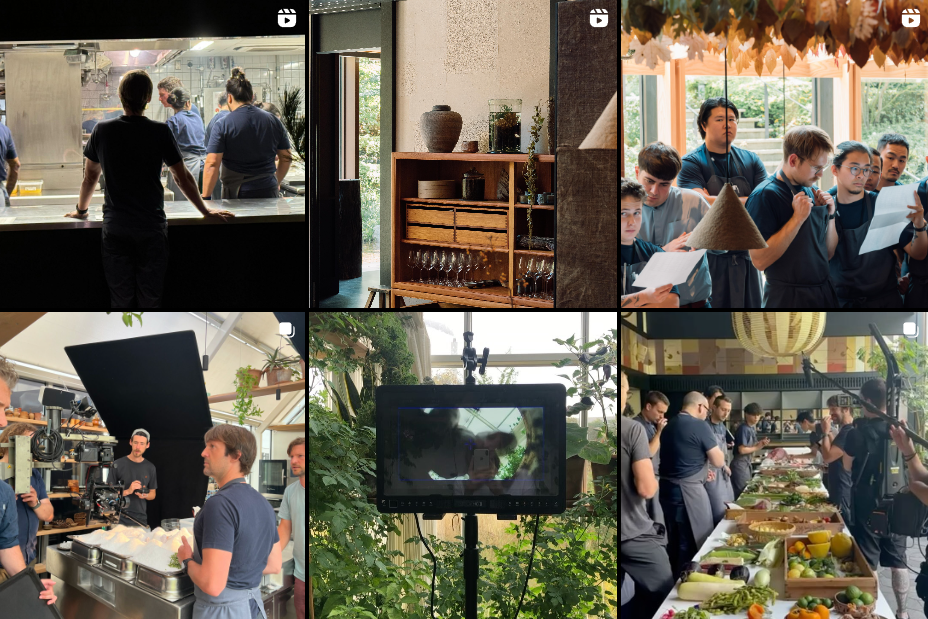
Example: The Noma Pop-Up in Tokyo designed its operations around a fast-ordering process, allowing it to accommodate large crowds smoothly.
How to apply it to online ordering
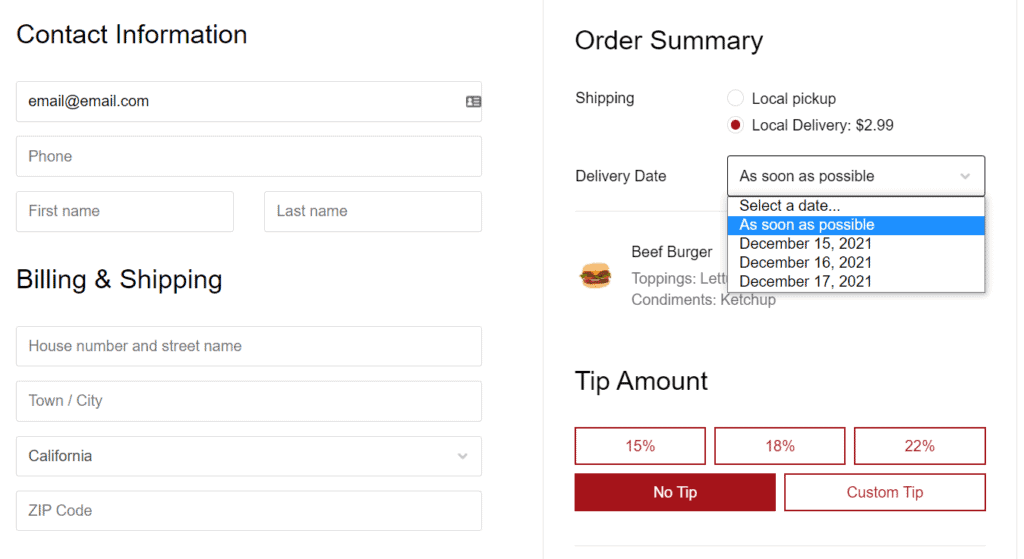
Simplify your checkout process and organize your menu so popular items are easy to find and order quickly. Orderable makes it easy to customize the layout of your menu and add the products you want to make it a fast and seamless experience.
You can even feature a “Quick Order” section on the menu with bestsellers, so customers don’t have to scroll too long to find what they want.

5. Pop up restaurants foster social sharing and engagement
Pop-up restaurants thrive on creating share-worthy experiences customers can’t wait to post about. They know that social media sharing is a powerful tool that turns each customer into a brand ambassador.
A visually appealing setup, exclusive dishes, or unique presentation encourages diners to snap photos, tag the restaurant, and spread the word online.
For restaurants, encouraging social sharing extends reach, builds community, and keeps the brand top-of-mind for followers.

The benefits of social sharing and engagement
- Increases brand reach. Every social media post from a customer introduces your restaurant to new potential diners, expanding your audience without additional advertising costs.
- Builds customer loyalty and community. By encouraging customers to engage online, you build a community around your brand, fostering loyalty as customers feel connected to your restaurant’s story and offerings.
- Generates user-generated content (UGC). UGC, like customer photos and reviews, serves as social proof that builds trust and attracts new foodies who see real people enjoying your food.
📈 According to Sprout Social, 76% of consumers are more likely to recommend a brand after a positive social media interaction.

How to apply it to online ordering
Follow up with customers after they place an order, inviting them to leave a review or share their meal on social media with a specific hashtag.
The bonus? Every tag, post, and review boosts your brand and can create an online community around your restaurant, leading to higher visibility and a more loyal customer base. This marketing strategy is a tried and true one that works time and time again.
6. Using simplified menus for quick decisions
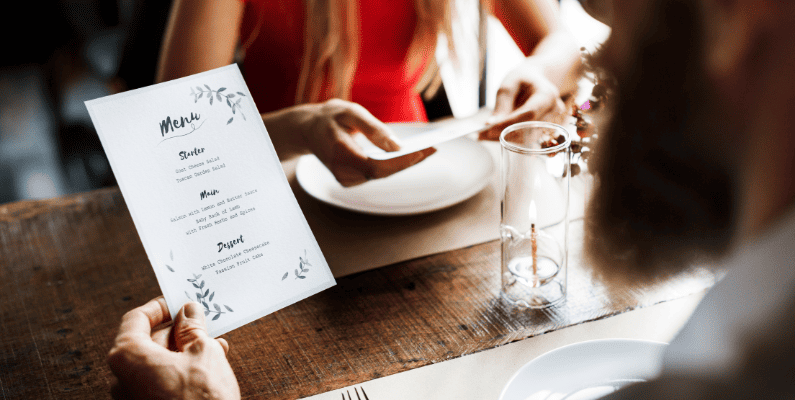
Pop-ups typically offer focused menus with limited items, making it easy for customers to decide and order quickly.
By offering just a few curated options, they make it easy for customers to quickly choose, order, and enjoy their meals without getting bogged down in too many choices.
A simplified menu approach can be equally valuable for online ordering. A clean, easy-to-navigate menu can lead to faster checkouts and increased orders. See it as a first-impression storefront that entices people to order.
The benefits of a simplified menu
- Speeds up decision-making. A concise menu eliminates “choice overload,” helping customers order quickly and reducing wait times during peak hours.
- Increases sales of high-margin items. Focusing on your best items can promote high-margin dishes and streamline kitchen operations.
- Improves overall experience. A simplified menu creates a smooth and satisfying ordering experience, leaving customers with a positive impression of your restaurant.
With a well-curated online menu, you can guide customers to popular items, boosting satisfaction and sales in one step.
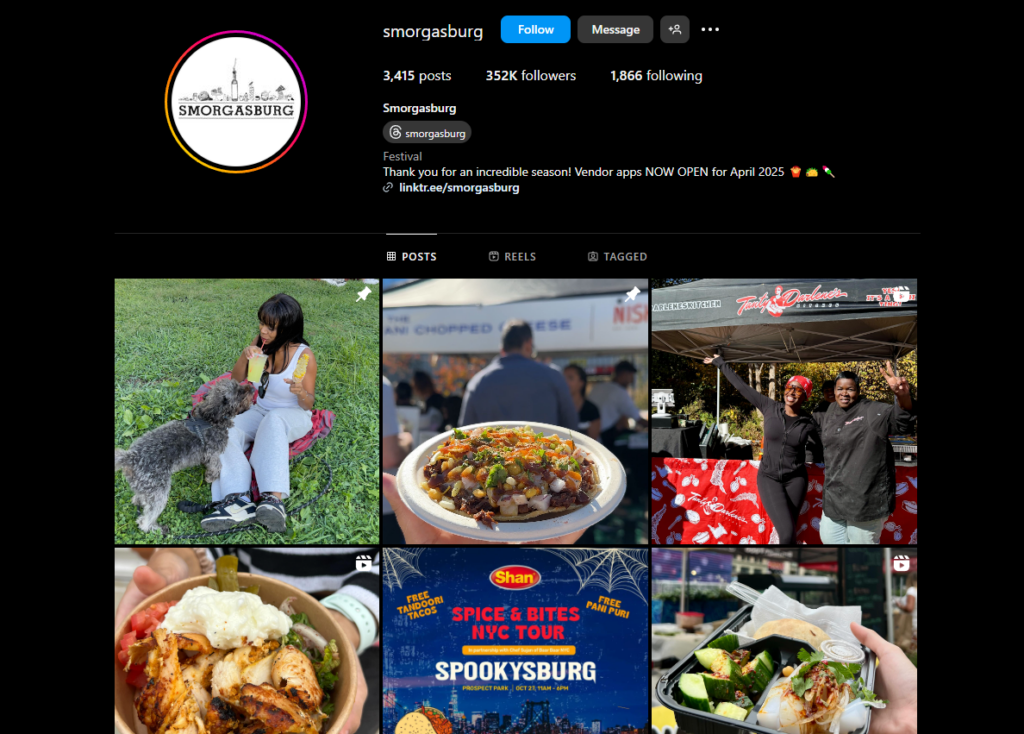
Example: Smorgasburg food festivals are known for rotating vendors who use short, curated menus that keep lines moving.
How to apply it to online ordering
Use Orderable to create a clean, easy-to-navigate online menu with a “Best Sellers” or “Quick Picks” category.
Orderable also lets you customize your menu layout so you can promote specific dishes, like seasonal favorites or chef’s specials. For restaurants with larger menus, consider offering a “Customer Favorites” section highlighting your best-selling items at the top.
Get Your Restaurant Business Online With Orderable
Orderable is a user-friendly WordPress plugin that adds online ordering to your restaurant website.
Add your dishes, create your online ordering menu, customize your delivery schedule, and manage orders with ease.
7. Use customer feedback for rapid adjustments
Pop-up restaurants often adapt quickly to customer feedback by altering the menu or experience to keep diners returning. This responsiveness allows them to meet customer preferences on the fly.
For restaurants, staying open to feedback and making timely adjustments is critical to refining the customer experience. For example, your wine bar should be stocked according to local tastes and preferences.
By monitoring what works (and what doesn’t), you can optimize your offerings, increase sales, and create a loyal customer base that knows their voice is heard.
The benefits of using customer feedback
- Improves customer satisfaction and loyalty. When customers see their feedback implemented, trust is built, and repeat visits are encouraged.
- Helps identify top performers and underperformers. Feedback helps pinpoint which items are hits and which need improvement, allowing you to keep your menu focused and profitable.
- Encourages engagement. Inviting feedback keeps customers involved, makes them feel valued, and fosters a closer connection to your brand.
Applying this “test and adjust” strategy in online ordering allows you to refine your offerings based on real customer insights, boosting your restaurant’s appeal and adaptability.
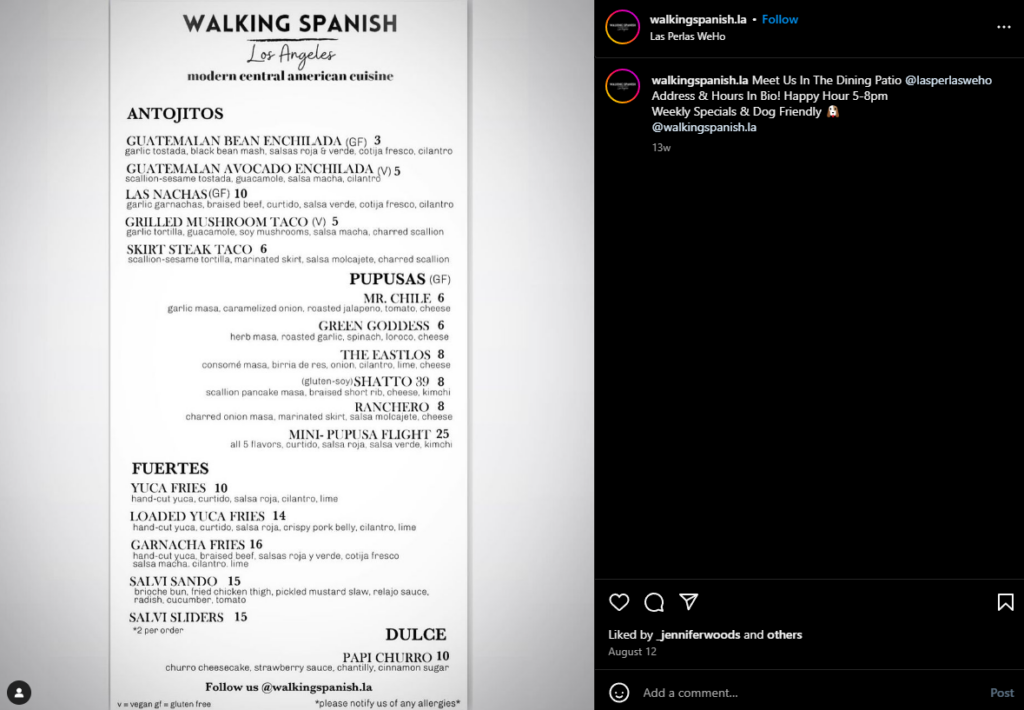
Example: Waking Spanish frequently modified dishes based on real-time feedback from diners, which helped maintain a loyal customer base and refine the experience.
How to apply it to online ordering
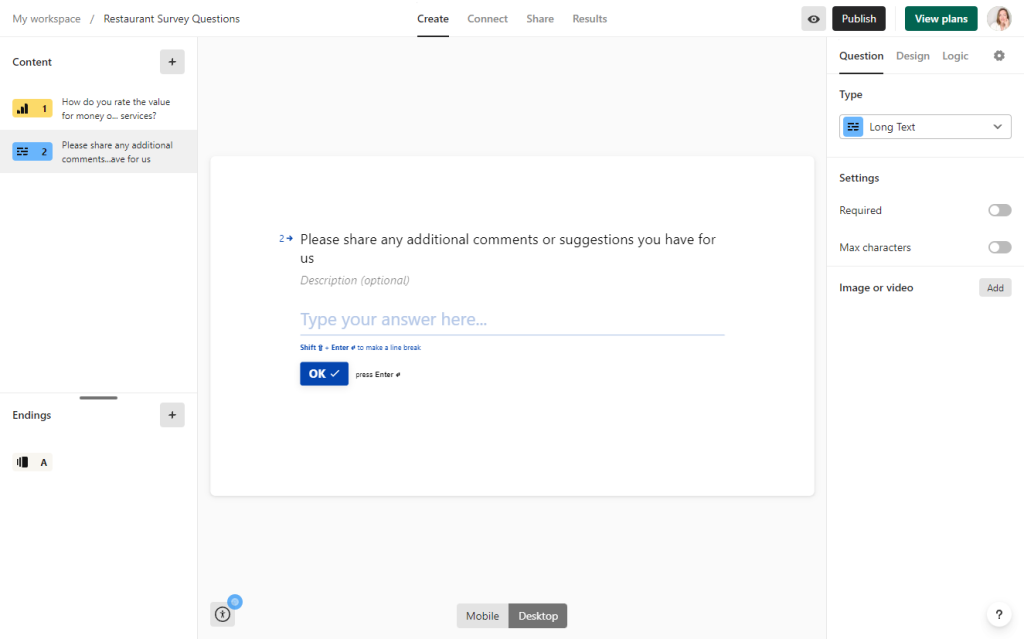
You can invite feedback on specific items with a rating or comment option at checkout or through follow-up emails after an order is completed.
If certain items receive consistent praise, consider featuring them as top picks or including them in a “Favorites” section. Adjust for items with mixed reviews, or consider offering them as specials rather than mainstays.
8. Embracing the “pop-up” mindset with seasonal menus
Successful pop-ups change their menu to keep things fresh, often introducing new items each season. With each visit, this rotating menu approach intrigues customers, offering them something new to look forward to.
Seasonal menus drive customer excitement and allow restaurants to highlight ingredients at their peak, which can improve quality and reduce costs.
For online ordering, embracing a “pop-up” mindset with seasonal or limited-time menus encourages repeat visits, as customers know there will always be something new to try.
The benefits of seasonal menus
- Keeps customers returning. Changing the menu with the seasons gives customers a reason to return and explore new dishes.
- Boosts profitability. Seasonal items allow you to feature high-quality ingredients at their most affordable, helping keep food costs manageable.
- Drives engagement and social buzz. Special menu items are naturally shareable and help generate buzz, especially around holidays or seasonal events.
Implementing a seasonal or rotating menu in online ordering adds variety and creates an ongoing experience that keeps customers engaged and excited.
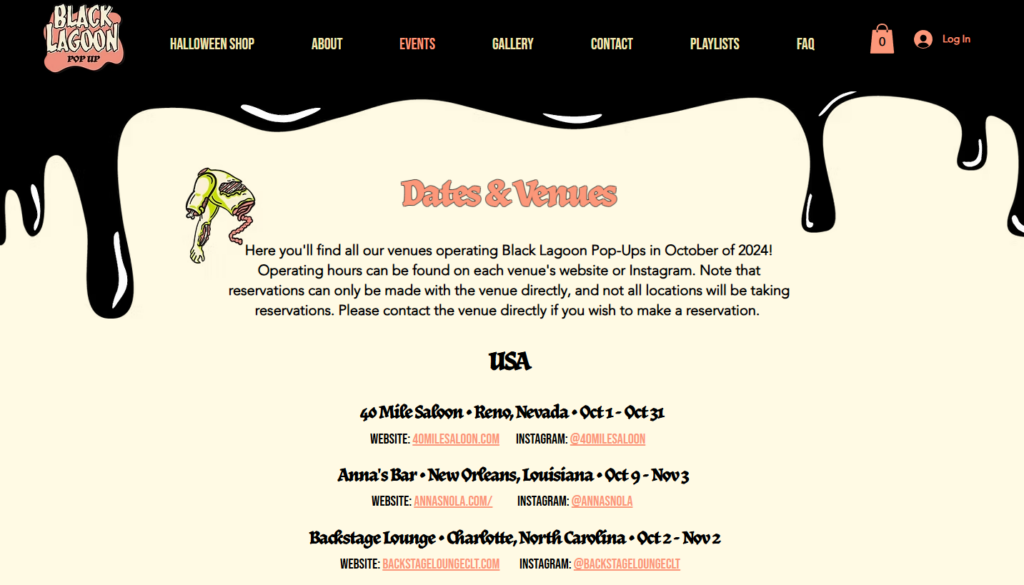
Example: Black Lagoon Pop-Up serve spooky themed cocktails at the various venues they appear at and typically rotate their offering depending on the season.
How to apply it to online ordering
With Orderable, you can create categories such as “Fall Favorites” or “Holiday Specials” and add them to the menu. You can also set up notifications or emails to let customers know when new seasonal items are live.
Regularly changing your menu based on seasonal ingredients or holidays can create a fresh online experience that motivates customers to return and try what’s new.
9. Using pop up restaurant events to drive online exclusives
Pop-up events are known for creating memorable, buzzworthy experiences that build strong connections with attendees. Many pop-up restaurants capitalize on this excitement by directing event-goers to exclusive online offerings afterward.
This strategy allows the restaurant to keep customers engaged and drive traffic to its online store or ordering platform even after the event ends.
For restaurants, hosting special events or seasonal pop-ups followed by online-only exclusives can amplify excitement, generate loyal customers, and increase online sales.
The benefits of using events to drive online engagement
- Extends customer engagement beyond the event. By offering online exclusives post-event, you give attendees a reason to stay connected with your brand.
- Boosts online sales with limited-time offerings. Exclusive online items attract event attendees who want more of the experience they enjoyed, often encouraging quick purchases.
- Increases brand loyalty. This approach builds a stronger customer relationship by making them feel like insiders with special access.
This “event-to-online” approach creates a cycle of excitement and engagement that extends the impact of your pop-up event, turning in-person attendees into long-term, loyal customers.
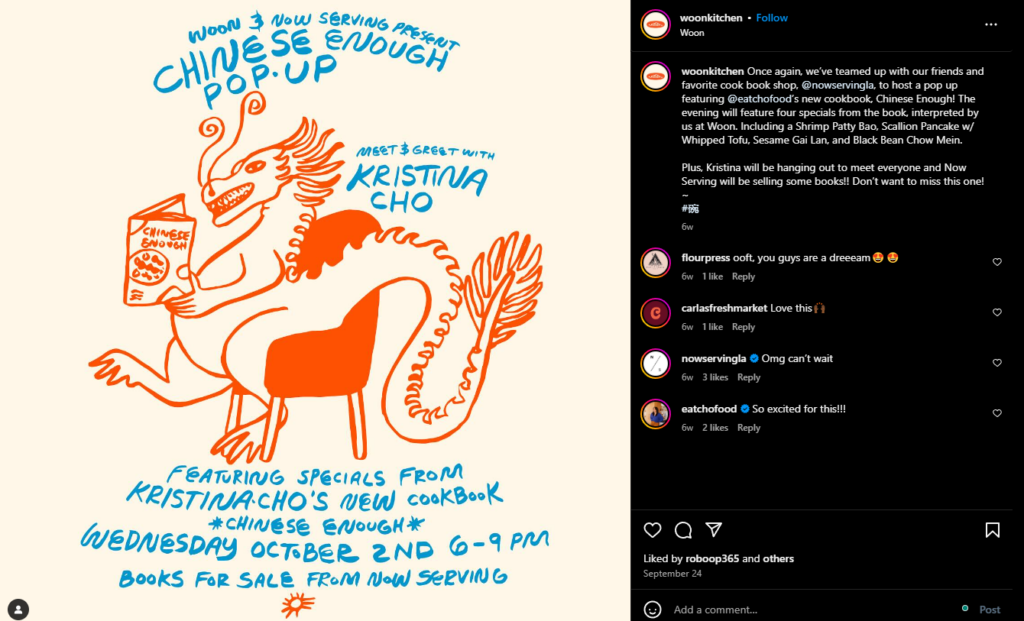
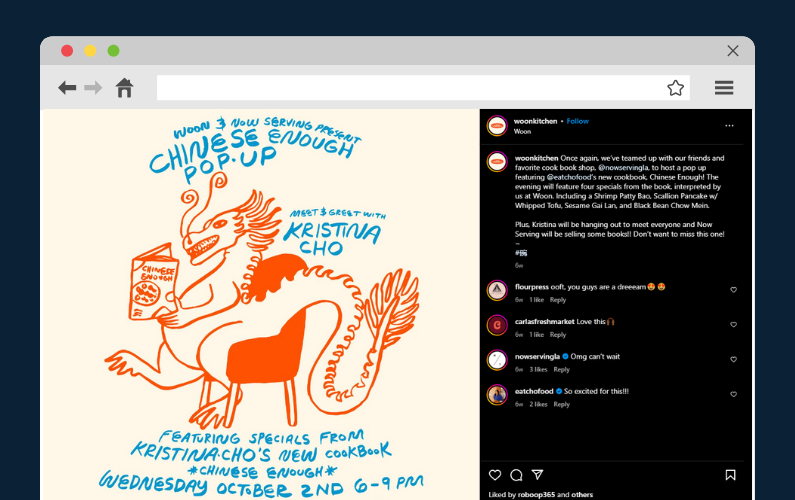
Example: Woonkitchen did a pop up with Now Serving LA (a cookbook shop) to celebrate the release of Kristina Cho’s cookbook Chinese Enough. During the event they ate food from the book and directed attendees to buy the book at the event or online. Woon themselves also have a lot of sauces and condiments you can buy from their online store.
How to apply it to online ordering
After hosting a special event or seasonal pop-up, offer attendees exclusive online-only items that can be purchased through your website or ordering platform.

Use email marketing to follow up with event attendees, letting them know about these exclusive online items and creating a sense of continuity from the event.
You could also create a “For Event Attendees Only” section on your website, which would be accessible only through a unique link or promo code.
This approach boosts your online sales and reinforces the memorable experience of your event, turning attendees into loyal, engaged online customers.
Think like pop-up restaurants and increase sales
Taking inspiration from successful pop-up restaurants can add excitement, urgency, and engagement to your online ordering experience. Incorporating limited-time specials, exclusive online-only items, simplified menus, and seasonal changes keeps customers engaged and encourages repeat orders.
With Orderable, implementing strategies from temporary restaurants becomes easier. It helps you streamline your menu, track feedback, and enhance your online presence with special promotions and customer-focused features.
Get Your Restaurant Business Online With Orderable
Orderable is a user-friendly WordPress plugin that adds online ordering to your restaurant website.
Add your dishes, create your online ordering menu, customize your delivery schedule, and manage orders with ease.
Roxana Alexandru is a self-employed instructional designer and content creator specializing in corporate training, e-learning, technical articles, and scripting. She has over a decade of experience working in multiple industries, such as Finance, IT, and product management, to name a few, which gives her a unique perspective on content creation. She has also written extensively on being an introvert, with many articles featured on Introvert, Dear. She is passionate about self-help, personal growth, and seeing life through various lenses. When she’s not thinking about writing, she’s venturing outside with her two kids and husband, often traveling to new places.
Don’t miss out on the latest Orderable news!
Sign up for our newsletter to receive the latest news from the blog, you’ll get pinged every week with a digest of the latest updates.
[fluentform id=”6″]

Related Articles
15 Creative Food Business Ideas to Start in 2026

How to Improve Slow Season for Restaurants

Why Highlighting Local Ingredients Can Increase Your Restaurant Sales
Get Your Restaurant Online With Orderable
The WooCommerce plugin designed to help restaurants take orders online – with no added fees!
View Pricing

