

10 Mistakes New Restaurant Websites Make (How to Avoid Them)

10 Mistakes New Restaurant Websites Make (How to Avoid Them)


Gina Lucia


If you want to create a successful restaurant website that attracts the right customers, there are common mistakes you must avoid early on that could slow your business online.
👋 In this article, we’ll go through 10 mistakes you can make when creating a new restaurant website and practical tips to avoid them. This post can also be for restaurateurs who already have their sites up and running but want to encourage more orders, visits, and positive interactions.
A well-thought-out website does more than just look nice. If you want it to effectively help the local diners find, choose, and connect with your restaurant, it needs to be functional, easy to use, and include the features customers expect.
We’re here to help you avoid missing this mark, win new customers, and boost your restaurant sales.
Ready to get started? The following are 10 of the most common mistakes you shouldn’t overlook (and how to fix them).
Get Your Restaurant Business Online With Orderable
Orderable is a user-friendly WordPress plugin that adds online ordering to your restaurant website.
Add your dishes, create your online ordering menu, customize your delivery schedule, and manage orders with ease.


10 overlooked mistakes new restaurant websites make (and how to avoid them)
For each mistake, we’ll highlight a problem, explain why it happens (using a few examples, if any), and then talk about how to solve it with some actionable tips. This is the general structure we’ll follow.
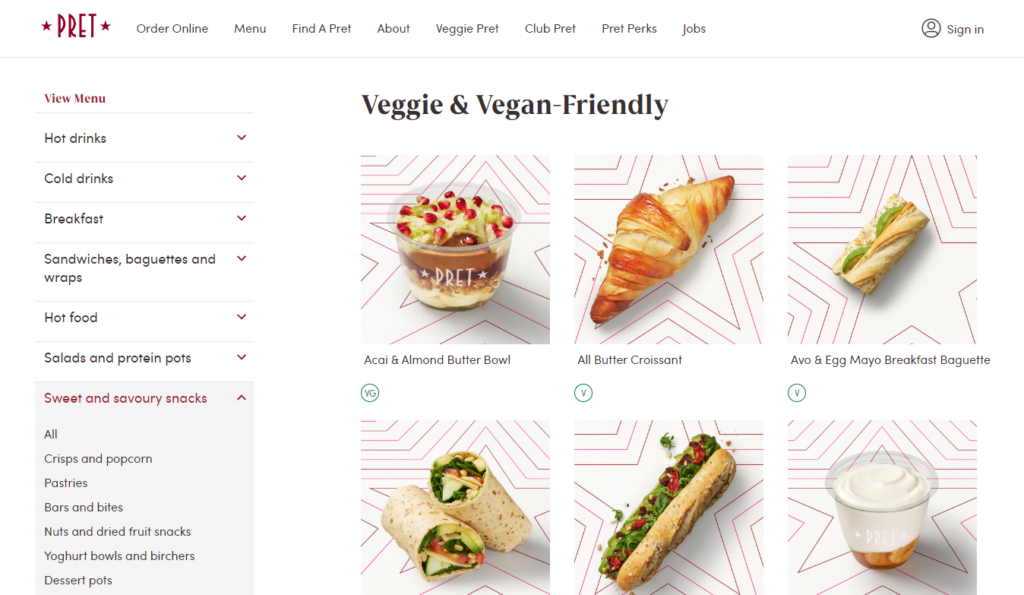
Mistake 1: No online ordering system on your restaurant website
Online profits for a restaurant come from takeout or deliveries.
How you handle the ordering process, take orders, manage them, and communicate with your staff until a food order is delivered can shape the outcome of your delivery business.
For example, if you receive customer orders from phone calls, SMS, or social media, countless problems can pop up:
- Orders can get lost in multiple places. Handling orders across calls, texts, and social media leads to mix-ups and missed requests.
- You get the wrong order details probably because of miscommunication over the phone.
- Since there’s no centralized record of past orders, it’s much harder to manage repeat customers and track trends.
- You’re slow to respond.
So, why does this happen?
What makes an ordering process difficult
Generally, the ordering process becomes challenging without the right software to handle orders efficiently.
For example, you’ll still find some small restaurants rely on phone calls, social media, or SMS to take orders. When managing orders via these conventional methods becomes overwhelming. They often resort to third-party services that charge high fees and, in most cases, a poor user experience on the restaurant’s end.
The solution to all this is to implement an effective online ordering system on your restaurant website with the help of the WordPress plugin Orderable. It’s user-friendly, consolidates all orders in one place, and streamlines operations for speed and accuracy. Plus, it’s commission-free.
Use Orderable to install an effective online ordering system
Orderable simplifies restaurant order management by integrating a robust online ordering system directly into your restaurant website on WordPress. It even installs WooCommerce for you (if you haven’t already).
Once it’s set up, customers can browse your restaurant menu easily, customize their orders, and leave notes for the kitchen before paying for their orders.
The kitchen will be notified as well when a new order comes in on a live order view page. On this page, they can view, manage, prep, and package orders according to customer specifications. For your delivery personnel to deliver food to a customer’s address.
In short, Orderable provides all the features needed to streamline every part of the online ordering process (and also in-house). Let’s see how.

How Orderable helps you streamline online ordering
The following are the key features Orderable streamlines the ordering process and solves your ordering problems:
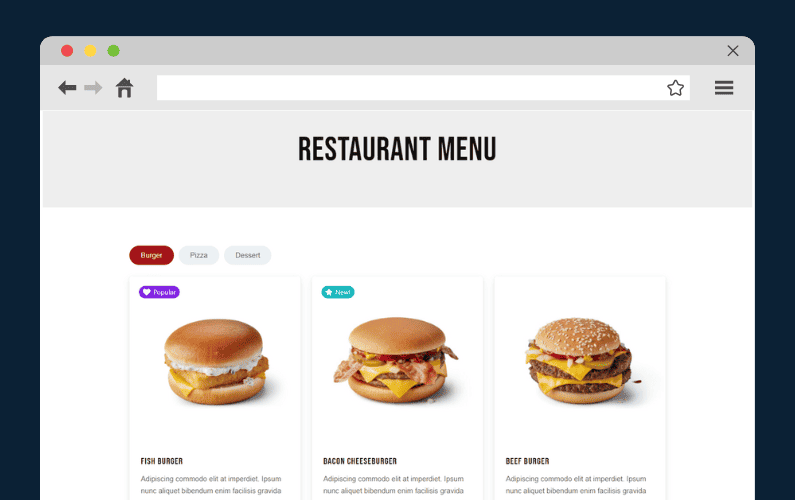
Customizable food menu
With Orderable, you can create an online menu with product descriptions, high-quality images, prices, add-ons, product labels, allergen and nutritional info, etc. If you want to, you can start with their ready-made menu layouts. These layouts include a section where customers can customize their orders, minimizing the risk of errors.
💡 The following are some food photography tips to create better menus.

Provide flexible delivery options for customers
Orderable lets you create timeslots and add them as a date picker at checkout. This delivery calendar allows customers to select their preferred pickup/delivery date and time. In this way, they can know exactly when to receive or pick up their order.
Other delivery options include ASAP deliveries, same-day or next-day deliveries, etc.
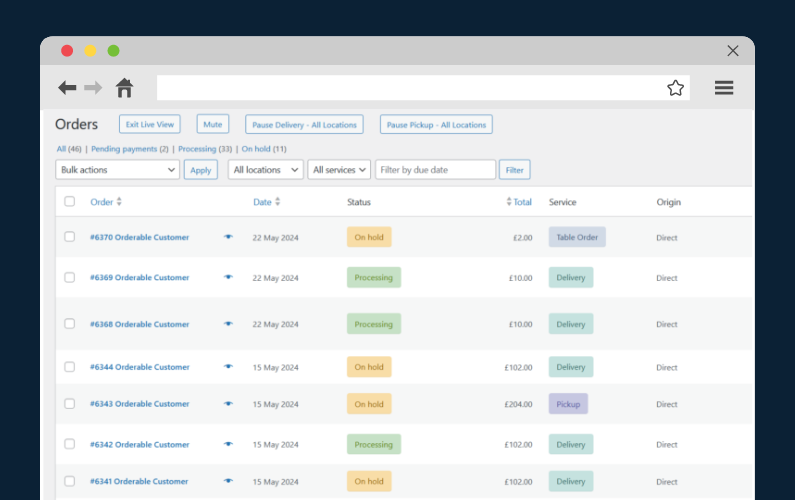
It provides centralized order management
Orderable consolidates and lets you manage all orders on the live order view page in real-time. You’ll see the order ID, customer’s name, accurate order details, etc. Clicking the eye icon reveals further order details like special requests/preferences and instructions.
💡 Read this guide on setting up a QR code tableside ordering system to provide a contactless dining experience for dine-in customers.
While on this page, you can also filter the orders to manage them more easily. For instance, you can filter the orders to be displayed by the due date so that you can focus on completing the urgent orders.
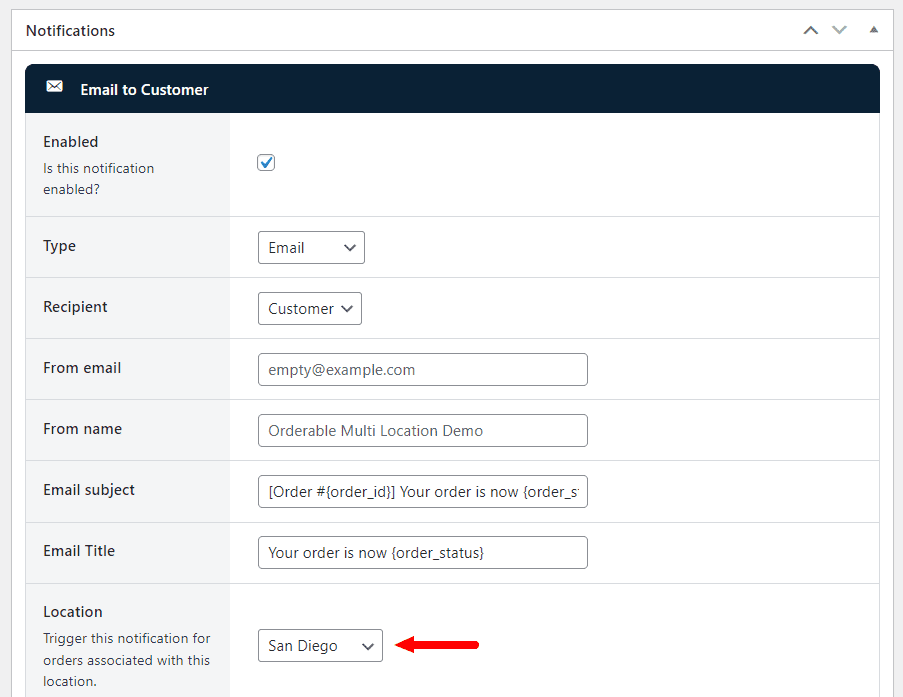
Automatic order confirmation
All incoming orders are automatically marked on hold. Accepting an order notifies the customer. You can also send other order notification updates like ‘order prepping’ or ‘Ready for delivery’ via email, SMS, or WhatsApp and give customers peace of mind.
The kitchen staff also receive alerts when a new order is up.
It easily integrates with an existing POS system
Orderable logs all customer orders so you can easily access past orders. Integrating it with your existing POS system syncs orders automatically, enabling analysis of the best and worst-selling menu items.
💡 Check out how to use Orderable product labels to indicate new, going fast, running out, popular menu items, etc, to draw visitors’ attention.
It also updates inventory levels to reflect accurate stock on your online menu, allowing you to mark items as out-of-stock. Additionally, the POS consolidates all sales transactions for simplified accounting.
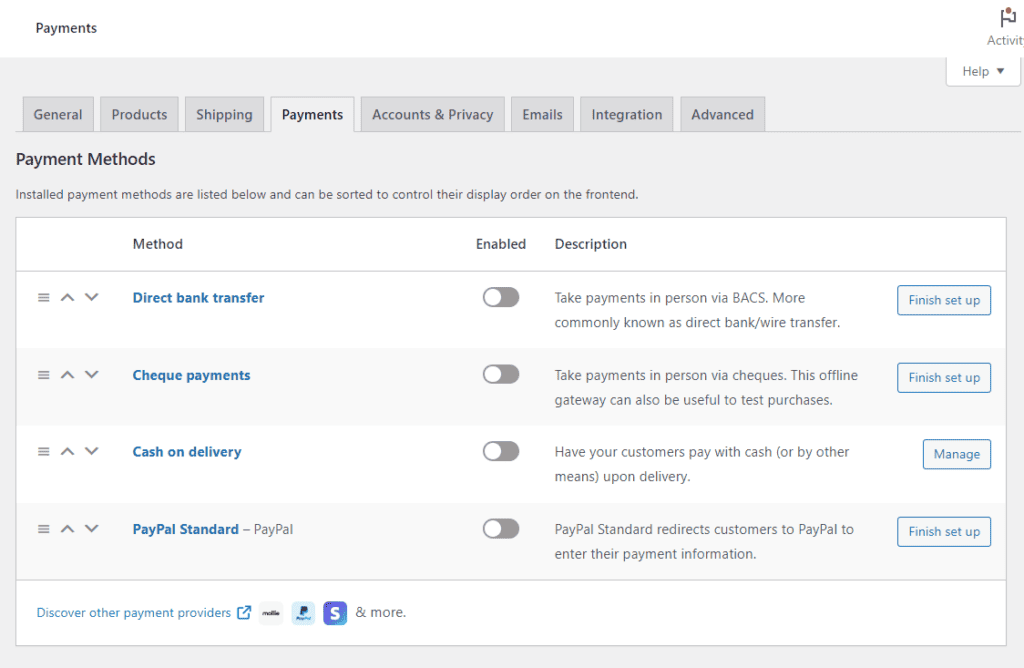
It supports secure, multiple payment options
Because Orderable works with WooCommerce, it supports secure payment gateways like Stripe, pay on delivery, digital wallets, etc, so customers can transact with their preferred payment option.
More cross-selling and upselling opportunities
With Orderable, as you streamline ordering, you can boost your sales in the following ways:
- Checkout tipping. Increase average order value by adding tip prompts at checkout.
- Order bumps. Encourage additional purchases by suggesting items like desserts in the floating cart widget.
- Product add-ons. Offer add-ons such as extra toppings, sauces, and customization with Orderable Pro. Then, charge additional fees should you wish to.
We’ve saved more Orderable features for the next sections. So, read on and see how it helps you avoid common restaurant website mistakes.
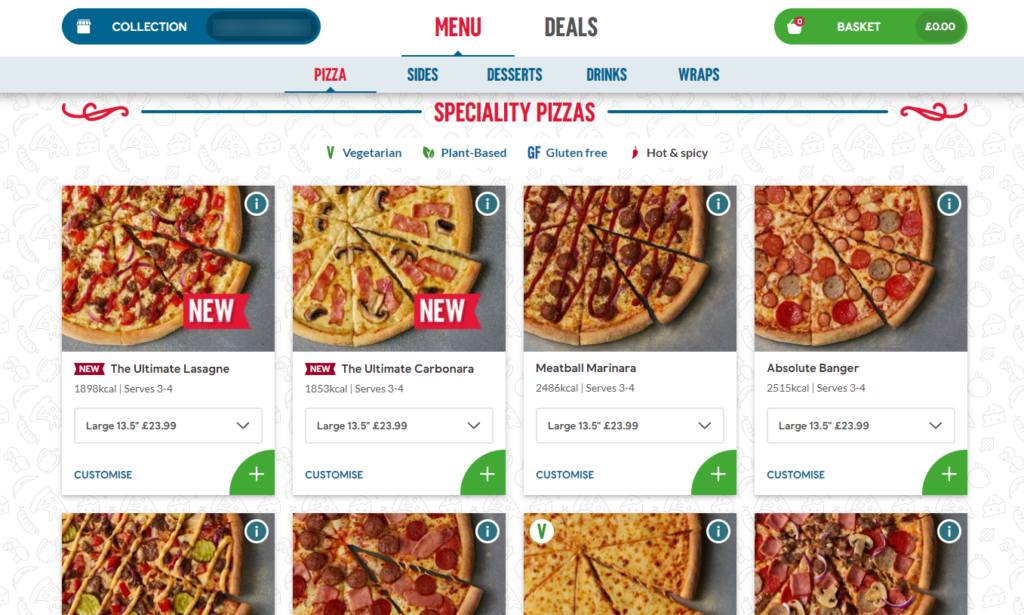
Mistake 2: Lacking clear dietary information
📈 It’s estimated that 33 million Americans have food allergies.
So, omitting clear labels for allergens like nuts, dairy, gluten, etc., on your food menu puts their health at risk if they order from you.
In fact, customers with dietary needs may avoid ordering altogether if they’re unsure your food is safe. This results in lost sales opportunities.
In addition, many diners are increasingly mindful of dietary preferences like kosher, halal, vegetarian, vegan, or low-sodium diets. Without this information, restaurants may lose customers’ trust and consideration.
Why dietary-conscious customers may leave
Generally, dietary-conscious customers pay close attention to ingredients, allergens, or specific dietary needs, such as gluten-free, vegan, low-carb, or dairy-free options. Probably because of an underlying medical condition.
They rely on you to provide this allergen and nutritional information so they can know what’s in their food. Failing to highlight this essential information shows them you don’t care.
Therefore, to be on the safe side, add clear dietary labels that communicate this essential information to let these customers know what’s in their food.
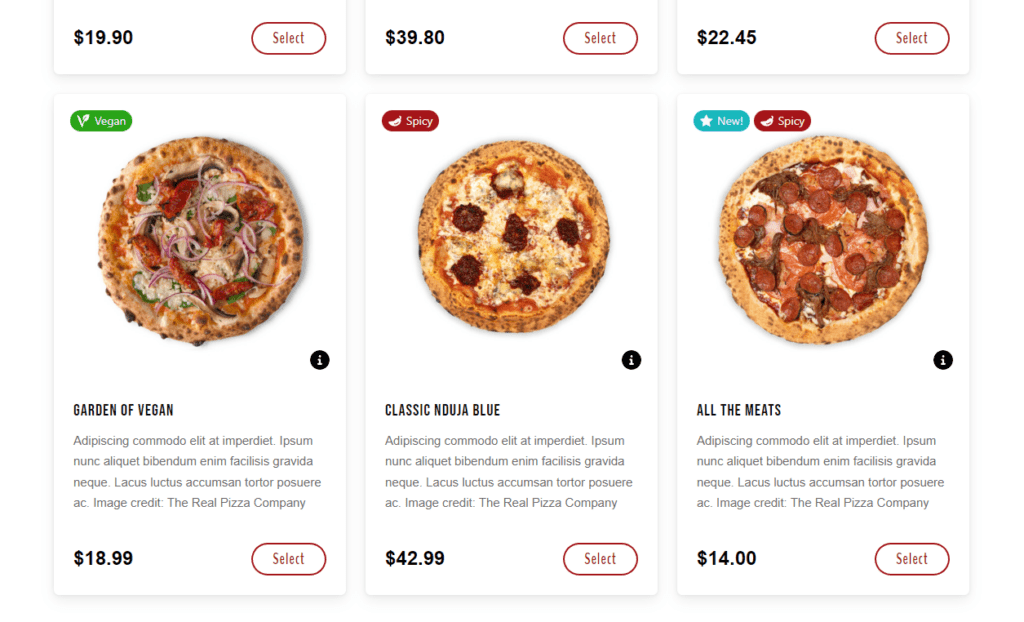
Display clear dietary labels using Orderable
Orderable lets you highlight menu items with clear dietary product labels that stand out, add nutritional information, and an allergen section below the menu description. Customers can quickly see which menu items meet their needs, select an order, and proceed to checkout.
You can do the following:
- You can edit the colors of your dietary product labels. Choose which font to use for your labels.
- It provides a wide range of icons for dietary preferences and restrictions.
- Decide if you want to display your label at the top of the product image, in the middle section, or at the bottom of the image on the category page.
- Add multiple labels per food item.
- Add a table of nutritional information to your dish’s description by filling in some easy-to-use fields.
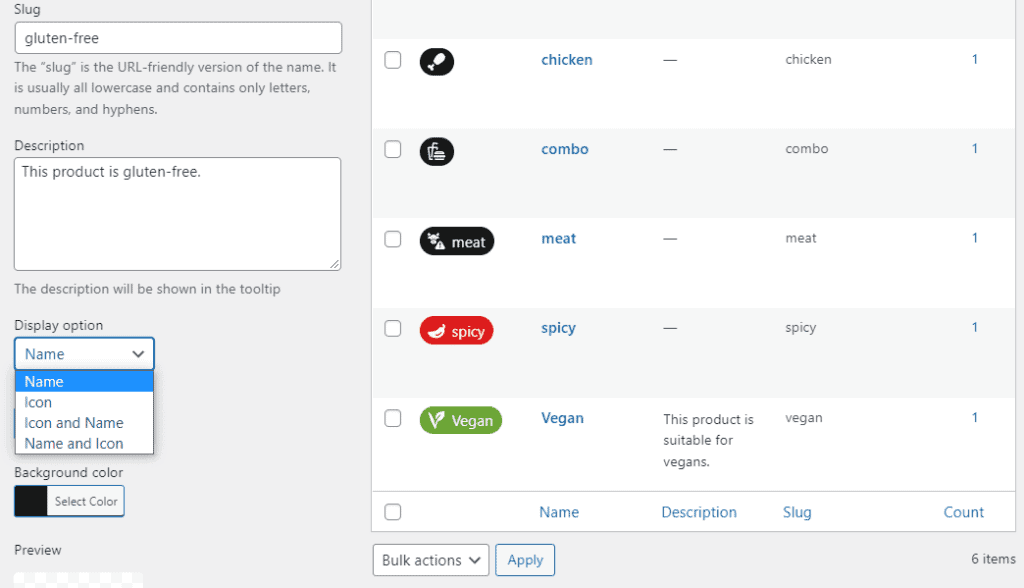
Generally, the labels are easy to apply and update as your menu changes. This allows you to keep dietary information accurate and up-to-date.
Note: Include interactive dietary filters at the top of your restaurant menu that let customers easily view items that meet their nutritional needs. For example, a pizza restaurant could include a gluten-free filter to display only gluten-free options if selected.
Mistake 3: No update on the order status/delivery progress
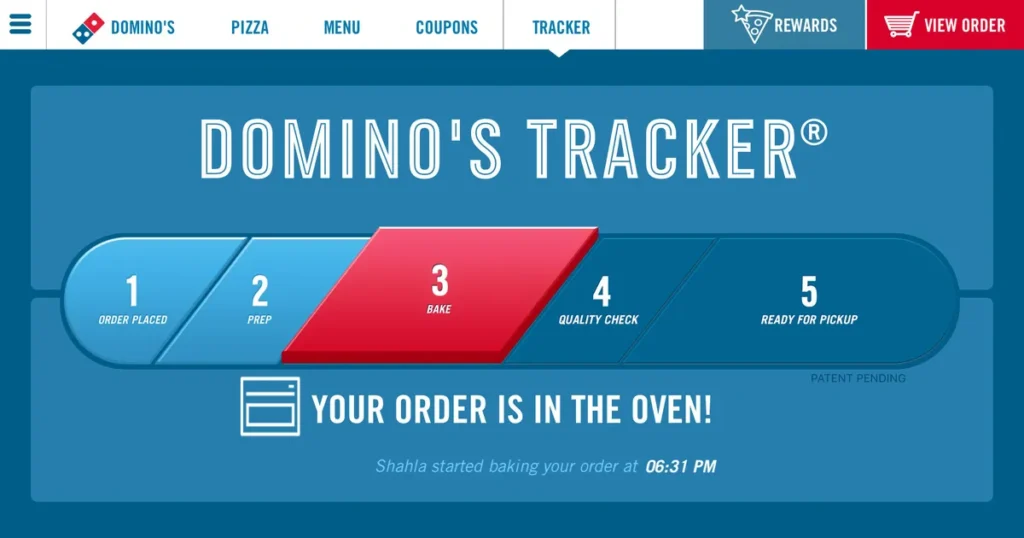
Customers often don’t know when their order will arrive or what’s happening to their deliveries for one reason. You’re not communicating enough about the order status or the delivery progress.
📈 In a study, 90% of customers want to be able to track their orders. If they don’t receive delivery status updates, more than 80% will go to another restaurant next time. Or just abandon their orders.
Why this might happen
This might happen when there is no real-time order tracking or time estimate to keep customers in the loop throughout the last mile.
You’re not sending a schedule confirmation message before your route, an ETA notification once the route has been set, a text when the driver has left the restaurant (with an ETA), and a notification when the order has arrived. Instead, customers are left guessing.
The solution? Inform your customers about the status of their orders from the moment you confirm receipt until delivery to their doorstep. Again, Orderable can help you out.
Send custom order/delivery status with Orderable
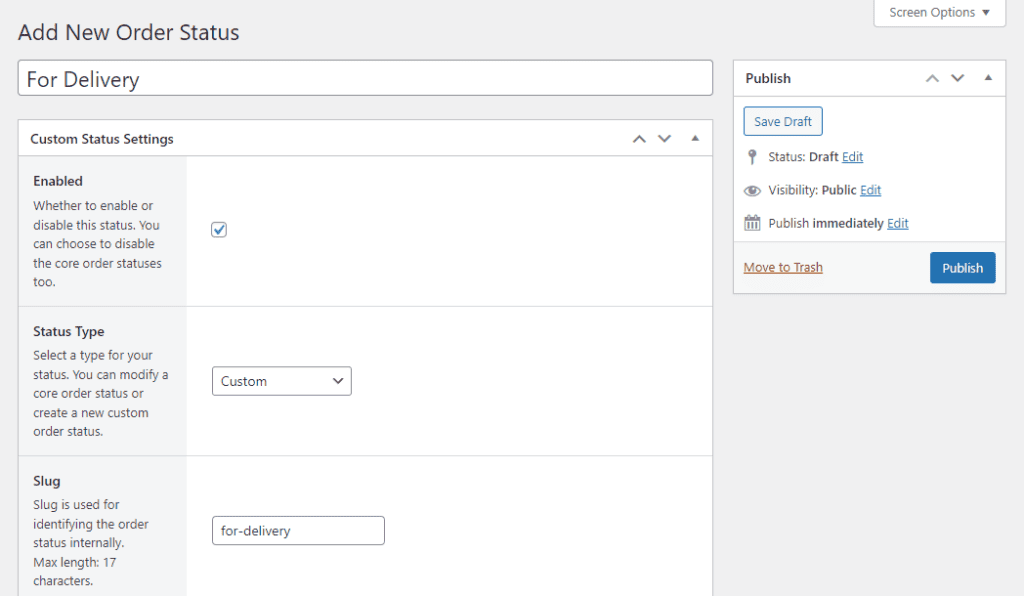
With Orderable, you can create and send custom order/delivery status updates and give customers peace of mind. These statuses allow you to keep customers informed at every stage of their order, from confirmation to order preparation and final delivery.
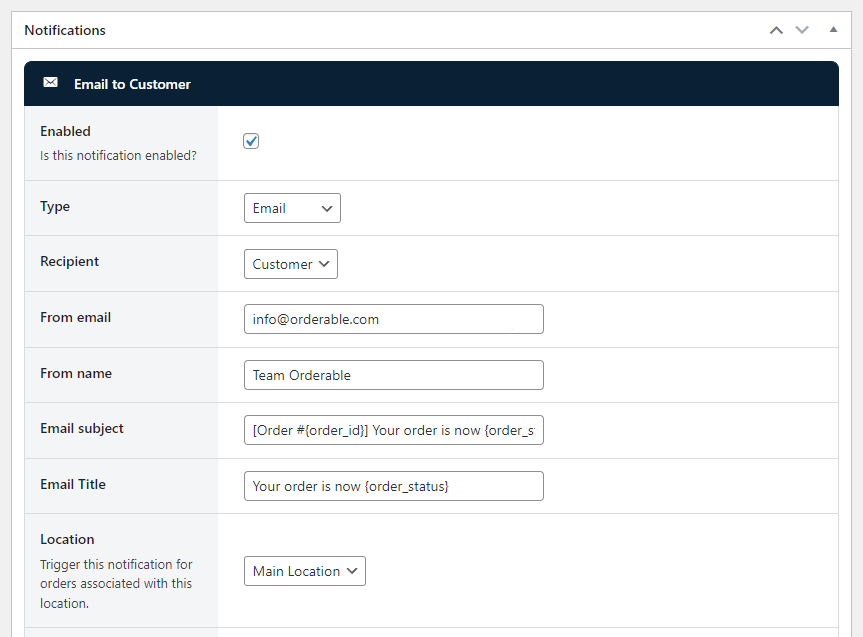
For example, you can send:
- Instant order confirmation. To notify customers immediately that you’ve received their order
- Order preparation update. To inform customers their order is being prepared. If you want to, add an estimated time when the order will be fully ready.
- Delivery notification. To let customers know their order is out for delivery. Include an estimated ETA (if possible), so customers know when to expect their order.
These regular updates with Orderable via SMS, email, or WhatsApp keep customers informed at every stage of the order/delivery progress. Consequently, this can enhance their overall experience, boost loyalty, and encourage repeat business.
Get Your Restaurant Business Online With Orderable
Orderable is a user-friendly WordPress plugin that adds online ordering to your restaurant website.
Add your dishes, create your online ordering menu, customize your delivery schedule, and manage orders with ease.
Mistake 4: Ignoring appealing web design and branding
One of the worst ways you can hurt your online presence is by ignoring your restaurant’s website design and branding. Because then you’ll have no online business to run.
These mistakes include:
- Web design mistakes: e.g., no responsive design, mismatched design, no favicon, etc. Or the website just doesn’t follow accepted design norms. For example, visitors can’t find the navigation bar or the search function.
- Typography mistakes. Like choosing unclear or conflicting fonts.
- Content mistakes. For instance, the content isn’t scannable, poor use of whitespace, poor grammar, etc.
- Graphics and image mistakes. Unresponsive images, generic stock photography, too many animations, etc
Plus, others like web performance issues, legal mistakes, navigation mistakes, and so on.
Why a restaurant can end up with a bad design
Restaurants can end up with a bad web design for several reasons. It’s either they try to cram too much information onto each page, making it clutter and harder to read. Some sites focus on flashy graphics that slow down the restaurant website and make it difficult to navigate.
If you don’t use a clear layout or template, visitors might struggle to find important information like the menu or hours. Sometimes, the design isn’t mobile-friendly, so it looks bad or hard to use on phones, turning away potential customers.
What’s the solution?
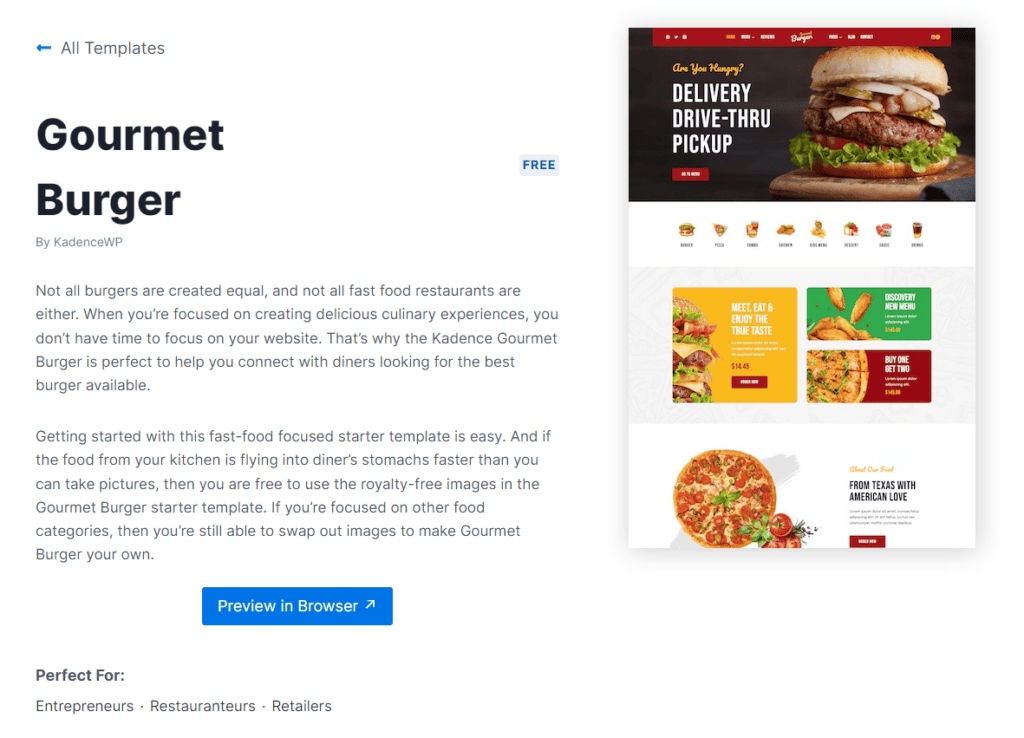
Optimize your restaurant website design
Start with a high-quality design template offered by restaurant website builders of your choice. For example, WordPress, Wix, or Squarespace. Or, if budget allows, work with a designer to customize one.
Generally, using WordPress themes that reflect your restaurant’s brand can make this easier. For example, you can look for themes suited for various cuisines, like elegant themes for French dining, colorful and vibrant ones for Mexican food like tacos, or minimalist, clean styles for Japanese cuisine. Then, choose a bright color palette, fonts, and design elements that reflect your restaurant’s style.
- Use high-quality images. If possible, use real photos. The following food photography tips can help.
- Create easy-to-spot call-to-action buttons like ‘Menu,’ ‘Order Now,’ or ‘Reserve a Table,’ etc.
- Prominently display clear contact information and location, such as phone numbers, address, and business hours.
- And more.
Mistake 5: Uninspired ‘About Us’ pages
If customers want to know what your restaurant is all about, where do they go? Your ‘About Us’ page. This is the only web page where customers can learn more about who they’re buying food from, what you’re doing, and why.
Unfortunately, many ‘About Us’ pages are formulaic. They miss the chance to share the restaurant’s unique history, values, or people behind it.
But why is this the case?
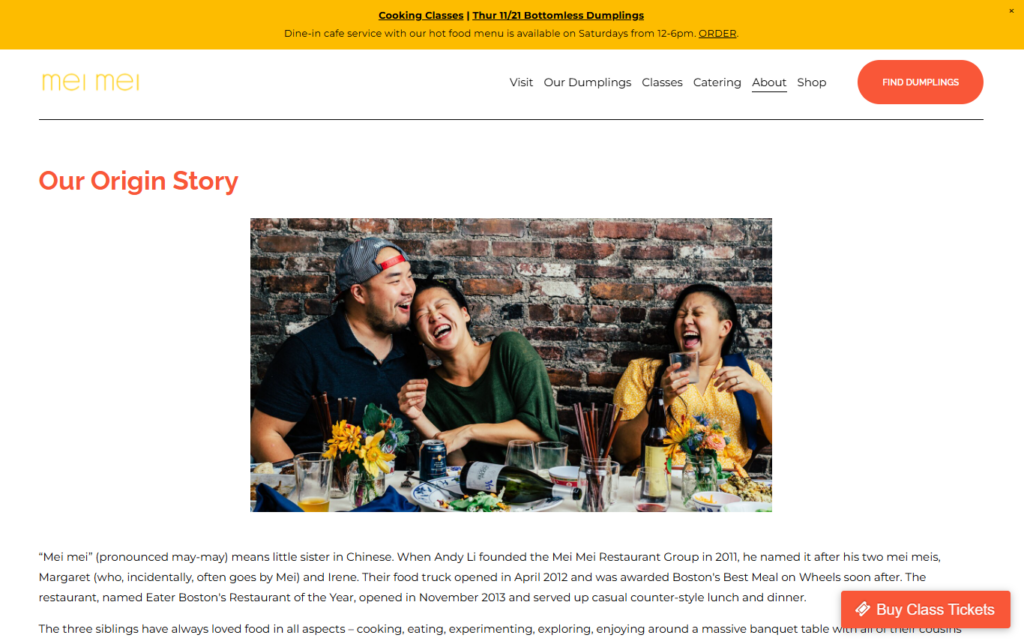
Why are so many ‘About Us’ pages uninspiring?
It’s because some restaurants overlook the ‘About Us‘ page as an opportunity for brand storytelling.
Instead of sharing what makes their story unique, this page is kept short with a list of generic details. Details like opening dates or simple facts about the menu. There’s no real insight into the people behind the restaurant, the chef’s inspiration, or the atmosphere they’re trying to create.
But the truth is, if you use this page the right way, it will help increase your online store sales and boost your brand identity.
📈 The studies prove it. According to KoMarketing, 52% of their respondents say the About Us page is the first thing they want to see when they visit a website. And customers who view your About Us page will spend 22.5% more than those that don’t.
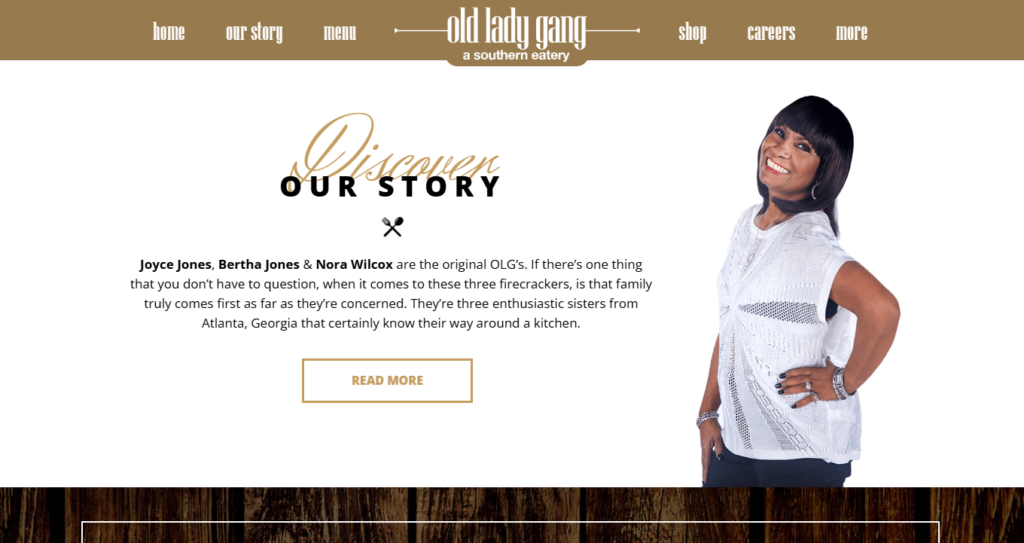
How to improve your restaurant’s ‘About Us’ page
The following are tips on how to improve your ‘About Us’ page:
- Use your About Us page to tell your story, honestly. Make them laugh… or cry. Let your customers know where you’ve been, where you are, and how you got there. What problems did you face? How did you overcome them?
- Show your team (their photos). Customers want to know the names and faces of those behind their food. Offer some offbeat details about your team to keep their bios interesting to potential customers.
- Include some personal anecdotes. For instance, if the owner grew up in an Italian family and learned to cook from their grandmother, share that with a photo of the family recipe book.
- Update this page regularly.
Mistake 6: No visuals for portion sizes or packaging
When it comes to food packaging, size matters a lot.
That’s because people buy with their eyes. If you want customers to order bigger portions, you show them images of larger packages. If you want them to buy smaller portions, show them smaller packages.
Lack of visuals for actual portion sizes or takeout packaging leaves your customers second-guessing the amount of food they expect delivered.
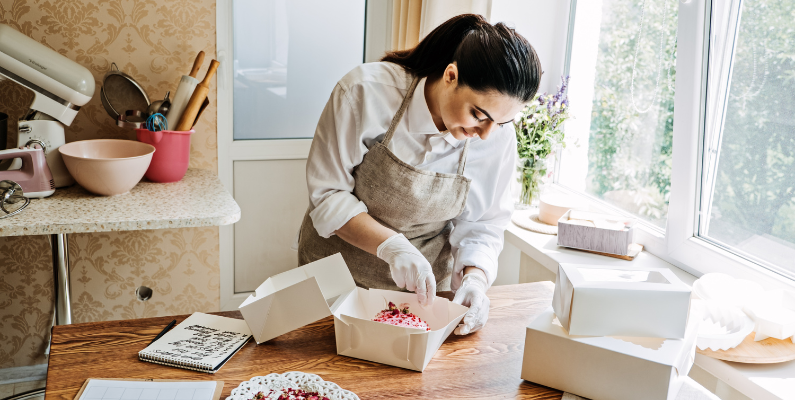
Why don’t restaurants show the size of packages?
This happens because many restaurant websites focus on stylish dish photos but skip practical images that show actual portion sizes or food packaging. Basically, this approach disconnects customer expectations and reality. They won’t have a clear picture of how much food they’ll receive or how it will be packaged for takeout.
📈 Keep in mind also that 72% of American consumers say that packaging design influences their purchasing decisions.
How to show portion sizes and packaging
Generally, you can get customers to buy either bigger or smaller portion sizes by:
- Showing actual portion sizes. You can add photos that accurately represent the quantity of food customers can expect. For example, a standard “Family Meal” tray or individual servings to help set clear expectations.
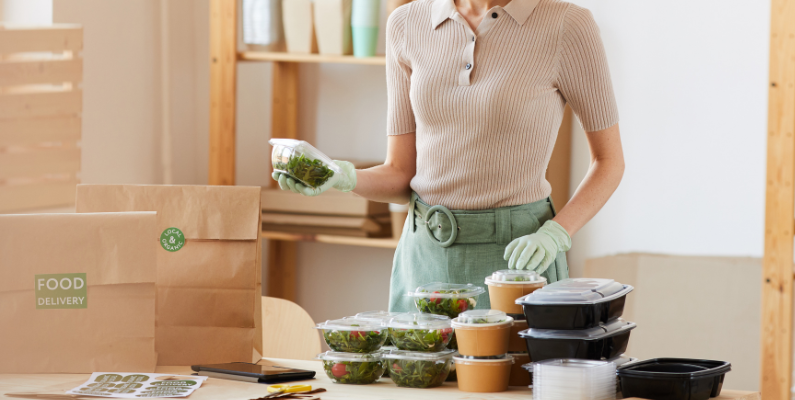
- Display packaging options. Provide visuals of the containers used for takeout and delivery. Show how the food is packaged, whether it’s in boxes, bags, or special containers. This allows customers to visualize their order and understand how it will arrive.
Mistake 7: Ignoring a cart preview with suggested add-ons
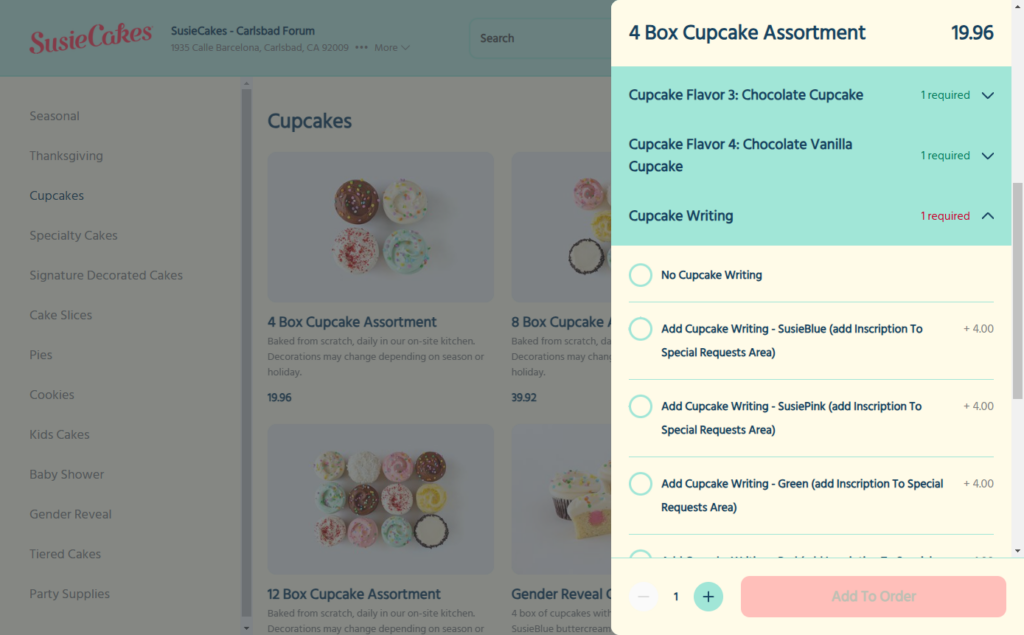
The cart preview shows a summary of the items a customer has selected in the cart, including quantities, prices, etc., just before they can proceed to checkout. This feature often includes options to modify quantities, remove items, suggest additional items, or proceed to checkout.
Ignoring your cart preview means you lose an opportunity to upsell/cross-sell. Or suggest product add-ons that go well with the dish a customer selects and increase the average order value.
In addition, without a cart preview, customers might not notice errors in their selections until it’s too late. This increases the likelihood of returns or complaints.
Why do new restaurants lack the cart preview?
Well, this depends on the cart design you’re using. Simple cart designs lack cart preview functionality. This can only happen if you opt for basic or “inexpensive” ecommerce solutions when setting up your online ordering systems.
These solutions often lack advanced features like a cart preview, so you can’t upsell or cross-sell at this point before a customer proceeds to checkout.
How to show a cart preview to customers
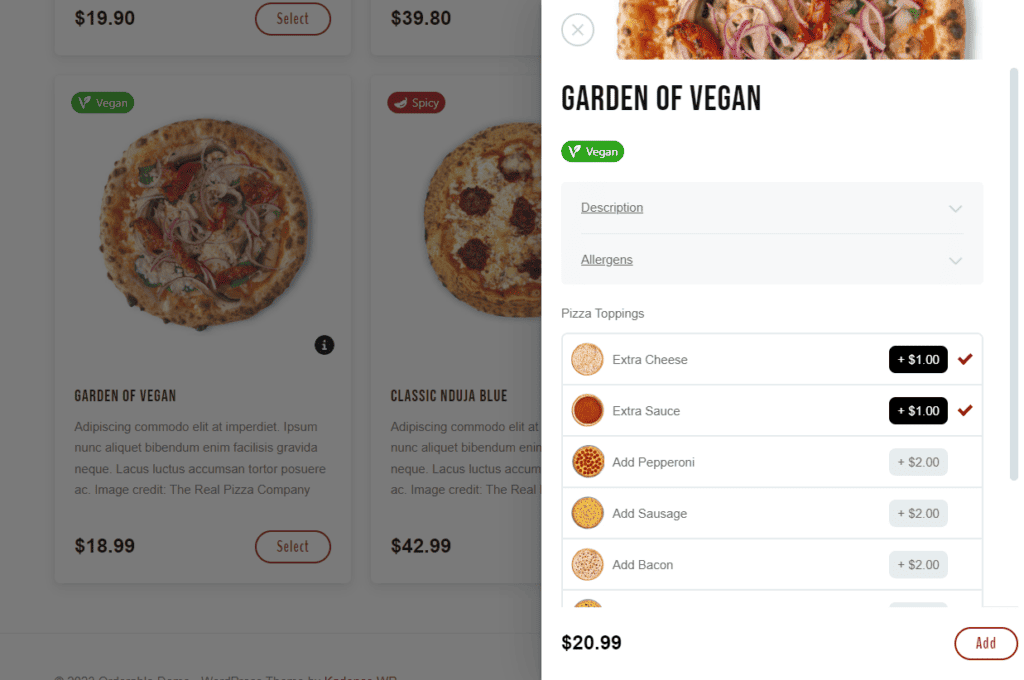
With Orderable, customers can instantly view their cart preview after adding food items. This cart preview displays the selected menu items, including any extra toppings, cheese, or condiments, along with the total price and an edit button. Customers have the option to remove any items if they mistakenly selected the wrong dish.
In addition, this plugin allows you to incorporate a “You May Also Like” section in the cart preview that recommends add-ons that go well with what’s already in the cart. The goal of this section is to encourage impulse buying. If a customer adds additional items to their cart, it increases their average order value. Higher AOVs result in increased profit margins.
Mistake 8: No table booking option or hard-to-find reservations link
Suppose a customer is interested in dining at your restaurant after hearing great reviews. When they visit your restaurant website, there’s no clear “Reserve a Table” option, or worse, no online booking option at all.
What do you think would happen?
Basically, if your reservation links are hard to find, or there’s no booking option, they might decide to book with another restaurant instead of calling or emailing.
📈 65% of diners go directly to the restaurant’s website and book there instead of discovery platforms like Yelp.

Why might a reservation link be hard to find
The answer could be as simple as having a poor design on your restaurant website. Or, simply, your restaurant relies on phone reservations instead of an online reservation system, so the reservation link isn’t a priority. When this happens, the link may be hidden somewhere customers don’t go looking for.
How to make your reservation link stand out
The following are tips to make your reservation link easy to find:
- Integrate an online reservation system. Like OpenTable that allows customers to make reservations directly through the website.
- Add a “Reserve a Table” button. Place it prominently on the homepage and in the navigation bar. This makes it easy for customers to find and access the reservation option.
For added convenience, ensure the CTA is present on every web page. This way, customers can easily book a table wherever they are on the site. They won’t have to navigate back to a specific section.
Mistake 9: No local SEO optimizations to attract nearby diners
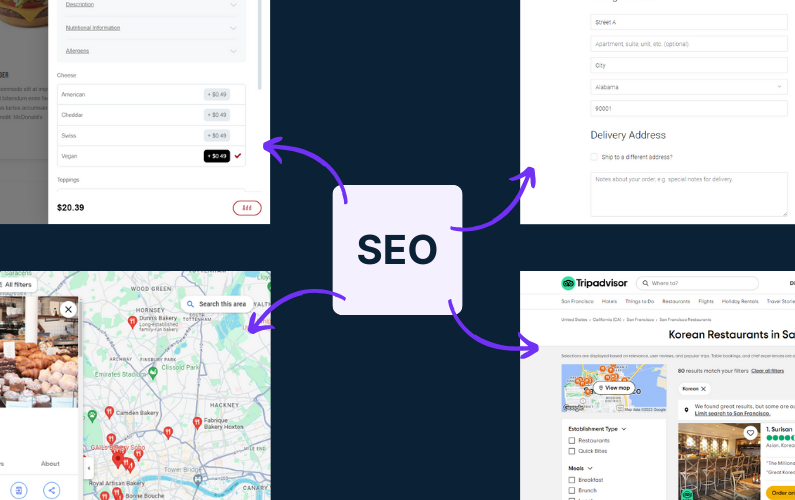
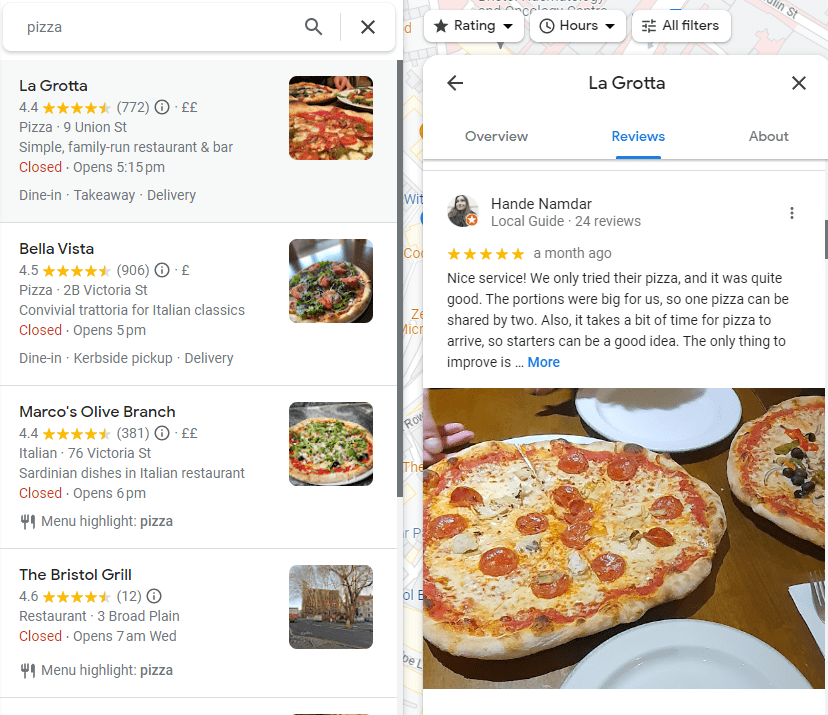
Consumers want to buy food from your local restaurant and turn to Google to find shops like yours. It is nearly impossible for these customers in your local area to discover you if, as a restaurant, you don’t focus on local SEO optimization.
Generally, the main goal of local SEO is to improve your online visibility in local searches on Google and other search engines.
So, not focusing on local SEO elements like city-specific keywords or schema markup means you won’t appear in local search results.
Why a restaurant might not appear in “near me” local searches
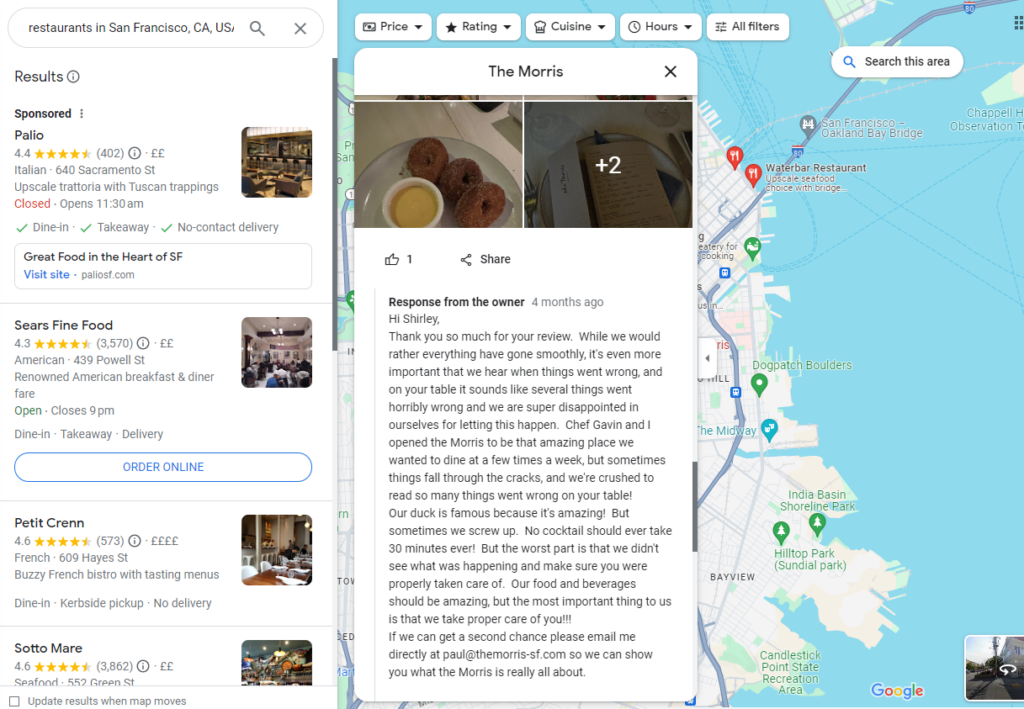
Some of the simple reasons a restaurant won’t appear in near me searches is because they have no:
- No location-specific keywords. If you don’t have keywords like “best tacos in New York,” search engines don’t see your website as relevant for local searches.
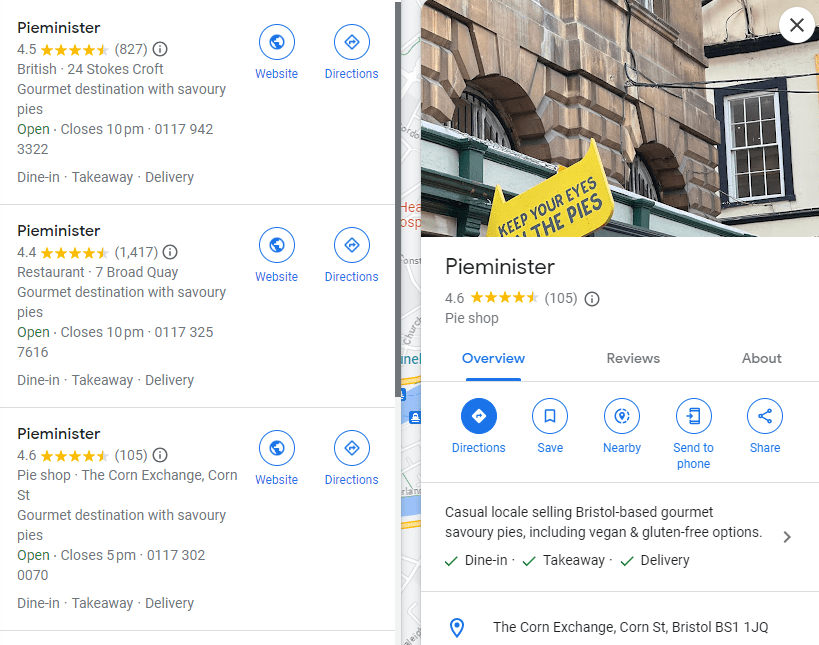
- They haven’t set up a Google My Business Profile. And if they have one already, they provide incomplete and wrong information.
- Inconsistent business information. Inaccurate or inconsistent information (like address or phone number) across directories confuses search engines.
- Few local reviews: Customer reviews signal trust and relevance to search engines.
- No local citations in local directories like Yelp, TripAdvisor, etc.
- And more.
Luckily, you can turn everything around by doing the exact opposite of every reason above to start appearing on local searches.
How to turn this around and start appearing in local searches
We’ll get a bit practical here.
Let’s say you’re a Chinese restaurant located in Brooklyn. The very first thing you’ll want to do is find high-volume local keywords to rank for. This could be “best Chinese restaurants in Brooklyn”, “dim sum Brooklyn”, etc.
Then:
- Optimize your site for local SEO. For example, create pages for the local keywords. Have a dedicated contact page, include every business address, add local Schema markup, etc.
- Claim or optimize your Google Business Profile.
- Build NAP citations for local SEO.
- Get as many customer reviews as possible.
- Create content like blog posts, FAQs, etc., and backlinks.
- And so on.
Mistake 10: Overlooking Google Maps integration for easy directions
Google Maps is as much as important to you as it is to any other location-based business.
Integrating it on your website implies that local customers who find you online can quickly locate your business, view directions, and plan their visit. For instance, those with cars can open directions directly into their GPS app and drive to your place without hiccups.
So, overlooking Google Maps integration is a disservice to these customers. They’ll probably go to the first restaurant they see instead of driving around to find you.
How to integrate Google Maps on your restaurant website
The process is easy. Open Google Maps and type in your restaurant’s address to find your location. Get the embed code and paste it directly on the Contact page of your website to adjust the size. That’s because this is typically where customers go to find essential details like your address, phone number, hours, and directions.
But be sure to add a “Get Directions” button for your mobile users.
In addition, consider adding a mini-map on the homepage for even quicker access. Especially if the location is central to the dining experience.
Improve your restaurant website today
When it comes to creating the best restaurant website that drives a lot of traffic/increases your footfall, and makes you money, most restaurants struggle.
They make simple and very common mistakes. In this article, we’ve highlighted the most common mistakes you need to know and ways to avoid them. Mistakes like difficult online ordering, unclear delivery times, weak SEO, unappealing web design, etc.
Almost half of the mistakes highlighted in this article can be solved with online ordering software like Orderable.
This plugin streamlines the ordering process, provides clear delivery updates, and enhances user experience with an app-like design, dietary information, cart previews, and more.
By implementing these solutions, you can encourage more orders, visits, and positive interactions that keep customers coming back.
Get Your Restaurant Business Online With Orderable
Orderable is a user-friendly WordPress plugin that adds online ordering to your restaurant website.
Add your dishes, create your online ordering menu, customize your delivery schedule, and manage orders with ease.
Gina Lucia is our in-house Content Manager at Orderable. She writes articles, user guides, technical documentation, and creates videos on everything WooCommerce and Orderable.
Gina has been working in the WordPress/WooCommerce space since 2012 when she developed WordPress websites for clients large and small.
For the past 8 years, she’s been writing about everything WordPress and WooCommerce, becoming an expert in what makes a WooCommerce store succeed.
When not writing, Gina loves to tend to her vegetable garden, read, or travel to mainland Europe.
Don’t miss out on the latest Orderable news!
Sign up for our newsletter to receive the latest news from the blog, you’ll get pinged every week with a digest of the latest updates.
[fluentform id=”6″]

Related Articles

How to Create, Track, and Achieve Restaurant Goals (+ Examples)
How to Start a Ghost Kitchen in 2026

How to Create an Action Plan to Increase Sales in a Restaurant
Get Your Restaurant Online With Orderable
The WooCommerce plugin designed to help restaurants take orders online – with no added fees!
View Pricing

