

How to Improve Slow Season for Restaurants

How to Improve Slow Season for Restaurants


Gina Lucia


If the slow season for restaurants impacts your sales, an online ordering system could be the game-changer you need.
Every restaurant experiences a slow season at least once or twice a year. During this time, fewer customers visit, which can be hard on your finances if you don’t find a solution to stabilize your restaurant sales.
In this article, we have the best solution that can help you thrive in a slow season for restaurants. We’ll also show you different strategies you can implement to make the most of this system during a slow season and maintain your sales.
Here’s what we’ll cover throughout the guide:
- What a slow season is and when it typically happens.
- How an online ordering system can help restaurants during these periods.
- Strategies to use an online ordering system to boost sales during slow months.
Get Your Restaurant Business Online With Orderable
Orderable is a user-friendly WordPress plugin that adds online ordering to your restaurant website.
Add your dishes, create your online ordering menu, customize your delivery schedule, and manage orders with ease.


What is a slow season for restaurants?
A slow season for restaurants is when fewer customers come to eat at your place. During this time, making money becomes harder because there aren’t as many customers to serve in-house.
If you’re a restaurant owner, you’ve likely experienced a few before: times when business is slow, tables are empty, and sales drop.
Why does this happen?
There are several reasons this happens in the restaurant industry. The most common one is seasonal changes. For example, restaurants in tourist areas may have a slow season during the off-season.
Weather conditions also affect dining habits. Those restaurants with outdoor seating can see a drop in customers during the winter because many people don’t go out as much when it’s cold.
State of the economy
Another factor that can lead to slow times is the fluctuating state of the economy. When the economy is doing well, people have extra money to spend, so they eat out more often.
On the other hand, when the economy has taken a downturn, restaurants also experience a dip in sales as more people choose to eat at home.
Other times, it’s tied to your customer behavior, like right after the holidays when people recover from heavy spending and focus on New Year resolutions like saving money and eating healthier.
Statista found that 52% of people want to save more money instead of dining out. Other people want to live by their resolutions, such as eating healthier, exercising more, losing weight, spending time with their families, etc.
Local events or school calendars
Local events like festivals, conferences, or school calendars influence foot traffic to your place as well. For example, when schools, universities, or colleges close, restaurants that serve students as their regulars can see a drop in the number of customers dining in.

Your restaurant business location matters too
Different restaurants also have slow seasons at different times depending on their location and the target customer base.
Let’s say you’re a restaurant near a beach where people flock to enjoy the sand, sea, and sunny weather. When a cold winter hits, tourists stop coming, and your customer base shrinks. A business location matters. Winter is usually a peak season for restaurants in areas popular with winter sports like snowboarding and skiing.
Various reasons explain why restaurants experience a slow season. But now, let’s try to pinpoint when you can expect one.

When is a slow season for restaurants?
The best part about a slow season for restaurants is you can tell when the next one will occur in a year. However, this trend can vary depending on the type of restaurant you run, your location, climate, and the customer base.
Then, there are other factors like local events, holiday seasons, economic conditions, etc.
Let’s break this down using some examples of seasonal slow periods.
Summer months for college town eateries
During this time, students leave for their summer breaks and vacation with their families or friends on the beaches, lakes, mountains, etc. That means that cafes, shops, or other eateries around campuses whose regular patrons are mainly students are left with only a few locals to cater to.
Then, in the late summer or early fall, when the weather cools down, outdoor activities start declining.
Winter months for restaurants in vacation destinations
By the time it reaches winter, the weather is extremely cold outside, and outdoor activities are limited. Beachside restaurants, which are popular vacation spots, see fewer customers than they’re used to due to the cold weather.
Families and friends also spend a lot on major holiday seasons like Christmas and New Year celebrations. This can temporarily boost your restaurant sales before the post-holiday slump.
From 2000 to 2014, holiday season sales (around Christmas) accounted for at least 19.3% of sales in the US. This season has more sales than Mother’s Day, Father’s Day, Valentine’s Day, Halloween, Easter, and St. Patrick’s Day combined.

Post-holiday slumps in January and February in urban restaurants
Every year, right after the holiday spike, something ‘odd’ usually happens that can make January and February some of your slowest months of the year. Customers don’t want to spend that much, so they would save money and stick to their New Year’s resolution.
It’s no wonder that 61% of restaurants notice a decline in patrons, sometimes by as much as 20%, after significant holidays and events.
Other factors: economic downturns and unexpected global events
Not all seasonal changes are tied to a school calendar or the weather. Factors like economic downturns, inflation spikes, or unexpected global events like the pandemic can drastically slow down business.
For example, during the COVID-19 pandemic, 85% of restaurants reported fewer customers visiting.
Similarly, when prices inflate, people may eat out less to save money. Generally, a slow season for restaurants is to be expected. While you can’t control what causes it, installing an online ordering system can help you turn things around to your advantage.
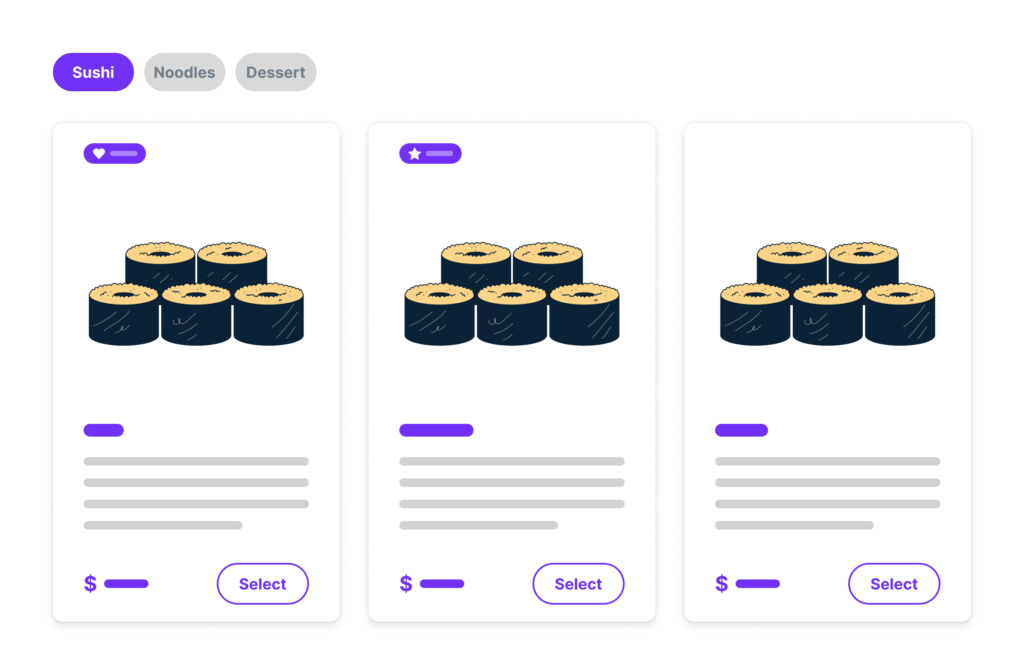
Why is an online ordering system the solution for a restaurant’s slow season?
The demand for takeout and food delivery quickly increases when restaurants enter their slow seasons.
This trend often catches on because people naturally want to stay indoors during colder months or bad weather. So, ordering online becomes the most convenient way for them to enjoy restaurant-quality food from the comfort of their homes.

Customers want to order even in bad weather
If you offer online ordering, you’ll be surprised to learn how many customers want to order takeout even during bad weather.
- 49% of customers surveyed by Tomorrow.io said they’re more likely to order food during bad weather. 56% will preschedule deliveries before bad weather.
- Rewards Network found that 48% of respondents who plan to eat out less in the fall and winter opt for deliveries instead.
Generally, it is the convenience customers get, among other benefits of online ordering, that makes it the perfect alternative revenue stream for restaurants when dine-in traffic is low. Bad weather only amplifies this desire for convenience and increases demand.

Online orders can help make up for lost dine-in sales
Additionally, the digital sales you make when online customers order your food help offset the revenue lost when fewer customers dine at your restaurant.
This steady flow of cash can keep your business going during slow seasons. Plus, it will keep your kitchen staff busy instead of paying them to sit around.
You can adjust your schedule and operate the same way a ghost kitchen does: with plenty of cooks and delivery drivers but fewer servers. If you need to send a server home because there aren’t enough customers, do it. But note that you should offer them an extra shift to make up the difference next week.
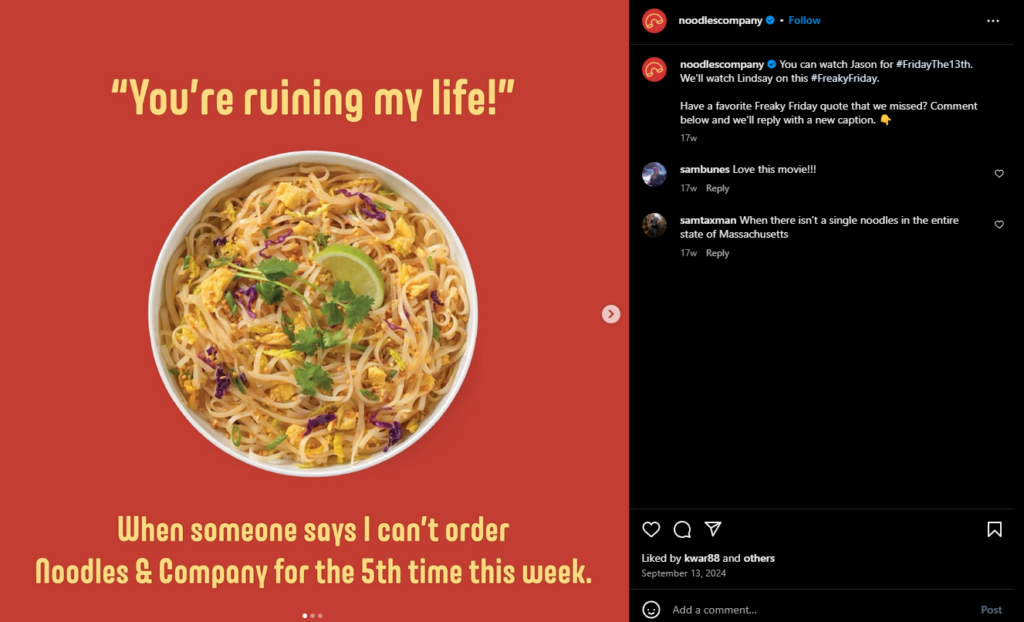
Run targeted promotions to entice new customers
Online ordering systems also make it easy to create targeted promotions and discounts. These promotions can help you attract specific customer segments in a community.
For example, you can target families with special Christmas deals and boost your Winter sales before the post-holiday slump.
We’ll discuss this further in the next section, but you should know that the right promotions can turn a slow season into a sales opportunity.
The National Restaurant Association reports that approximately 89% of customers who plan to order takeout consider deals and specials when choosing a restaurant during the holiday season.
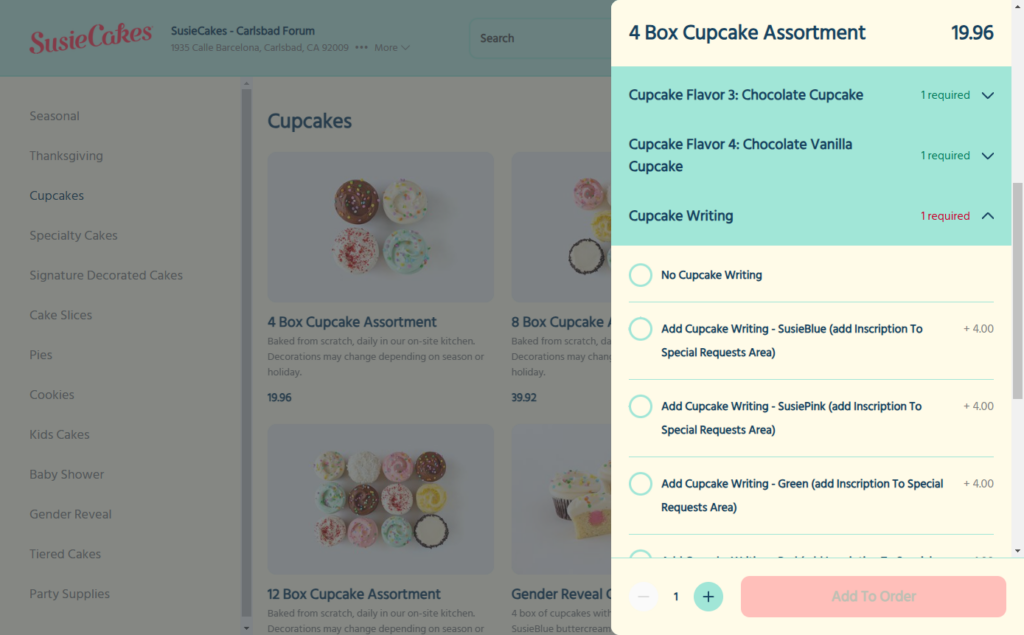
Expand your customer reach beyond the neighborhood
With online ordering, people searching online for food in your area can find your place even if they’re not close by. Creating different delivery zones can help you reach more customers that are further away.
These zones can help generate more revenue by serving a larger customer base. In addition, you’ll be able to charge delivery fees that are fair to both the customer and the restaurant. Customers who live closer pay less.
Those who live further away pay a bit more to cover the extra distance and effort.
The best online ordering system with every feature to make all this happen (and much more) is the WordPress plugin, Orderable.
The best online ordering system for WordPress websites: Orderable
Orderable is a WordPress plugin that adds an online ordering system directly to your restaurant website. Once set up, you can take food orders directly from customers and keep 100% of the profits to yourself. No commission fees are charged on online orders.
This plugin works for everyone in the restaurant industry who wants to provide delivery services. It is the best online ordering system for takeout, mom-and-pop, cafes, bakeries, ghost kitchens, and other types of restaurants.
Here’s how it works on the go. You can:
- Quickly set up shop, update opening hours, choose delivery or pickup services, and table ordering.
- Add food items using high-quality images and create your online ordering menu.
- Sit back and start accepting and fulfilling orders.
A lot goes into making Orderable the solution your restaurant needs during some of the slowest months of the year.
Get Your Restaurant Business Online With Orderable
Orderable is a user-friendly WordPress plugin that adds online ordering to your restaurant website.
Add your dishes, create your online ordering menu, customize your delivery schedule, and manage orders with ease.
How Orderable helps you thrive in a slow season for restaurants
The following are different ways Orderable can help you thrive:
Online ordering meets customer expectations at home
The demand for online ordering picks up during slow season for restaurants, and Orderable meets this expectation to the fullest. Customers can conveniently browse all your menu options, customize orders to their liking, leave special requests, and enjoy hot meals in the comfort of their homes.

With Orderable, you can:
- Customize flexible menu layouts to boost their dining experience.
- Add labels to indicate popular items, chef specials, and dietary preferences. These labels can also be promotional for budget-conscious diners (more on this in the next section).
- Add links to allergen and nutritional information for dietary-conscious customers.
- Send SMS or WhatsApp notifications to update customers on their order progress and more.

Create flexible schedules and maximize delivery slots
Orderable gives you control over your delivery service. You can choose the days of the week you’ll offer delivery or not. Then, add specific time slots when customers can place orders for delivery (e.g., 9-11 AM, 12-2 PM, 3-5 PM).
You can also limit the number of orders your kitchen can comfortably fulfill for each time slot so they aren’t overwhelmed. The more orders your staff can fulfill will offset the lost dine-in sales.
In addition, all orders are processed through a live order screen for the kitchen to note. This screen accurately captures all order details, including a customer’s name, address, and special requests.
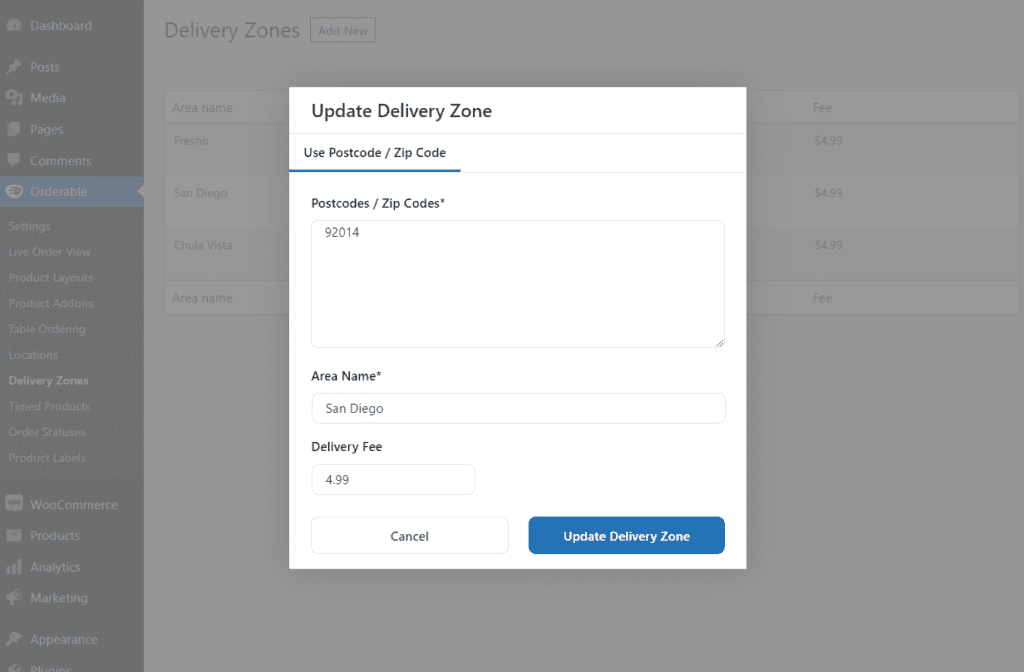
Create multiple delivery zones to expand your reach
When creating your locations and adding your services, you’ll be able to create delivery zones for these services as well. You can set up multiple delivery zones with different postcodes, area names, and delivery fees. Doing this lets you cover a wide geographical area beyond your neighborhood and reach more new customers who didn’t know you before.
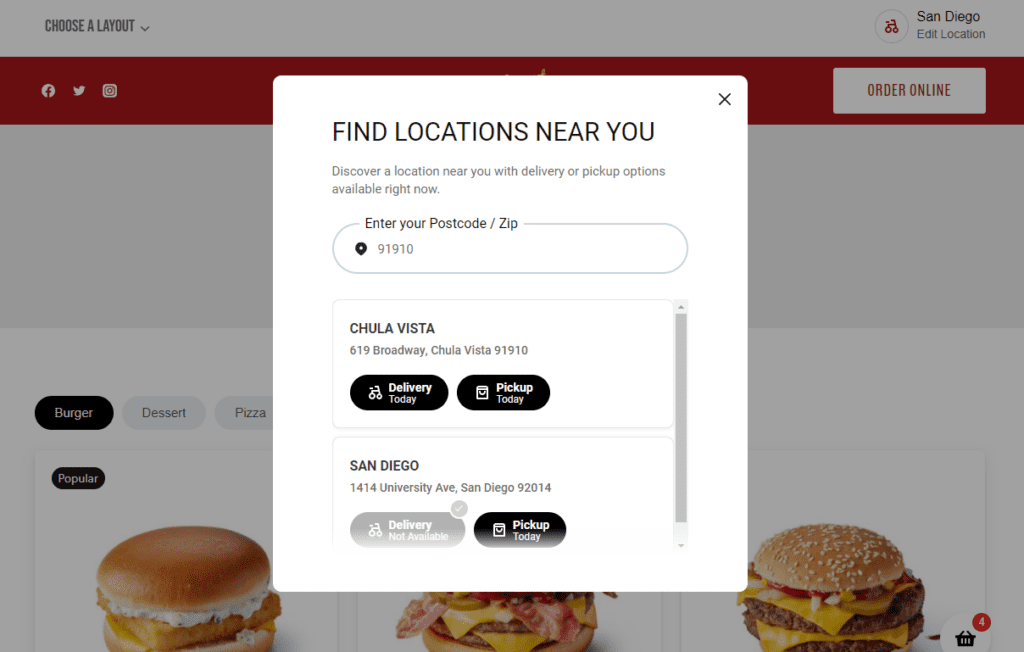
Note: If you plan to expand to new locations, Orderable also lets you manage multiple restaurant locations on one website. In this way, customers can order food from a location that’s close to them.
91% of customers who plan to order out during the holidays said they prefer a restaurant close to home.
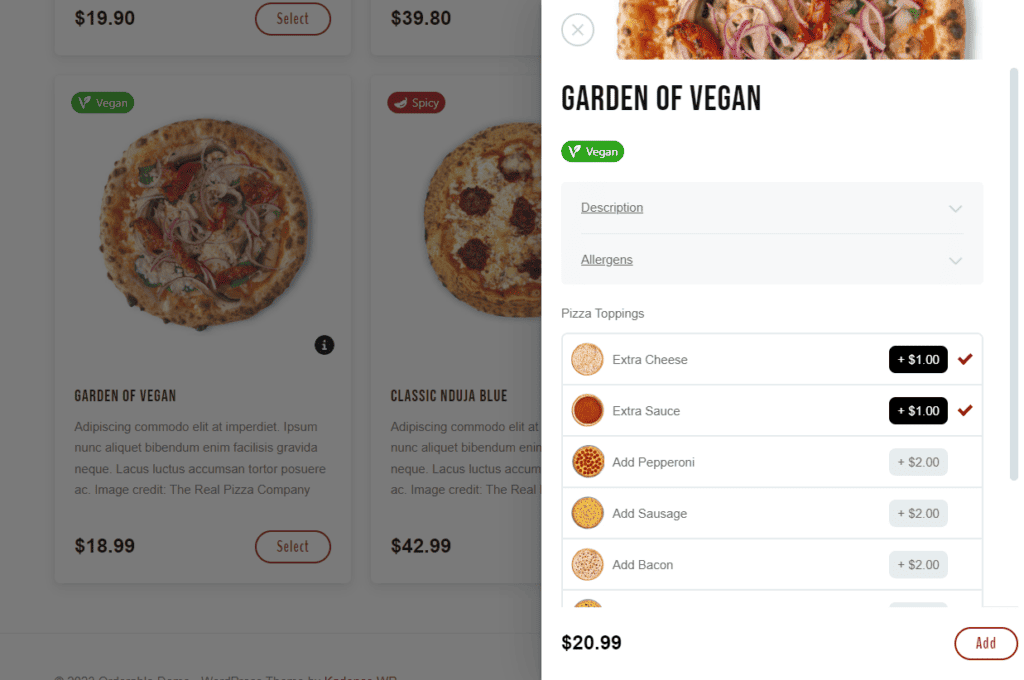
Upsells & add-ons to boost revenue per order
When customers browse online menus, they love exploring available options. You can leverage this behavior and naturally suggest add-ons, such as premium toppings, condiments, drinks, desserts, etc, for customers to add to their cart.
Additional items in the cart increase the total value of each order, which can significantly boost your bottom line in slow season.
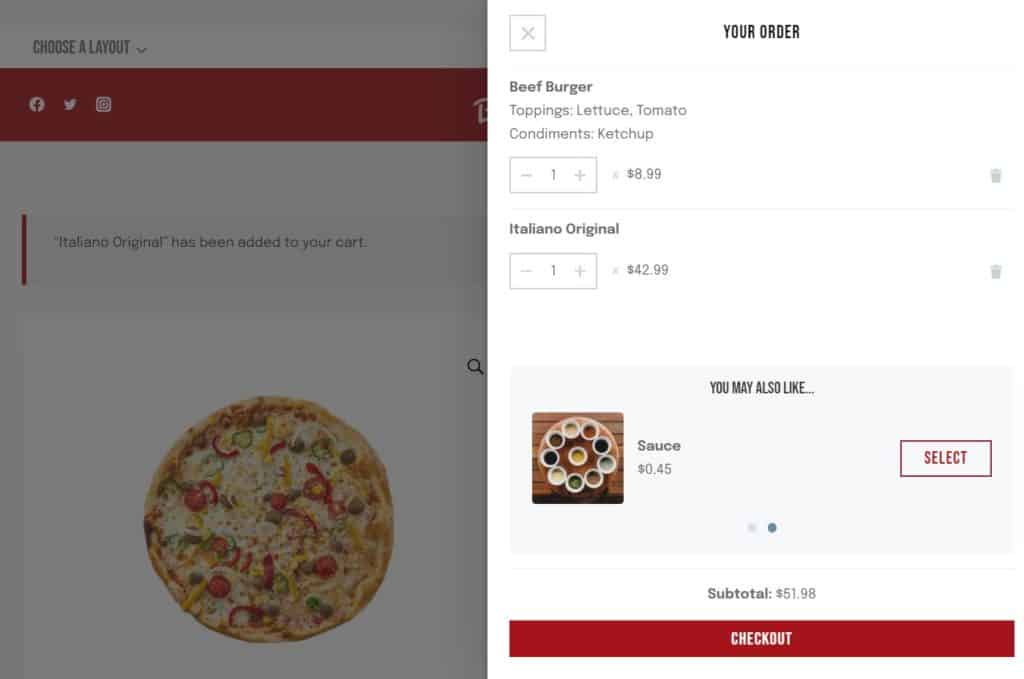
- You can also cross-sell with order bumps at checkout.
- Orderable even lets you add tip prompts at checkout to increase your average order value.
No commission fees equals more profit
Unlike third-party delivery apps, Orderable lets you keep 100% of your online sales. Every dollar earned goes directly to your business, which is crucial when sales are slower.
We’ll walk you through important strategies for implementing and boosting your online sales, and you’ll learn more about the Orderable WordPress plugin’s features and what you can do with it.

Strategies for using your online ordering system to boost slow season sales
Online ordering alone doesn’t do much to increase slow season restaurant sales unless you do something about it. In this section, we’ll show you simple strategies you can make online ordering maximize sales and turn those slow months into some of your best every year.
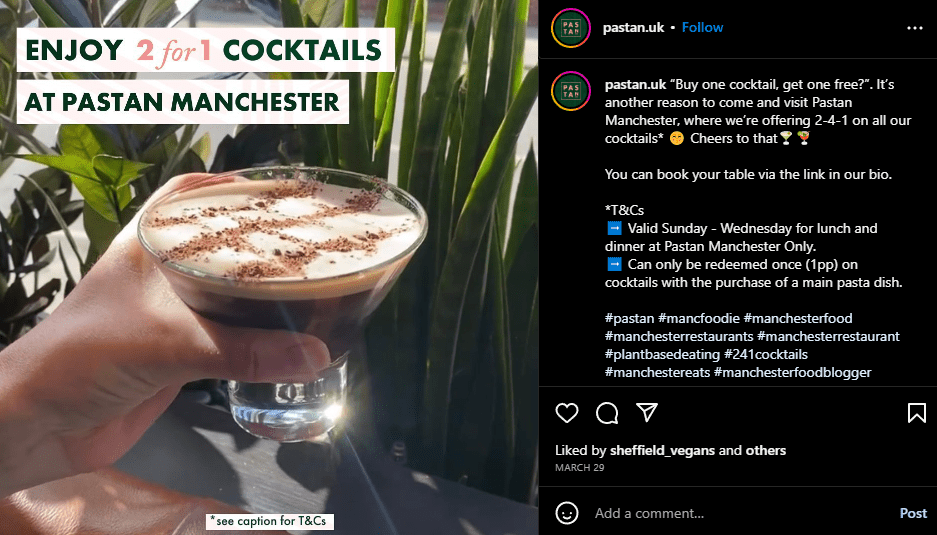
1. Offer seasonal promotions and discounts
Although the last quarter is usually slow, you’ve got this one thing to your advantage. Customers want to spend on seasonal traditions like Thanksgiving, Christmas, and New Year.
These holidays are a gold mine for increasing your restaurant sales. With the right marketing strategy in place, you can scoop up some of the disposable income people have during these slow months, hit your sales target, and end the year on a high note.

Capitalize on holiday spending
Create a limited-time offer to drive demand during slow season for restaurants in Q4. For example, you can introduce a special holiday dish or meal package for the season. Then, add a sense of urgency by telling your customers it’s only available for the season, so they act quickly.
You can also:
- Offer free delivery or a discount. You can offer free deliveries on orders over a specific price or limited-time free deliveries for all orders on a specific day. People generally find it extremely hard to resist free stuff.
- Create special deals like winter warm-up specials, holiday cheer deals, etc.
We’ve already covered some 38 restaurant promotional ideas you can try, like happy hour or early bird specials.
Start another round of sales post-holiday season
Promotions can be a powerful incentive when customers are super conscious of their finances. So, when the New Year hits, get ready to offer another round of post-holiday deals, promotions, discounts, coupons, etc. If you continue providing discounts, you can win your customers back with another round of low prices in slow season.
Other ways you can sell to your customers’ ‘New’ Year’s mindset is:
- Offer healthy menu options for customers who want to eat healthy.
- Introduce another new dish. At this time of year, most customers are in a new mindset: New Year, new you, new resolutions, new everything.
Highlight these offers on your ordering platform and menu
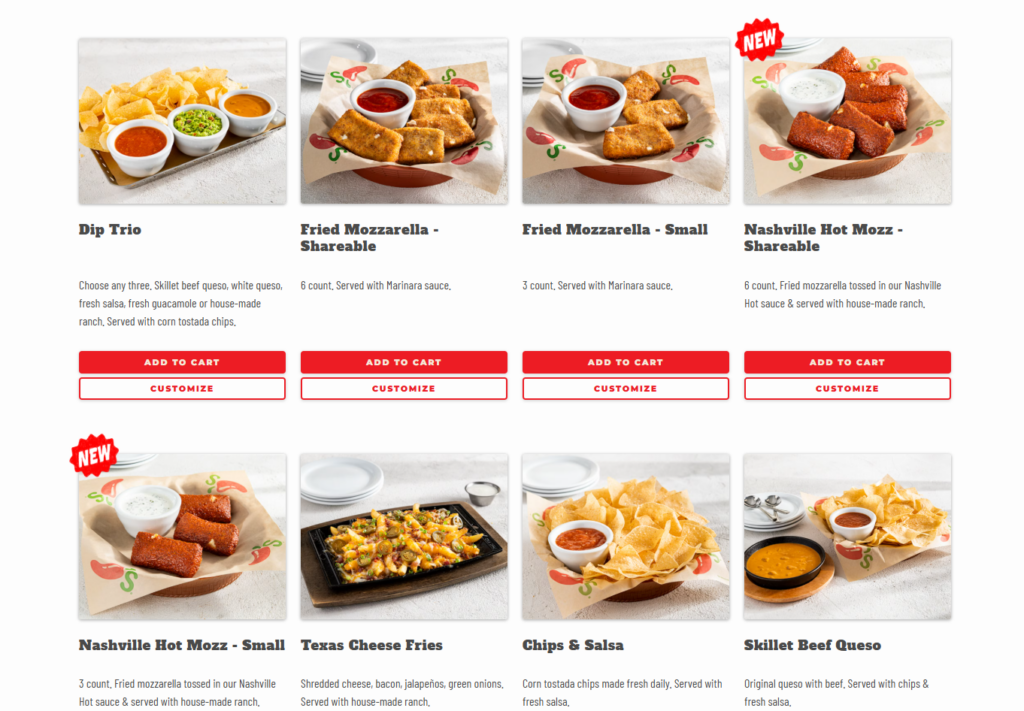
With Orderable, you can use the coupon feature built into WooCommerce to automatically apply discounts on certain days or times, like 10% off on Tuesdays. To ensure customers notice these offers, you can add product labels to highlight these discounts right on your online menu.
This way, customers see the deals as they browse and are more likely to order. Everything runs automatically, so you don’t have to apply discounts manually.
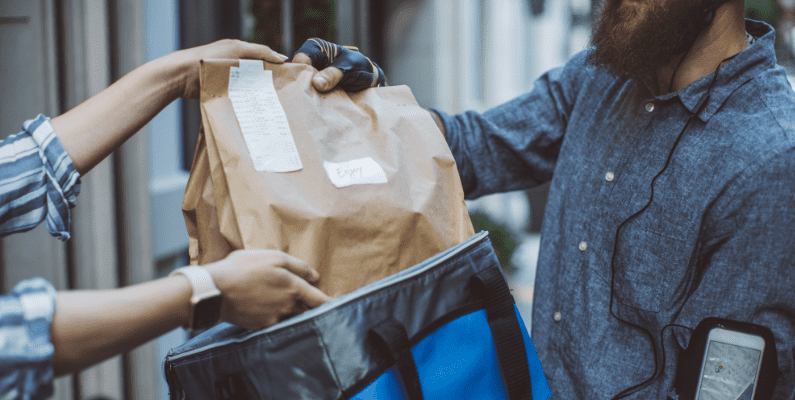
2. Expand delivery options and partnerships
This strategy aims to appeal to more customers by offering different ways to get their food. For example, if you’re located in a neighborhood where customers can easily find you, you can allow them to pick up their orders curbside.
Some nearby customers may want to avoid paying delivery fees but still enjoy your food.

Offer local delivery to more areas
You can also expand your territory by creating delivery zones to cover more areas. This Orderable feature allows you to add more geographical locations to deliver food to and reach more customers comfortably.
Essentially, the larger the geographical area you serve, the more opportunities you have to make sales. Perfect for restaurant slow season.
You can also provide different delivery methods to cater to your customer preferences. For example, you can offer ASAP deliveries for customers who want to get their food as soon as possible.
65% of customers are willing to pay extra for faster deliveries.
You can also offer scheduled deliveries, group orders, or pre-order deliveries, where customers order in advance and have the food delivered on a particular date or time.
Work with delivery partners
For areas that are harder to reach due to weather or other factors, consider partnering with third-party delivery services like Uber Eats or DoorDash to handle delivery logistics. This way, you can reach a more extensive customer base without stretching your resources.
Note: Third-party delivery apps can reduce labor costs, but typically charge hefty commission fees. Additionally, they may withhold valuable customer data that could enhance your restaurant’s marketing strategy.
3. Introduce meal bundles and upsells
If you’ve noticed, during a slow Q4 and post-holiday season, many customers often gather with families and friends to celebrate the holidays. Meal bundles and upsells can be a great way to cater to these gatherings.
For example, you could create family meal packages or combo deals, like McDonald’s happy meal menu. These menus generally include a burger, fries, appetizers, and a drink. In some countries, they also include toys for kids.
Why bundling menu items is important
Meal packages provide better value than buying items individually. For example, if we add the combined prices of each menu item in a Happy Meal, it will be significantly higher than if purchased separately.
Generally, meal bundles also simplify ordering, especially for groups. They take the guesswork out of meal planning and ensure everyone gets enough to eat.
They:
- Give your customers a complete package.
- Let them try what they would not have ordered otherwise.
Upsell with product add-ons in Orderable
Meal packages need a dedicated menu to display items and attract customers. Orderable enhances this by automatically suggesting relevant add-ons, like drinks, desserts, or extra sides, during checkout, thereby increasing the average order value.
Let’s focus on the menu part to combat slow season for restaurants.

4. Optimize your online menu for mobile users
Mobile ordering accounts for 60% of all digital restaurant orders today. More than half of restaurant customers prefer to order from their mobile devices.
If most customers want to order using their smartphones, you’ll also have to make your online menus mobile-friendly. Your customers should be able to browse your menu, add items to their cart, and quickly check out on their phones.
This can increase your sales potential by encouraging customers to order more. Here’s the good news.
Orderable menus are already mobile-friendly and fully customizable
These menus are easy to navigate on phones. Users can easily find their dish without zooming in or scrolling endlessly.
Again, adding product labels like vegan, popular dish, kosher, etc, can help them find the exact dish quickly.
The checkout process is also quick and requires minimal steps. Customers can quickly confirm their order in the order summary section. Then, they’ll enter contact, billing, shipping, and payment information before placing an order.

5. Create a seasonal menu to attract local interest
Additionally, you want to develop menu items based on local seasonal ingredients or holidays. For example, in summertime, you might create dishes featuring fresh tomatoes, corn, or berries from nearby farms.
Using seasonal ingredients often means better flavor, lower food costs (sometimes), and support local businesses.
Or, you can introduce a festive menu during the holiday season similar to how KFC does to attract local customer interest. Then, add a sense of urgency with limited-time seasonal offerings like special holiday chicken buckets, seasonal sides, and exclusive desserts.

Promote seasonal menu items
Whenever you change your menu or introduce new ingredients to your regular dishes, discuss it on social media so people are aware. Use your business’s novelty as a focal point for restaurant marketing.
New and limited menu offerings can pique diners’ interest and create a reason to gather with friends.
6. Incentivize customer loyalty programs
Once a customer buys from you, invite them to join your loyalty program. This is especially crucial for first-time buyers. Market back to them, but this time, offer a loyalty perk for joining your mailing list.
You can even promise them exclusive deals to encourage them to join your loyalty program. The emails you collect can help you notify customers of their available rewards.
Generally, offering reward points for every order gives customers a reason to keep coming back to your restaurant in slow season. After earning a certain number of points, customers can redeem a free meal or get a discount on future purchases.
Create a points and reward program using Orderable
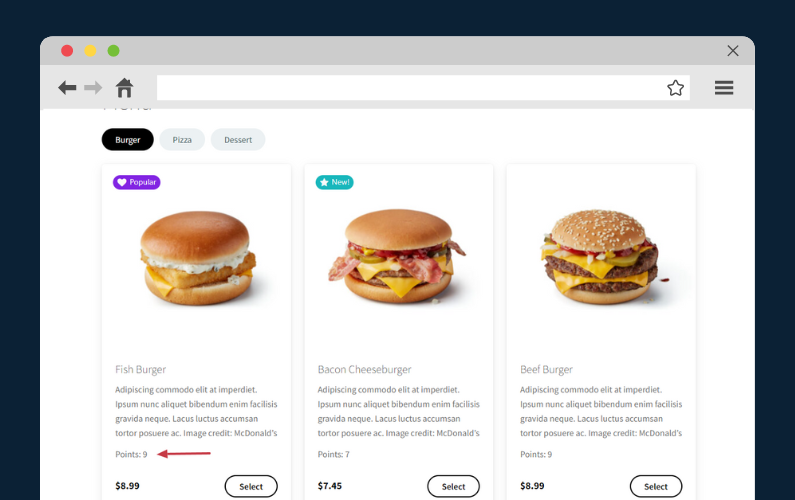
Orderable allows you to add a points and rewards program to your restaurant WordPress site via the WooCommerce Points and Rewards plugin.
This WooCommerce plugin allows you to determine how many points can be earned for purchases at the category or product level. You can also control the maximum discount you’d like to give.
It’s been proven that top-performing loyalty programs can boost revenue from customers who redeem points by 15% to 25% annually. These programs can also help you gauge your customer satisfaction levels.
Ask your loyal customers for referrals
A referral is sometimes the most straightforward sale to make because the customer already trusts the person who recommended your restaurant. Instead of convincing a stranger, you’re selling to someone who is already interested in and open to trying your food.
How can you get more referrals? By creating a referral program. Then, like loyalty programs, you can reward your biggest fans for doing the hard work for you.
7. Focus on improving profit margins
While increasing your order volume is essential, maximizing profit on every sale is equally critical, especially during slow periods. If you implement these adjustments effectively, you can protect your bottom line and keep your restaurant profitable.
Identify and promote high-margin menu items
Some dishes bring in more profit than others. If you can analyze menu items and identify those that cost less to make but sell at higher prices, actively promote them. Orderable usually lets you highlight such dishes on your online menu using product labels. Consider creating special deals around them to incentivize orders further.
Reduce waste with smarter inventory management
Slow seasons can also lead to excess inventory and ingredient waste. So, pay close attention to online ordering trends and optimize your stock levels and menu planning. If a dish isn’t selling as well, adjust the stock levels accordingly to minimize waste without disrupting other menu items.
Offer catering or bulk orders
Explore additional revenue streams by introducing catering packages or bulk meal deals for local offices, events, or family gatherings. Meal packages often attract large orders at once. Plus, customers appreciate the convenience of ordering in bulk for special occasions.

Master your restaurant’s slow months
All restaurants, big or small, experience a slow season in a year when their sales slump.
Fortunately, you can anticipate when a restaurant’s slow season might occur next time. This enables you to plan for it in advance with an online ordering system so your revenue doesn’t suffer.
An ordering system helps you maintain sales by giving you access to a new customer base with an appetite to order food online. You can keep these customers coming back for more of your food by implementing different strategies we’ve discussed in this article.
Reward customers and expand your reach to boost your profit margins.
The best online ordering system with every feature you need to streamline these strategies is the WordPress plugin, Orderable. It adds an ordering system directly to your WordPress site and even installs WooCommerce for you.
Get Your Restaurant Business Online With Orderable
Orderable is a user-friendly WordPress plugin that adds online ordering to your restaurant website.
Add your dishes, create your online ordering menu, customize your delivery schedule, and manage orders with ease.
Gina Lucia is our in-house Content Manager at Orderable. She writes articles, user guides, technical documentation, and creates videos on everything WooCommerce and Orderable.
Gina has been working in the WordPress/WooCommerce space since 2012 when she developed WordPress websites for clients large and small.
For the past 8 years, she’s been writing about everything WordPress and WooCommerce, becoming an expert in what makes a WooCommerce store succeed.
When not writing, Gina loves to tend to her vegetable garden, read, or travel to mainland Europe.
Don’t miss out on the latest Orderable news!
Sign up for our newsletter to receive the latest news from the blog, you’ll get pinged every week with a digest of the latest updates.
[fluentform id=”6″]

Related Articles
How to Create a Restaurant Table Ordering System

12 Small Restaurant Ideas to Get You Started in 2026

What is a Quick Service Restaurant in 2026?
Get Your Restaurant Online With Orderable
The WooCommerce plugin designed to help restaurants take orders online – with no added fees!
View Pricing

