

10 Benefits of Online Ordering for Restaurants in 2026

10 Benefits of Online Ordering for Restaurants in 2026


Gina Lucia


If you want to learn about the benefits of online ordering for restaurants this year, this article is here to help.
It’s hard to ignore the benefits of online ordering for both the restaurant and the customers. Customers love the speed and convenience it brings to their lives. For the restaurant, sales go up, and you can reach more new customers online.
Throughout this article, we’ll discuss ten benefits of setting up an online food ordering system for your restaurant business.
In the end, we’ll introduce you to the best direct online ordering system that gets the job done.
Get Your Restaurant Business Online With Orderable
Orderable is a user-friendly WordPress plugin that adds online ordering to your restaurant website.
Add your dishes, create your online ordering menu, customize your delivery schedule, and manage orders with ease.


10 benefits of online ordering for restaurants
The following are the 10 benefits of online ordering for a restaurant business:
1. Restaurant sales go up with online ordering
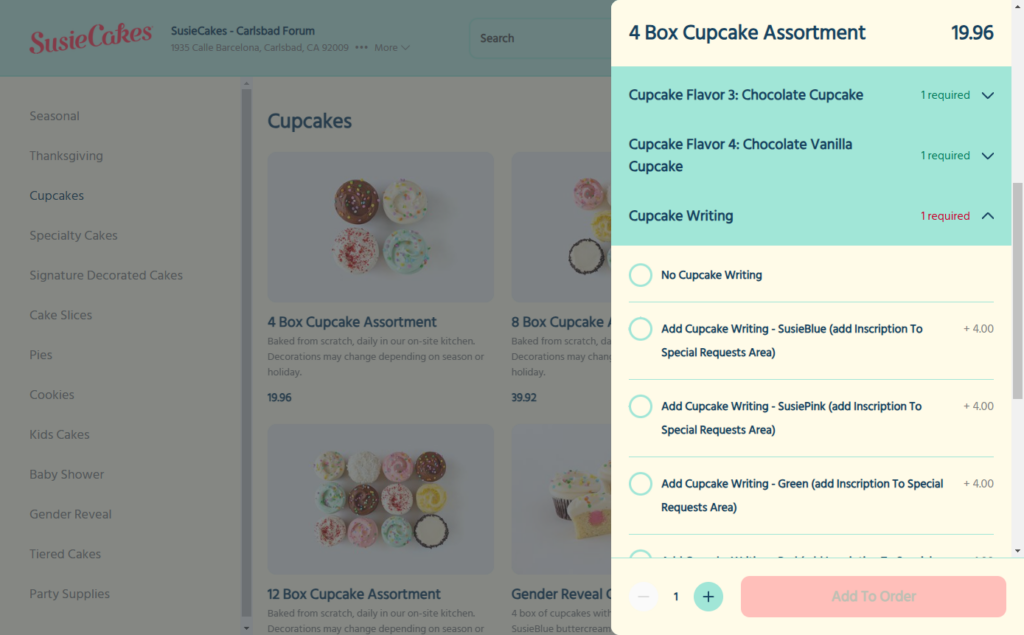
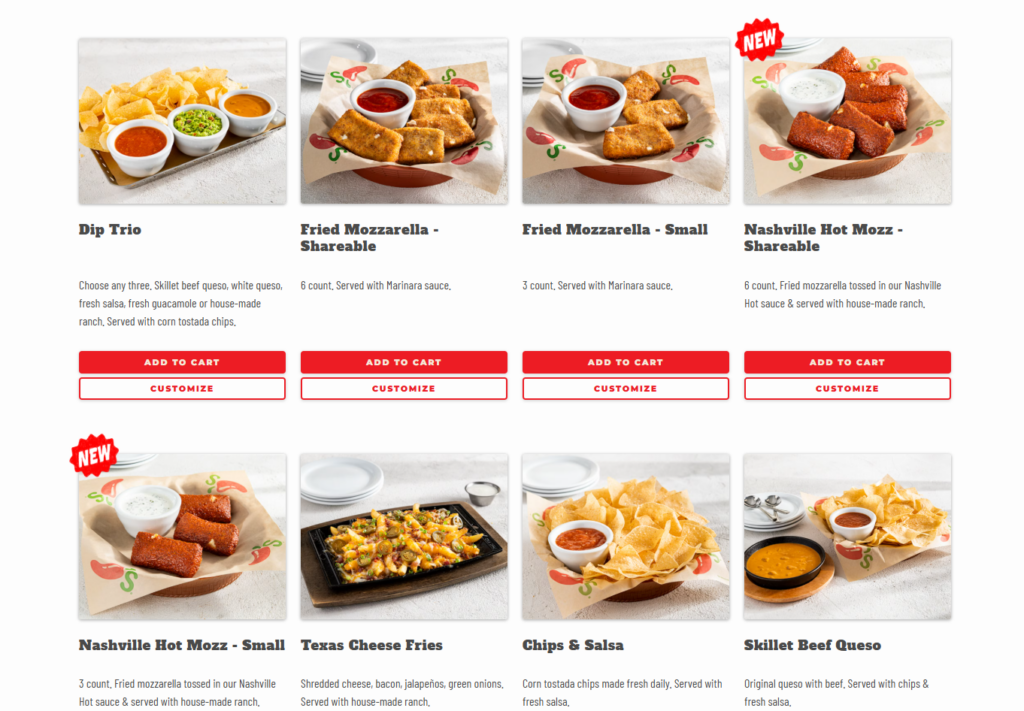
The most significant benefit of online ordering is its ability to increase sales for add-ons. Customers love exploring available options. They can see the whole menu and add-ons in front of them. Making it easy for them items to their order, increasing sales.
Extra menu items create bigger orders
A customer ordering a Hawaiian pizza can quickly add extra toppings such as bacon, mushrooms, or pineapple or customize the crust and sauces for a small fee. In this way, a simple order becomes bigger in terms of the total price a customer has to part with.
Direct orders also mean more significant transactions. Studies show that customers who order directly from the restaurant spend 35% more per transaction compared to those using third-party apps.
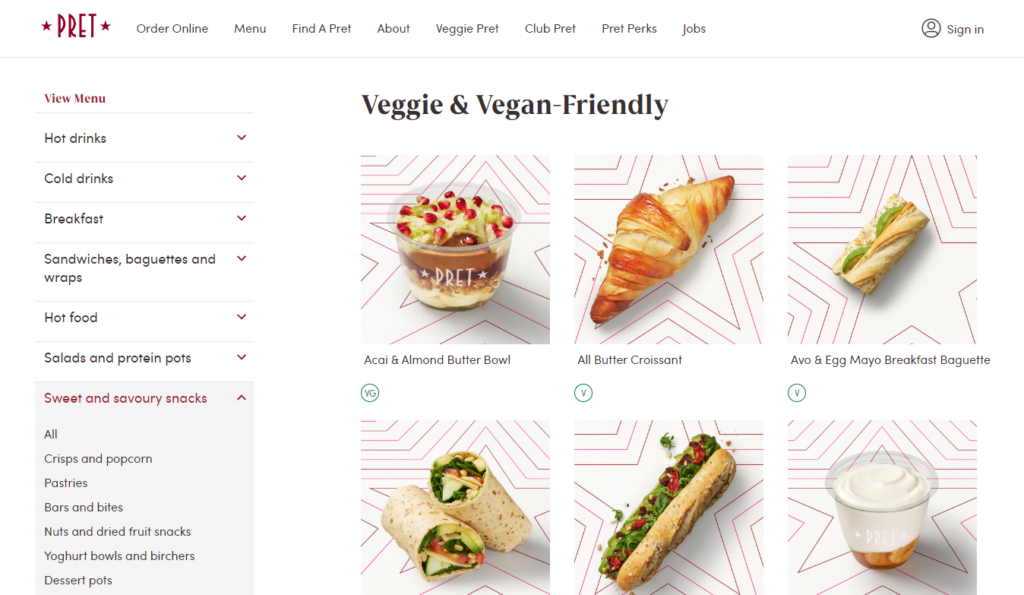
Reach more new people
With online ordering, you’re no longer limited to a physical location. If you offer food delivery and pickup services, you can reach more new customers within your area or far away.
Nearby or far away customers who didn’t know your restaurant can discover it online and quickly place an order via your restaurant website.
You can turn customers who order online into loyal customers
Here’s the best part: customers who place an online order with a restaurant will visit that restaurant 67% more frequently than those who don’t.
So, you have a great opportunity to turn first-time visitors into loyal patrons by creating unforgettable online ordering experiences that lingers long after the meal.
Remember that returning customers are some of your best promoters. They can spread the word to others and help you grow your customer base.
Studies show that 72% of customers will share a positive experience with six or more people.
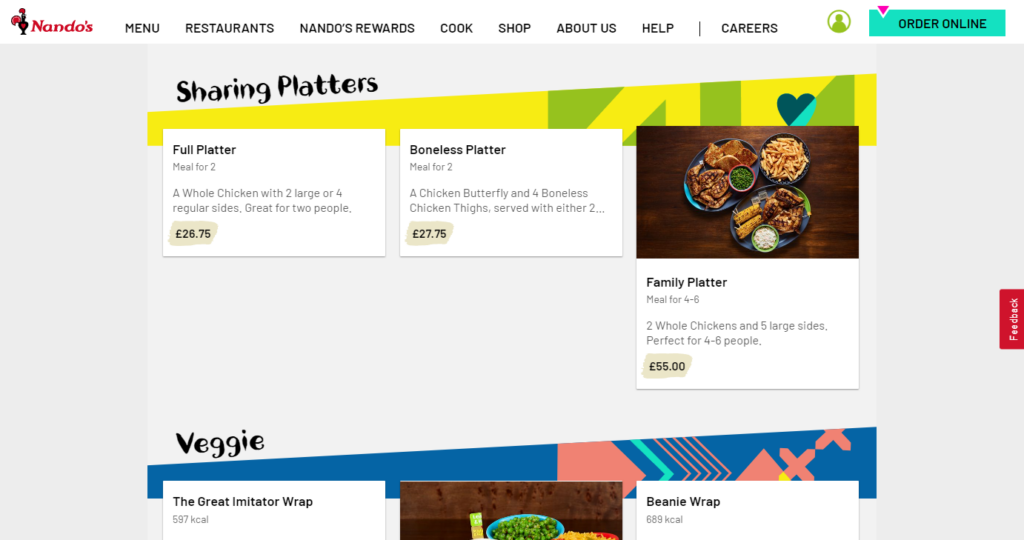
2. Meet customer expectations with online ordering
Customers expect online ordering because it makes their lives easier. They can browse the menu at their own pace. With online ordering, they can customize their meals exactly how they want and place an order using their mobile devices.
Whether they’re at home, at work, or on the go, online ordering makes getting food faster, easier, and more convenient for customers.
70% of customers are ready to pay you directly to order your food.
Online ordering helps you keep up with the competition
Other restaurants in the industry are already providing food delivery services to attract these customers and keep all the profits. If you’re not offering online ordering yet, you risk being left behind. Moreover, you’ll lose those diners to the competition if you can’t meet their expectations.
Attract young diners through online ordering
Not to mention, 67% of millennials and 63% of Gen Zers consider ordering food delivery and takeout from restaurants a regular part of their lives. They love the convenience of online ordering and how it fits perfectly into their busy routines.
That means restaurant owners who provide online ordering can easily attract these young diners as well.
3. Customers can order anytime
An online ordering system is available 24/7. In other words, your restaurant is essentially “open” for orders at any time of day or night.
This added convenience means customers can place orders when it suits them, at any time.
You can also allow customers to pre-order meals outside your regular business hours (if you want to). When you open, you’ll already have a list of orders to start working on and fulfill. Essentially, receiving orders throughout the day keeps you busy and helps boost your overall sales.
Customize with ease
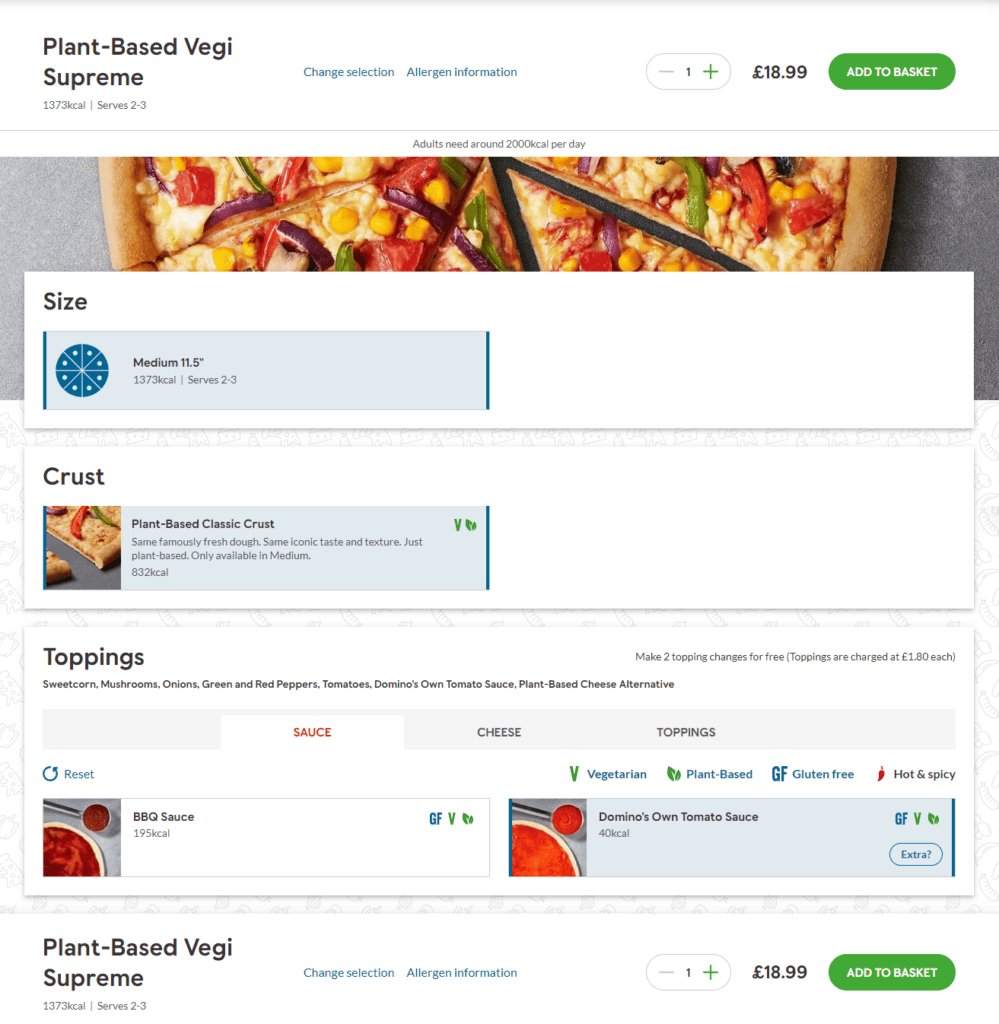
Online ordering platforms allow you to create detailed menus with customization options. These features let customers personalize their orders according to their preferences. For example, they can add or remove ingredients from a pizza, such as extra cheese or no onions.
- Choose side dishes, drinks, or combos to pair with their main order.
- Adjust spice levels, like mild, medium, or extra hot, for a curry.
Many platforms even include a comment box where customers can leave specific instructions for the kitchen, like “sauce on the side” or “no ice in the drink.” This eliminates the awkward back-and-forth that often happens when a customer calls for phone orders.
This level of detail often leads to higher customer satisfaction as they get exactly what they want.
4. Orders are always accurate
Your staff can make mistakes when writing down orders over the phone or in person. They might mishear a customer’s request, forget to note specific instructions or mix up orders during a busy rush.
One of the biggest benefits of online ordering for restaurants is that customers input their order details and preferences directly into the system. The system accurately records this information in the ordering app for the kitchen to see. No order details, including special requests and the customer’s name, are missed.
Ordering systems reduce the risk of miscommunication, helping prevent headaches and classic they-said situations. Customers can also double-check the accuracy of their orders.

It increases your restaurant’s operational efficiency
Automating the ordering process lets your staff focus on other restaurant operations, such as food preparation, packaging, and delivery.
Ordering platforms have built-in notification systems. These systems take the necessary information from an online order right when it’s placed and automatically send it to the people who need to see it so they can get to work cooking, bagging, and sending the food out for delivery or takeout.
Not to mention, your staff will get their time back to dedicate to providing amazing service to dine-in customers. They can also think of ways to extend the same hospitality to the guests at home.

5. Get to know your customers better
Knowing what your customers want is essential in the restaurant industry if you can identify popular dishes online and highlight them on your menu to encourage more purchases.
Direct online ordering can help you capture data for your customer relationship management (CRM).
Some of the customer data you can collect include:
- Order history. Learn what customers like to order, how often they order, their food and drink preferences, etc.
- Customer profiles. Collect names, contact info, and delivery addresses.
- Order timing. Track when customers typically place orders (e.g., time of day, day of the week).
Here’s one way to maximize this data and improve your bottom line.
Run effective marketing campaigns
With such data, you can easily enroll guests into customer loyalty programs that reward them for ordering more frequently. Similarly, you can send emails with special offers, such as a discount on a popular dish or big Tuesday afternoon discounts.
Generally, collecting customer data can help you:
- Create more customized guest experiences online through tailored recommendations.
- Boost your customer loyalty and retention programs.
- Drive more sales and encourage repeat business.
Note: Third-party delivery apps like Grubhub, Doordash, and Uber Eats often withhold this information from you.
6. Upsell without the hard sell
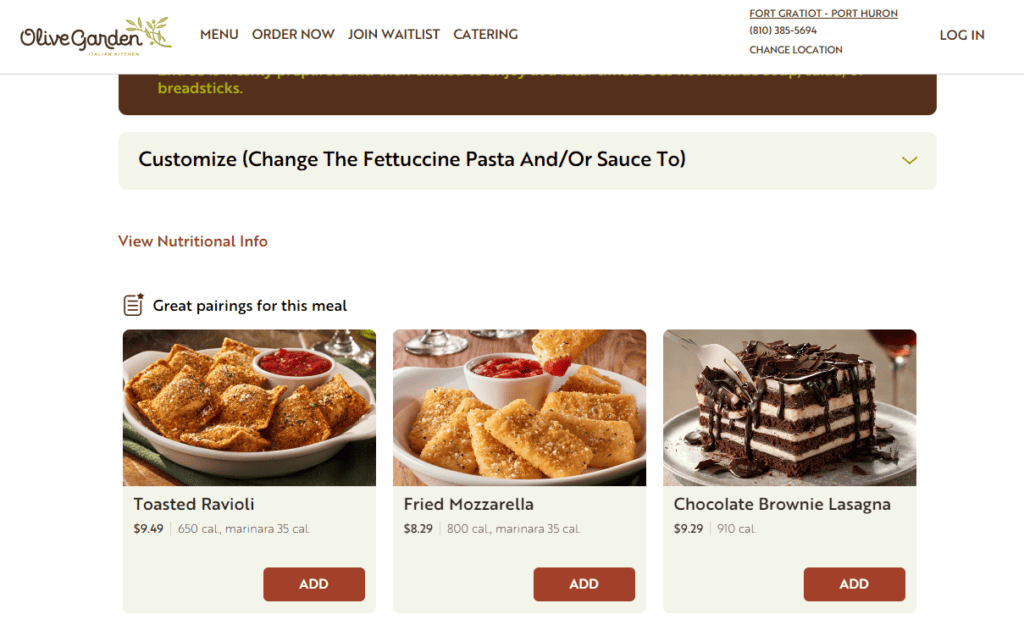
Again, people like options. That’s why when they call to place an order, they’ll ask several questions before finalizing it. Setting up online ordering can help you make upselling to customers feel natural by suggesting add-ons and meal deals during checkout.
For instance, when a customer orders a pizza, a pop-up might suggest adding garlic bread or dipping sauces for a small extra cost. Meal deals like “Buy one entrée, get the second at 50% off” can get customers to order more food.
These subtle suggestions add value to customers in ways they can’t ignore. They are ready to take advantage of those deals and buy.
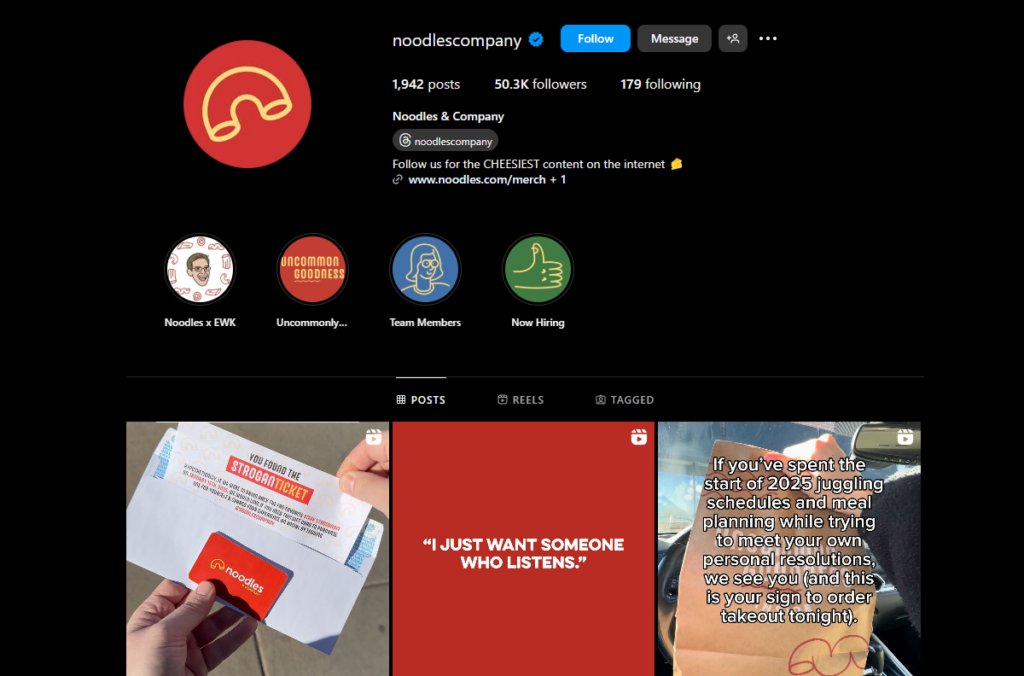
Social media ready
Direct online ordering systems can connect to your social media channels, making it easy for your followers to order directly from your posts or profile.
However, to encourage followers who find you through social media to order from the site next time, add a promotion to your print receipts or menus, offering a 10% discount on their next online order through your ordering system.
This will save both you and your customers money on future orders. It’s a win-win scenario. And you can still use social media marketing tools to get your name out to new customers.

7. Online ordering can fill quiet times
There are hours when business is slow, and it’s easy to see how it can impact your bottom line. But with online ordering, you can turn those quiet periods into an opportunity to boost sales.
Here’s one way to increase order volume during off-peak hours: Offer time-based promotions, like happy hour specials, to draw customers during slow periods, usually in the late afternoon or early evening.
For example, you can offer discounts on drinks such as cocktails, beer, or wine and reduced prices on appetizers or other menu items to attract orders from the after-work crowd.
When regulars get wind of these promotions, they’re more likely to order such dishes.
After hour orders
The same goes for after-business hours to encourage orders. You can offer special early bird discounts for customers who dine during these hours, typically before the dinner rush. For instance, you can enjoy a 20% discount on all main course selections if you order before 6 p.m.
However, for these promotions to work effectively, you must promote them on your restaurant’s website and online menu.
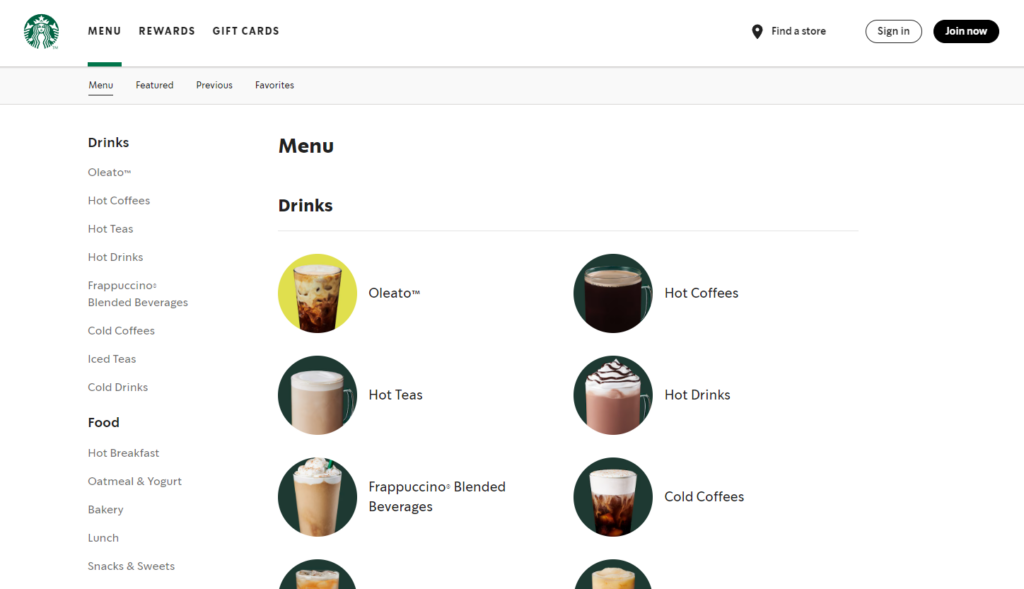
8. Stand out from competitors
Online ordering systems are fully customizable so that you can stand out. You can create unique menu designs that reflect your brand and appeal directly to your customers.
For example, you can use eye-catching icons or colors or throw in high-quality food photos that make menu items irresistible. Menus that stand out are more straightforward for customers to notice and order what they want.
Once the menu design is solid, you can add promotions to entice customers to try exclusive items or new bundles. Offering limited-time deals or discounts online gives customers a reason to check out your menu.
Check out this guide for 10 irresistible restaurant menu ideas to create menu designs customers can’t resist
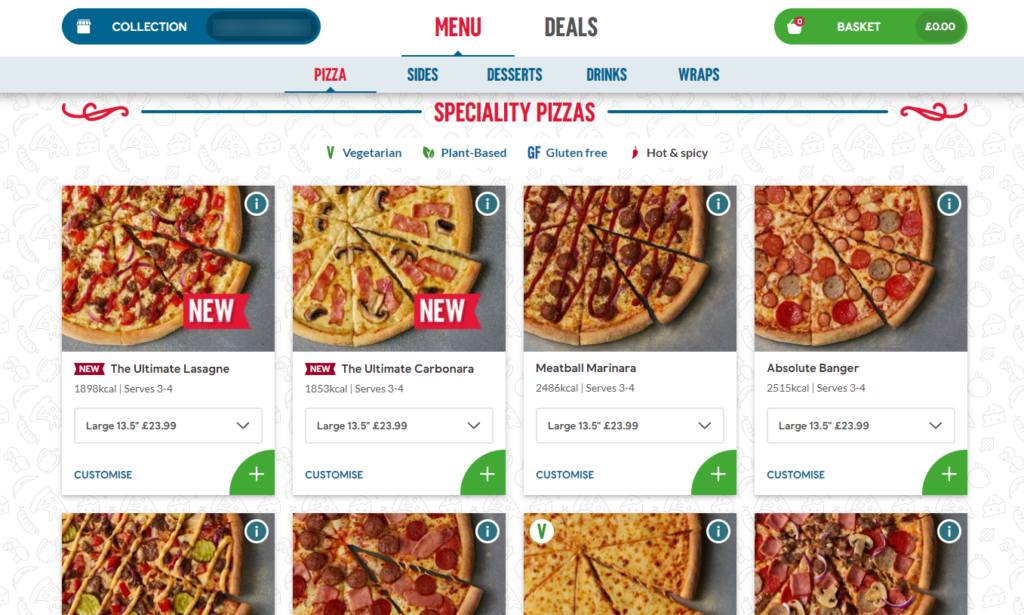
Customer experience matters
Another benefit of online ordering is how easy the system is for customers to use. They should be able to easily browse the menu, customize their orders, and quickly check out without hassle.
This convenience makes the whole process smooth and enjoyable for the customer. And when the ordering platform works well, customers are more likely to prefer it over competitors with clunky systems.
Letting customers monitor the status of their order from preparation to delivery improves their experience.
89% of customers who have a great experience will make another purchase from the restaurant.
9. Online ordering adapts to dietary trends
Online ordering systems are designed to accommodate specific dietary needs and preferences. For example, you can create online menus that inform dietary-conscious customers about exactly what’s in their food.
For example, you can use dietary labels on your menus that:
- Show allergens in a dish for customers with allergies, intolerances, or medical conditions.
- Indicate personal or religious preferences like kosher or halal.
- Highlight other dietary trends like plant-based diets, keto diets, etc.
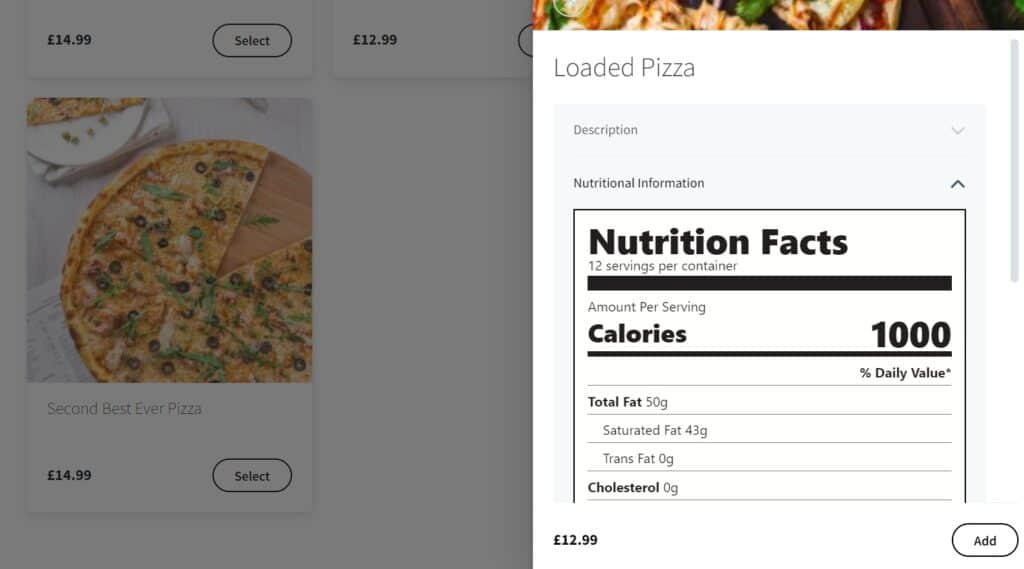
Highlight ingredients
Write detailed menu descriptions that provide more information than labels. For example, you can list all the ingredients used in a dish, the spices, and the cooking methods.
Similarly, you can add nutritional information, such as calorie counts, carbohydrates, proteins, and fat content. This information can benefit customers with specific health concerns.
For example, customers with concerns such as high blood pressure, diabetes, or heart conditions need to track their sodium, sugar, and fat intake, as well as those who follow trends like healthy living and fitness.
10. Online ordering keeps sales flowing, no matter what
Online ordering keeps your sales going during bad weather or unexpected closures.
The COVID-19 pandemic is a good example. During the pandemic, online ordering took the spotlight. During lockdowns, restaurants that offered food delivery services, like Domino’s, reported higher sales.
Similarly, bad weather conditions, such as snow, heavy rains, or excessive heat, increase demand for food deliveries.
A survey reports that 49% of their respondents said they’re more likely to order delivery during bad weather. Another 56% said they would prefer to preschedule food deliveries just before a storm hits.
Customers can stay safe and comfortable in their homes and still order food from your restaurant.
Online ordering easily adapts to market changes
Online ordering systems are also flexible. They can easily be updated to reflect changes in customer preferences, shifts in dining habits, or unexpected market demands.
For example, you can add or remove items, change menu descriptions, update pricing/discounts, and highlight new offerings on the online menu in real-time.
This allows you to:
- Respond to seasonal changes where you can offer seasonal deals.
- Incorporate new trends like dietary trends.
- Test new items. Introduce limited-time offers or test new menu items to gauge customer interest.
You can stay competitive with online ordering
Essentially, online ordering helps businesses stay flexible and competitive in a constantly changing market.
In addition, the customer data ordering systems provide on their behavior, order patterns, etc. This data can inform menu development, marketing strategies, and overall business decisions.
That being said, let’s find an ordering system that will provide you with all the benefits of online ordering for restaurants (and much more).

The online ordering system to help you get it done
So, if you’re convinced of the benefits of online ordering for restaurants, the tool you need for the job is Orderable.
What is Orderable?
Orderable is a WordPress plugin that adds a direct online ordering system to your restaurant website.
This ordering system has everything you need to receive, manage, and fulfill restaurant orders effectively.
Orderable is built with your customers in mind. Its mobile app-like design makes it easy for customers to order with their smartphones and checkout quickly. You can also create attractive and transparent online menus with high-quality photos, clear descriptions, pricing, and more.
These menus allow diners to customize meals, add special requests, or select dietary preferences to get exactly what they want.
Get Your Restaurant Business Online With Orderable
Orderable is a user-friendly WordPress plugin that adds online ordering to your restaurant website.
Add your dishes, create your online ordering menu, customize your delivery schedule, and manage orders with ease.
The features and benefits of Orderable
The following are things you can do with Orderable:
Create online menus for customers
Orderable lets you create user-friendly menus that are easy to browse using product cards and menu layouts. Each card shows your product name, image, description, price, buy button, etc.
The menu layout is simple and fully customizable, with colors, fonts, and information that caters to your customer preferences.

For example, you can add:
- Dietary labels to indicate allergens or preferences such as vegan, kosher, halal, etc. These labels can also be promotional, highlighting discounts, best-selling dishes, or chef’s specials, for example.
- A table of nutritional information to your menus by filling in some easy-to-use fields.
You can also add links to detailed menu descriptions, allergen information, etc.
Easy order customization
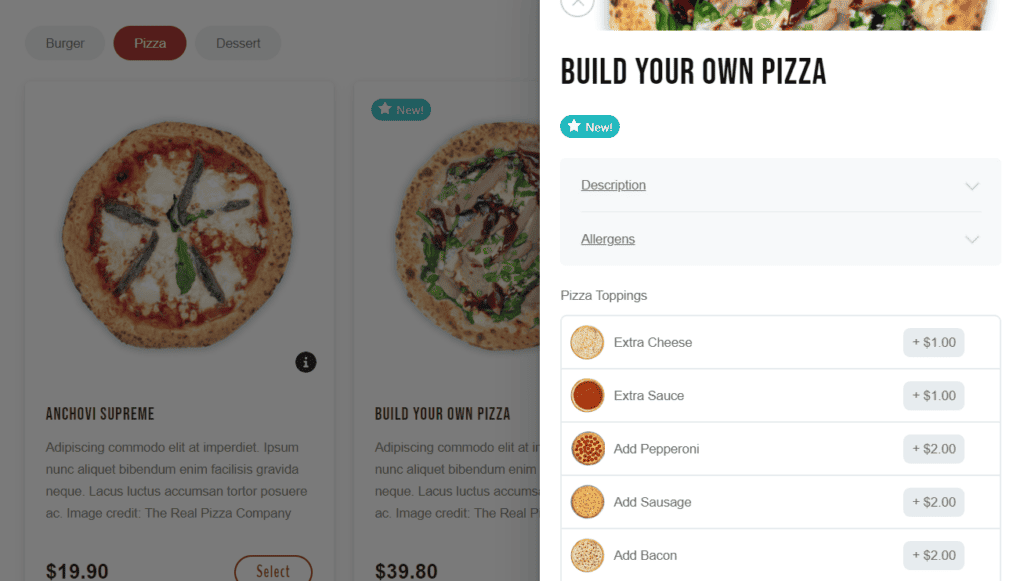
Customers can also customize their orders. After they pick an order, they can add extra toppings, sides, condiments, etc., to modify it to their liking. Each additional item costs a fee. Customers can also remove additional items if they change their minds.
Flexible delivery and pickup scheduling
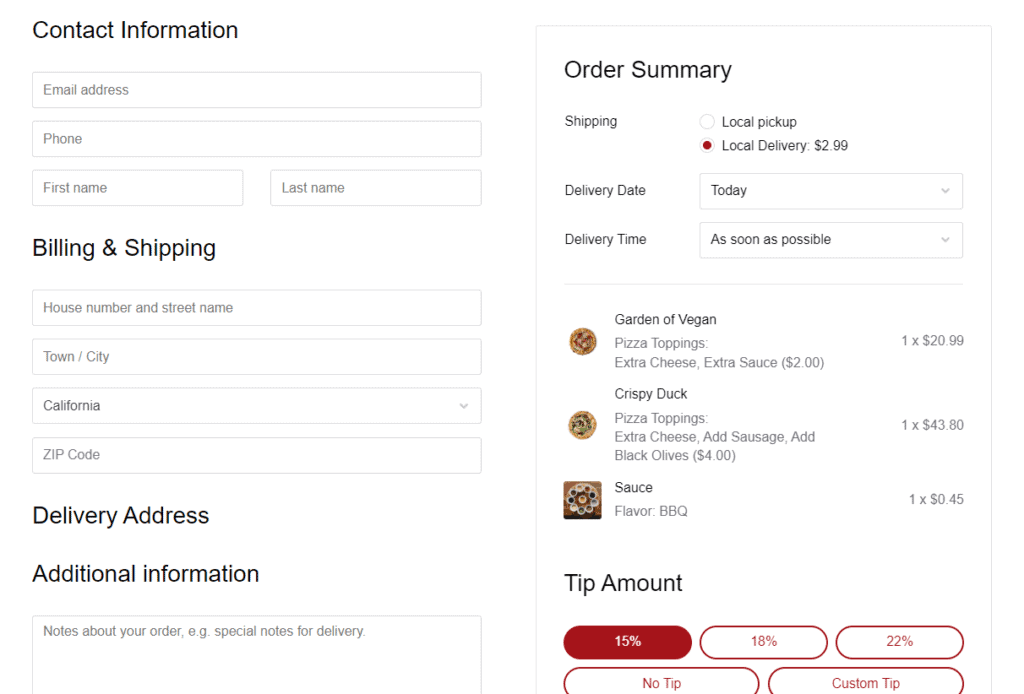
With Orderable, you can create timeslots and add the maximum number of orders you can comfortably fulfill for each time slot. Timeslots are date pickers or a delivery calendar found at checkout. Customers can easily pick a date and time when they proceed to checkout.
You can also offer other delivery options, such as ASAP deliveries, and charge more to customers who choose this option.

Accurate order management
Orderable has a live order view system where your staff can view and manage orders in real-time. This screen captures accurate order details, including order number, date, status, customer name, address, total price, type of service, due date/time, special requests/preferences and instructions, and more.
Your staff will not miss any order details and will prepare orders according to the customer’s instructions.
- You’ll receive instant alerts for new orders coming in.
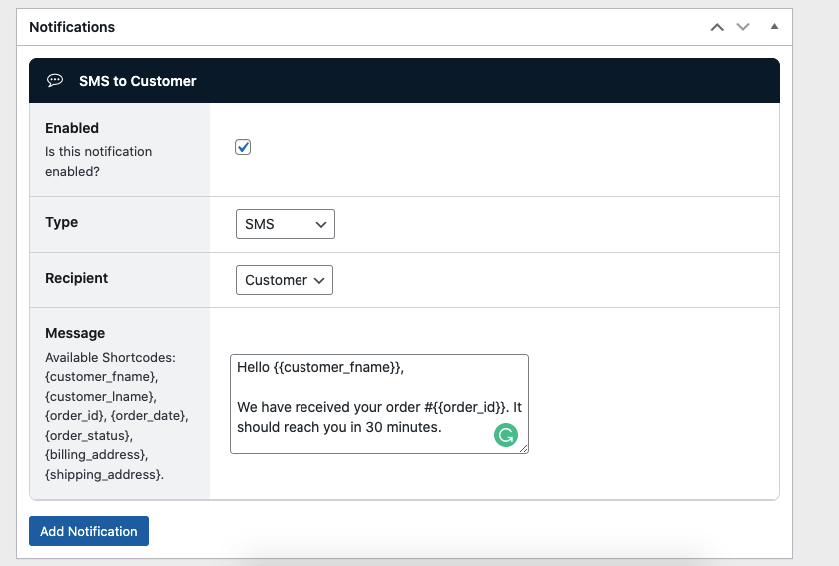
- At the same time, you can send real-time order notifications to update customers on their order progress. You can send order updates through SMS, WhatsApp, or emails.
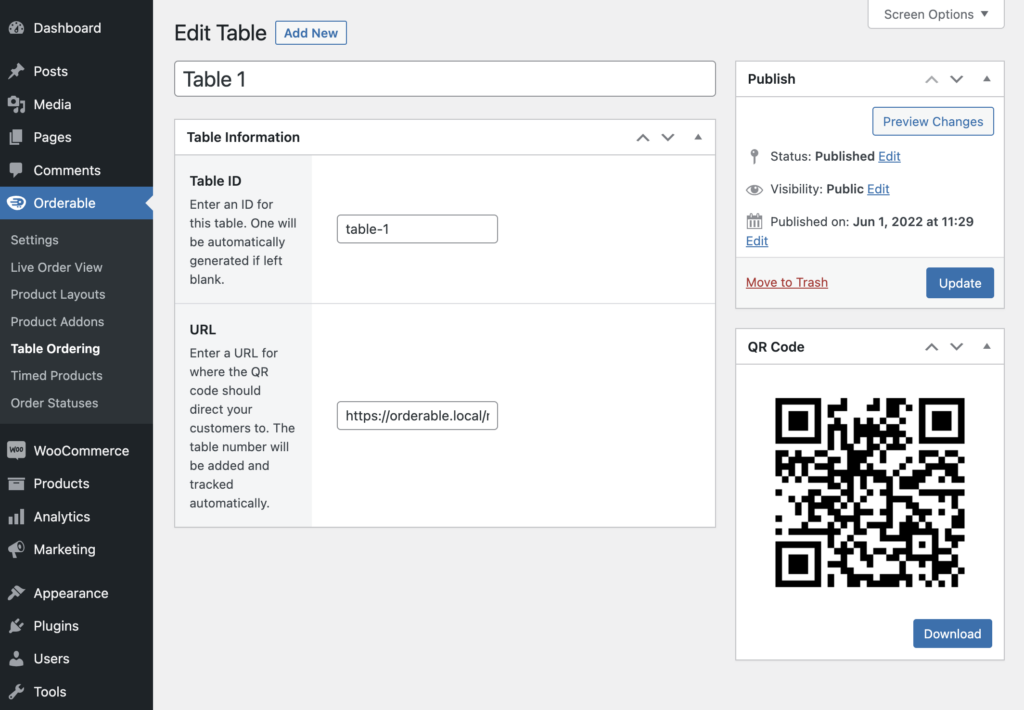
Easily set up QR code table ordering
For restaurants that have a physical location, you can create printable QR codes and add them to your tables. When customers scan these QR codes using their smartphones or tablets, they’ll see your online menu and order. Each order is accurately assigned to a customer’s table so your servers won’t serve the wrong order.
Mobile ordering accounts for 60% of all digital restaurant orders today, and more than half of restaurant customers prefer to order from their mobile devices.
Not to mention, QR codes are important for a contactless ordering experience within your establishment.
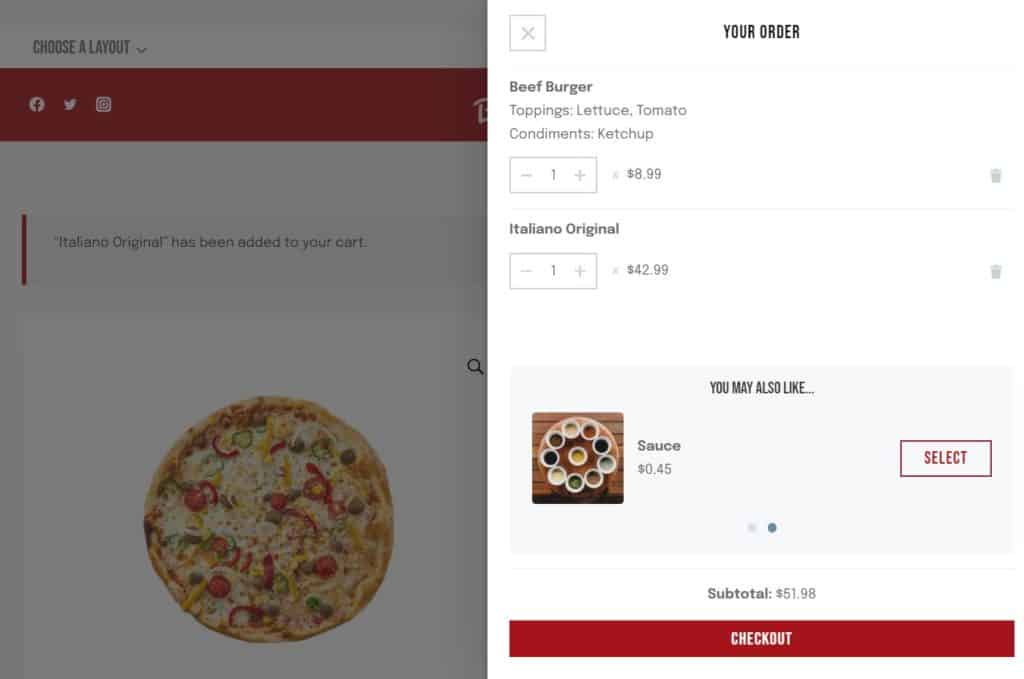
Boost sales with cross-selling and tips
This plugin provides the following sales-boosting features to help you increase revenue:
- Checkout tipping. Add tip prompts at the checkout and increase your average order value. Customize default tip amounts or offer a custom tip as determined by the customer.
- Cross-sell with order bumps. This feature encourages customers to buy by suggesting additional items, such as desserts or sauces, using a floating cart widget.
- Product add-ons. Offer add-ons such as toppings, sauces, and customization with Orderable Pro. Charge additional fees should you wish to.
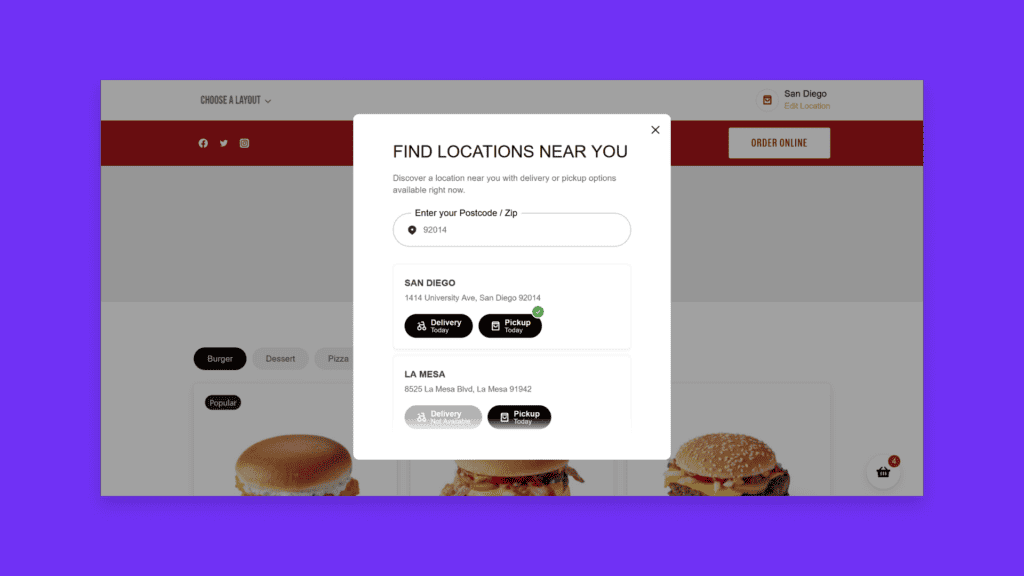
Other important Orderable features
You can achieve a lot with Orderable through the following features:
- It works with WooCommerce. Because of this, you can process payments, handle inventory management, track sales, calculate taxes, collect customer data, offer coupons, etc.
- Orderable supports multiple restaurant locations. You can add multiple restaurant locations and manage all orders from a single system. In this way, customers can order food from the closest location.
- Zero commission fees. With Orderable, you keep 100% of your profits without third-party commission charges.
Understand the benefits of online ordering for restaurants today
Ultimately, online ordering is here to stay because of its adaptability. It can meet the evolving needs of customers who demand convenience, speed, and personalization when they order food online.
For restaurants, adaptability streamlines operations boosts sales and provides valuable customer data. This adaptability can ensure that your business continues to thrive in changing market conditions and unexpected challenges.
If you’re ready to enjoy the full benefits of online ordering for restaurants, Orderable is the perfect tool to make it happen. It’s easy to use, works with WooCommerce, and provides the tools to design menus, manage orders, and accept payments.
Start using Orderable today to grow your restaurant and meet your customers’ needs.
Get Your Restaurant Business Online With Orderable
Orderable is a user-friendly WordPress plugin that adds online ordering to your restaurant website.
Add your dishes, create your online ordering menu, customize your delivery schedule, and manage orders with ease.
Gina Lucia is our in-house Content Manager at Orderable. She writes articles, user guides, technical documentation, and creates videos on everything WooCommerce and Orderable.
Gina has been working in the WordPress/WooCommerce space since 2012 when she developed WordPress websites for clients large and small.
For the past 8 years, she’s been writing about everything WordPress and WooCommerce, becoming an expert in what makes a WooCommerce store succeed.
When not writing, Gina loves to tend to her vegetable garden, read, or travel to mainland Europe.
Don’t miss out on the latest Orderable news!
Sign up for our newsletter to receive the latest news from the blog, you’ll get pinged every week with a digest of the latest updates.
[fluentform id=”6″]

Related Articles

How to Reduce Restaurant Food Waste in 2026

6 Restaurant Revenue Streams to Utilize in 2026
How to Send WooCommerce SMS Notifications
Get Your Restaurant Online With Orderable
The WooCommerce plugin designed to help restaurants take orders online – with no added fees!
View Pricing

