

How to Start a Virtual Restaurant From Home

How to Start a Virtual Restaurant From Home

Gina Lucia


If you want to understand what a virtual restaurant is and how to start a virtual restaurant from home, this is the guide for you.
In this guide, we’ll show you how to turn your home base into a virtual restaurant. One where customers can order from you via your website, and you can deliver with ease.
We’ll walk you through the following:
- What is a virtual restaurant?
- What does a home virtual restaurant look like?
- The benefits of starting a virtual kitchen from home.
- How to start a virtual restaurant from home.
Let’s hit the ground running with what a virtual kitchen is.
Get Your Restaurant Business Online With Orderable
Orderable is a user-friendly WordPress plugin that adds online ordering to your restaurant website.
Add your dishes, create your online ordering menu, customize your delivery schedule, and manage orders with ease.


What is a virtual kitchen/virtual restaurant?
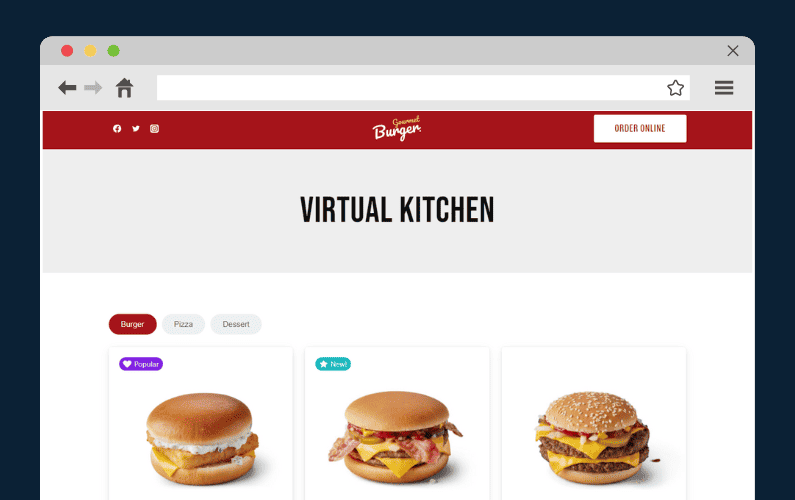
A virtual kitchen, or a virtual restaurant, is a food business that only exists digitally to serve customers who order food online for takeout or delivery.
This means it doesn’t have a physical premise, storefront, or dining room where customers can dine.
Virtual restaurants, sometimes called ghost kitchens, dark kitchens, or cloud kitchens, prepare food in commercial kitchen spaces but lack a traditional restaurant setting.
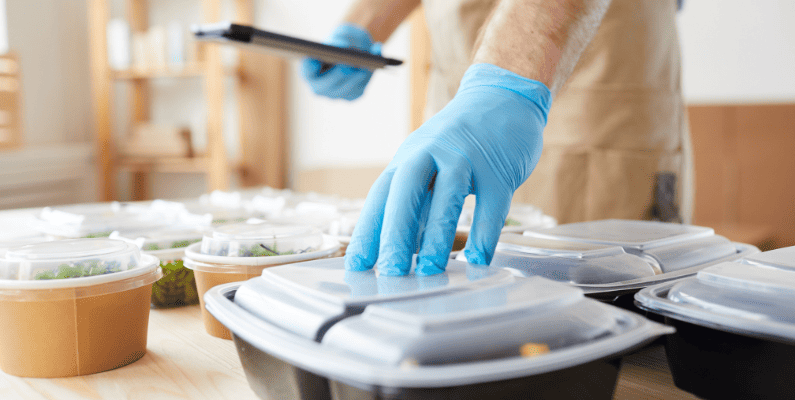
A virtual kitchen’s business model is built around its online menu, ordering platform, and partnerships with delivery platforms. This virtual restaurant concept became popular during the COVID-19 pandemic when food delivery app services rose in popularity.
Since then, this business model hasn’t slowed down due to a steady increase in demand. Currently, 60% of Americans order food deliveries or takeout at least once per week, according to Nation’s Restaurant News.
One of the standout advantages of a virtual restaurant is its flexibility. You can start a delivery-only restaurant in virtually any physical location. For instance, you can start your virtual brand right from your residence and offer delivery-only food service to nearby customers.
What does a home virtual restaurant look like?
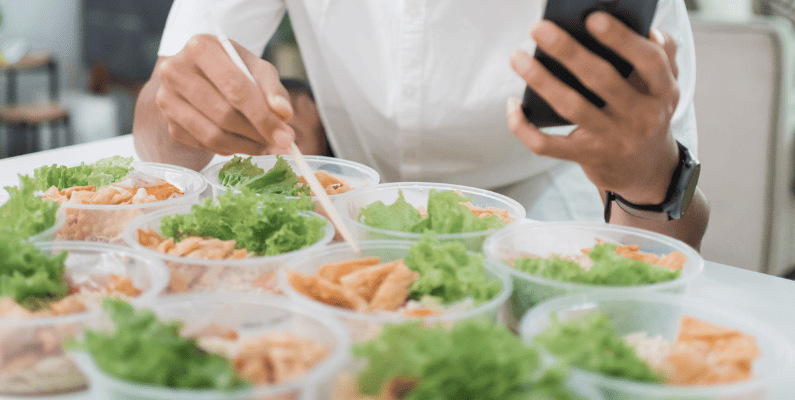
A home virtual restaurant operates within your own home. All food preparations, packaging, order deliveries, and takeout services are handled here.
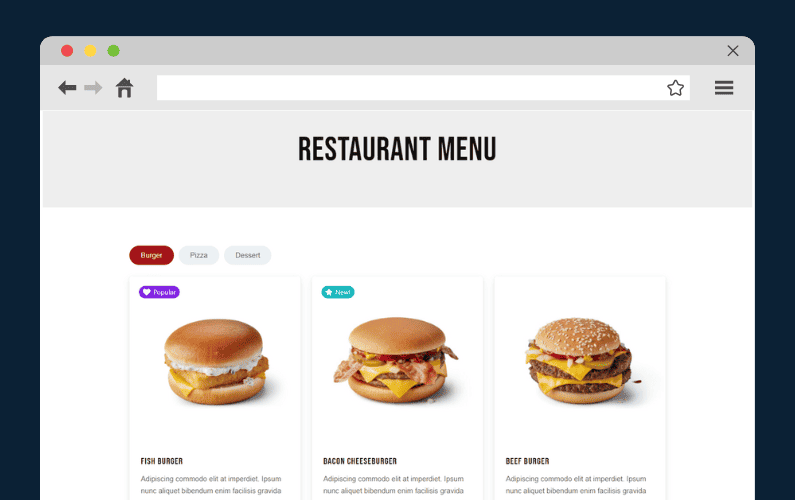
For all this to work, you need a restaurant website where you can showcase your food items in an online menu. Customers can order through this website or delivery apps like Uber Eats, Grubhub, or Doordash for doorstep deliveries.
To be practical and successful, a home virtual restaurant will have various requirements depending on the types of food you want to prepare.
For instance, a talented baker requires a well-equipped home kitchen, a designated space for cake decoration, and a professional-grade oven.
If you make barbecue, you can use your backyard smoker and prep station to cook authentic BBQ.

A home virtual kitchen differs from commercial setups in several ways
- Kitchen space and equipment. A home kitchen is usually smaller with limited specialized equipment than a traditional restaurant. Traditional restaurants tend to have a dedicated, spacious kitchen area with professional-grade equipment designed for high-volume cooking.
- Dining space. A home virtual kitchen lacks a physical dining space. Instead, the website you use is similar to what a storefront and dining room is in a commercial restaurant.
- Staffing. A single individual can typically do the job in a startup virtual kitchen. However, as your customer base grows, you’ll often need a small team to help with home operations.
- The menu size. Unlike commercial restaurants, which offer more diverse menus to cater to a wide range of customers, your online menu will be limited. It will be based on food concepts based on your favorite dishes and what you can prepare.
- Regulations and compliance. Your home kitchen must adhere to local health department regulations and food safety standards, which may vary by location. Commercial kitchens are usually subject to rigorous health and safety inspections and must comply with commercial kitchen regulations.
Starting your own home virtual restaurant has several benefits. Let’s have a look.
The benefits of starting a virtual kitchen from home
If you’re wondering how to start a virtual restaurant from home, here are some benefits.
Lower operating costs
Starting a home virtual restaurant comes with significant cost benefits. You’ll only need a small kitchen staff and delivery personnel, which is budget-friendly.
Since you’re operating from your home, you won’t have the added expenses of renting a commercial space, paying extra utility bills, or managing lease costs. Also, you’ll save on expenditures related to the furnishing, decoration, interior design, and tableware typical in traditional existing restaurants.
You’ll also save substantial labor costs, especially if you have a small kitchen team or are the sole cook.
According to Global Market Insights, virtual kitchens can reduce labor costs by up to 25%, cut rent expenses by 20-40%, and trim marketing costs by 10-20% compared to traditional brick-and-mortar restaurants.
One of the most effective marketing strategies for your virtual kitchen is through social media. Starting an Instagram page to showcase your culinary creations or sharing your menus via WhatsApp groups can be a highly efficient way to reach and engage with potential customers.
Increased efficiency
Aside from the direct overhead cost savings, running a home virtual kitchen is more efficient than running a traditional restaurant. You only need to focus on making high-quality, delicious dishes that travel well and minimizing your turnaround time.
One way to achieve this is to use your kitchen resources efficiently. Since you will save money on rent and staff, you can invest more in high-quality kitchen equipment that speeds up your production time.
You will have enough time to create a concise online menu for your new virtual restaurant. Implementing an effective online food ordering system will ensure that your customers place and receive their orders in a timely manner.
This is highly beneficial because 38% of customers expect to receive their food within 30 minutes after ordering. If you can do this, you’ll have enough time to take a breather between orders.
Lower risk and adaptability
The initial upfront costs required to open a virtual restaurant are significantly lower than those of a traditional dine-in restaurant. This affordability makes virtual kitchens an attractive and financially feasible choice for many restaurateurs.
Additionally, the adaptability of virtual kitchens is another significant advantage. If your customers don’t like a particular food menu item, you can swiftly adjust your offerings and provide something more in line with their preferences.
This adaptability allows you to respond effectively to your market’s ever-changing demands, enhancing your chances of success.

Faster setup
Launching a new restaurant is time-consuming, often taking entrepreneurs months or even years to get it up and running.
It involves securing a premise, obtaining licenses and permits, hiring (or training) staff, establishing supplier relationships, and designing an inviting restaurant interior, among other tasks.
On the contrary, a virtual kitchen accelerates this setup timeline. It allows you to concentrate on essential elements that should keep your restaurant business up and running quickly.
So now we know all the benefits of setting up a virtual restaurant. In the next section, we’ll show you a step-by-step guide on how to start a virtual kitchen from home.
How to start a virtual kitchen from home
Setting up your virtual restaurant from home requires careful planning and execution. Before starting this venture, key steps demand your full attention.
In this section, we’ll highlight essential steps to start a successful home virtual restaurant operation right from the comfort of your home.
Setting up your virtual restaurant with WordPress and WooCommerce
Step 1: Decide on your business concept and plan
To start a successful virtual restaurant, you must have a clear and unique concept. Determine the type of food you’ll prepare and who you want to serve (your target audience). Your concept should reflect market demand and set your restaurant apart from competitors.
Next, create a detailed business plan that outlines everything there is to know about your restaurant.
This should cover:
- Market research. Investigate what other food businesses in your area are doing and identify gaps or opportunities.
- Menu development. List the food items you’ll offer and consider unique or signature dishes that align with your brand.
- Marketing strategies. Plan how you’ll reach new customers, including social media, influencer partnerships, and promotions.
- Financial planning. Calculate how much you need to invest and outline projected costs and revenue.
A business plan is essential because it helps determine if your restaurant idea is feasible. It enables you to identify areas requiring financial assistance and a team to help you.
Build a strong brand identity
A strong brand identity is crucial for standing out in the crowded virtual restaurant space. Your brand should go beyond just a name and logo. It should represent your restaurant’s values, style, and the experience you want to create for customers. This includes everything from your menu design and packaging to the tone of voice in your marketing materials.
To strengthen your brand:
- Create a distinct visual identity. Use consistent colors, fonts, and imagery across your website, social media, and promotional materials.
- Develop a compelling brand story. Share what makes your virtual restaurant unique, whether it’s a special cooking technique, locally sourced ingredients, or a specific cultural influence.
- Leverage digital marketing. A strong online presence is essential for a virtual restaurant. Optimize your website for search engines, stay active on social media, and engage with customer feedback to build trust and recognition.
Expand your menu strategically
Creative menu expansion can also enhance your brand and attract new customers. Consider adding limited-time specials, seasonal dishes, or meal bundles that encourage larger orders. Offering unique experiences, such as DIY meal kits or chef-curated tasting menus, can further differentiate your restaurant.
Understanding customer preferences allows you to tailor your branding and marketing efforts. Use customer data and feedback to refine your menu, adjust pricing, and create promotions that resonate with your audience. By aligning your offerings with customer interests, you can strengthen loyalty and keep your brand top of mind.
Step 2: Location, kitchen setup, and packaging
Your virtual kitchen will likely be based in your home, but choosing the right space for food preparation and packaging is crucial. A well-organized kitchen setup ensures efficiency, food safety, and a smooth workflow for fulfilling delivery orders.
Choosing the right kitchen setup
Your kitchen space should be dedicated to food preparation, with enough room for cooking, packaging, and order management.
Options include:
- Home kitchen. A cost-effective option, but you may need to reorganize your space for better efficiency.
- Outdoor kitchen or food truck. If you have space in your backyard or front yard, a food truck or separate cooking area can help separate personal and business use.
- Shared or commercial kitchen. Some virtual restaurant owners rent a shared kitchen to comply with health regulations and expand their production capacity.
Regardless of the setup, maintaining a clean and organized workspace is key. Ensure you comply with local health department regulations and food safety requirements. Obtaining a ServSafe food handler certification can also demonstrate your commitment to proper food handling and hygiene.

The importance of packaging
Packaging plays a critical role in maintaining food quality, presentation, and overall customer satisfaction. Since virtual restaurants rely entirely on delivery, investing in the right packaging ensures that food arrives fresh and intact. Poor packaging can lead to spills, temperature loss, and a disappointing customer experience.
When selecting packaging materials, consider the following:
- Food temperature retention. Insulated packaging helps keep hot foods warm and cold items fresh during transit.
- Leak-proof and secure containers. Sturdy packaging prevents spills and maintains food integrity.
- Sustainability. Eco-friendly packaging options, such as biodegradable or recyclable containers, appeal to environmentally conscious customers.
- Branding opportunities. Custom packaging with your logo and messaging can enhance brand recognition and create a memorable experience.
Labeling each package clearly with order details, reheating instructions, or allergen information can improve customer convenience and satisfaction.
By carefully planning your kitchen setup and packaging strategy, you ensure that your virtual restaurant operates smoothly, complies with regulations, and delivers a top-tier dining experience – even from a distance.
Step 3: Create a website and an online ordering system
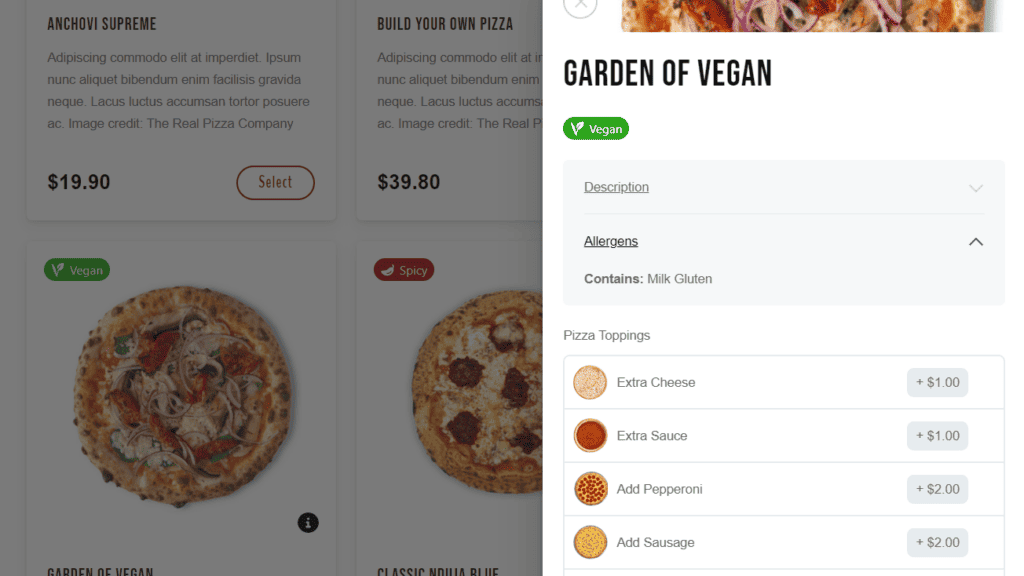
The success of a delivery-only restaurant is directly tied to having a professional website. Without one, it will be impossible for new customers to find you. You won’t be able to showcase your online menu & food prices, provide delivery services, and allow your customers to place their orders.
Studies show that 35% of guest customers discover new restaurants through your restaurant’s website.
If you want to get one up and running quickly on WooCommerce, you will need the help of the WooCommerce plugin Orderable. Orderable is the go-to plugin for setting up an online ordering system for your home virtual kitchen quickly and easily.
What is the Orderable WooCommerce plugin?
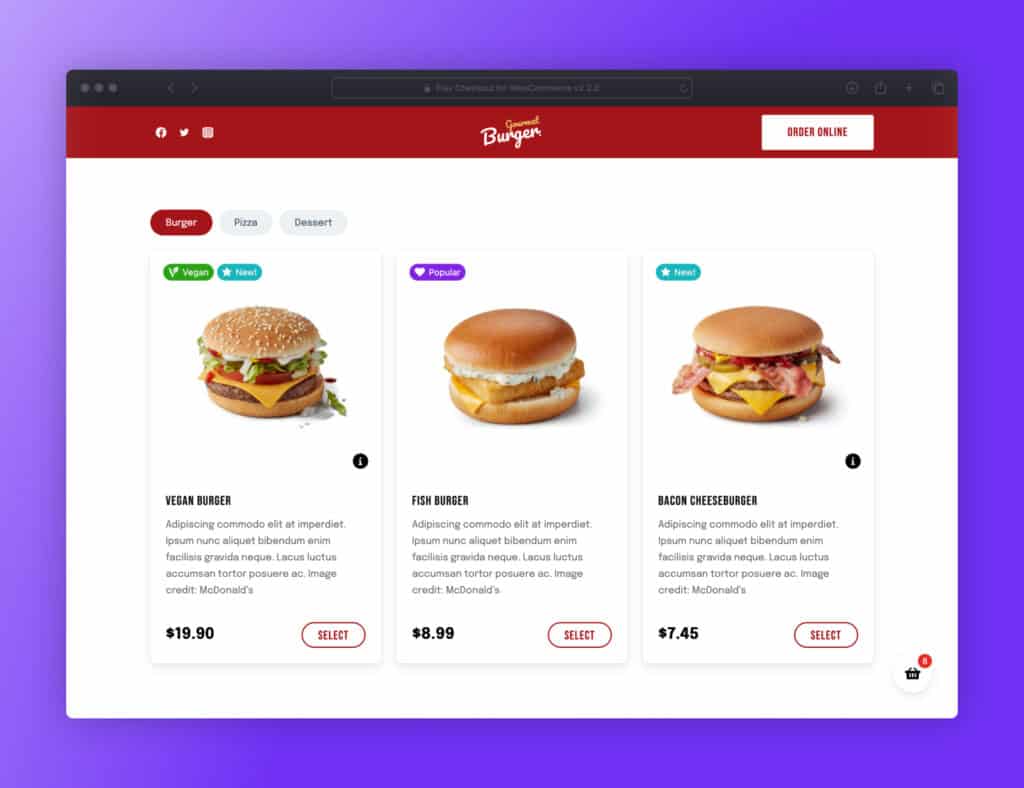
Orderable is a WooCommerce plugin created to help you manage everything in a virtual restaurant efficiently. This WordPress plugin allows you to design good-looking menus and install an online ordering system for your restaurant.
With Orderable, you can provide delivery services to your customers with no additional fee charged. You get to keep all of your hard-earned money in your pocket.
Get Your Restaurant Business Online With Orderable
Orderable is a user-friendly WordPress plugin that adds online ordering to your restaurant website.
Add your dishes, create your online ordering menu, customize your delivery schedule, and manage orders with ease.
Here’s what you can do with Orderable
- Create, customize, and showcase mouth-watering online food menus. Orderable allows you to organize your food items into a modern, menu-style layout. This will allow your customers to pick and choose what they want to add to their order.
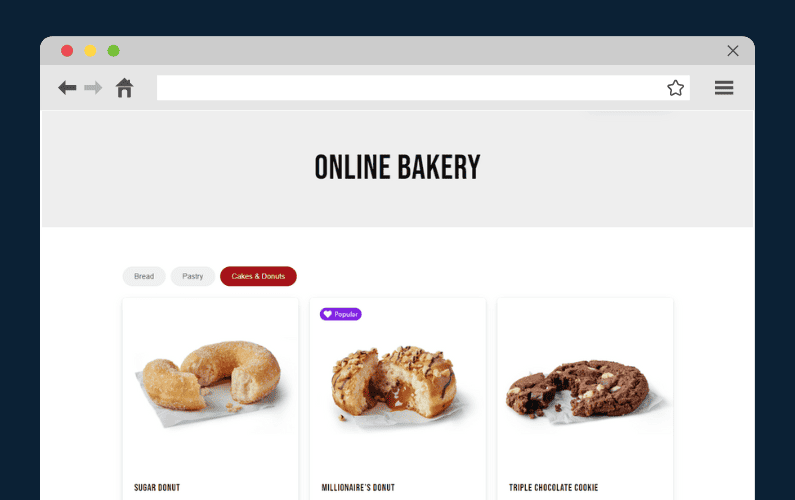
- Manage and organize your orders as they arrive. The Live Order View feature allows you to see who placed an order, at what time, the order status, and when the customer expects their order. This page updates in real-time.
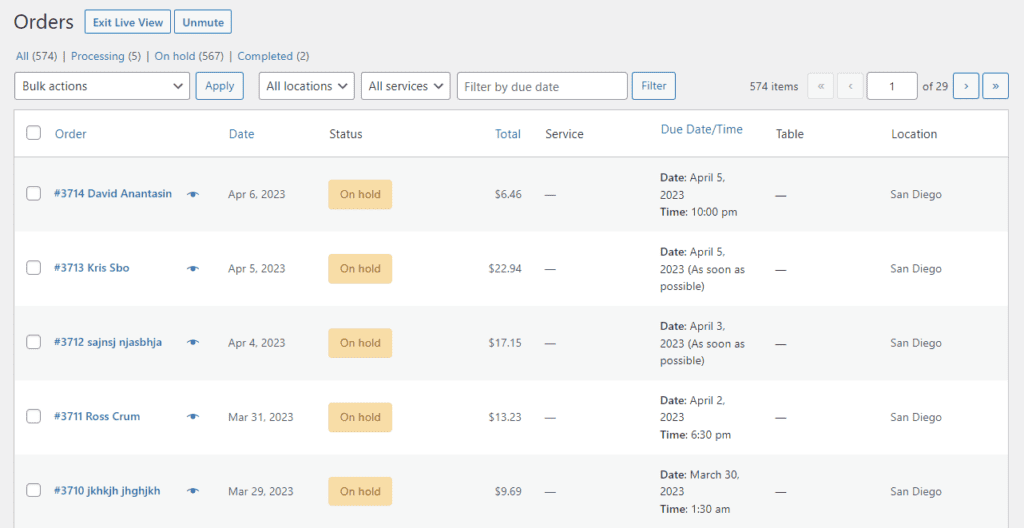
- Set up time slots for order delivery. This feature allows your customers to select a time they expect to receive their order. You can also offer pickups from your home. (However, this is optional.)
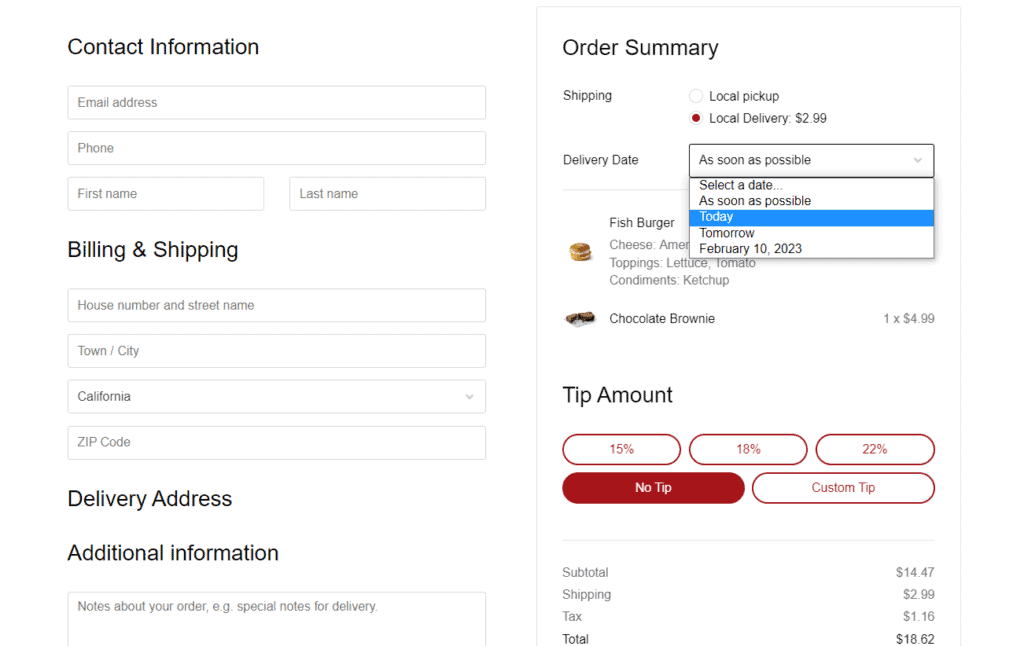
- Set a maximum number of orders per day. This allows you to limit the number of orders you can fulfill each day.
- Create a delivery zone where you’ll offer delivery services to your customers. Customers outside the defined delivery area (geographical location) may need to arrange alternative means to receive their orders. Orderable also lets you charge an additional fee for local deliveries.

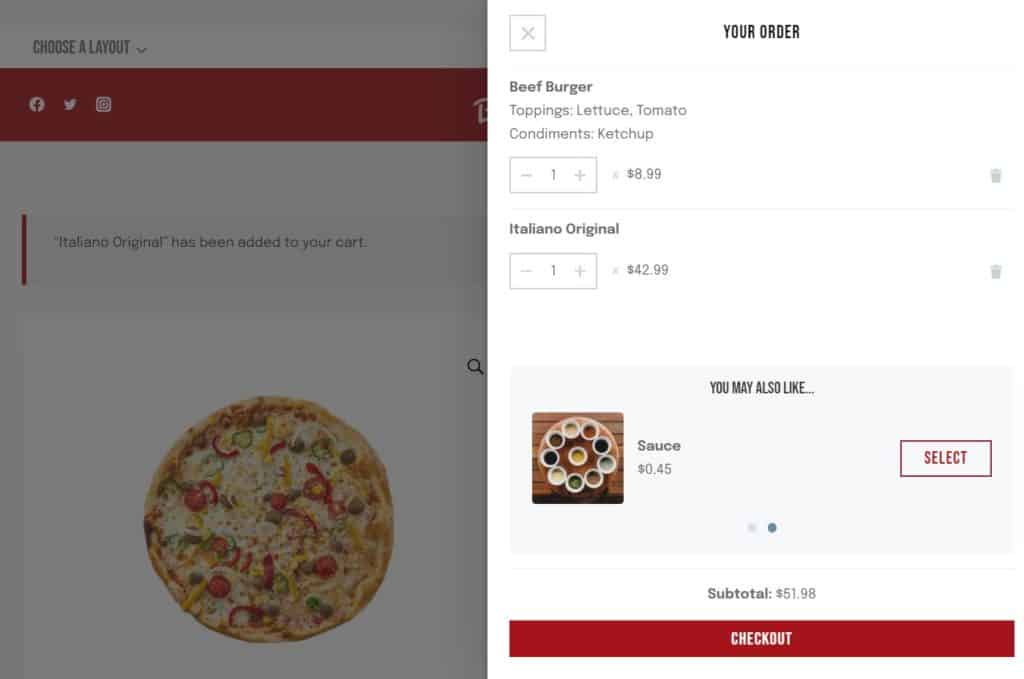
- Upsell via product add-ons and order bumps. You can allow customers to add additional sauces or promote dessert items or sides. This will allow you to increase the average order value (AOV).
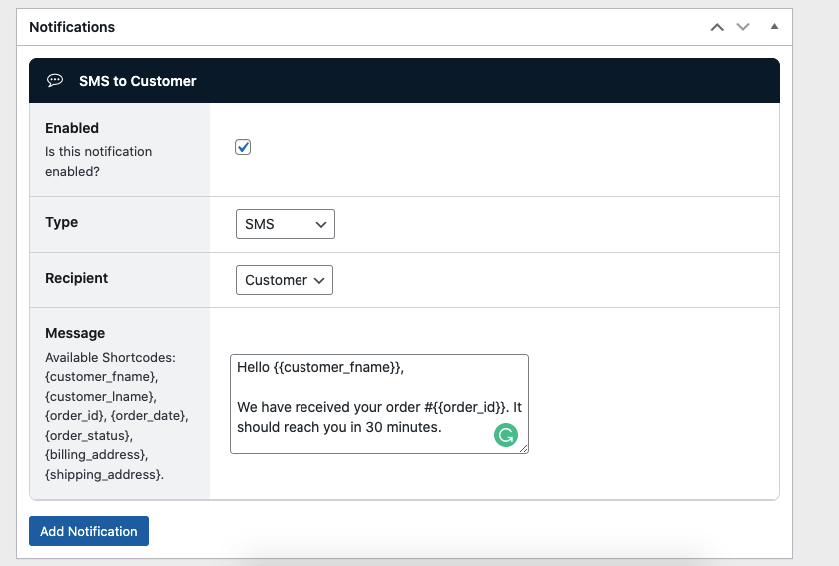
- You can notify your customers about the progress of their order through WhatsApp, SMS (via Twilio), or email. Keeping customers updated will improve their experience with your store and encourage them to buy from it again.
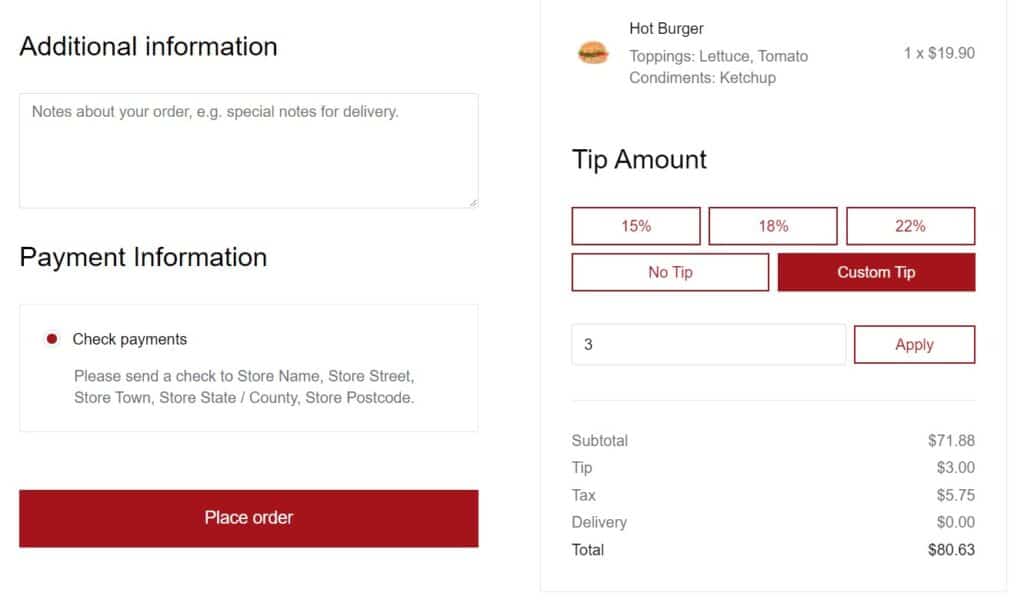
- Boost your store’s revenue by adding tip prompts during checkout. This way, happy customers can leave a tip and boost your profit margins.
- Schedule holidays where you won’t take new orders, make deliveries, or allow local pickups.
On top of this, the Orderable plugin installs WooCommerce for you if you haven’t already done so. Both plugins work together to allow you to manage all online orders, payments, and product inventory efficiently.
Orderable makes this setup easy, and in just a few clicks, an online ordering system for your home virtual kitchen will be ready.
Step 4: Designing your online menu
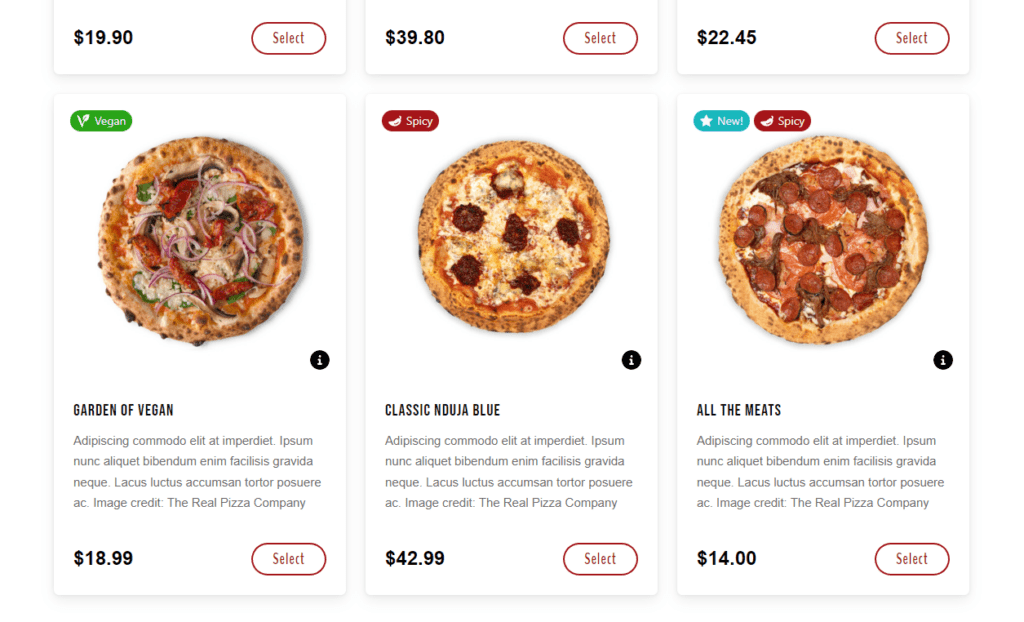
The success of your virtual kitchen largely depends on your menu. For this, you should use high-quality food images that will easily grab your customers’ attention and cause them to buy.
Orderable makes this effortless. To do so, you create a menu layout and add food products.
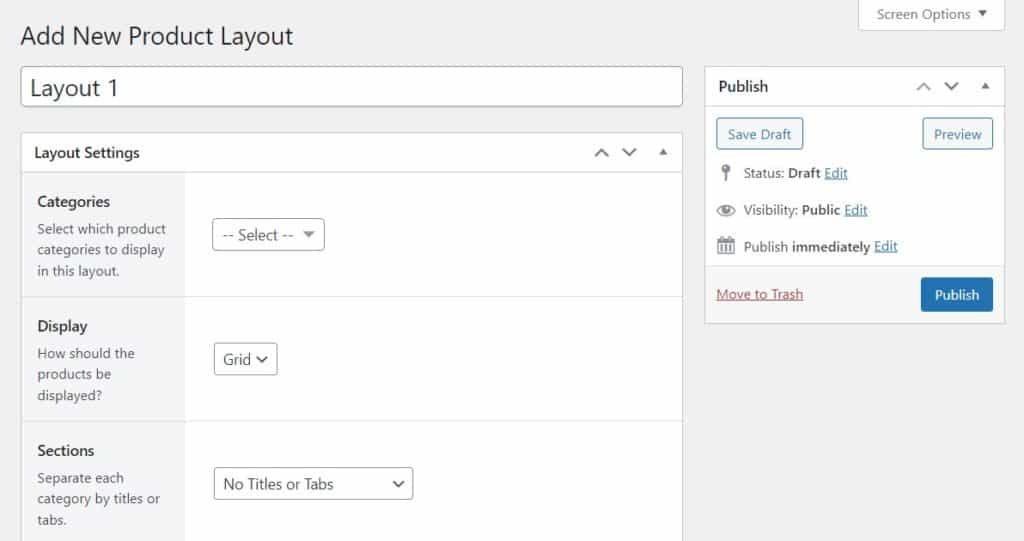
Orderable allows you to create flexible menu layouts for your products quickly to get your virtual restaurants up in no time. Its timed products feature lets you choose when certain products appear on your restaurant website. This is perfect for creating lunch or dinner menus.
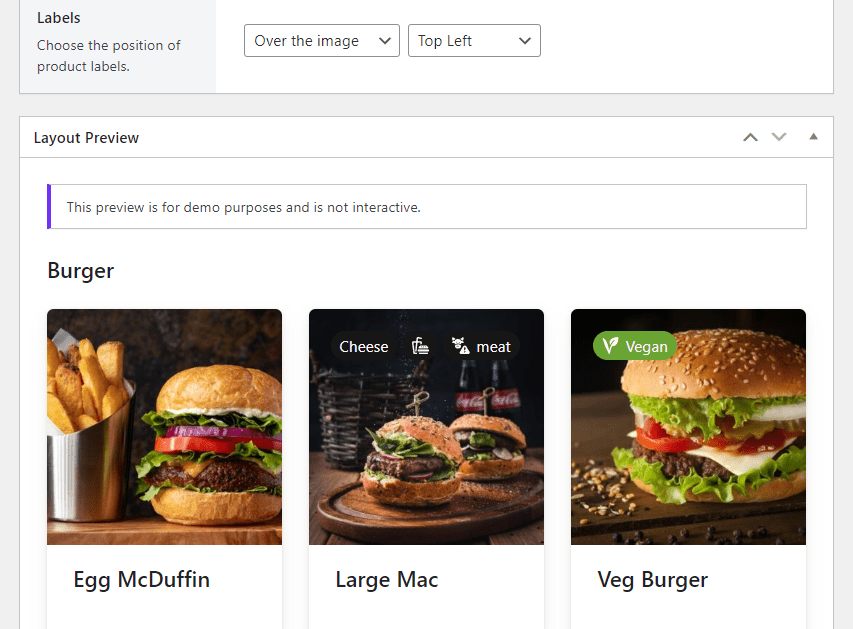
You can add nutritional information about your food products, show allergen info (if any), and other product labels. The best part is you can update your online menu in real-time.
Always consider adding dishes that travel well to your online menu. The last thing you want is your food to arrive soggy, cold, or unappealing due to packaging or travel time issues.
Step 5: Sourcing delivery
There are two options for this step. You can partner with third-party delivery services like Uber Eats, Deliveroo, Grubhub, and Doordash. Alternatively, you can hire dedicated drivers to help you with delivery.
Third-party delivery apps serve a wide customer base; you don’t have to hire drivers. However, these apps charge high commissions for each delivery, which can negatively impact your profit margins.

You’ll have to wait for their drivers to arrive at your kitchen before they can pick up an order and deliver it to your customers. Delivery delays might also negatively affect your customer experience.
We recommend hiring dedicated delivery drivers to help you with the job. The drivers are reliable and can quickly deliver orders to your customers’ doorsteps. Besides, negotiating fair prices with a hired hand is relatively easy.
Step 5: Launch, fulfill, and adjust
With your business plan ready, your kitchen set up, your website running, and the online ordering system in place, you’re set to launch your home virtual kitchen.
When orders start to flow in, you can process and manage them on Orderable’s Live Order View page, marking them as complete upon order fulfillment.
Also, it’s crucial to continuously monitor and adjust your operations based on your performance and customer feedback. This will help you ensure consistent, high-quality customer service and improve where you are underperforming.
Learn how to start a virtual restaurant from home today
Starting a virtual restaurant from home is a cost-effective way to enter the restaurant industry and earn a primary income from your cooking skills. Unlike traditional brick-and-mortar restaurants, this business model requires minimal overhead costs. It’s flexible, adaptable, low-risk, and easy to set up.
With a WooCommerce plugin like Orderable, managing your home-based restaurant’s operations has never been easier. This plugin allows you to add an online ordering system to your virtual restaurant, streamlining your operations effortlessly.
Get Your Restaurant Business Online With Orderable
Orderable is a user-friendly WordPress plugin that adds online ordering to your restaurant website.
Add your dishes, create your online ordering menu, customize your delivery schedule, and manage orders with ease.
Gina Lucia is our in-house Content Manager at Orderable. She writes articles, user guides, technical documentation, and creates videos on everything WooCommerce and Orderable.
Gina has been working in the WordPress/WooCommerce space since 2012 when she developed WordPress websites for clients large and small.
For the past 8 years, she’s been writing about everything WordPress and WooCommerce, becoming an expert in what makes a WooCommerce store succeed.
When not writing, Gina loves to tend to her vegetable garden, read, or travel to mainland Europe.
Don’t miss out on the latest Orderable news!
Sign up for our newsletter to receive the latest news from the blog, you’ll get pinged every week with a digest of the latest updates.
[fluentform id=”6″]

Related Articles

How to Handle Restaurant Complaints in 2026

Restaurant Reputation Management: How to Improve and Manage in 2026

How to Set up a Restaurant Table Management System
Get Your Restaurant Online With Orderable
The WooCommerce plugin designed to help restaurants take orders online – with no added fees!
View Pricing

