

Why Customers Struggle With Your Online Food Ordering System

Why Customers Struggle With Your Online Food Ordering System

Gina Lucia


Looking to understand why customers are struggling with your online food ordering system? This guide is here to help.
If your online food ordering experience isn’t up to scratch, more customers will abandon their orders. It is very frustrating to lose sales this way, especially after all the work you put in to get customers interested in your dishes.
In this guide, we’ll help you identify and fix common issues in your online food ordering system that could cause customers to abandon their orders.
Here’s what we’ll cover:
- What an online food ordering system is and how it works.
- The most common problems customers face when ordering food online.
- Practical solutions to create a smoother, more intuitive experience.
Let’s begin with the first item on the list.
Get Your Restaurant Business Online With Orderable
Orderable is a user-friendly WordPress plugin that adds online ordering to your restaurant website.
Add your dishes, create your online ordering menu, customize your delivery schedule, and manage orders with ease.


What is an online food ordering system?
An online ordering system is a platform that allows customers to order food from a restaurant via a website or mobile app. Customers don’t have to call or visit in person to place an order.
Here’s how the ordering process works online when the system is well-optimized.
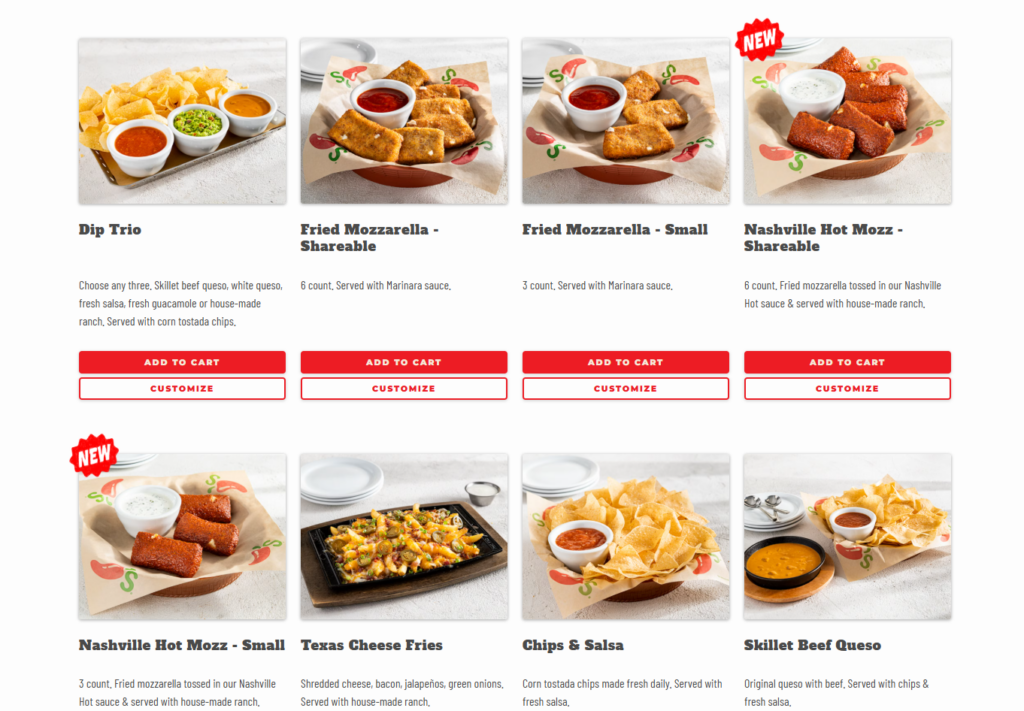
How the ordering process works
It starts when a customer visits your restaurant website or opens an ordering app like Uber Eats. Some can use a link on your social media to open your online ordering platform where they can:
- Browse your online menu and all available options.
- Select food, customize their order, and add it to their cart.
- During checkout, customers can review their order details, such as the total cost, taxes, and delivery fees. They can also leave a special request for the kitchen to prepare their food.
- Complete transactions digitally using their preferred payment method.
Your customers should also be able to receive a notification that confirms receipt of their order, and you’re working on it. The journey ends when you deliver the food to a customer’s address, or they pick it up.
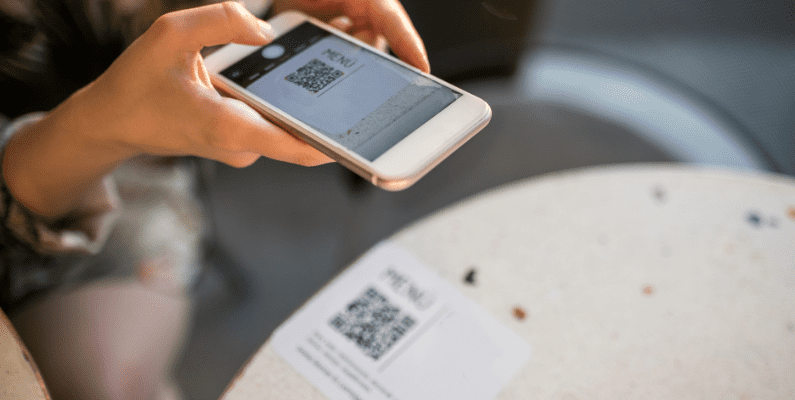
How table ordering works
Some online ordering platforms even let customers order directly from their tables in-house after setting it all up.
When customers dine in, they scan a QR code on the table using their smartphone, pull up the menu, and repeat every step above. Each order is accurately assigned to the customer’s table.
Why a well-optimized online food ordering system is essential?
A well-optimized online food ordering system is essential because it improves your customer’s experience. Customers are more likely to order next time when their first experience is user-friendly and not slow.
The numbers tell the story. A Keap study shows that businesses that put in the work to improve the customer experience see a 42% improvement in customer retention.
- 33% improvement in their customer satisfaction levels.
- 32% increase in cross-selling and up-selling.

It’s also much easier to upsell and cross-sell to customers than when the ordering platform is optimized. They can easily customize their orders with add-ons or discover new options that boost customer satisfaction and sales.
Similarly, a positive experience creates more happy, loyal customers. That’s because you’ll be meeting your customer’s expectations in terms of speed, ease of use, and reliability.
How Orderable helps streamline online food ordering
Orderable is a WordPress plugin that offers an online ordering solution for restaurants that want to take orders directly on their WordPress website. It is versatile, making it the best online ordering system for several establishments.
This includes restaurants, cafés, bakeries, and takeout spots to manage their own delivery services instead of using third-party apps.
This plugin streamlines the online ordering process for both customers and restaurant/food business owners.

How Orderable benefits customers
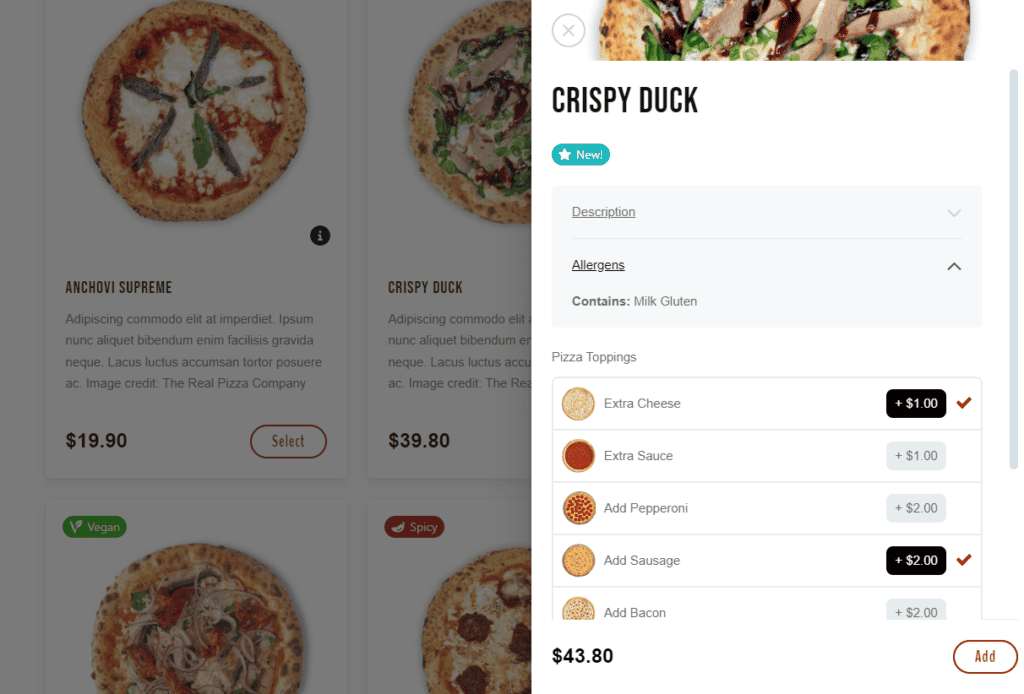
Firstly, Orderable is a mobile-friendly platform meaning customers can easily browse menu items and order on their phones without friction. They can check the prices, read descriptions, customize menu items to their liking, and add it to the cart.
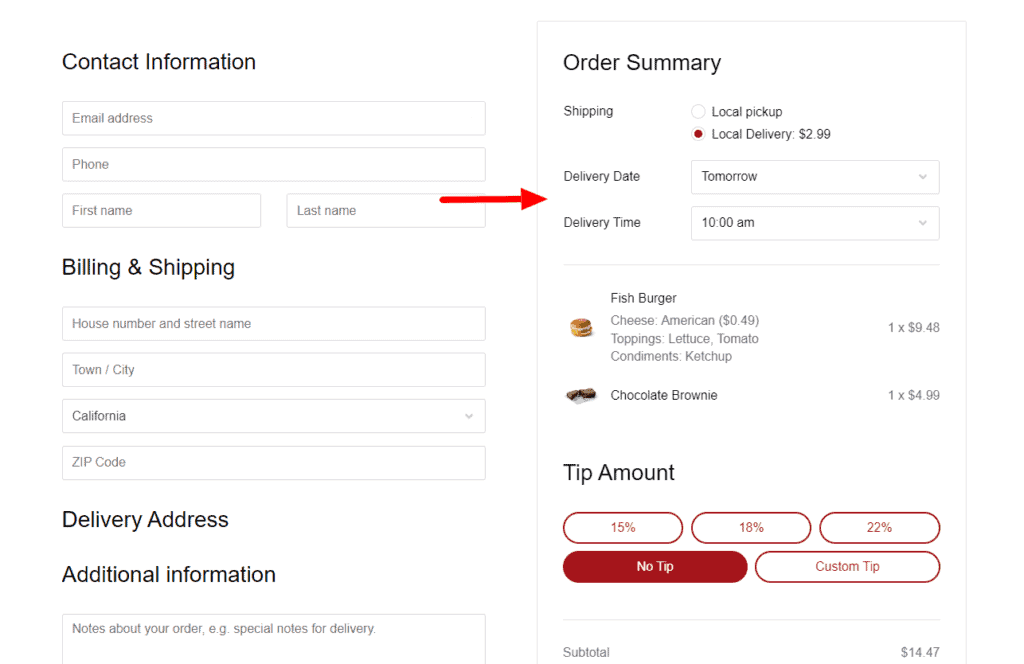
The checkout process is also short and quick. Customers can choose the date and time they will receive their order, then enter their details, review their order, leave a note, and pay.
You can notify customers when their order is on the way for delivery or ready for curbside pickup via SMS or WhatsApp.
- Use product labels to highlight promotional offers, allergens, and dietary preferences to help customers decide.
- Add links to allergen and nutritional information in menu descriptions.

How Orderable benefits restaurant/food business owners
The kitchen is immediately notified when a customer places an order so they can confirm receipt and update the customer. The staff can see accurate details of a customer’s order on a live order screen, including the name, address, date, type of service, total price, etc.
This info is essential for food preparation, packaging, and your own delivery logistics.
Manage your order flow
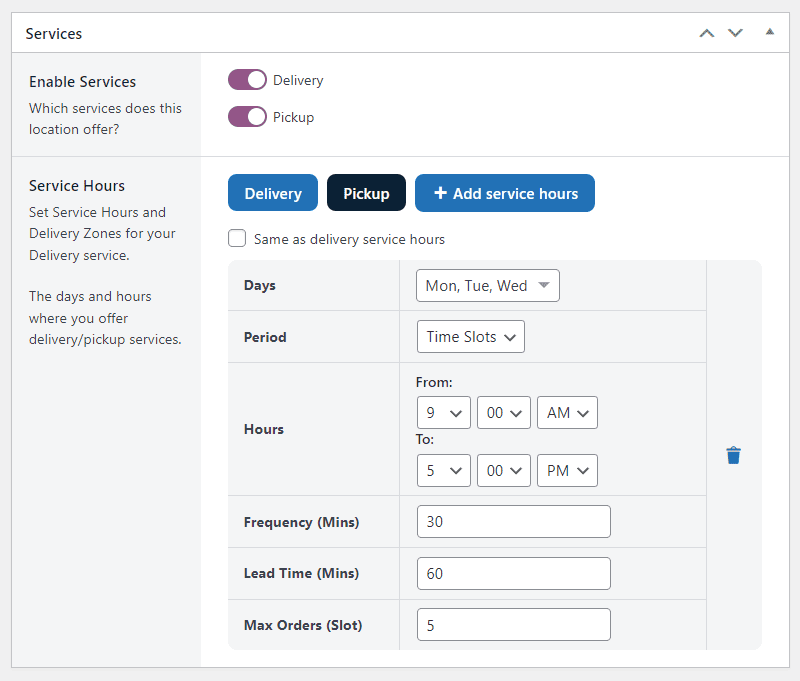
With Orderable, you can also choose the days of the week on which you offer deliveries. Restaurants can set business hours, control the number of orders they can accept within a certain timeframe, and even schedule orders for later.
In this way, the restaurant management can ensure the staff aren’t overwhelmed during the busiest hours.
Orderable works with WooCommerce (the ecommerce plugin for WordPress). That means you can offer multiple payment gateways and process each payment securely.

Orderable is 100% commission-free
Unlike third-party apps like Uber Eats, Orderable doesn’t charge commission fees on orders. You keep all the profits to yourself. Plus, you get access to important customer data that these apps usually don’t share with you. This data can help you run loyalty programs and boost your customer relations.
70% of customers say they’d rather order directly from a restaurant so all their money goes straight to the business. Others prefer to place orders using ordering apps like Doordash or Uber Eats.
Next, let’s see how you can identify issues with your ordering system.
Get Your Restaurant Business Online With Orderable
Orderable is a user-friendly WordPress plugin that adds online ordering to your restaurant website.
Add your dishes, create your online ordering menu, customize your delivery schedule, and manage orders with ease.
How to figure out what pain points you have
Restaurant owners must first identify specific issues unique to their ordering process to effectively address common pain points customers face. Every restaurant operates differently, so the challenges will vary.
You can’t fix a problem you haven’t identified yet and improve the ordering experience.
So, here’s how you find anything that can make ordering slow, difficult, and inconvenient for customers.

Test the ordering process firsthand
Go through the entire ordering process as if you were a customer. As we mentioned, this process starts when a customer visits your website or uses a link from social media or your email marketing strategy. Does the “Order Now” button work? Is the website fast and responsive on all mobile devices?
Have your staff, or even better, complete strangers, test the platform. Have them browse the menu, add items to the cart, and check out. See if anything feels confusing, slow, or frustrating. If you struggle at any step, chances are your customers do, too.

Gather customer feedback
There’s a lot you can learn by asking customers directly what they like and don’t like about the ordering experience. This approach can work if you talk to dine-in customers who order directly from their tables in-house or when they pick up their orders.
Alternatively, you can read online reviews and comments from customers who have raised issues with your ordering platform. You can also use surveys to identify areas where customers are dissatisfied.
For example, you can ask if customers had trouble placing an order, paying, or getting updates. Their feedback will point you to real problems that need fixing.
Monitor analytics to spot drop-offs
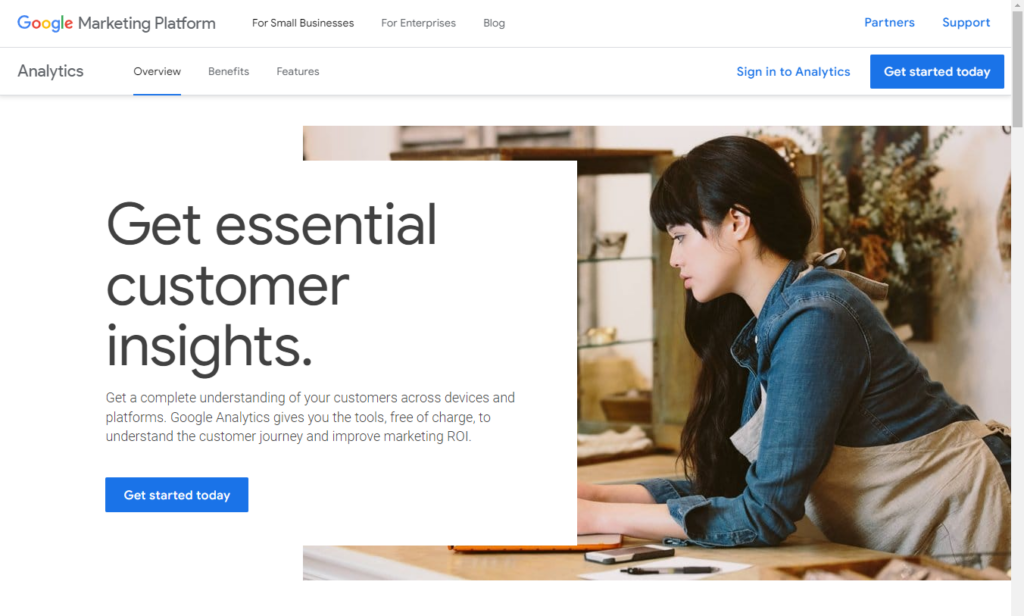
Look at your website or app analytics to see where customers abandon their orders. If many people leave before checking out, there could be a problem with payment options or extra fees. If they exit while browsing, the menu layout might be confusing. Tracking these patterns can help you pinpoint weak spots.
Make gradual improvements
Making gradual improvements means fixing problems step by step instead of trying to change everything at once. Some issues, like a broken checkout button, can be solved immediately. But bigger problems, like redesigning the menu layout or adding a new payment option, may take time to test and adjust.
The goal is to improve your online ordering system regularly. You don’t wait forever, but you also don’t rush changes without making sure they actually fix the problem.
And speaking of adjustments, let’s discuss common issues many customers raise with ordering systems and change them today.

Common customer online food ordering system struggles
According to Statista, the biggest frustration for customers with online food delivery is 34% delivery delays. This is followed by 27% inaccurate orders and 25% delivery charges.
That report shows that many restaurant owners still fail to offer customers a smooth ordering experience. Yet this is the only way businesses can prevent more frustrated customers and lost sales.
That’s why in this section, we’ll explain common struggles customers face with restaurant online ordering systems and provide practical solutions.
1. The website is slow or unresponsive
Customers want to order from restaurant websites that load quickly. If their first visit is ruined by a page that loads slowly, buttons that don’t respond, or a lag in the checkout process, they will not be able to continue ordering.
They’re more likely to abandon your site in such cases. In fact, a business loses roughly 25% of its online visitors if its site takes more than 4 seconds to load.
Slow website speeds can hurt your SEO rankings because search engines like Google prioritize fast websites. And this can cost you traffic and sales conversions.
So, unless you are Amazon and people will wait for you anyway, you need to ensure your page is fast.
Test your restaurant website speed first
Before you make changes, test your site’s speed using tools like Google PageSpeed Insights, GTmetrix, and Pingdom. These tools normally give a detailed performance report on various metrics and issues that affect your page’s speed and user experience.
Common culprits often include:
- Heavy WordPress themes.
- Oversized food images with high resolution.
- Slow or cheap servers like shared hosting during busy hours.
- Too many plugins or extra features that drag down performance.

How to speed up your website
After you’ve identified these speed issues, improving your page speed is important. To achieve quick response times, carry out all (or at least most) of the proposed suggestions. For example, you can switch to faster and more reliable hosting, delete unnecessary features, and more.
Instead of using larger images on your site, you can use tools like TinyPNG to compress large image files without losing quality. After all, high-quality images are important in restaurant food photography.
Make the website mobile-friendly
Most importantly, ensure the website is mobile-friendly. Most orders come from smartphones, and mobile ordering accounts for 60% of all digital restaurant orders today. More than half of restaurant customers prefer to order from their mobile devices.
Orderable is already a lightweight WordPress plugin that loads quickly. This means adding it to your website won’t slow down your page, so customers can place orders without delay.
Orderable also has an app-like design that works smoothly on mobile devices. It keeps the ordering process as easy, fast, and mobile-friendly as the rest of your website, so the ordering experience is consistent from start to finish.
2. The menu is difficult to navigate
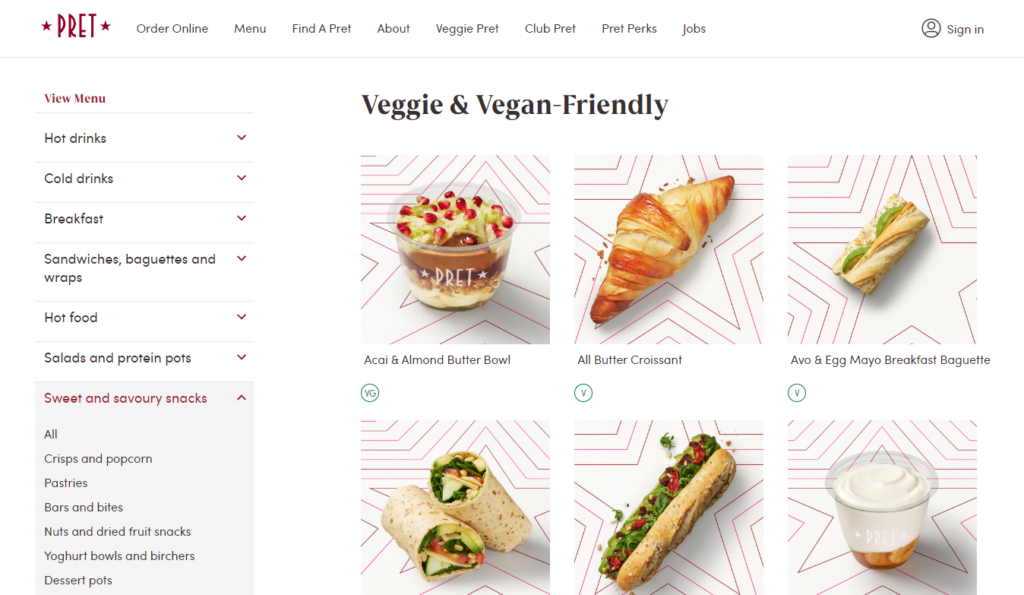
When is an online menu “difficult”? Any menu where customers struggle to find, browse, or select items when ordering online fails in its purpose as a marketing tool.
If a customer can’t find the menu items they want easily, it implies the menu is poorly organized. Poorly written menu descriptions leave customers second-guessing what they’re ordering.
Failing to indicate allergens, dietary preferences, etc., using labels excludes customers who are conscious of their diet. Too many menu categories and options overwhelm diners too.
Generally, when the menu is confusing, customers become frustrated and leave without ordering. So what’s the solution?
Use an online menu template design
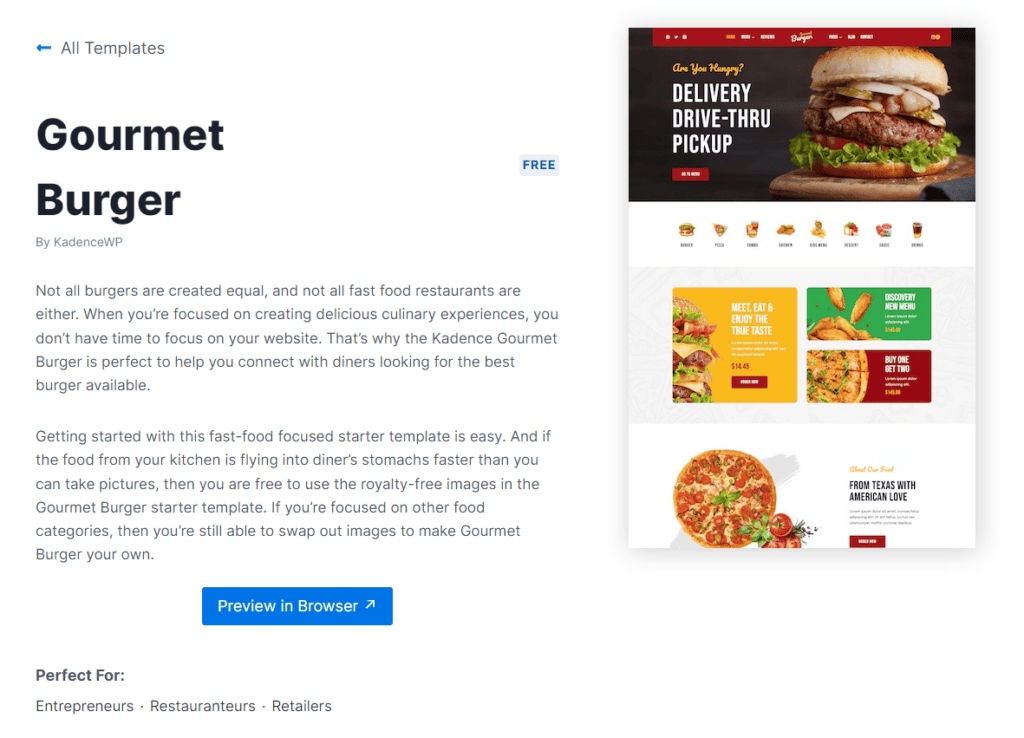
Using a menu layout is important because it organizes food items clearly and logically. This way, customers can quickly find what they want to order, customize it, and checkout.
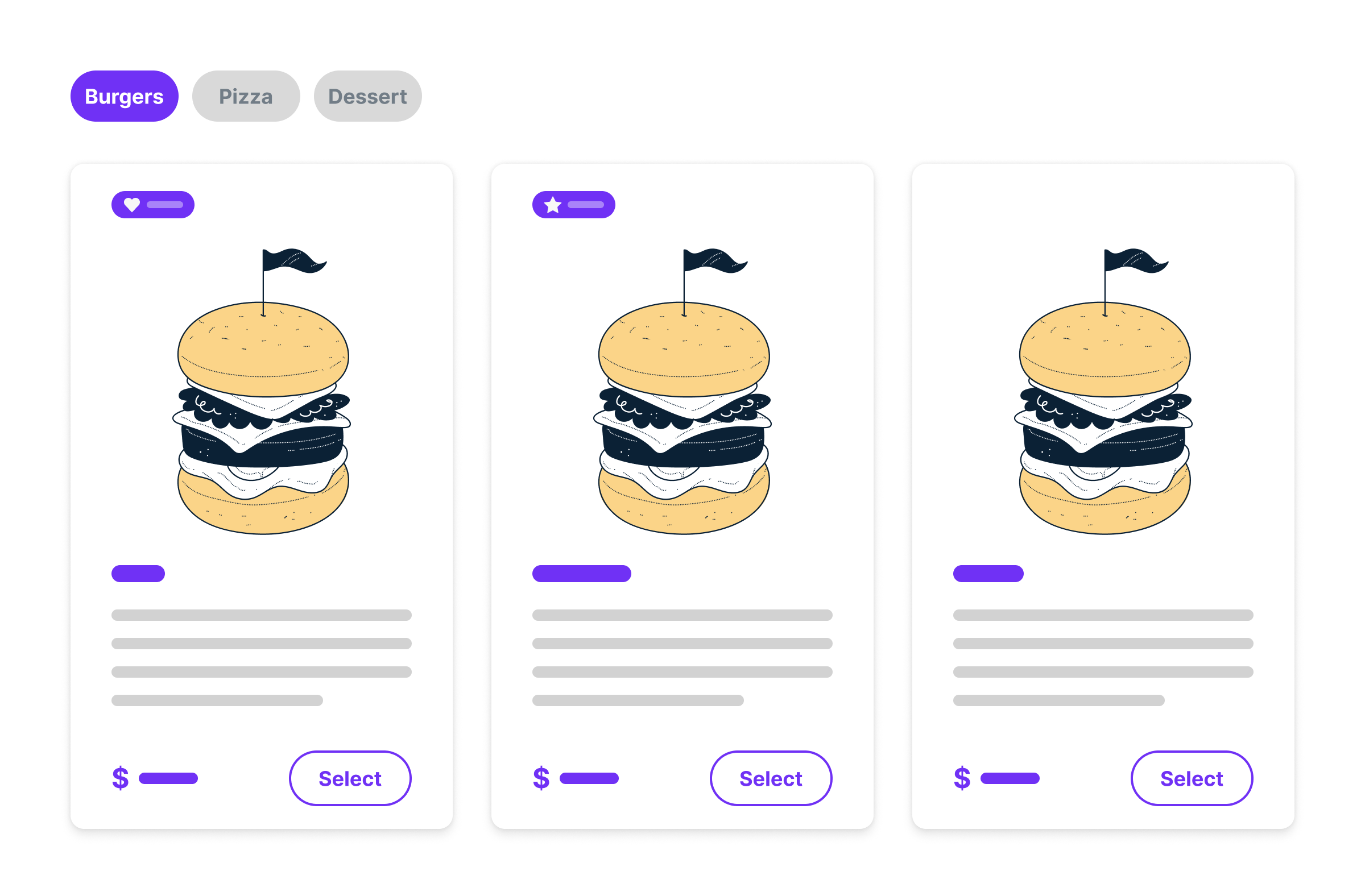
Orderable provides user-friendly menu layouts you can modify using product cards instead of looking elsewhere. These cards include the product’s name, image, description, price, buy button, etc.
The menu layout is fully customizable with colors, fonts, format, and information that caters to your customer preferences and brand identity.
Boost customer experience with critical features and add-ons
With Orderable, you can also add the following features to make the browsing experience easy and trustworthy:
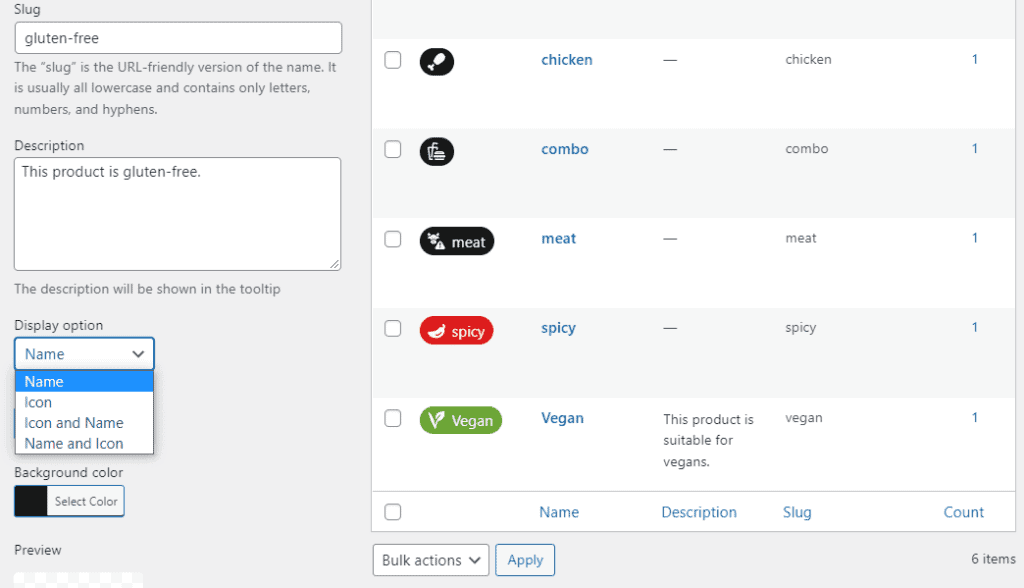
- Dietary labels that indicate allergens or preferences such as vegan, kosher, halal, etc. These labels can also be promotional, highlighting discounts, best-selling dishes, or chef’s specials, for example.
- A table of nutritional information to your menus by filling in some easy-to-use fields.
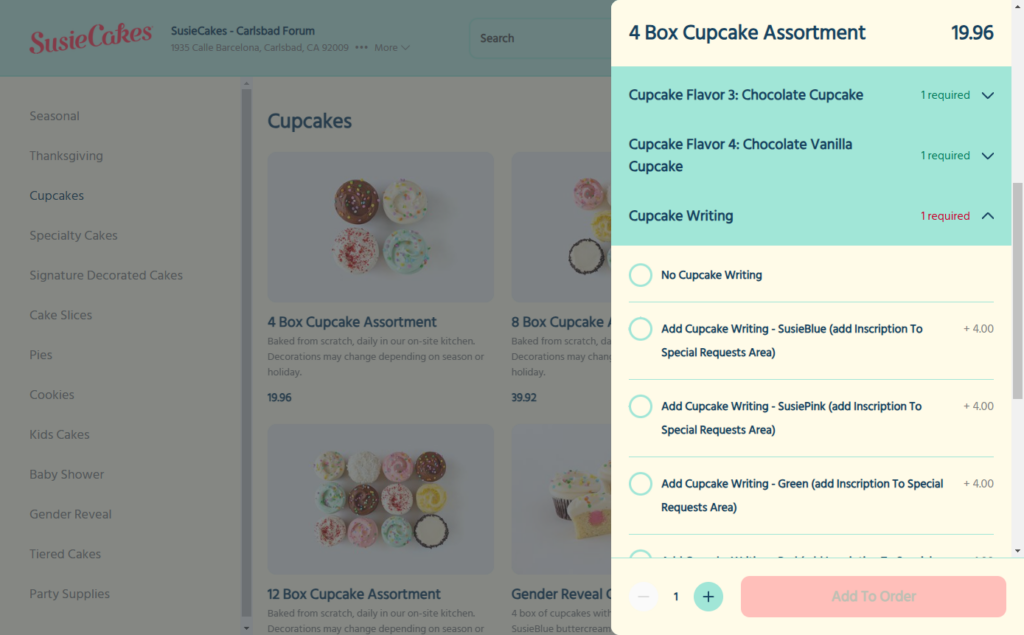
- Product add-ons or variations like toppings, condiments, etc, that let users customize orders to their liking.
- You can also add links to detailed menu descriptions, allergen information, etc.
3. The checkout process is confusing or too long
According to Baymard Institute, 22% of customers abandon the checkout process if it’s too long or complicated. Another 26% will leave if you ask them to create an account.
So, a slow or confusing checkout kills sales. Customers don’t want to jump through hoops just to place an order. If they have to enter too much information, deal with too many steps, or struggle to find the right payment options, they’ll give up and order food elsewhere.
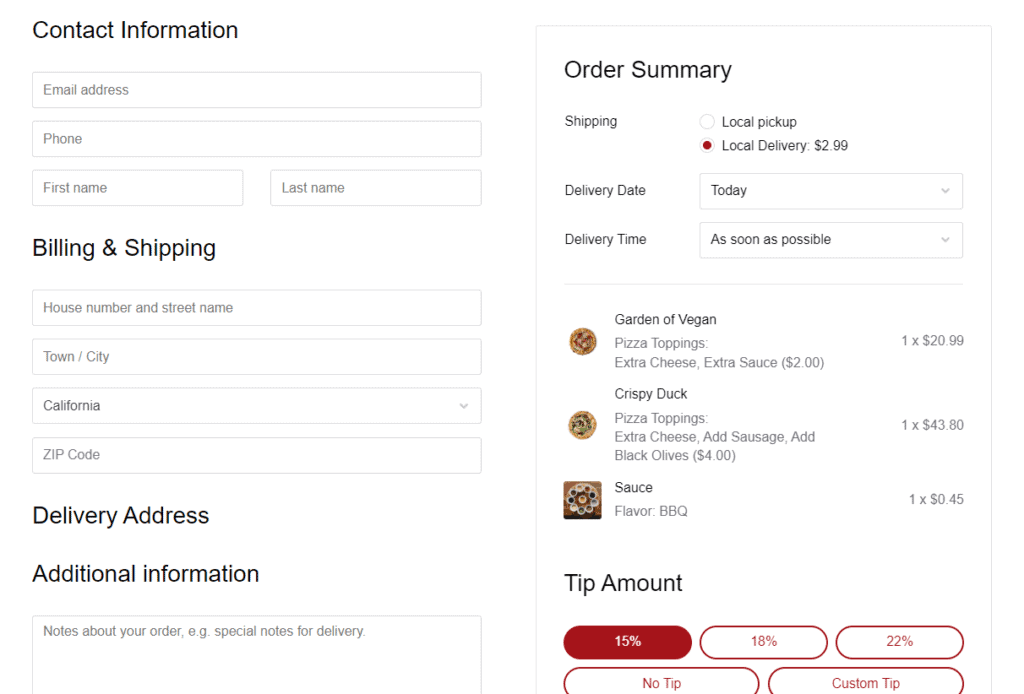
Simplify the checkout process
Generally, the choice of which online ordering software you use determines the length of the checkout process. That’s because the checkout page is part and parcel of the software.
How Orderable streamlines the checkout process
With Orderable, customers do everything on one page. They only have to enter their contact information and billing address, pick a shipping/pickup option, and the date they want to receive their pickup or delivery order. They will then be able to select the payment gateway they prefer. The Orderable checkout page also breaks down all prices upfront, so customers aren’t surprised.
On this page, restaurant owners can also:
- Add tip prompts to make the most of customer satisfaction and boost your average order value
- Apply coupon codes for customers to redeem discounts.
4. Customers can’t schedule orders for later
“We’re closed now but you can pre-order for later. Order now.”
This simple message on your website means a lot to customers who want to order outside your opening hours. So, if you don’t have that pre-order option, you’re excluding this new customer base. Besides, you risk losing potential customers who like to plan their meals in advance.
For example, employees often pre-order lunch so they can pick it up or have it delivered during their lunch break, or families pre-order a meal for a special occasion, event, or busy weeknight.
If these customers can’t find that option, you’ll miss out on pre-order sales when they go elsewhere.
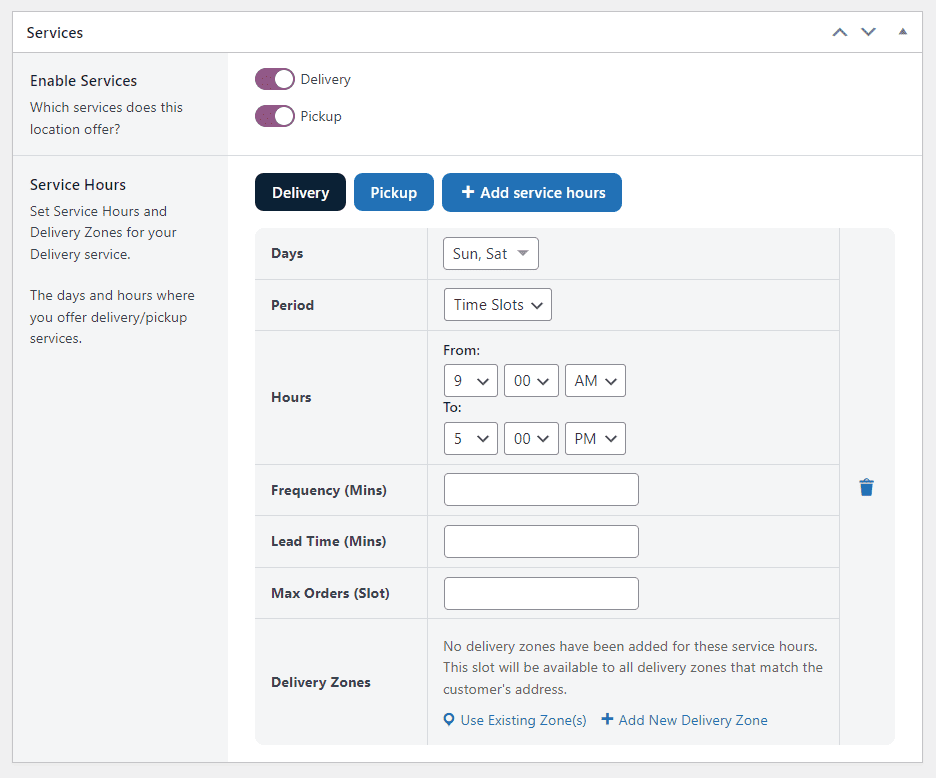
Offer scheduled orders with Orderable time slots
You can use Orderable’s built-in time slot management to let customers schedule their orders for later pickup or delivery. However, you must also inform customers about this option.
How Orderable’s time slots work
Time slots allow customers to select a specific time to receive their food. For example, restaurants can create slots like 12:00 PM – 12:30 PM, 12:30 PM – 1:00 PM, 1:00 PM – 1:30 PM, and so on. Then, limit the number of orders your staff can comfortably handle for each slot.
Note: In other words, time slots can streamline your restaurant operations as well.
These time slots are normally added as a date and time picker on the checkout page. On this page, customers can select an available slot that works best for them in a day.
5. Fewer payment options
Customers also prefer different payment methods when it’s time to pay. That implies the biggest blunder you can ever make as a business is to offer one or two payment options. If a customer can’t find the payment gateway they normally use, they’d rather abandon your checkout page which equals a lost sale.
Keep in mind that 13% of customers abandon checkout because there aren’t enough payment methods.
So, if your system only supports one or two payment options, it’s time to change that.
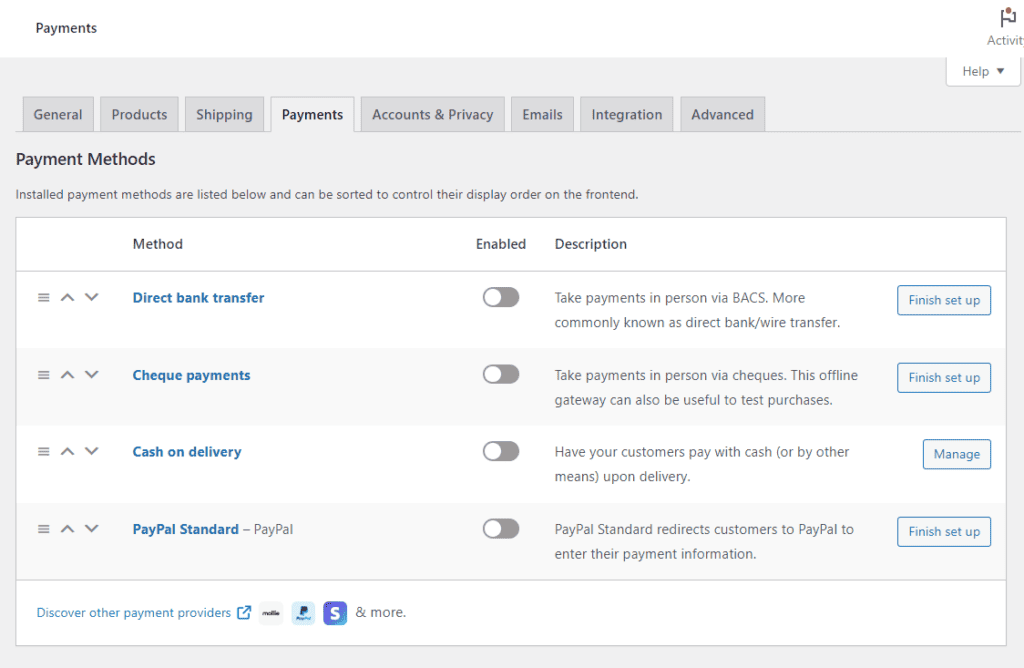
Offer multiple secure payment gateways
Ensure your online food ordering system supports various payment options to prevent lost sales.
You can integrate the popular and familiar options such as:
- Debit or credit cards (e.g., Visa, Mastercard, AMEX).
- Digital wallets (Apple Pay, Google Pay, PayPal).
- Cash on delivery (if applicable).
Essentially, having multiple payment gateways ensures every customer finds a method that works for them. Orderable works well with WooCommerce.
As a result, you can easily set up multiple payment methods using WooCommerce’s payment settings or third-party integrations. This can help reduce checkout abandonment due to inadequate options.
6. No order tracking or confirmation
Not letting your customers know their order went through is a disservice. That’s because many of your customers will be left wondering if their order was received or have to reorder again.
In most cases, these customers will call the restaurant to check (causing unnecessary extra work for staff). Or, worse, they’ll abandon your business altogether next time.
Even after confirmation, customers still expect updates. Studies show that 90% of customers want to know what’s happening to their delivery orders. If they don’t receive delivery status updates, more than 80% will go to another restaurant next time or abandon their orders.
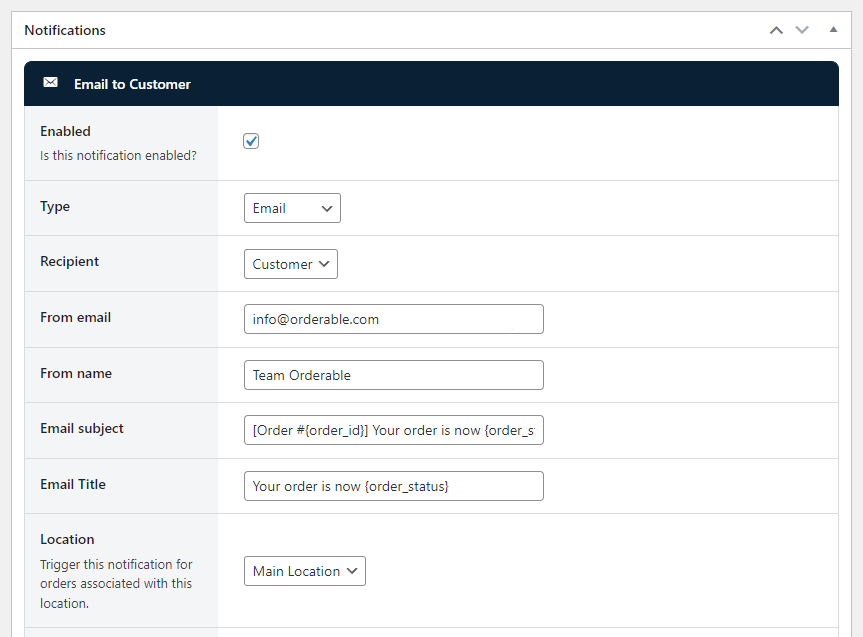
How to fix this
The best way to build trust is to keep customers in the loop. Here’s what you can do:
Send instant order confirmation. Once a customer places an order, let them know by email, SMS, or WhatsApp message that you’ve received it. On the order confirmation page, you can also thank them and confirm receipt of their order.
Use real-time tracking. Tell your customers when their food is being prepared, when it is ready for pickup, or when it is on its way so they don’t have to guess.
Orderable allows you to create custom order statuses to notify customers at every stage. It also lets you confirm receipt on the order confirmation page. Restaurants can also send updates via SMS, email, or WhatsApp.
7. No clear contact or customer support options
Customers don’t respond well when they have burning questions or need to change their order and can’t easily reach support. Some of them can take it up with you on your social media platforms, and that’s the last thing you want. Others will leave a bad review, and an overwhelming majority will keep it to themselves and never order again.
In fact, studies show that 91% of unhappy customers who don’t complain leave.
Generally, a lack of clear customer support systems can cost you both sales and your reputation.
How to fix this
Make contacting you easy by displaying a phone number, email, or live chat on the ordering page. In this way, customers don’t have to dig for help, which is frustrating in every way possible.
Add an FAQ section to answer common questions customers have upfront, such as “Can I change my order after placing it?” or “How do I track my delivery?”
Basically, a simple support system keeps customers happy and prevents unnecessary frustration.
Get to grips with your online food ordering system today
You have to understand how the online food ordering system works from a customer’s perspective because that’s where most issues arise. Even if everything runs smoothly on your end, a frustrating ordering experience can drive customers away which results in lost sales.
Fortunately, fixing these problems is much easier with the right strategies and tools. Just take a step back, evaluate your system, and make the necessary improvements to keep customers happy and increase sales.
A tool like the WordPress plugin Orderable simplifies the process. This well-thought-out plugin effectively handles both the restaurant’s and the customer’s sides of the ordering process.
Try Orderable today to upgrade the online ordering experience for customers and your staff.
Get Your Restaurant Business Online With Orderable
Orderable is a user-friendly WordPress plugin that adds online ordering to your restaurant website.
Add your dishes, create your online ordering menu, customize your delivery schedule, and manage orders with ease.
Gina Lucia is our in-house Content Manager at Orderable. She writes articles, user guides, technical documentation, and creates videos on everything WooCommerce and Orderable.
Gina has been working in the WordPress/WooCommerce space since 2012 when she developed WordPress websites for clients large and small.
For the past 8 years, she’s been writing about everything WordPress and WooCommerce, becoming an expert in what makes a WooCommerce store succeed.
When not writing, Gina loves to tend to her vegetable garden, read, or travel to mainland Europe.
Don’t miss out on the latest Orderable news!
Sign up for our newsletter to receive the latest news from the blog, you’ll get pinged every week with a digest of the latest updates.
[fluentform id=”6″]

Related Articles
What Successful Pop Up Restaurants Can Teach You About Online Ordering

How to Build Hype for Your New Menu Launch (In-House & Online)
How to Increase Restaurant Sales in 2026
Get Your Restaurant Online With Orderable
The WooCommerce plugin designed to help restaurants take orders online – with no added fees!
View Pricing

