



Gina Lucia


If you’re looking to improve restaurant efficiency, this guide is here to help.
In this article, we’ll show you how to find and fix restaurant efficiency issues. We’ll cover the 8 most common restaurant efficiency mistakes we see in restaurants, explain why they’re a problem, and show you how to solve them.
But first, let’s review quickly what restaurant efficiency is (and why it matters).
Get Your Restaurant Business Online With Orderable
Orderable is a user-friendly WordPress plugin that adds online ordering to your restaurant website.
Add your dishes, create your online ordering menu, customize your delivery schedule, and manage orders with ease.


What is restaurant efficiency?
Restaurant efficiency is how well you organize your restaurant to serve great food and provide excellent service with minimal waste. It implies you have the right amount of well-trained staff at all times. There are no wasted ingredients, and every order is delivered on time.
This kind of efficiency touches every aspect of your restaurant operations.
What it looks like in action:
| The Big Picture Areas | What it Involves |
| In your kitchen | Prepping food, cooking, using reliable kitchen equipment, plating, packaging, keeping your station organized, etc. |
| Staff management | Well-trained staff, scheduling shifts, clear communications, and getting work done. |
| Inventory (food & supplies) | Ordering the right supplies, storing food properly, tracking waste, and controlling costs |
| Customer service (front of house) | Seating new guests quickly, quick order-taking, accurate orders, short wait times, and providing smooth online or in-person service. |
| Technology | POS systems, online ordering platforms, tracking sales, scheduling apps, etc. |
The benefits you enjoy as a business if you get your whole team working smart and efficiently on all these fronts are massive.
Why restaurant efficiency matters
Let’s have a look at the obvious reasons efficiency should be a priority:
It makes your customers happy
Customers quickly get annoyed over long waits, wrong orders, or clunky online checkout.
If you want your restaurant business to grow and profit, you need to address those areas your customers care about most and expect excellence.
These usually come down to:
- Cleanliness
- Friendly staff
- Speed of service
- Easy ordering and payment
- Accuracy of orders
- Good food
A study by Keap shows that those businesses that put in the work to improve the customer experience see:
- 33% improvement in their customer satisfaction levels.
- 42% improvement in customer retention.
You can serve more guests
If you’re an efficient restaurant, it means you can turn tables quickly during peak hours and seat more guests.
The more people you serve, the more money flows into your pocket, which is good for your profitability.
It improves staff morale
No one in your staff team will want to leave when business is running smoothly. When your staff roles are clear and your systems are well-oiled, shifts feel less stressful. Your staff can focus on serving customers instead of fixing problems.
Eventually, this lowers stress and turnover, which now sits at 79.6% over the past decade. This stability also saves you a lot on hiring costs and keeps the customer experience consistent.
It reduces labor costs
Reducing employee turnover, training staff, organizing your team, and automation can all reduce labor costs in one way or another. For example, if you train your staff well and most of them rarely quit, you can save a lot on hiring expenses.
You can also reduce overtime pay by scheduling shifts wisely. For example, you can schedule based on how busy each day actually gets, so you don’t overstaff and pay extra.

It reduces food waste
Food waste is one of the biggest killers of profit margins in the restaurant industry. It is an unrecoverable cost that most restaurants lose when they poorly manage their inventory.
Fix this, and one of the things you’ll immediately see do better is your bottom line, especially when you start calculating your food cost percentage.
It improves your profitability
Less food waste, lower labor costs, and serving more guests will eventually boost your bottom line.
Technology helps too. With an online ordering system, you can suggest add-ons, promotions, or limited-time offers. These small nudges raise your average order value and grow sales without extra work from staff.
Now that we’ve seen why restaurant efficiency matters, let’s flip the coin and look at the common mistakes that hold restaurants back from reaching their full potential.
Common restaurant efficiency mistakes
In this section, we’ll discuss the most common restaurant efficiency mistakes and show you how to solve them.
We’ll frame each mistake as a question to help you pause and reflect on whether this is an issue in your restaurant in terms of efficiency.
1. Are you tracking the right KPIs and metrics for your restaurant?
Restaurant KPIs are numbers or metrics that show how well your restaurant is doing. Monitoring the right metrics can help you assess your performance in different areas like sales, costs, customer satisfaction, and efficiency.
The problem begins when you’re tracking the wrong metrics that have nothing to do with efficiency at all.
Why is this a big problem?
Because you’ll end up making decisions based on the wrong information. For example, tracking only your daily sales data won’t tell you if slow table turnover is the real issue.
You’d be better off tracking average wait times and table turnover rates directly. That way, you’ll get valuable insights and make informed decisions that actually improve efficiency.
Besides, no measures = no improvement.

How do you choose the right restaurant KPIs to track?
If you’re unsure where to start choosing your KPIs, then follow these steps:
Set specific, actionable restaurant goals
Be specific when defining your goal. State that you want to reduce labor costs by 15% without hurting customer service. That tells you what to measure.
Read our guide on how to create, track, and achieve restaurant goals for more information.
Identify relevant KPIs
The next step is to find the most relevant metric that actually ties to those goals. For example, if your goal is to:
- Reduce labor costs. Track labor costs vs. sales and scheduling efficiency.
- Boost profitability. Track spoilage, waste, and table turnover rates.
- Improve customer satisfaction. Track wait times and customer feedback.
Anywhere between three and five KPIs per goal is sufficient.
Track and iterate
A recent study found that those who track their progress towards meeting their goals are 40% more likely to achieve them.
So start tracking your KPIs as quickly as possible. The more data you have, the faster you’ll be able to spot patterns and start making improvements.

2. Are your front-of-house workflows slowing service?
Slow service in your front-of-house isn’t fun for anyone. It frustrates customers and puts a lot of stress on your team. Worse of all, it could cost you money, for example, when customers begin to leave.
One of the common causes of slow service in your FOH (front of house) is being short-staffed during peak times. A few staff will most likely work under pressure when there aren’t enough of them on the floor to usher, seat, or serve guests.
Other potential reasons include:
- Overstaffing during quiet periods.
- Poor communication between your staff could delay seating, order taking, or clearing tables.
- Maybe your staff aren’t clear on their roles and responsibilities.
The latter can create a chaotic work environment where your staff collide and struggle to coordinate.
How do you fix front-of-house workflow issues?
Most of the FOH workflow issues come down to staffing, training, and communication:
- Schedule smarter. Use data to predict busy times, so you’re never overstaffed in slow hours or short-handed at peak times.
- Cross-train your team. When staff know how to host, bus, or run food, you have flexibility during the rush.
- Encourage teamwork. A culture of open communication between hosts, servers, and bussers keeps the workflow smooth and the dining experience consistent.
When your front-of-house runs like clockwork, customers feel taken care of. The results show up in higher tips, repeat visits, and a stronger bottom line.
Free Download: Restaurant Business Plan Template
Want to start your restaurant business without jumping through heardles? Our free restaurant business plan template will walk you through the steps.
3. Is your back-of-house optimized for speed and accuracy?
Similarly, when communication breaks down between your servers and kitchen staff, the wrong plates end up on tables.
But it’s not just about who said what. The way you design your kitchen layout can improve or hurt your overall kitchen efficiency as well. A cramped space where staff bump into each other slows everything down. So does hunting for tools or ingredients when they’re not where they should be.
And here’s another silent killer: unclear roles. If no one knows who’s in charge of plating, garnishing, or expediting, orders slip through with mistakes and slow down the entire food service.
So, how do you solve this?

How to fix your back-of-house inefficiencies
Use technology. Installing a kitchen display system (KDS) will enable your kitchen staff to view orders in real-time and ensure they’re accurate.
Other ways to improve your kitchen workflow include:
- Redo your kitchen layout. Studies show that restaurants that set up their prep and cooking stations more strategically can improve kitchen speed by up to 30%.
- Define clear roles. Ensure every member of the team knows their part in kitchen operations, from prep cooks to the expeditor. When responsibilities don’t overlap, accuracy improves.
- Set clear standard operating procedures. These are written instructions that restaurant staff need to follow to ensure safe and effective operations. It covers various aspects like food preparation, staff management, safety, etc.
4. Are you losing money to poor inventory management?
The way you manage your inventory can also make or break your restaurant’s margins and restaurant efficiency.
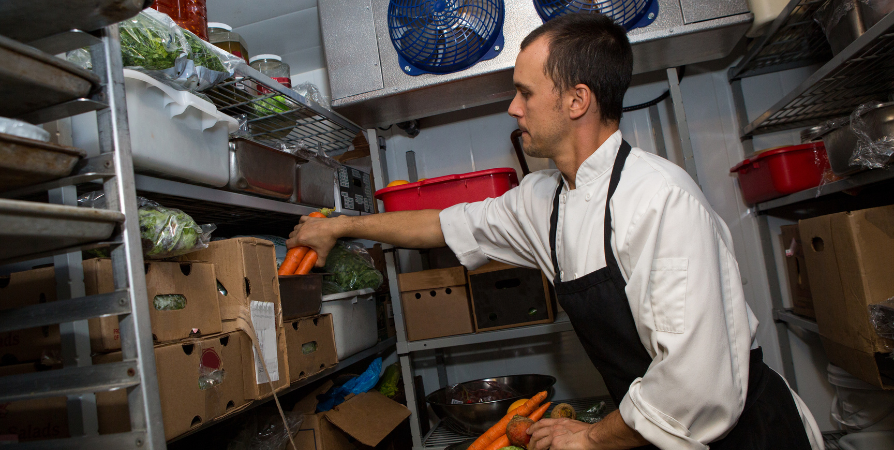
If you’re not on top of stock levels, two things are bound to happen. You either over-order and end up with spoilage or under-order and face shortages that slow down service and disappoint customers. Both cut into your profits.
Most of the time, this happens when you rely on guesswork instead of real data to place orders or track what’s moving. Without accurate numbers, it’s almost impossible to stay consistent.
How to streamline your inventory management
The good news is you don’t need to rely on pen and paper or manual checks anymore. Technology makes it easier to track and forecast:
- Use POS integrations. Modern POS systems connect directly to your inventory, so every sale updates stock levels in real time.
- Automate your tracking. Inventory management tools can also alert you when items are running low or nearing expiration.
- Forecast demand. Look at your sales data to predict what you’ll actually need next week, not just what you think you’ll need.
When your inventory is well-managed, you reduce food waste, keep costs under control, and protect your bottom line.

5. Are wait times driving customers away?
The average time a customer is willing to wait is 22 minutes? If the wait goes beyond 25 minutes, most diners see it as a problem. And for 36% of customers, even 15 minutes is already too long.
In short, long waits ruin the dining experience for many customers. Most people don’t like waiting too long to be seated, to order, or to get their food. And the outcome isn’t really about customers leaving. Wait times cut into your table turnover and make it harder to meet customer demand as well.
The usual culprits?
- Slow ordering.
- Delayed seating.
- and poorly managed reservations.
All of these stretch out the service and create stress for both customers and staff.
So, how do you reduce wait times and serve more guests?
Offer online and table ordering. Let guests place pickup or delivery orders ahead of time so your dine-in tables stay open for walk-ins.
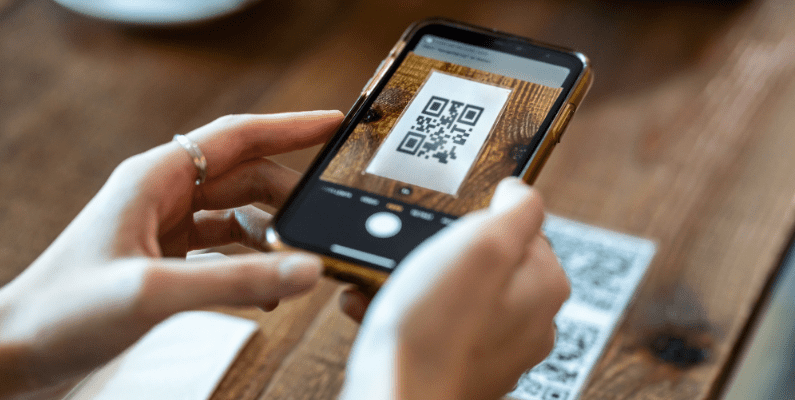
For dine-in guests, place QR menus on tables so customers can order and pay directly from their phones. When guests can handle orders themselves, your servers have more time to focus on hospitality instead of taking tickets.
You can do all this with Orderable, a WordPress plugin built for restaurants.
Use Orderable to add an online and table ordering system
Orderable is a powerful WordPress plugin that makes it easy to set up both online ordering and table ordering on your restaurant website. You don’t need custom tech or pricey hardware.
The online ordering system is commission-free and lets you run pickup and delivery on your own terms.
Get Your Restaurant Business Online With Orderable
Orderable is a user-friendly WordPress plugin that adds online ordering to your restaurant website.
Add your dishes, create your online ordering menu, customize your delivery schedule, and manage orders with ease.
Table ordering allows you to create unique QR codes for each table. Customers scan the code to order, and the system tags each order with the right table ID.

Why we recommend Orderable
Orderable has features that directly help you cut wait times and run smoother service:
- Mobile-friendly digital menus. Guests scan a QR code to see your menu right on their phone. Menus are easy to browse, and you can add custom features like allergens, extras, or special add-ons. This keeps ordering fast and clearly.
- Live order view. All incoming orders show up in one dashboard. Whether it’s dine-in, pickup, or delivery, your staff sees them in real time. It easily integrates with your KDS.
- Pre-orders and scheduling. Customers can schedule their orders for later. You can set up time slots so orders are spread out instead of all coming in at once, which makes the kitchen workflow smoother.
- Integrated online payment. Guests can pay right when they order. That means no waiting for the bill and faster table turnover.
- Real-time menu updates. If an item is out of stock, you mark it once, and it updates everywhere. This stops wasted time on orders you can’t make and keeps customers happy.

6. Are you ignoring automation opportunities?
If you’re not using technology to automate and streamline restaurant efficiency, you’re putting your restaurant at a huge disadvantage.
For example, customers today expect convenience. If you’re still relying only on in-person or phone orders, you’re losing out on 70% of diners who prefer to place orders online for delivery or takeout.
It’s not just about customer demand either. Ignoring automation takes a hit on your operational efficiency and your competitive edge.
The reality is that most of your competitors are already automating. Whether it’s order management, reservations, or upselling. If you’re not automating, you’re falling behind.

Let’s change that
Some of the processes you can automate in a restaurant include:
- Billing
- Order management
- Tipping and payment
- Cross-selling and upselling
- Scheduling
You can automate most of these processes using Orderable instead of using multiple software.

Use Orderable to automate your ordering process fully
Aside from online ordering, Orderable gives you a live order view. This lets you track dine-in, pickup, and delivery orders in real time, all in one system.
You can also use Orderable to:
- Add checkout tipping. Set default tip amounts or let customers choose their own.
- Boost sales. Use cross-selling and upselling to suggest add-ons, promotions, and order bumps at checkout. These features raise your average order value.
- Send order updates. Notify customers through SMS, email, or WhatsApp.
Orderable also connects with your POS system to speed up billing and reduce errors.

7. Is your online ordering process creating friction?
The most common restaurant efficiency points that can ruin the ordering process for customers include:
- Clunky menus that are hard to browse.
- Long, confusing checkout steps.
- Errors in delivery or pickup times that frustrate guests.
Check out this guide to identify the most common reasons why customers struggle with your online ordering system.
Essentially, if your ordering system makes people work too hard, they’ll give up and order from somewhere else.

How do you deal with common friction points in your online ordering process?
Getting your hands on the best online ordering system could be the fastest way to fix them.
For example, the WordPress plugin Orderable allows you to:
- Create custom menus. These menus are easy to browse and update in real time. You can also add helpful details like dietary labels, allergen info, or even links to nutritional descriptions.
- Simplify the checkout process. Orderable works well with WooCommerce and supports multiple payment options, so customers can pay quickly without extra steps.
- Set flexible pickup and delivery time slots. You can create schedules that let customers order for now or later. This cuts down on missed orders and confusion.
Together, these features turn online ordering from a frustrating experience into a smooth one for you and the customers.
8. Are you investing in the wrong tools?
As a restaurant owner, one thing you can easily regret is spending money on tools that don’t actually help your business. The best setup is simple. You want to use tools that work together and cover the essentials.
Here’s what that looks like:
- A point-of-sale (POS) system. This handles billing, payments, and keeps track of sales.
- Orderable. This tool manages online ordering, delivery, or pickup scheduling, tipping, and upselling.
- Kitchen Display System (KDS). To send orders straight to the kitchen in real time, so nothing gets lost.
But these aren’t the only tools that can help your restaurant run better. Read our guide on the best restaurant software for more tools that can help you manage various daily operations.
Why is this important?
Using these tools in your restaurant means orders move straight from the customer to the kitchen without delays.
- Customers get accurate pickup or delivery times.
- Payments are quick and secure.
- Staff spend less time on admin and more time serving guests.
Let’s dial back and look at some examples of restaurant efficiency metrics to monitor.

How to measure and improve restaurant efficiency
Again, if you want to improve your restaurant’s efficiency, the best place to start is with data.
Instead of randomly making changes you think you need, tracking a few metrics can help you identify areas you’re losing money, wasting time, or falling short. Equipped with this insight, you can make targeted improvements that actually boost your efficiency and bottom line.
So, what are some of the metrics you can measure to improve?
What to measure
Here are some of the first metrics you can measure to get started:
- Customer satisfaction score. This score shows how happy guests are with your service. It tells you if your workflows and restaurant staff are truly meeting customer needs.
- Labor cost percentage. Compare staff wages to sales. A healthy benchmark is 25–35%.
- Food cost % and spoilage. Track how much food you buy, how much gets used, and how much goes to waste. Ideally, food cost should stay around 28–32%, with spoilage under 5%.
- Table turnover rate. Measure the number of times a table is seated and served during a shift. The goal is usually 3–4 turns per shift without rushing the dining experience.
The list goes on.
| Metric | What it Measures | Industry Benchmark (Avg.) |
| Customer satisfaction score | Guest experience & customer feedback | 80%+ positive |
| Labor cost % | Staff wages vs. sales | 25-35% |
| Food cost percentage | Your food spend against sales | Between 28 and 32% |
| Spoilage rates | The amount of food wasted compared to purchases | Less than 5% |
| Table turnover rate | How fast you seat and serve guests | 3 to 4 times per shift. This depends on the type of restaurant you run, though. |
How to improve
From the data, you can:
- Use customer feedback to spot gaps and refine service.
- Optimize staff scheduling to meet demand without overstaffing.
- Train staff on portion control and food handling to reduce waste.
- Streamline workflows and use tools to speed up service while keeping the dining experience enjoyable.

Restaurant efficiency FAQs (people also ask)
Restaurant efficiency is just how well your restaurant uses time, staff, and resources to deliver high-quality food and service while reducing waste. It covers everything from kitchen operations to the food being served to customers in the dining room. The goal is to serve more guests, keep costs down, and maintain a smooth dining experience.
The 30/30/30/10 rule is a general guideline for restaurant finances. It suggests that 30% of revenue should go to labor costs, 30% to food costs, 30% to overhead like rent and utilities, and 10% should remain as profit. Using this rule helps owners measure financial efficiency.
You can improve your workflow efficiency by streamlining tasks for your restaurant staff. This could mean cross-training employees, setting clear roles, and using automation tools to reduce manual work. Regularly reviewing your workflows ensures you spot and fix bottlenecks before they hurt service.
Improving table turnover, using online ordering for pickup or delivery, and managing reservations smarter reduce wait times. Besides, having a clear seating plan and better communication between front-of-house staff also keeps service moving.
Yes, kitchen display systems (KDS) help reduce order mistakes by sending digital orders directly from servers or online platforms to the kitchen staff. This eliminates problems with handwritten tickets and poor communication. KDS also helps optimize food preparation by keeping orders organized and visible in real time.
Improve your restaurant efficiency today
Once you identify the mistakes that are making you lose money, it’s easy to fix them and improve your restaurant’s efficiency.
By following this guide, you’ll find solutions to common restaurant efficiency mistakes, such as:
- Not tracking KPIs. Set clear goals, measure the right metrics, and adjust as needed.
- Slow service. Cross-train your staff so they can handle more roles.
- Long wait times. Use QR menus and pre-order options to speed things up.
- Poor inventory control. Track stock closely and update menus in real time.
- Investing in the wrong tools. Choose systems that work together and support your restaurant’s workflows.
One of such tools that integrates seamlessly with your existing systems is Orderable. It doesn’t just make online ordering, pickup, delivery, and table ordering easy. It also streamlines your operations and connects effortlessly with your POS, KDS, and other restaurant systems.
You don’t have to make all of these adjustments at once. Try improving one area at a time, and over time, these small changes will add up to big improvements in efficiency and profits.
Get Your Restaurant Business Online With Orderable
Orderable is a user-friendly WordPress plugin that adds online ordering to your restaurant website.
Add your dishes, create your online ordering menu, customize your delivery schedule, and manage orders with ease.
Gina Lucia is our in-house Content Manager at Orderable. She writes articles, user guides, technical documentation, and creates videos on everything WooCommerce and Orderable.
Gina has been working in the WordPress/WooCommerce space since 2012 when she developed WordPress websites for clients large and small.
For the past 8 years, she’s been writing about everything WordPress and WooCommerce, becoming an expert in what makes a WooCommerce store succeed.
When not writing, Gina loves to tend to her vegetable garden, read, or travel to mainland Europe.
Don’t miss out on the latest Orderable news!
Sign up for our newsletter to receive the latest news from the blog, you’ll get pinged every week with a digest of the latest updates.
[fluentform id=”6″]

Related Articles
15 Creative Food Business Ideas to Start in 2026
8 Important Restaurant KPIs to Track in 2026
Online Food Ordering Trends to Watch in 2026
Get Your Restaurant Online With Orderable
The WooCommerce plugin designed to help restaurants take orders online – with no added fees!
View Pricing

