



Gina Lucia


If you’re searching for bakery website examples to help inspire your own online store, this guide is here to help.
Your bakery’s website is key to showcasing your best-selling products, attracting local customers, and handling online orders without a hitch. But if your site is outdated, doesn’t reflect your brand, or makes ordering confusing, you could be turning away business.
That’s why we’ve pulled together some of the best bakery website examples to give you a clear idea of what works. You’ll see how other bakeries have nailed their online presence, and we’ll show you how to implement similar features using tools like WooCommerce and Orderable.
Here’s what we’ll cover:
- Why a well-designed bakery website matters.
- How to implement essential features using WooCommerce and Orderable.
- 10 real-world bakery website examples with breakdowns of why they work.
Before we jump into the bakery website examples, let’s look at how to set your ecommerce website up for success using Orderable.
Get Your Bakery Business Online With Orderable
Create your bakery business website quickly and easily with the bakery ordering system for WordPress, Orderable.
Orderable is reliable, easy to set up, and simple to use. All you have to do is customize it to suit your baking business and watch orders come in.


How to create a successful bakery website (with Orderable)
Before we share some real-world bakery website examples, it’s worth understanding what makes a bakery website design look good and work hard for your business.
Customers expect more than a pretty homepage. They want convenience, speed, and the ability to order their baked goods with just a few clicks. That’s why your website needs to do more than showcase your cakes and pastries – it should also make it easy to buy them.

Here are some of the essential features every successful bakery website should have:
- Visually appealing design. High-quality images of your baked goods help you stand out and make a mouth-watering first impression.
- Easy navigation. A clear, simple menu layout helps customers find what they want fast.
- Online ordering system. Let customers place orders directly from your website, 24/7.
- Mobile-friendly user experience. Your site should look and work great on any device.
- Local pickup & delivery options. Offer flexibility with scheduled pickup or delivery at checkout.

How to implement these features with Orderable
So, how do you bring all these features together without relying on third-party platforms or custom development? That’s where Orderable comes in.
What is Orderable?
Orderable is a WooCommerce plugin designed specifically for local food businesses, including bakeries. It gives you everything you need to take orders directly from your website without paying commission fees to delivery apps or using clunky workarounds.

Why use Orderable for your bakery website?
- Easy menu setup. Create a beautiful, organized product layout for your bakery items – cupcakes, loaves, or celebration cakes.
- Scheduled pickup and delivery. Let customers choose when to collect their orders or deliver them to their door.
- Custom add-ons. Great for offering product options like cake sizes, frosting types, or fillings.
- One-page checkout. Streamlined checkout process that helps reduce cart abandonment.
- Order management tools. Accept, prepare, and manage orders all from your WordPress dashboard.
- Time-slot controls. Limit how many orders you accept per time slot to avoid getting overwhelmed during peak hours.
- Tipping support. Give customers the option to leave a tip during checkout.
With Orderable, you can build a bakery website that’s beautiful, functional, and built for growth, without needing to be a tech expert.
Now that we know what features to look for and how to implement them, let’s explore some real-world bakery website examples for inspiration.
7 bakery website examples for inspiration
Now that we know what features to look for and how to implement them, let’s explore some real-world bakery website examples to see those ideas in action.
Each of the bakeries below offers something different. From stunning design to smart ordering systems. Whether you’re looking to improve how your menu looks, streamline your checkout process, or simply find layout inspiration, these examples highlight what’s possible with the right tools.
Bakery website examples 1: SusieCakes
SusieCakes is a US-based bakery that specializes in classic desserts made from scratch. From birthday cakes to holiday cookies, its website highlights a wide range of celebratory treats for any occasion.

What makes their website unique
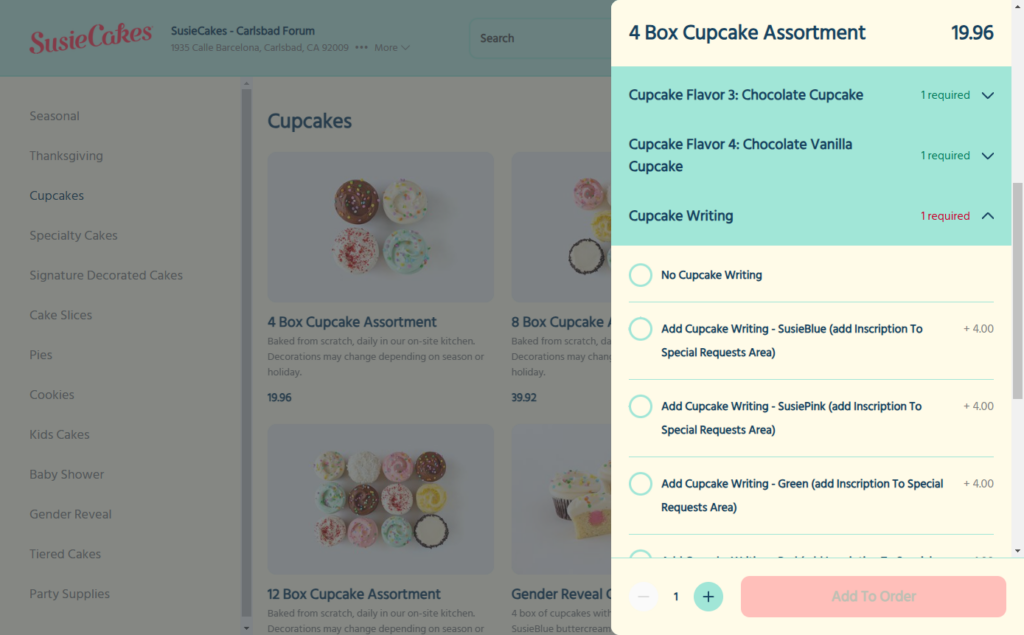
The menu is neatly organized by theme. Think baby showers, seasonal events, and birthdays, making it easy for customers to browse by occasion. When selecting an item, a slide-out panel allows customers to customize their order in detail, including choosing flavors for individual cupcakes and adding optional extras (some with additional fees).
This bakeshop website’s color scheme contains bright pastels, which are eye-catching and suit it’s family-friendly nature.
Why it works well
The experience is clean, modern, and user-friendly. Customers don’t need to navigate away from the menu to personalize their items, which keeps them engaged. It’s especially effective for gifting and event orders where customization is expected.
How customers order from it
Customers can order directly through the website for takeout or delivery and schedule a time slot during checkout. This gives them flexibility while helping the bakery manage demand.
How to implement this in your own bakery website
Using Orderable, you can replicate this ordering experience with custom add-ons, pickup and delivery time slots, and an easy-to-browse product layout.
The slide-out menu approach is built into Orderable, as well as the product option fields, giving your customers a smooth, flexible way to customize their baked goods.
Breads Bakery
Breads Bakery is a well-known New York-based bakery offering a wide selection of breads, pastries, salads, and more. Their online ordering system is designed to serve multiple locations with a personalized experience for each customer.
What makes their website unique
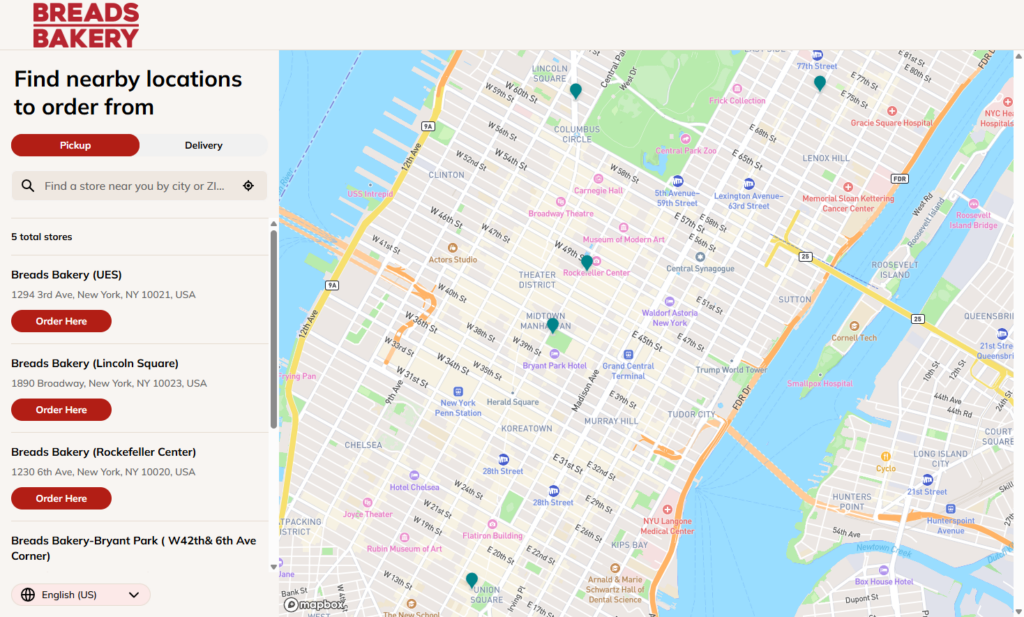
The ordering experience begins by asking whether you want pickup or delivery, followed by selecting your nearest bakery location. Once chosen, you’re shown a location-specific menu with clearly defined sections like breads, sweets, savory bakes, salads, and more.
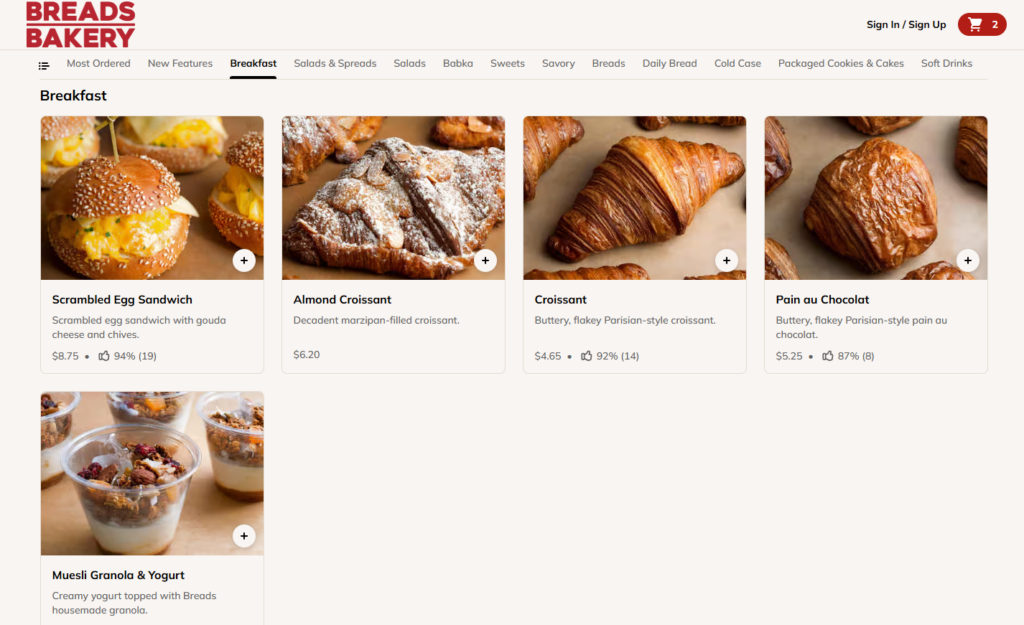
Each product opens in a popup window where you can select customization options (if available). These pop-ups also show recommended add-ons, like drinks or complementary bakes, that can be added with a single click.
After adding a product to the cart, a slide-out cart appears with an ‘In case you missed it’ section, showcasing additional products for easy upselling. The checkout process also includes a tipping option, making it easy for customers to show appreciation.

Why it works well
The experience feels personalized from the very start. Customers only see items available to them by choosing a location up front, which builds trust and simplifies ordering. Cross-selling within product popups and the cart encourages larger orders without being pushy. Tipping allows customers to support the business further.
How to implement this in your own bakery website
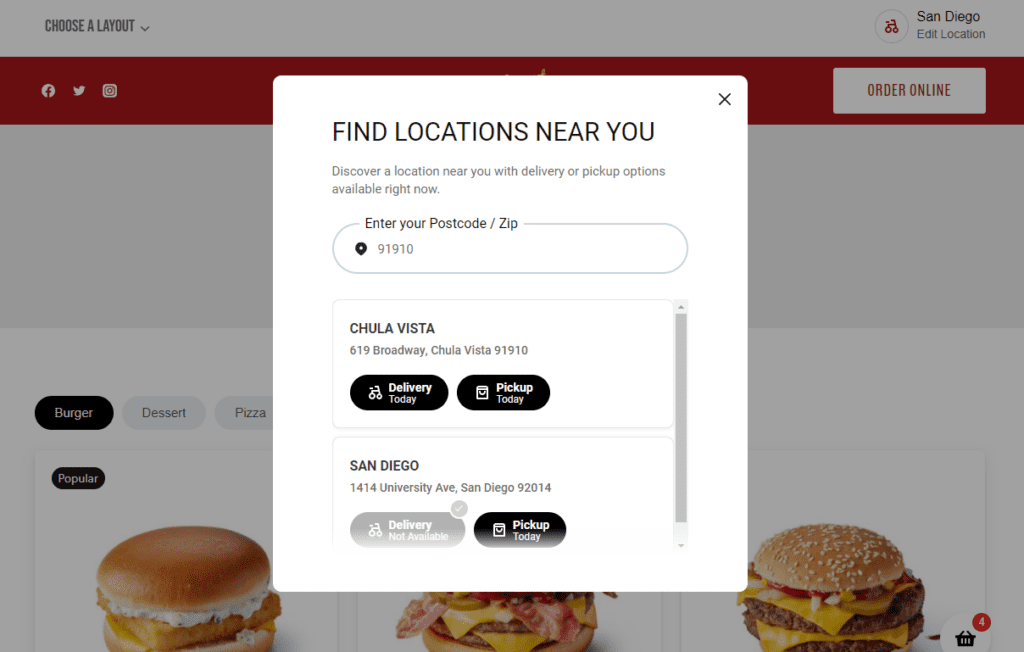
Orderable supports this exact workflow. You can use the Multiple Locations feature to let customers choose the nearest branch, ensuring they only see products available locally. The plugin also includes custom product add-ons, cross-sell suggestions, time-slot scheduling, and tipping at checkout. All helping you recreate the same smooth, tailored ordering journey that Breads Bakery provides.

Bakery website examples 3: Wildgrain
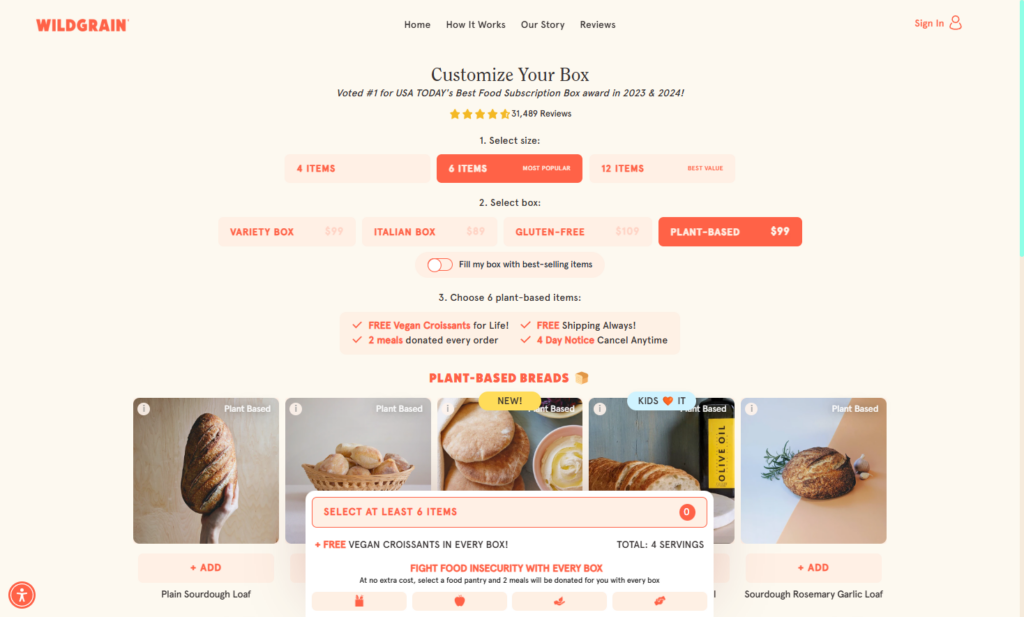
Wildgrain is a subscription-based bakery box service that delivers artisan breads, pastries, and pasta straight to customers’ doors. Their website offers a step-by-step, customizable box-building experience designed to feel simple and premium.
What makes their website unique
Instead of a traditional product menu, Wildgrain uses a guided selection process that walks customers through building their own bakery box. You start by choosing how many items you want, then filter by variety box, Italian box, gluten-free, or plant-based options.
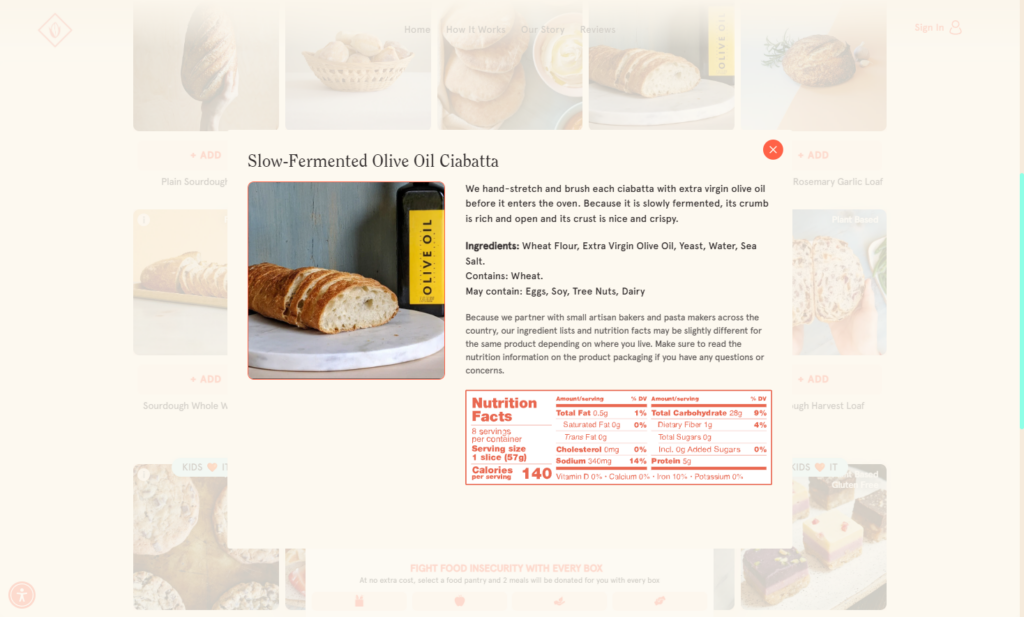
Each product includes a detailed view with nutritional information and allergen details, helping customers make informed decisions. After choosing your main items, you’re brought to an add-ons section recommending related products like butter, additional baked goods, and product bundles. A smart way to increase average order value.
Why it works well
This approach feels personal and controlled, with an emphasis on quality and customization. The filtering system and product info make it easy to navigate dietary needs, while the add-on step subtly encourages upselling without disrupting the flow. It’s ideal for bakeries offering curated boxes or bulk ordering.
How to implement this in your own bakery website
With Orderable, you can offer a similar build-your-box experience by using product grouping and custom product add-ons. For example, you can create a bundle product where customers select multiple items as add-ons. The cross-selling feature can be used to show optional add-ons in the cart.
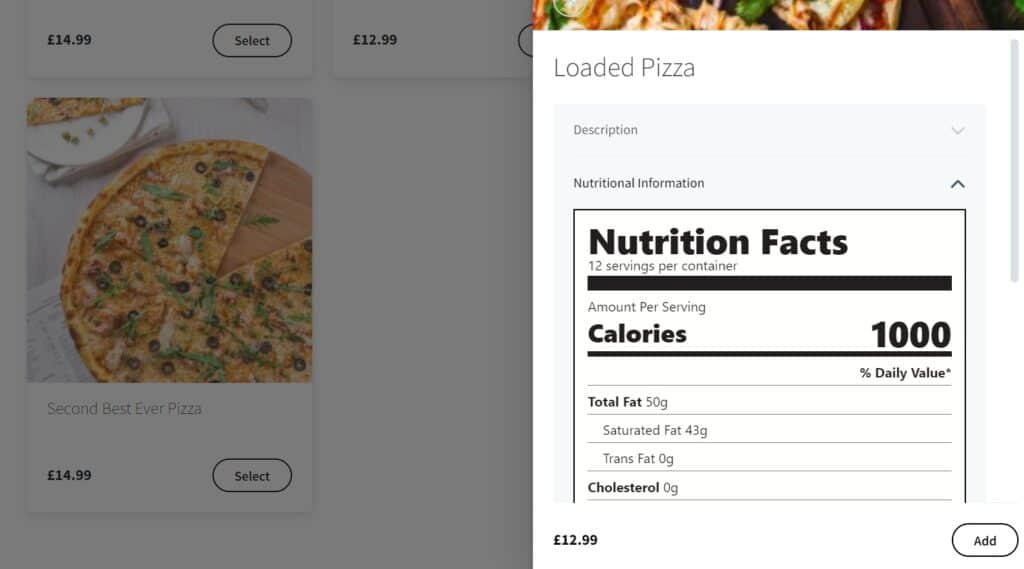
With Orderable, you can also add nutritional information and allergen information to each of your bakery products.
Lune
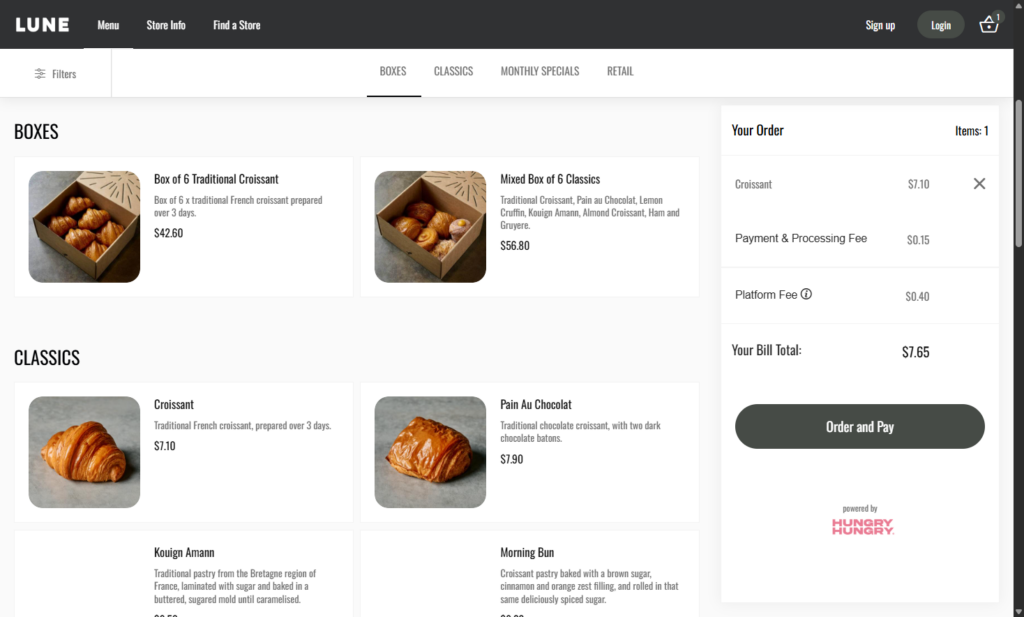
The Australian bakery, Lune, uses an ordering platform to streamline its online ordering process. The result is a clean, minimalist website that focuses on simplicity and speed.
What makes their website unique
Before customers can view the menu, they’re prompted to select a pickup time slot, which ensures the bakery can manage order flow right from the start. Once selected, they’re presented with a simple, well-organized menu that’s easy to navigate.
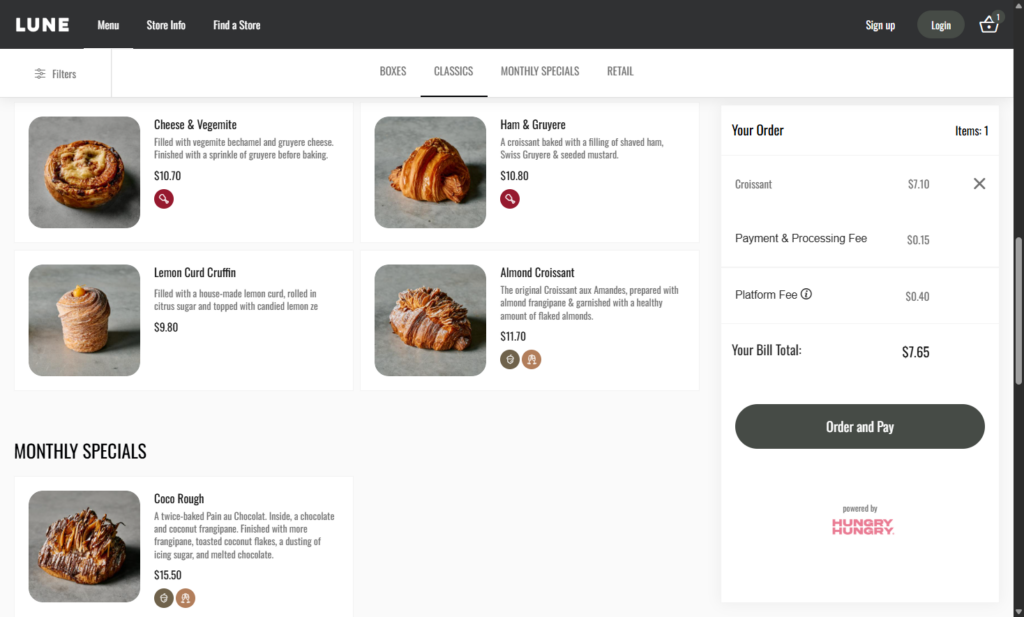
Products are labeled using small icons to indicate important information. Like whether an item contains meat, nuts, or alcohol, without taking up extra space. In addition to baked goods, the menu also includes a small merchandise section, featuring tote bags, keyrings, gift cards, and even a cookbook.
The clean design elements make the bakery shop very easy to use with plenty of white space, so customers can focus on getting what they need and checking out.
Why it works well
The minimalist approach makes the site fast and approachable, ideal for busy customers who want to quickly place an order. The use of icons for allergens and dietary info is a subtle but effective touch that keeps the layout clean while still providing key information. Offering branded merch also adds an extra revenue stream and helps build brand loyalty.
How to implement this in your own bakery website
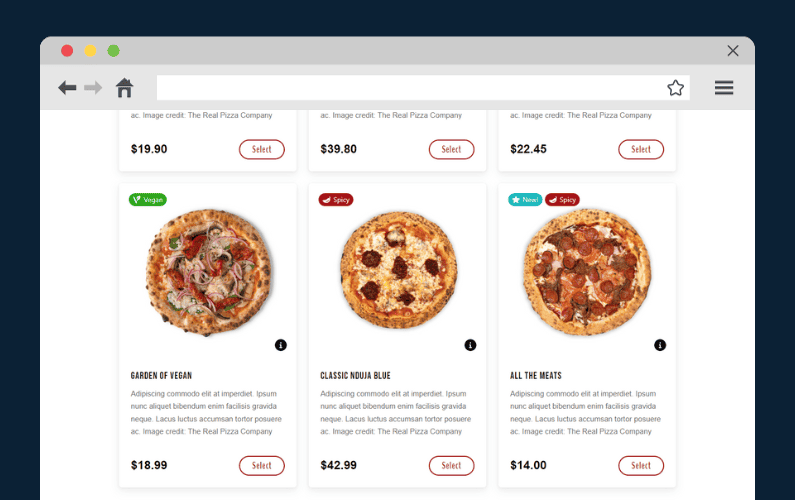
With Orderable, you can also use product labels or icons to highlight allergens or dietary details. For merchandise, simply add non-food items to your WooCommerce store, and use Orderable’s layout options to include them alongside your baked goods.
Bakery website examples 5: Levain Bakery
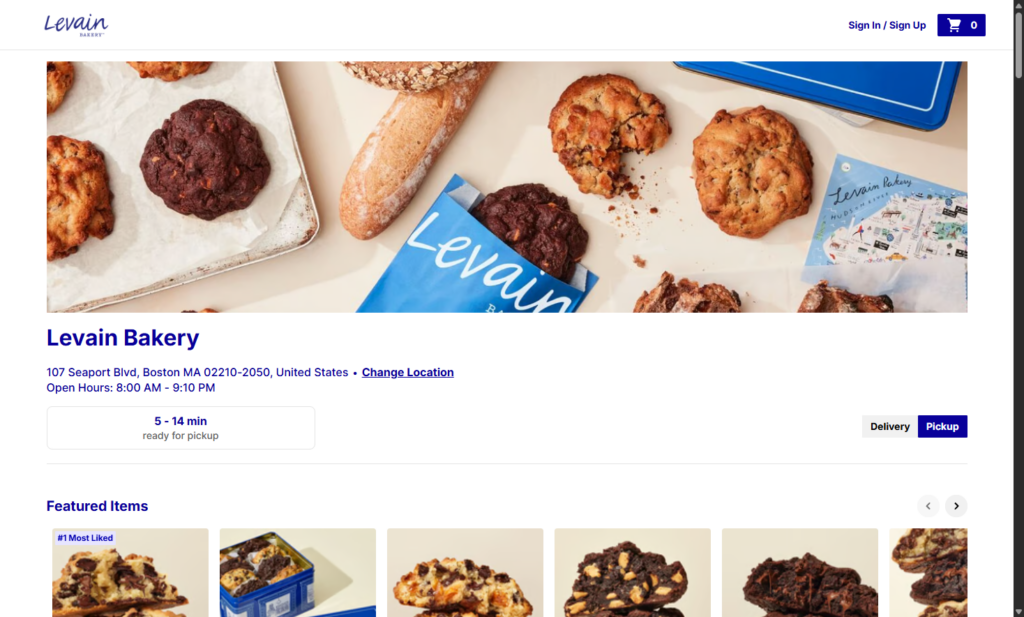
Levain Bakery is a popular US-based bakery best known for its thick, gooey cookies. Their online ordering platform delivers a polished, location-aware experience that makes it easy to order customer favorites.
What makes their website unique
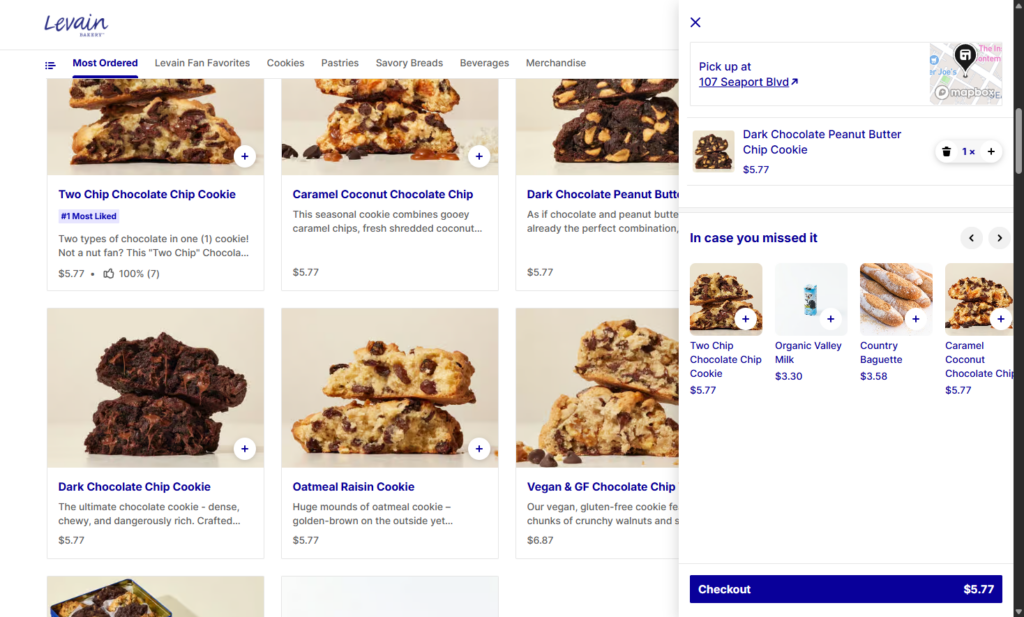
Like Breads Bakery, Levain’s website begins by prompting customers to choose their nearest location, ensuring they only see available items and accurate pickup options. The menu is clean and product-focused, and when an item is clicked, a popup window appears with a description, customization options, and the ability to add special instructions. Ideal for handling things like gift messages or allergy notes.
Each product view also features recommended add-ons, making it easy for customers to add extra treats to their order without leaving the page.
Why it works well
Levain’s ordering flow is straightforward, but packed with small details that enhance the experience. Cross-sells feel helpful rather than intrusive, and special instructions give customers more control over their order. It’s a strong example of how to make online ordering feel personal without overcomplicating the process.
How to implement this in your own bakery website
Orderable supports multiple store locations, so you can show different menus and product availability depending on the customer’s selection. Use product add-ons and enable cross-sell recommendations to increase order value without interrupting the flow of checkout.
Tartine Guerrero
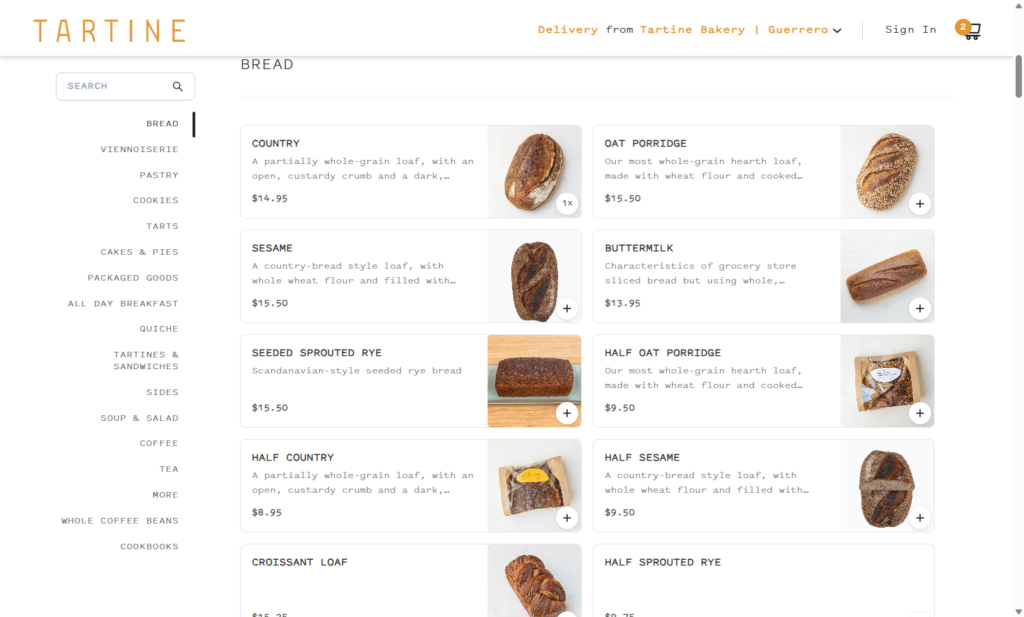
Tartine Guerrero is part of the well-known Tartine Bakery brand, offering a range of artisan baked goods, coffee, and café-style meals. Their online ordering experience is clean, intuitive, and flexible. Ideal for bakeries with a wide product mix.
What makes their website unique
The website uses a sidebar layout to neatly organize categories like breads, pastries, soups, sandwiches, drinks, packaged goods, and merchandise. It is a professional website that looks very clean with its unique typography and design elements.
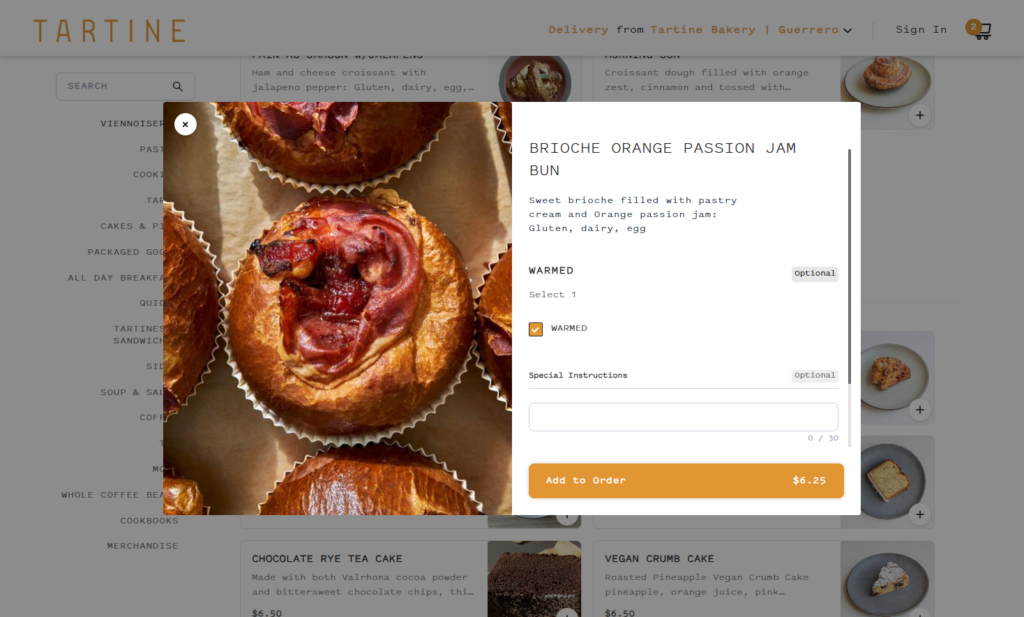
When selecting an item, a simple popup provides a short description and available customizations, such as a checkbox to request an item to be warmed, which adds a nice touch of service. In addition to fresh baked goods, they also sell coffee beans, branded cookbooks, hats, aprons, and other merchandise, expanding their offering beyond food.
A tipping option is included at checkout, allowing customers to show appreciation with ease.
Why it works well
The combination of a minimal design and flexible ordering options makes the site easy to use, while still offering depth for those who want to personalize their experience. Including merch and pantry items broadens revenue streams and supports the brand beyond the bakery itself.

How to implement this in your own bakery website
Orderable offers a sidebar layout option to mirror this simple, category-driven design. You can add custom fields like checkboxes for preferences (e.g., “Warmed”) using product add-ons and include non-food items like merch and coffee using standard WooCommerce products. The built-in tipping feature and pickup time slot selection make it easy to deliver the same level of functionality.
Bakery website examples 7: Mah-Ze-Dahr
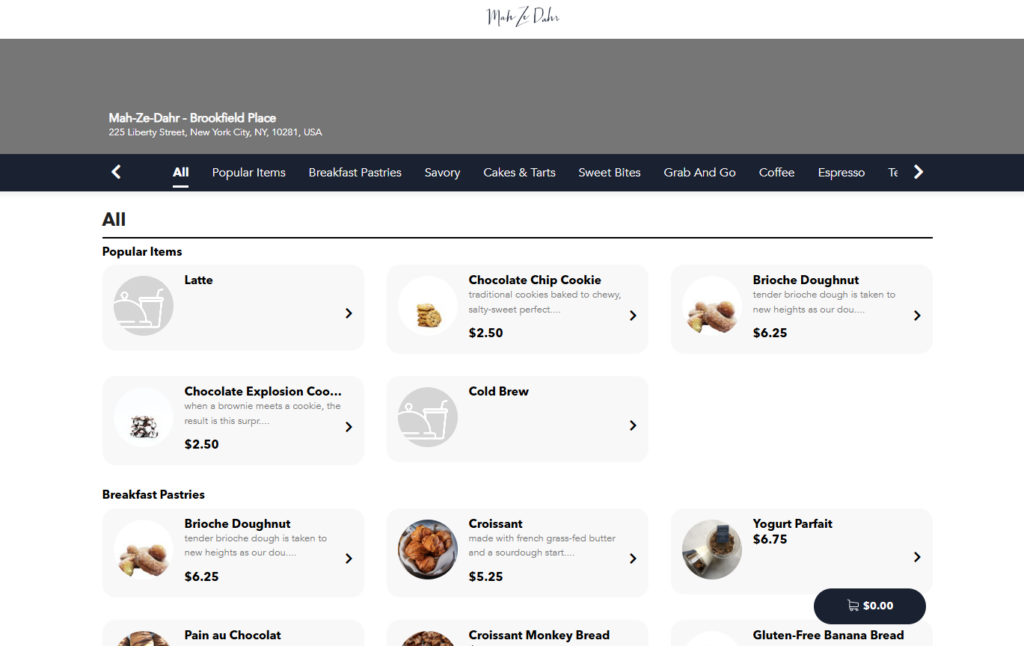
Mah-Ze-Dahr is a modern American bakery with locations across the US, known for its elegant pastries, savory bakes, and small-batch coffee. Their online ordering site offers a polished and intuitive experience, starting with location-based filtering.
What makes their website unique
The first step in the ordering process is selecting your preferred location, which ensures customers only see items available near them. The menu is organized into easy-to-browse categories at the top. Including breakfast pastries, savory, cakes and tarts, and sweet bites.
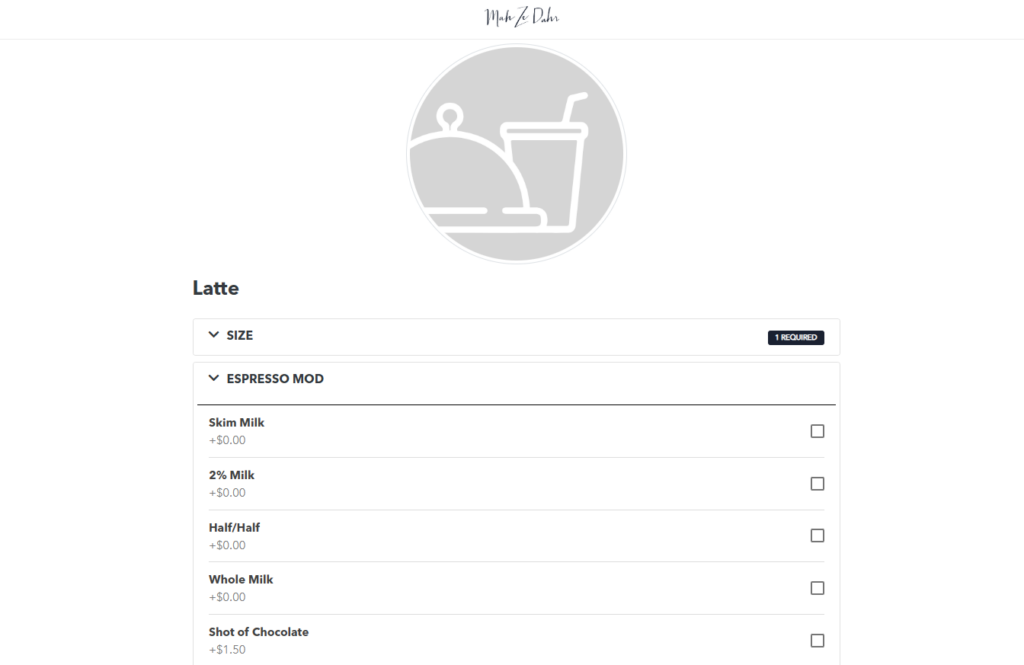
If an item is unavailable, it’s marked as ‘Sold Out’, helping manage expectations and reduce customer frustration. Clicking on an item opens a full-page popup with item details, optional customizations, and a special instructions field. For example, ordering a coffee allows you to choose milk type, number of espresso shots, and more, with additional fees clearly displayed when options add to the price.
Why it works well
The full-screen product view is immersive and easy to use, especially for more complex items like drinks. Clearly labeling sold-out items sets customer expectations and avoids disappointment during checkout. The combination of customization, clear pricing, and location-specific menus makes the experience feel smooth and professional.
How to implement this in your own bakery website
With Orderable, you can offer location-based menus using the Multiple Locations feature. You can also use product add-ons to let customers customize drinks or food items and display additional fees per option.

Learn how to build a great bakery website today
A well-designed bakery website helps you attract new customers, streamline operations, and boost sales. From clear menus and customizations to smooth checkout and location-based ordering, the right features can turn your website into one of your most powerful business tools.
As we’ve seen in these bakery website examples, there’s no one-size-fits-all approach. But with WooCommerce and Orderable, it’s easy to build a site that fits your bakery business. Whether you’re selling cookies, cakes, coffee, or cookbooks.
With Orderable, you can:
- Add online ordering and schedule pickup or delivery time slots.
- Offer product customizations, add-ons, and cross-sells.
- Support multiple locations, tipping, and even subscriptions.
- and more.
Create the perfect bakery website today with WooCommerce and Orderable, and deliver a seamless online ordering experience that keeps customers coming back.
Get Your Bakery Business Online With Orderable
Create your bakery business website quickly and easily with the bakery ordering system for WordPress, Orderable.
Orderable is reliable, easy to set up, and simple to use. All you have to do is customize it to suit your baking business and watch orders come in.
Gina Lucia is our in-house Content Manager at Orderable. She writes articles, user guides, technical documentation, and creates videos on everything WooCommerce and Orderable.
Gina has been working in the WordPress/WooCommerce space since 2012 when she developed WordPress websites for clients large and small.
For the past 8 years, she’s been writing about everything WordPress and WooCommerce, becoming an expert in what makes a WooCommerce store succeed.
When not writing, Gina loves to tend to her vegetable garden, read, or travel to mainland Europe.
Don’t miss out on the latest Orderable news!
Sign up for our newsletter to receive the latest news from the blog, you’ll get pinged every week with a digest of the latest updates.
[fluentform id=”6″]

Related Articles

What is a Soft Opening for a Restaurant? (2026 Guide)
New to Orderable: Updates for January 2024
Contactless Ordering: How to Add it to Your Restaurant (in 2026)
Get Your Restaurant Online With Orderable
The WooCommerce plugin designed to help restaurants take orders online – with no added fees!
View Pricing

