

How to Convince Skeptical Diners to Order Online for the First Time

How to Convince Skeptical Diners to Order Online for the First Time


Gina Lucia


Want to learn how to convince skeptical diners to order online from your food establishment for the first time? This article is here to help.
Over 67% of customers are willingly ready to order food deliveries directly from a restaurant’s website. But for this to work, you must remove any doubts, suspicions, or barriers that discourage customers from ordering your food.
We’ll cover:
- Why diners might be skeptical about ordering from you.
- How to convince skeptical diners to order online.
Let’s begin by identifying some sources of skepticism around ordering online. Why are some customers skeptical about ordering online with you, particularly for the first time?
Get Your Restaurant Business Online With Orderable
Orderable is a user-friendly WordPress plugin that adds online ordering to your restaurant website.
Add your dishes, create your online ordering menu, customize your delivery schedule, and manage orders with ease.


Why customers might be skeptical about ordering online with you
Both new and existing customers might have reservations about ordering online with you for the first time. But what could be these sources of skepticism that deter customers?

Trust in new brands
Customers may hesitate to order from a local restaurant they haven’t visited for different reasons.
They may have never heard of you before. These customers may be unfamiliar with your food quality, reputation, reliability of delivery services, or the value they’ll receive in return.
This means new customers will need to be persuaded before they feel comfortable enough to take a chance on your business and order online.
📈 More surprisingly, most of these customers will be looking for a reason to leave in 15 seconds or less.
In simpler terms, that’s the amount of time you have to prove your credibility to customers, clear doubts, answer pressing questions, get them to stay longer, and win them over via your site.
Inconsistent standards
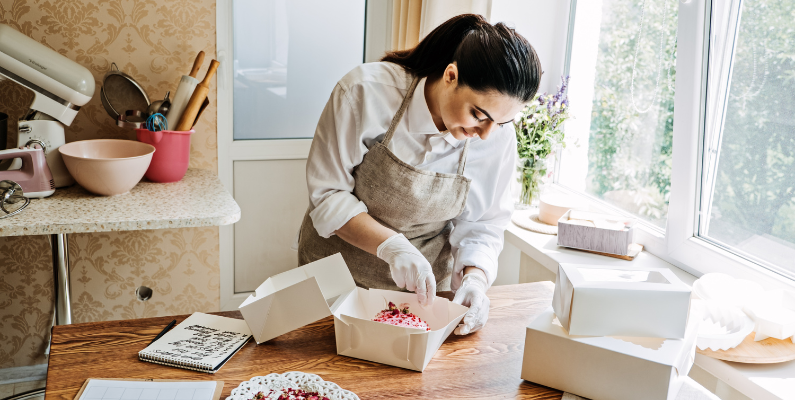
Inconsistent standards mean food orders don’t reach the customer in the same good condition they left the restaurant. If this trend continues, it creates a poor customer experience that can make them doubt ordering online from you again.
What leads to delivery inconsistencies
The problem could be with delivery aggregators like Uber Eats, DoorDash, or Grubhub you’re working with to handle delivery orders. The quality of their delivery service may not always match your restaurant’s standards. For instance, there could be delays, or the food might arrive cold, spilled, or incomplete.
So, customers are left to wonder whose fault it is, you or the delivery platform?
Some customers may also want to provide detailed delivery instructions to the restaurant but feel cut off by the platform. This lack of direct contact makes them feel disconnected and frustrated, especially if their request isn’t met.
Why this matters
Essentially, when customer experience becomes inconsistent, they’ll start doubting your credibility as a restaurant. This form of customer dissatisfaction also reflects poorly on the restaurant, even if the issue stems from a delivery platform.
Besides, customers want to feel heard and taken care of. Platforms that isolate them from the restaurant make it harder for you to meet their expectations.
Issues with delivery
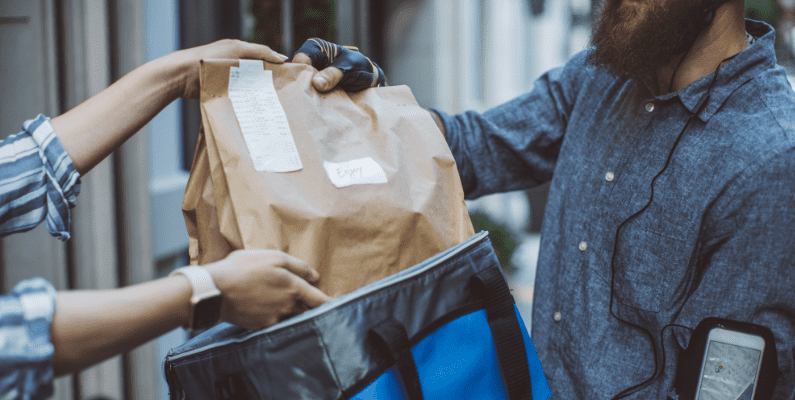
📈 Studies show that 90% of customers want to know what’s happening to their delivery orders. If they don’t receive delivery status updates, more than 80% will go to another restaurant next time. Or just abandon their orders.
In other words, there are two things customers want to know so they’re easily convinced to order online:
- The delivery time. They want to be sure their food will arrive within a reasonable timeframe, especially if it’s a hot meal.
- Update on the order status/delivery progress. After they order online, they want to know what’s happening to their order.
Generally, customers won’t know when their order will arrive or what’s happening to their deliveries for one reason. You’re not communicating enough about the order status or the delivery progress. This must change to win skeptical customers over.

Accuracy of food photos and descriptions
Customers are good at noticing things these days. They can spot when a restaurant uses images that aren’t real pictures of the food, like stock photos or heavily edited ones.
And when food looks too perfect in pictures than it does in real life, they’ll start doubting. They may question whether the food they’ll order online will look as enticing as what they saw in the photo.
This gap between expectation and reality can affect their overall dining experience and trust in the restaurant. Shoddy menu descriptions that aren’t informative enough will make this gap even worse.
Payment security
Customers are increasingly becoming more concerned about data privacy and cybersecurity nowadays.
📈 If you want to know why this trend is going upward, look at the data. Online shopping and payment account fraud rose by 42% in the U.S. this year alone.
This increasing level of cyber threats has made customers more cautious about sharing personal and financial details online. For example, they aren’t wrong if they want to be sure whether their credit card details are safe with you.
- What happens if there’s a data breach?
- Is the payment method you’re providing reliable? Can they use alternative options like cash on delivery?
Failing to address these issues on your website only worsens the situation. Customers may abandon their carts, which may lead to lost sales and potentially negative reviews.
Talking about negative reviews, let’s see how it adds up to doubt.
Negative reviews or lack of reviews in general
What would you do if you read a string of negative reviews about a restaurant – or worse, find no reviews at all?
📈 For most customers, this would be enough reason not to order online or try a new restaurant, considering that online reviews influence 94% of U.S. diners.
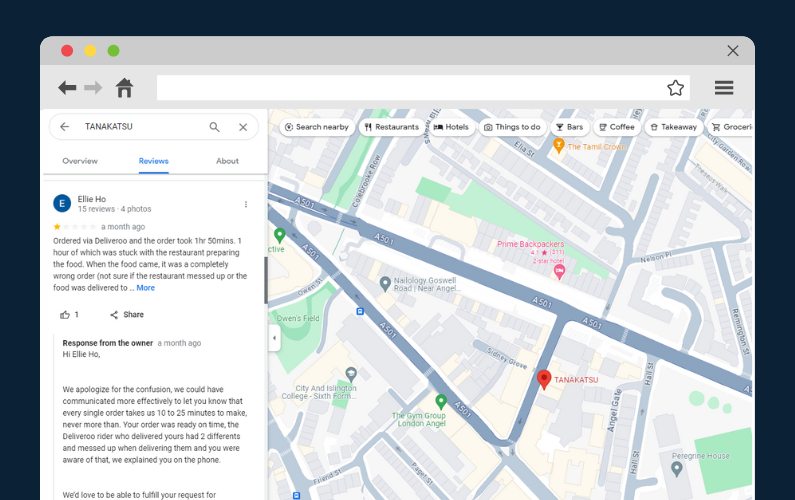
Negative reviews point out specific issues that customers fear encountering themselves. Issues about your food quality, delivery problems, customer service, hygiene concerns, etc.
On the other hand, when there are no reviews, the absence of social proof becomes a problem in itself. Customers may start to wonder why no one has reviewed your place yet. Or question if they’re ready to take a chance with a business no one else seems to have tried their food or order online.
Look at what research by Small Business Trends says about negative reviews:
- 22% of diners will not eat at a restaurant after reading just one bad review.
- After three negative reviews, that number increases to 59%.
- On average, one negative review will cost you 30 customers.
- 86% of people will think twice about buying from a business with multiple negative reviews on Google.
Dietary restrictions
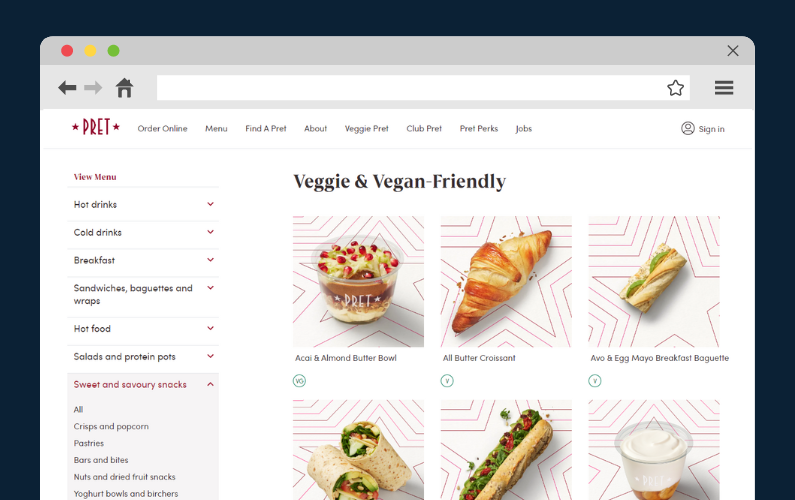
Some customers are interested in dietary information for multiple reasons:
For religious reasons. Specific customers prefer halal or kosher meals because of their religious beliefs.
For health reasons. Customers with underlying medical conditions like food allergies want to know if their dishes lack allergens like nuts, gluten, dairy, etc. Some customers may also be diabetic or take medications that don’t go well with specific ingredients in a dish.
📈 It’s estimated that 33 million Americans have food allergies. You could get these customers to order online from you.
For personal beliefs or preferences. Other customers are just dietary-conscious or prefer healthy living. Some are vegans. Others prefer zero-sugar beverages, low-carb, low-sodium diets, etc.
Generally, these customers pay close attention to ingredients, allergens, or specific dietary needs. Failing to highlight essential information like allergen and nutritional info raises a red flag. If they can’t know exactly what’s in their dish, they’ll assume you don’t care, doubt you, and leave.
Complex orders
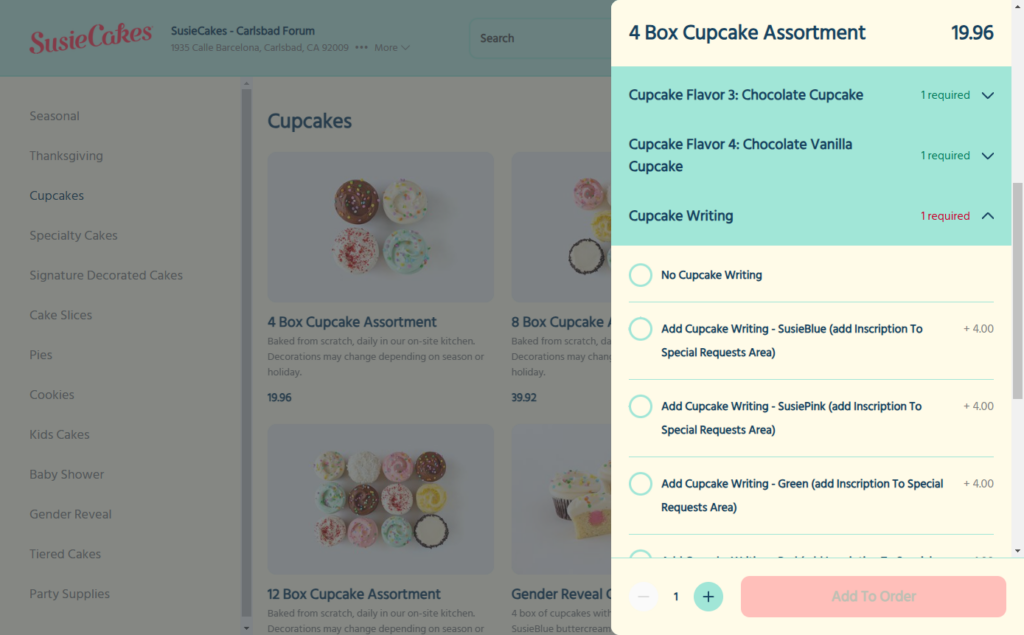
Customers with specific preferences may want to personalize their entrees to the smallest details.
For example, they may want to add/remove extra cheese or adjust preparation methods with instructions like extra crispy or lightly salted. Or they may want to leave a special request on how they like their dish prepared before they can confirm their order online.
These multiple customizations, adjustments, or special instructions to meet a customer’s specific preferences or needs make up a complex order.
Unfortunately, some platforms can limit how customers customize their orders. Some customers often wonder if their instructions will be accurately communicated to the kitchen or fulfilled correctly. Especially if the ordering platform has limited options for inputting detailed requests.
Difficult to resolve issues
How do you resolve issues?
This is another point of concern for customers if something goes wrong, such as an incorrect or missing item, late delivery, or a quality issue like cold or damaged food. Customers want to know how they can quickly reach you to fix the problem or have peace of mind.
If there’s no straightforward way to communicate, such as a missing phone number, slow email responses, or an unhelpful chatbot, customers may hesitate to order online. Besides, ignoring or dismissing an unhappy customer only exacerbates the situation, resulting in more negative reviews. Something we don’t want at all.
Up to this point, we’ve identified common sources of skepticism regarding online ordering. Now, let’s see how we can fix them and convince customers to order online with you.
How to convince skeptical diners to order online
In this section, we’ll go through each of the barriers we discussed above and suggest strategies for overcoming them.
Online ordering barrier #1: Trust in new brands
When a customer visits a new restaurant website, they’re immediately skeptical because the experience is entirely new to them. Again, you only have a shorter amount of time to win their trust and show them they’re in the right place when they scan through your site.
The website theme and design you use play a big role in their first impression of you.
But to make a significant impact, clear any doubts, and make them comfortable to order online, here are some quick strategies you can employ.
Showcase social proof
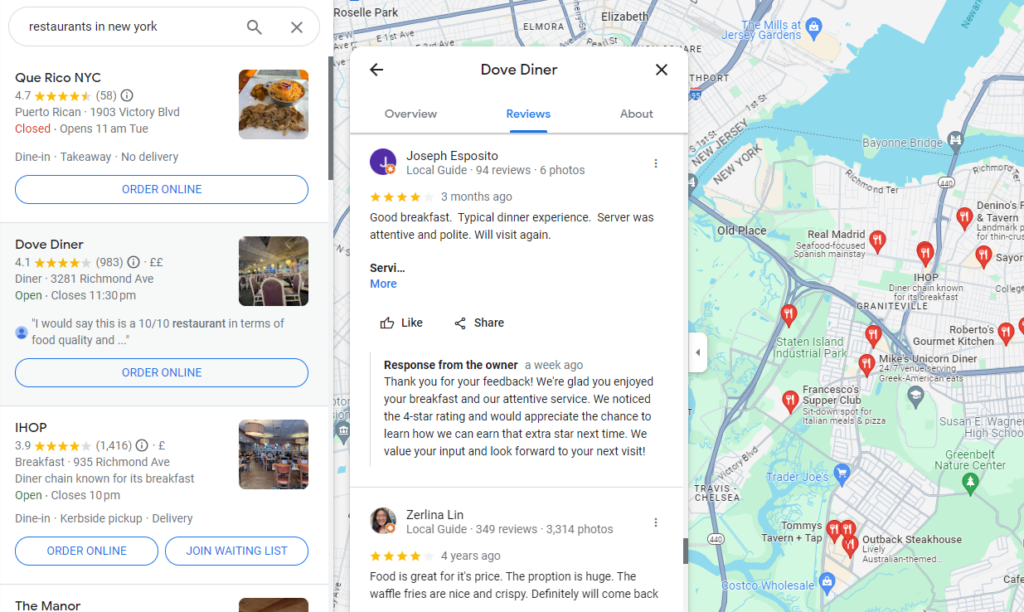
Social proof includes customer reviews, testimonials, star ratings, authentic photos of real people dining at your place, and so on.
Reading social proof lets customers hear what other people say about your establishment, the food and services, their experience, etc.
📈 This works because studies show that 92% of customers trust peer recommendations, but not nearly as many trust ads.
Using real photos of people, on the other hand, shows you’re a real business with a physical address. It proves you’re authentic.
Show your human side
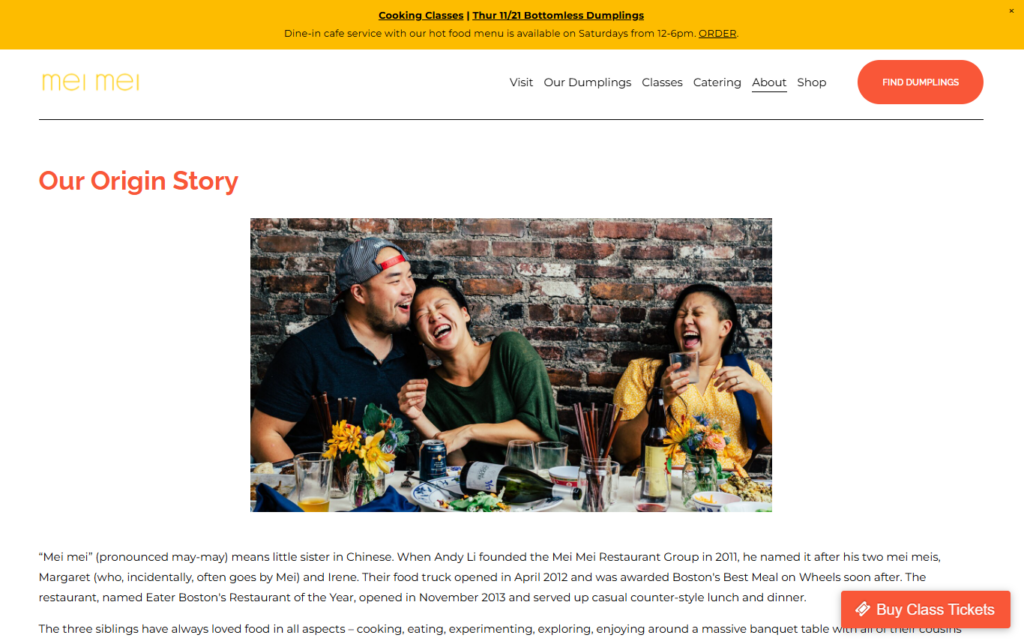
There’s no better way to show your restaurant’s human side than to tell stories on your About Us page.
You can share stories about how you started, the challenges you went through, etc. You can tell the stories of the people behind your food and business, and share who they are and what they do.
There are so many stories your restaurant could tell. You just have to find them. Find the stories within your business that make you happy or sad and tell those stories to your customers to evoke an emotional connection. Don’t overdo it, though!
Stories make your restaurant brand more human and relatable and, therefore, more trustworthy.

Online ordering barrier #2: Inconsistent standards
Partnering with delivery aggregators means you’ll have no full control over the delivery process. At some point, the customer experience will be disjointed if they can’t match the delivery standards you promise your customers.
You can turn this around by installing a direct online ordering system on your website so you control delivery, customer support, etc., to ensure your standards are fully met. Doing this by yourself is so easy with the Orderable plugin.

What is Orderable?
Orderable is a WordPress plugin that installs an online ordering system directly to your restaurant website.
This system enables you to manage every aspect of restaurant orders customers place with you. By handling orders yourself, you can ensure that food is prepared, packaged, and delivered to customers in the best possible condition.
Customers can order directly from your site at the time they select. You’ll be able to deliver to customers to their addresses on your set schedule.

How Orderable gives you complete control of the ordering and delivery process
Orderable provides the following features to give you full control of the entire ordering and delivery process:
Easy menu management
Orderable allows you to easily create, modify, update, and manage your restaurant’s menu with accurate item descriptions, prices, and availability as needed. These flexible menu designs are also optimized so customers can easily order online anytime, anywhere, in a convenient way.
Centralized order management
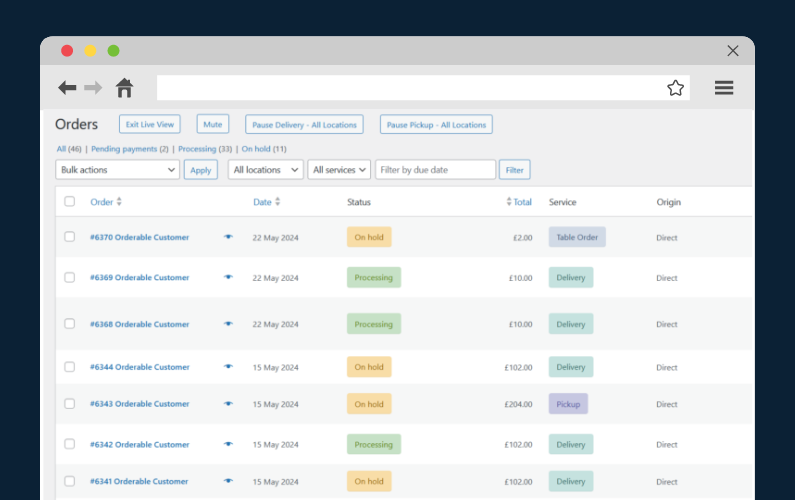
With Orderable, all online orders are automatically displayed on a live order view screen so the kitchen can start preparing orders immediately. Your staff can access delivery instructions on this display as well.
Create manageable delivery zones
This plugin lets you define as many geographical areas as possible to deliver food orders to customers within your locality. These areas can be close to your business so that food arrives in good condition always. For each delivery zone, you can charge different delivery fees.
Create flexible delivery schedules that work for you
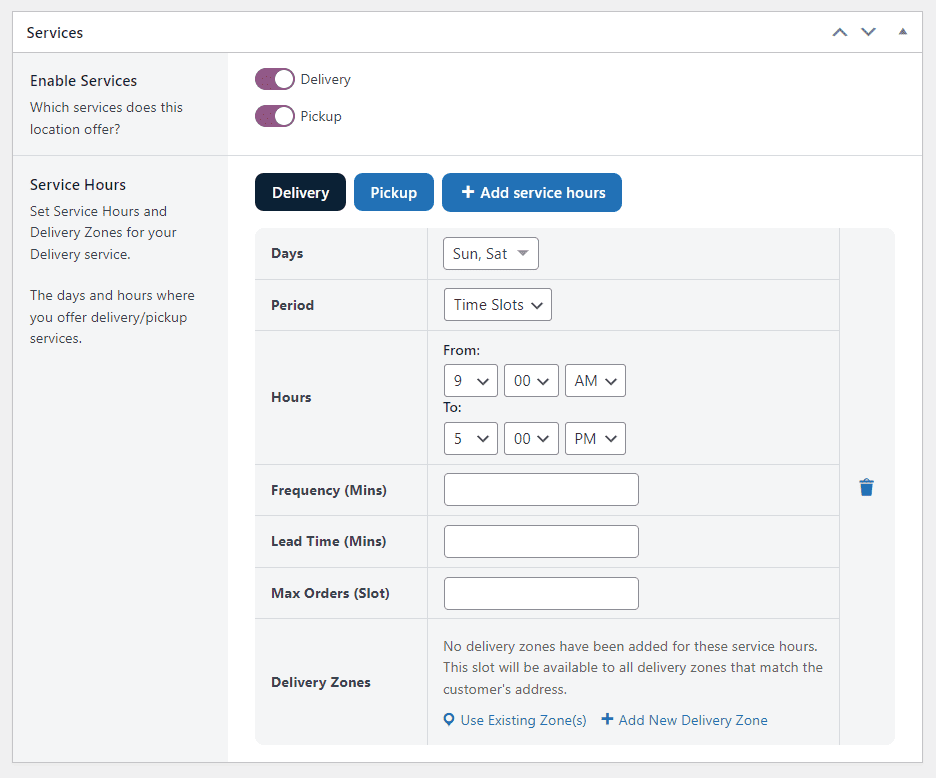
With Orderable, you determine specific days of the week when you’ll offer delivery services. You can also create specific time slots customers pick from when placing their order.
Then, set the maximum number of orders you can fulfill for that day. You can also provide flexible delivery options like takeout, curbside pickup orders, ASAP deliveries, same-day or next-day deliveries, etc.
Increase your average order value
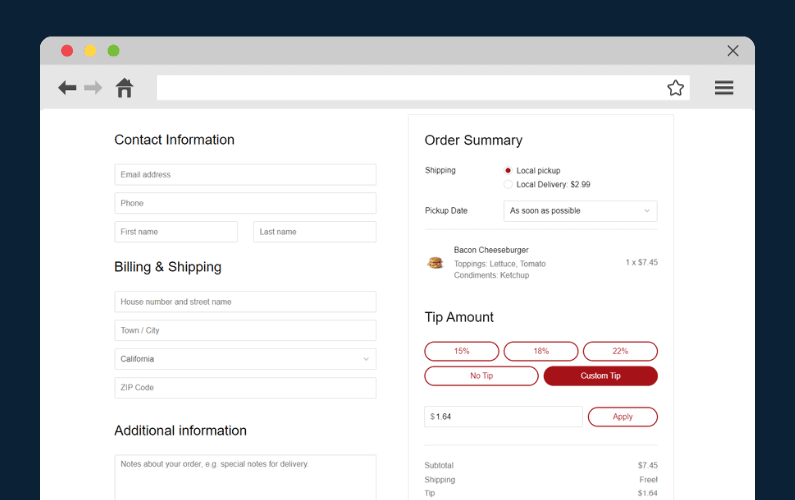
Orderable also lets you boost your food sales with upselling and cross-selling features like order bumps, tip prompts at checkout, and product add-ons.
Orderable is a commission-free plugin. We’ll unveil more of its features as we show you how to resolve subsequent problems.
Get Your Restaurant Business Online With Orderable
Orderable is a user-friendly WordPress plugin that adds online ordering to your restaurant website.
Add your dishes, create your online ordering menu, customize your delivery schedule, and manage orders with ease.
Online ordering barrier #3: Issues with delivery
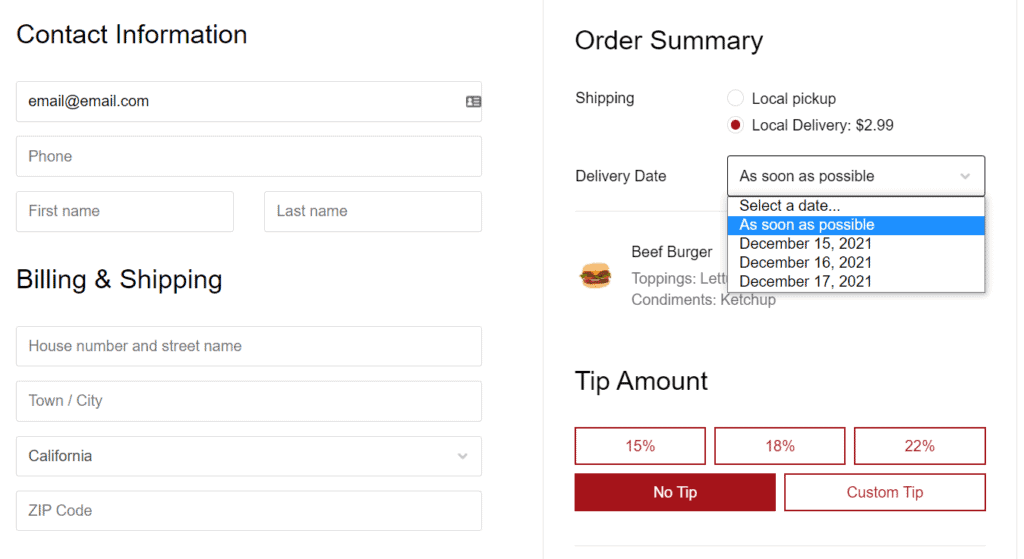
The best way to let your customer know when their order will arrive is to let them select their delivery date and time at checkout. Updating them on their order status and delivery progress gives them peace of mind.
This is something the Orderable plugin can help you out with.
Add delivery timeslots at checkout
With Orderable, you can create timeslots and add them as a user-friendly date picker at checkout. Customers can use this to select an order delivery date. After that, they’ll be presented with a list of delivery time slots available for the specific date they have picked. They can select one that’s convenient for them.
In this way, they’ll customers know exactly how long their order will take.
Send custom order/delivery status with Orderable
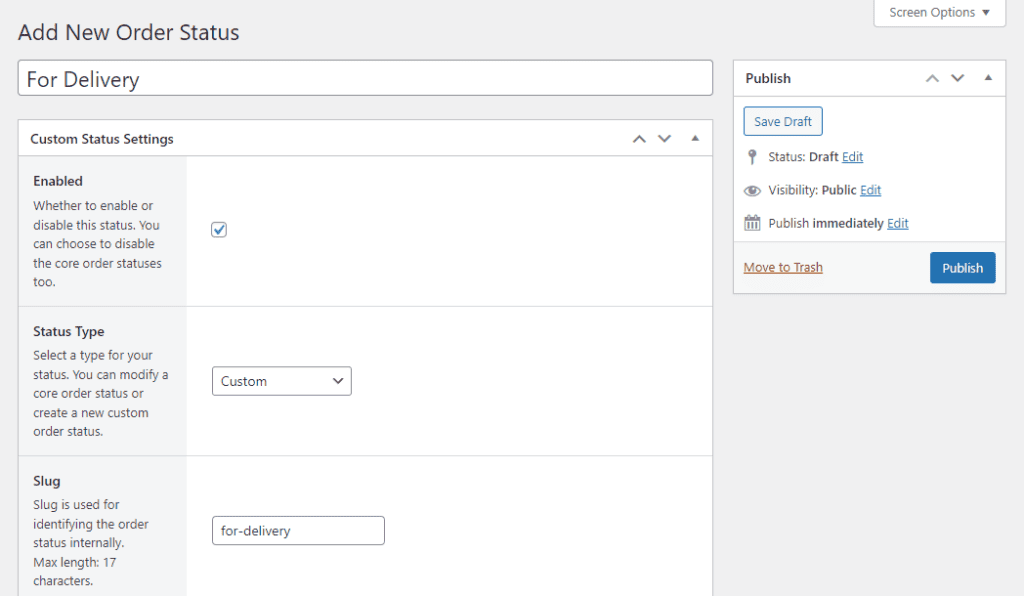
With Orderable, you can send updates to notify customers about their order and delivery progress. These updates help customers feel secure by showing them what’s happening at each step of their order.
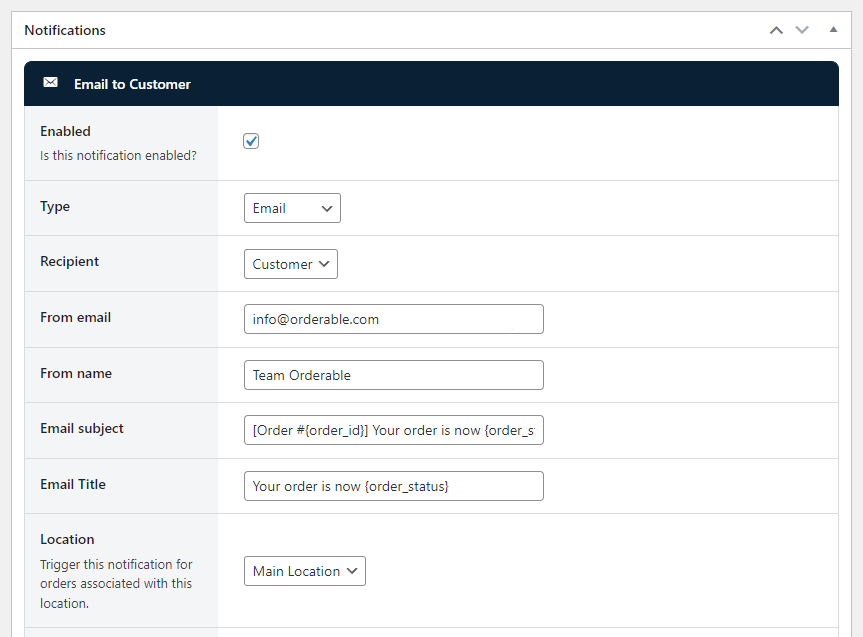
You can send:
- Instant order confirmation. This lets customers know you received their order and are starting to work on it.
- Order preparation update. Inform customers when their order is being prepared and give an estimated time for when it will be ready.
- Delivery notification. Let customers know when their order is out for delivery and provide an estimated time of arrival (ETA) if possible.
You can send these updates via SMS, email, or WhatsApp so customers stay updated throughout the process.
Online ordering barrier #4: Accuracy of photos and descriptions
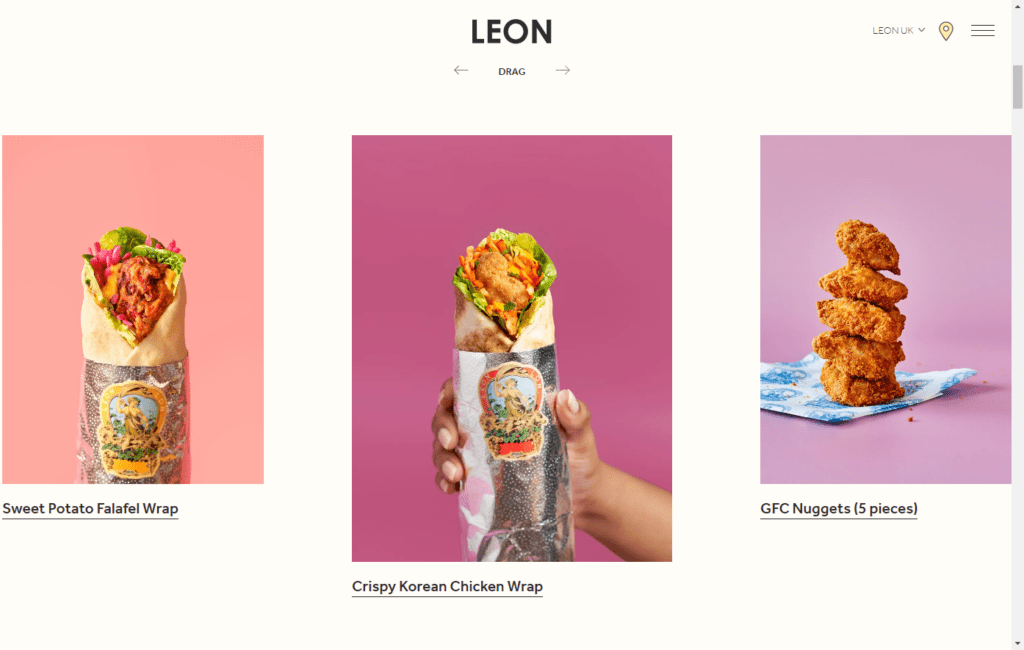
While high-quality photos are a feast for the eyes, you should strive to use authentic photographs. Authentic photographs accurately represent the unique features of your food by exploiting things like natural lighting as much as possible, the right camera settings, the rule of thirds, etc.
💡 The following are detailed restaurant food photography tips to help capture realistic images of your food.
Show actual portion sizes and food packaging (if possible)
When taking photos, try to showcase the actual portion sizes and packaging to set clear expectations. Show images that accurately reflect the quantity of food customers will receive.
And, if possible, include visuals of the containers, bags, or boxes used for takeout and delivery to give a complete and realistic presentation.

Write direct menu descriptions
Write simple menu descriptions of the ingredients to share with customers what they are ordering and what they can expect to receive.
For example, you can write simple explanations like Italian Frittata with Sun-Dried Tomatoes, Spinach & Parmesan. Say what the dish is, where it comes from, or how it was prepared, and bullet point the stronger flavors in the dish.
Online ordering barrier #5: Payment security
Provide payment methods like credit or debit cards, PayPal, Google Pay, etc. Why?
Customers trust these payment gateways because they’re familiar with them. Most importantly, these payment providers have strong security measures that give customers confidence that their transactions (and personal data) are secure.
Note: Display secure payment icons, security badges, or encryption badges during checkout to enhance customer trust further. It shows you’re committed to protecting a customer’s financial data.
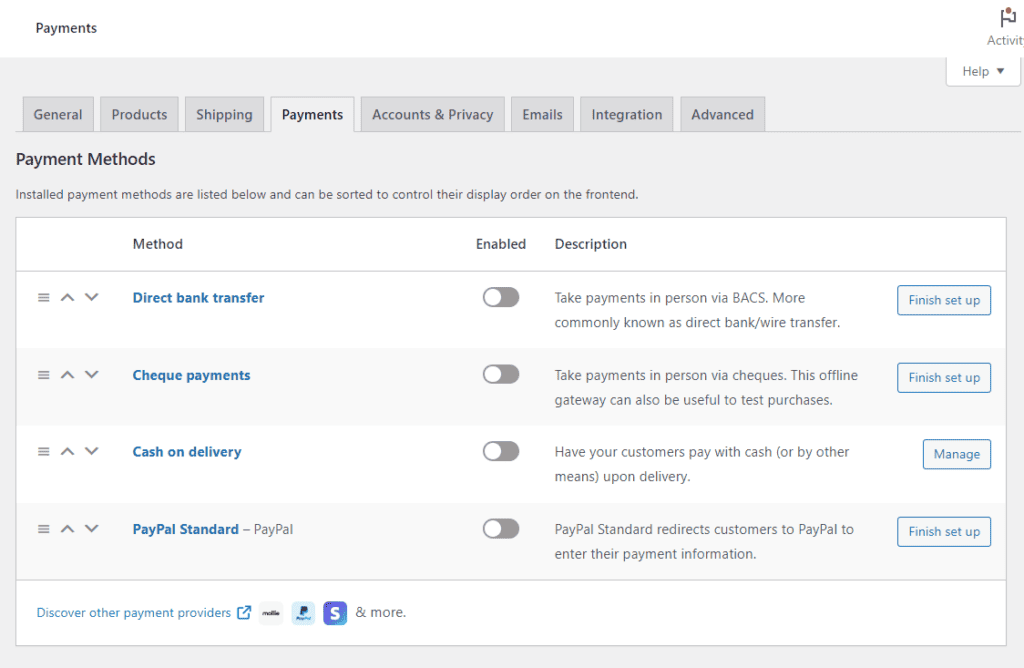
Offer secure, multiple payment options with Orderable
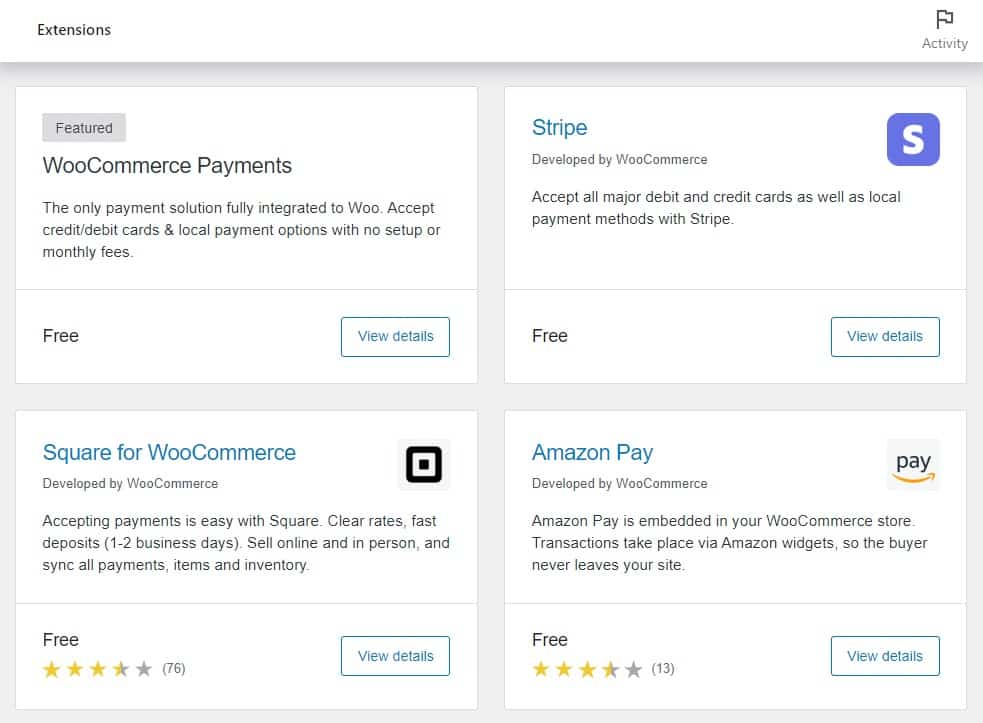
Because Orderable works with WooCommerce, it supports multiple payment gateways like Stripe, cash on delivery, digital wallets, etc, so customers can transact with their preferred payment option.
The Orderable checkout process is quick. Customers can quickly confirm their order in the order summary section. Then, they’ll enter contact, billing, shipping, and payment info before they can place an order.
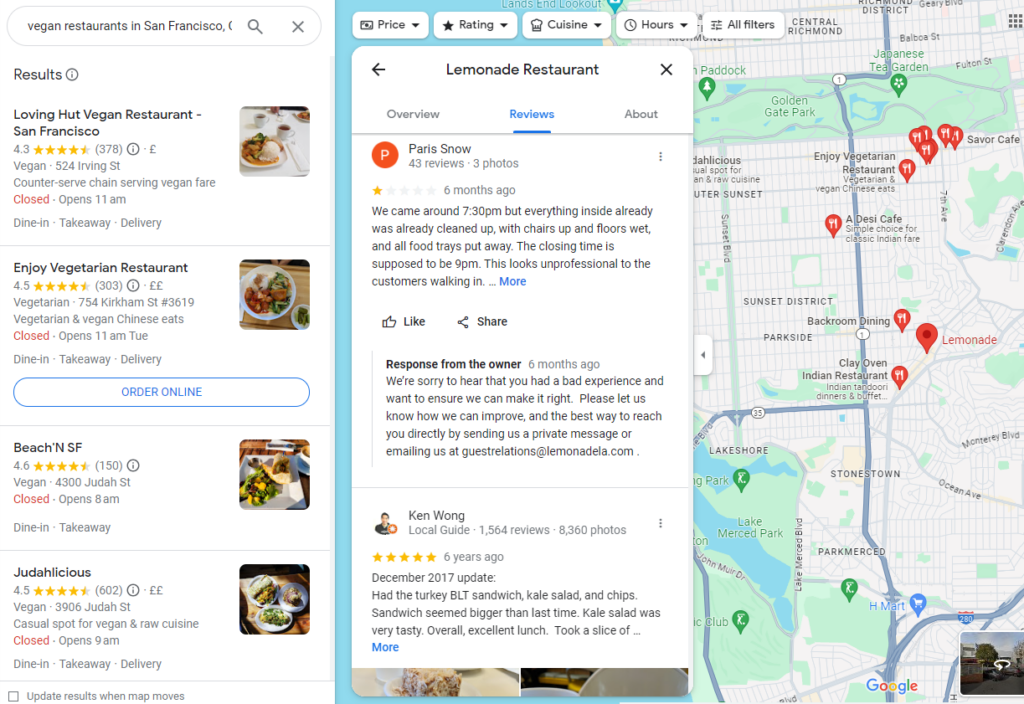
Online ordering barrier #6: Negative reviews or lack of reviews in general
It’s not hard to imagine why most restaurants work hard to earn great reviews for their business. Great reviews increase the likelihood that more customers will try your business.
So you should do everything in your power to try and get as many good reviews and prevent negative reviews, right?
📈 Believe it or not, 85% of customers seek negative reviews. Bad reviews give them a sense of the worst-case scenario. They want to know what could go wrong to determine if the issue is something they can tolerate.
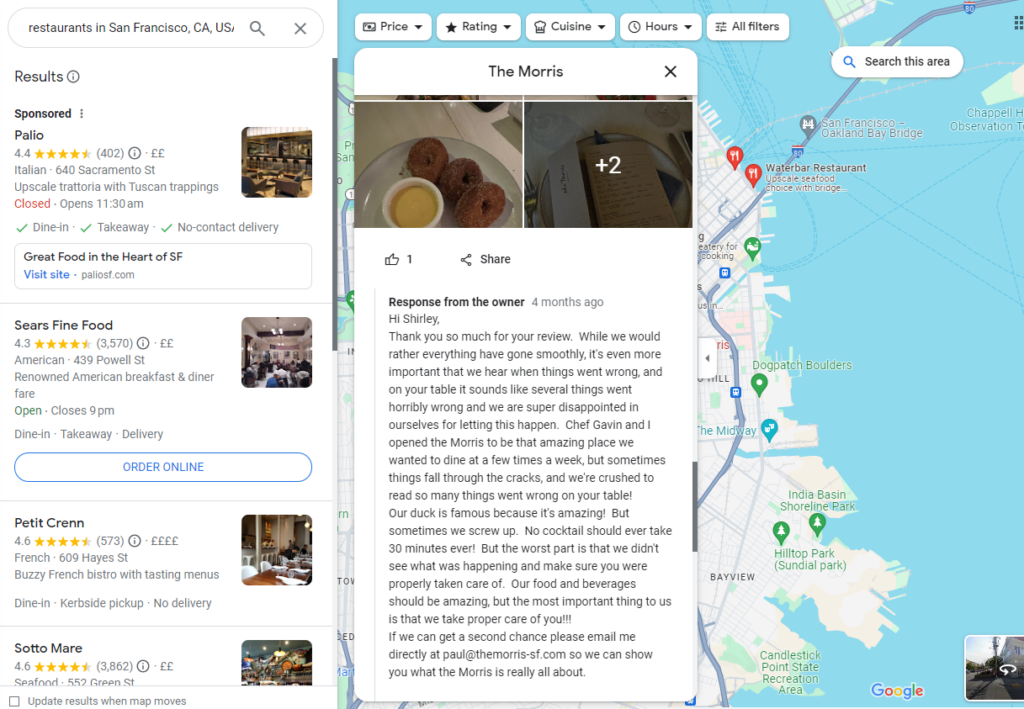
Instead of deleting bad reviews, you can leverage them to win a customer’s trust. Check out this guide for different strategies for responding to negative reviews. You’ll find various strategies like apologizing, taking the conversation offline, and more to add to your game plan.
📈 Encourage reviews and feedback if you don’t have any. 82% of customers trust ratings and reviews as much as they do recommendations from their loved ones or friends.
Online ordering barrier #7: Dietary restrictions
Displaying clear dietary information helps you cater to customers with dietary restrictions so they can know exactly what’s in their food.
Orderable simplifies this process with its product labels feature.
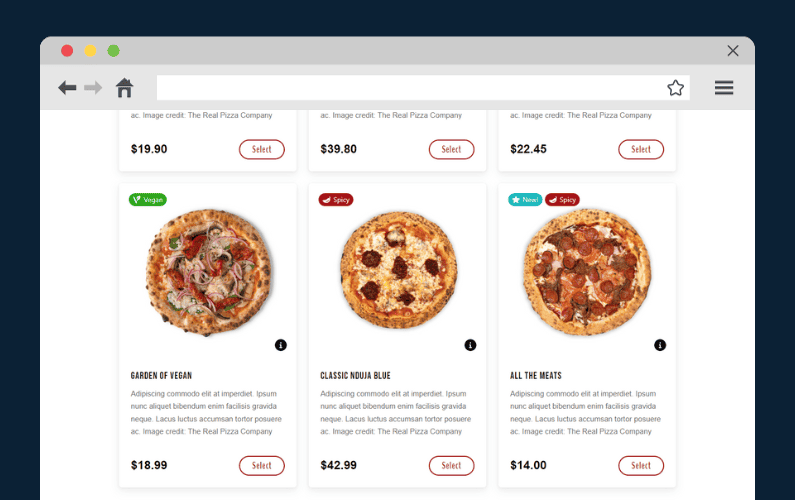
Display clear dietary labels using Orderable
The product labels in Orderable allow you to highlight key dietary details directly on your menu items. For example, vegan, dairy, gluten-free, contains nuts, etc.
- You can edit the colors of your dietary product labels to make them stand out. Choose which font to use for your labels.
- It provides a wide range of icons for dietary preferences and restrictions.
- Decide if you want to display your label at the top of the product image, in the middle section, or at the bottom of the image on the category page.
- Add multiple labels per food item.
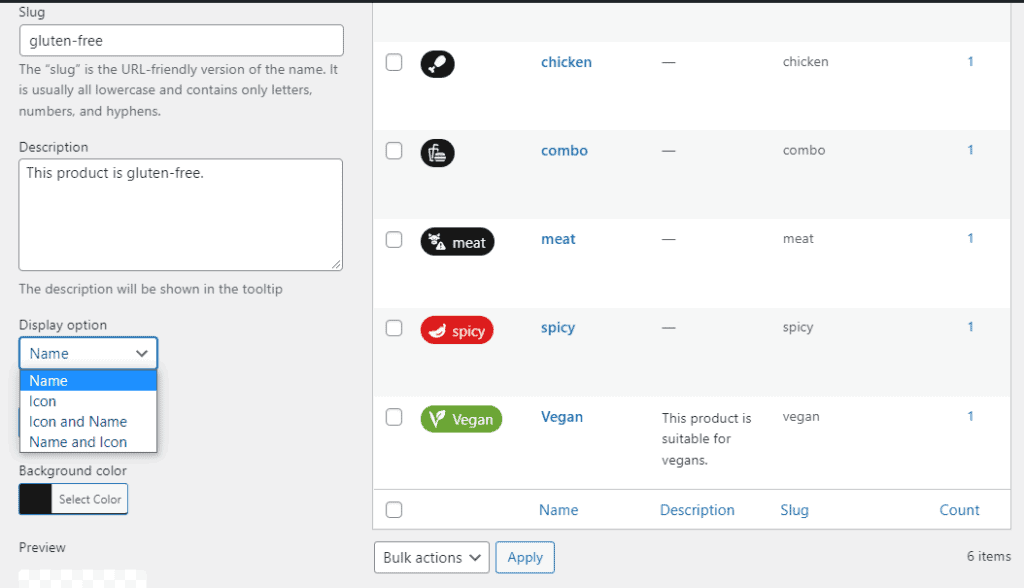
In addition, you can create links that open a table of nutritional information and an allergen section.
Note: Restaurant owners can leverage product labels to draw customers to special offers. For example, by highlighting discounts on deli items or promotions for gift card purchases.
Online ordering barrier #8: Complex orders
Let customers add extras or remove extras/ingredients. If a customer doesn’t like or can’t eat a specific ingredient (like onions or tomatoes), they can easily remove it when they order online.
Similarly, if they want to customize their meals by adding things like extra cheese, additional toppings, or sides to their orders. This makes their experience more personalized.
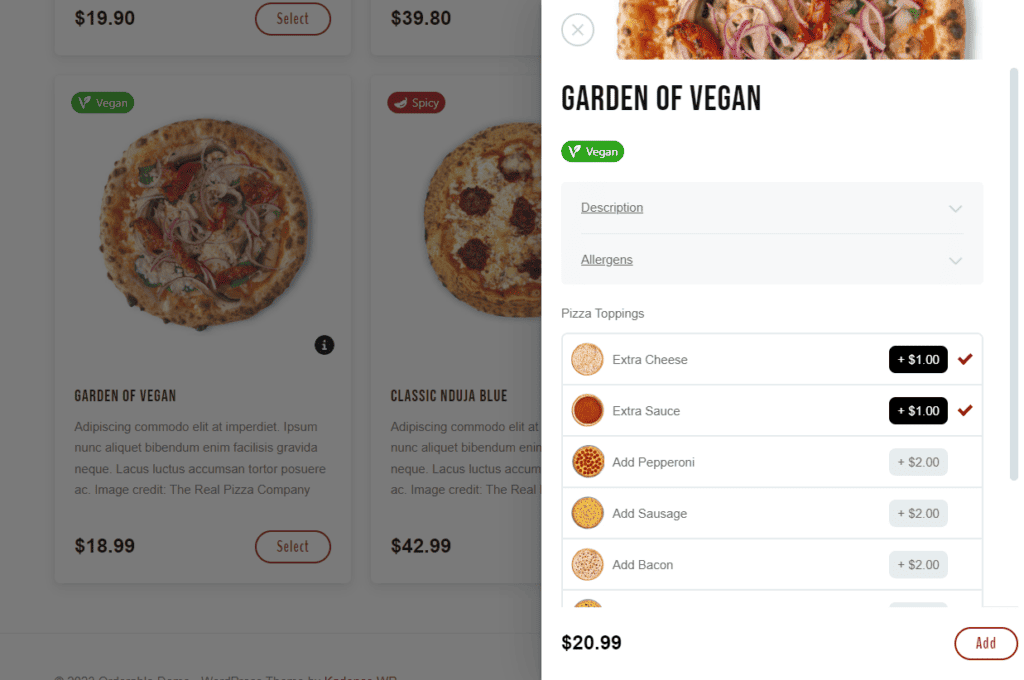
Orderable helps with complex orders
Orderable lets you create menu layouts that make it simple for customers to adjust their orders. They don’t have to call or explain – they can do it all online.
You can pre-set clear customization options so that each dish has clear options. For example, you can set up your taco menu with options like shell type (soft or hard), protein choices (chicken, beef, or vegetarian), and toppings.
When customers add or remove items, Orderable automatically updates the price. This means customers see exactly what they’re paying for without any surprises.

Online ordering barrier #9: Difficult to resolve issues
Finally, ensure your website has a contact page that is easy to find.
This page should list different ways customers can reach you, such as by email, a contact form, or social media accounts. Among these options, the phone number should be the most visible and accessible, as many customers prefer calling for quick answers or issues.
Tip: Throughout the ordering process, send updates via SMS or WhatsApp, such as order confirmations or delivery status updates. This gives customers another way to contact you if they have questions or issues.
By having multiple ways for customers to contact you, especially through SMS or WhatsApp, you provide convenience and build trust.
Encourage customers to order online today
Several things can deter skeptical customers from following through with their orders online. Concerns like food quality, delivery times, trust in a new restaurant, etc.
It’s upon you to remove these barriers and convince customers to order online. By following this guide, you’ll find strategies to build trust, handle bad reviews, take great photos, and more.
Using Orderable makes it easier for customers to order online by installing a robust ordering system. It includes features that can help streamline delivery, manage complex orders with special instructions, highlight dietary labels that stand out, etc.
Get Orderable today and encourage customers to order online from you.
Get Your Restaurant Business Online With Orderable
Orderable is a user-friendly WordPress plugin that adds online ordering to your restaurant website.
Add your dishes, create your online ordering menu, customize your delivery schedule, and manage orders with ease.
Gina Lucia is our in-house Content Manager at Orderable. She writes articles, user guides, technical documentation, and creates videos on everything WooCommerce and Orderable.
Gina has been working in the WordPress/WooCommerce space since 2012 when she developed WordPress websites for clients large and small.
For the past 8 years, she’s been writing about everything WordPress and WooCommerce, becoming an expert in what makes a WooCommerce store succeed.
When not writing, Gina loves to tend to her vegetable garden, read, or travel to mainland Europe.
Don’t miss out on the latest Orderable news!
Sign up for our newsletter to receive the latest news from the blog, you’ll get pinged every week with a digest of the latest updates.
[fluentform id=”6″]

Related Articles
Contactless Ordering: How to Add it to Your Restaurant (in 2026)

How to Print Invoices, Receipts, and Delivery Notes in WooCommerce
10 Small Restaurant Menu Items to Add in 2026 (To Increase Sales)
Get Your Restaurant Online With Orderable
The WooCommerce plugin designed to help restaurants take orders online – with no added fees!
View Pricing

