

How to Create a Restaurant Table Ordering System

How to Create a Restaurant Table Ordering System


Gina Lucia


If you’re looking to add a restaurant table ordering system to your restaurant business, this guide is here to help.
In this guide, we’ll explain what a table ordering system is, and how to set one up for your restaurant business.
We’ll walk you through:
- What a tableside ordering system is.
- Why setting up a restaurant table ordering system is important.
- What to look for in a good table ordering system.
- How to set up your table ordering system.
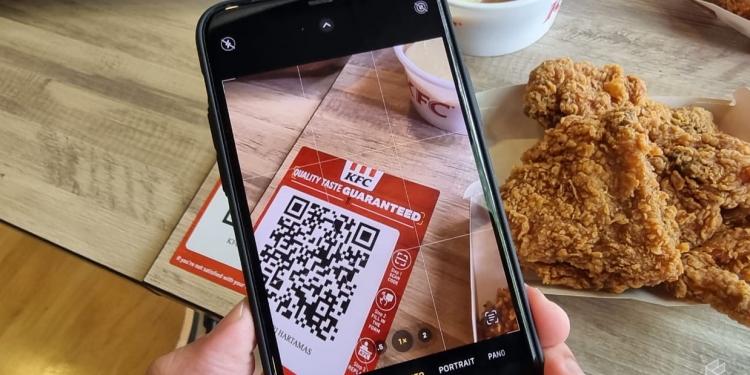
Giving customers an alternative option to order directly from their tables is convenient and efficient. It helps improve the speed of service, reduces errors, and enhances the overall dining experience for most of your customers.
So, let’s begin with what a tableside ordering system is.
Get Your Restaurant Business Online With Orderable
Orderable is a user-friendly WordPress plugin that adds online ordering to your restaurant website.
Add your dishes, create your online ordering menu, customize your delivery schedule, and manage orders with ease.


What is a tableside ordering system?
By definition, table ordering is a restaurant system that allows in-house diners or guests to order food, drinks, or beverages directly from their tables using their own devices.
As soon as customers are seated, they can scan for your menu with their smartphones or other handheld devices to place their orders.
They won’t have to raise a hand, flag down, or signal the wait staff to indicate their readiness to order.
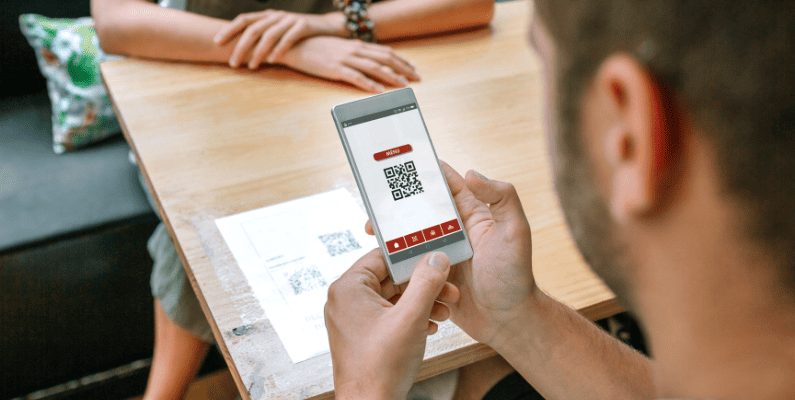
How the table ordering system works
Let’s break down this ordering experience further to see how it actually works.
- A customer arrives at your restaurant and is either given a seat or finds their own.
- On their table is a QR code. The customer scans it to open your digital menu on their smartphone or iPad.
Fun fact: 78% of millennials who’ve used QR codes to pull up restaurant menus enjoy the experience. Another 58% of customers say they’d like to use a QR code to pay at a restaurant or grocery store.
- They can browse the available menu items, add items to their cart, and confirm their order by paying. If they want to, they can make special requests.
- An order notification is sent directly to the kitchen for preparation.
- Once the order is prepared, the wait staff can bring it to your customer’s table. This only touches the QR code type of table ordering.

QR code table ordering is a cost-effective way for restaurants to set up a table ordering system. Other similar types of tableside ordering include handheld POS systems and self-service kiosks.
That being said, why is implementing this kind of contactless ordering process beneficial to your restaurant business?
Why set up a restaurant table ordering system?
The benefits of setting up a restaurant table ordering system can’t be overstated. We’ll touch on a few.
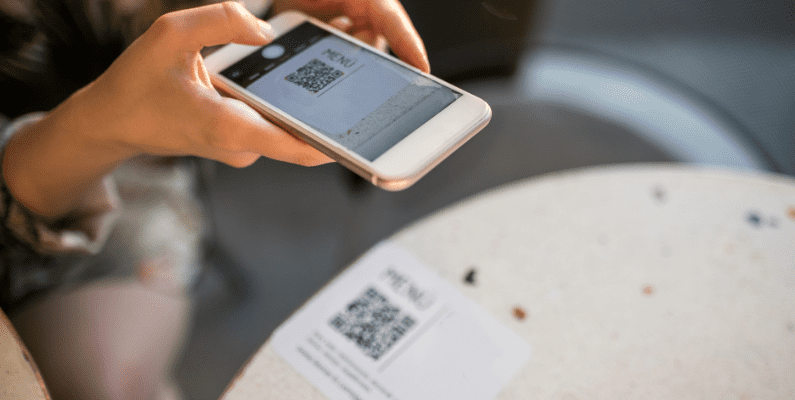
- Contactless ordering is convenient. It allows customers to browse your menu and place orders at their own pace without waiting for a server to become available.
- High order accuracy. Table ordering can reduce the risk of miscommunication between the customer and the server. It ensures that orders are taken correctly. This will streamline food prep for the kitchen and other restaurant operations too.
- Customization. Customers can easily make special requests or modifications to their orders without feeling rushed. This results in an exceptional customer experience for diners, as they have more control over their ordering choices.
📈 A Wharton Faculty study shows that tabletop ordering technology can increase average sales per check by 2.91%. It also reduces meal duration by approximately 9.74 and increases sales productivity by about 10.77%.
- So, table ordering increases efficiency. It speeds up the ordering process. Customers get their food faster, and the restaurant turns tables more quickly.
- Reduced wait times. By ordering directly from the table, customers can avoid the delay of waiting for a server, especially during busy times.
- It increases the restaurant’s table turnover rate. Because orders are prompt and the speed of service is faster, this will result in more table turns.
Now we know the benefits of this restaurant technology. Let’s find out the features (or functionalities) that make table ordering an effective system for a restaurant.
What to look for in a good table ordering system
This section will cover the key features and characteristics of a good table ordering system. Keeping an eye out for these critical components will ensure the system is efficient and easy to use, providing an exceptional guest experience.
First on the list is user-friendliness.
User-friendliness
This ordering system must be direct and simple for the staff and customers.
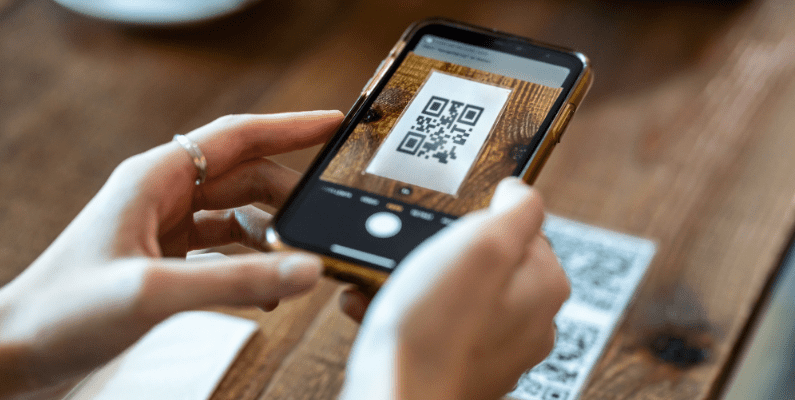
It must let customers easily scan QR codes to bring up the menu using their own mobile devices. The menu itself should be mobile-friendly and easily adjust on any screen. This way, customers can browse menu options, place orders, make payments, and quickly checkout using any device.
📈 Remember, 80% of customers prefer to order using their devices like smartphones, iPads, tablets, etc.
At the same time, your staff should be able to see live orders as they come in, in real-time, on a display screen.
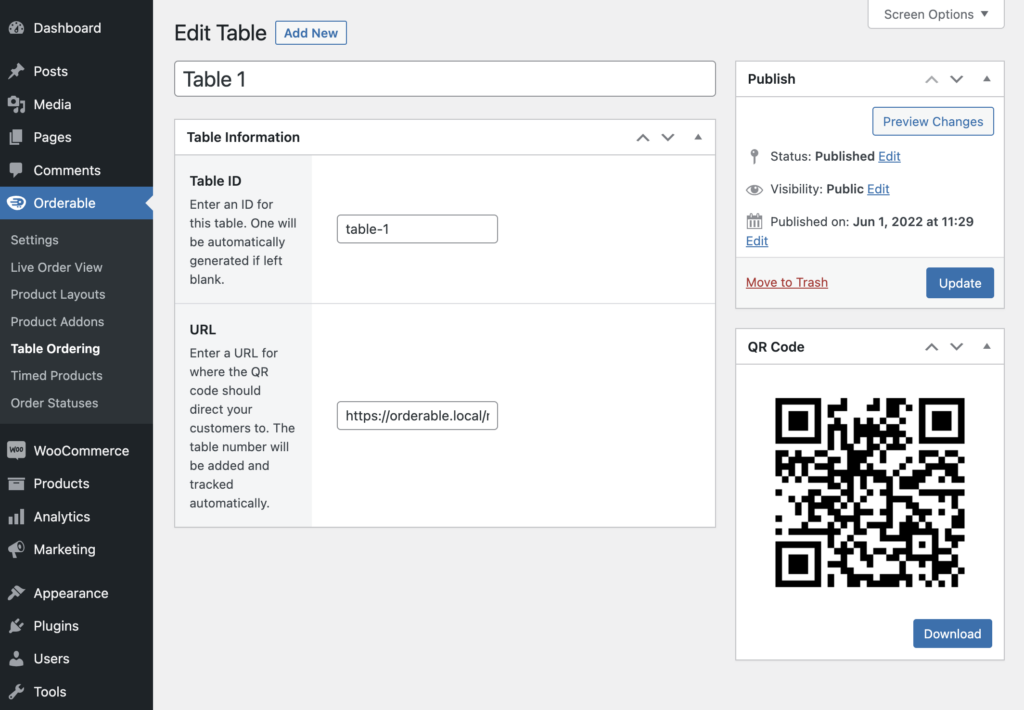
QR codes that link up with tables and order immediately
If you opt for QR code ordering, ensure the system correctly links each order to the right table within your establishment. You don’t want a situation where the staff misplaces or brings up orders to the wrong table.
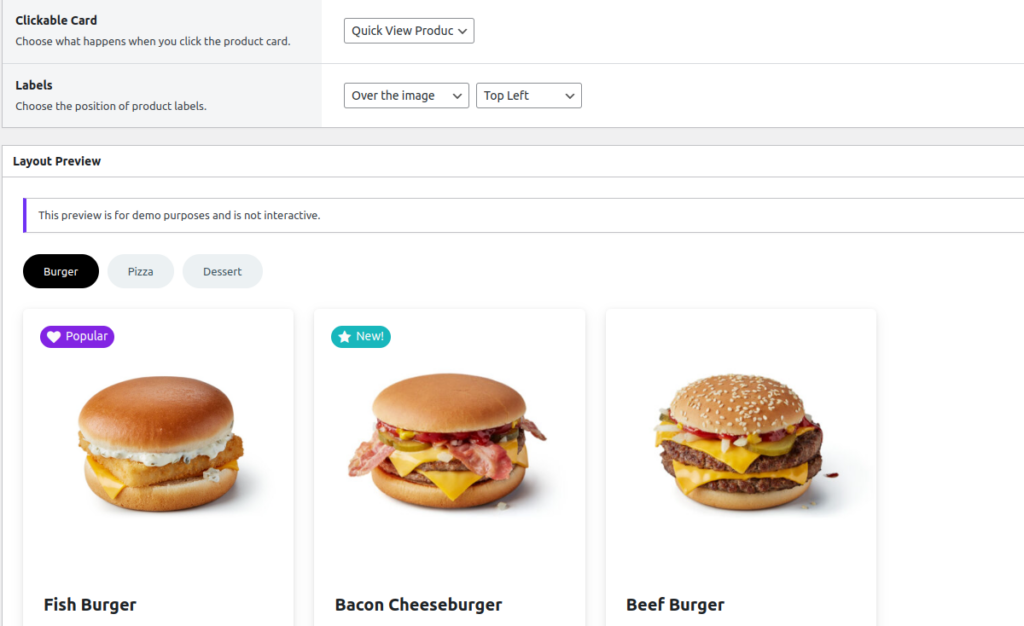
Proper menu management
The highlight of table ordering is to direct customers to your digital menu after scanning the QR code.
Go for a table ordering system that allows restaurant managers to:
- Easily create and configure online menus from which customers can order.
- Quickly update and manage menu items, including prices and descriptions.
- Highlight daily specials, discounts, and promotional offers.
- Add high-quality images and detailed descriptions for each menu item and more.
Adjusting digital menus with seasonal variations, popular labels, or new additions can keep the guest experience fresh.
📈 Surprisingly, customers are willing to pay up to 15% more for the same food item if it has a fancier name. So, find an ordering system with easy-to-set-up and configure menus.
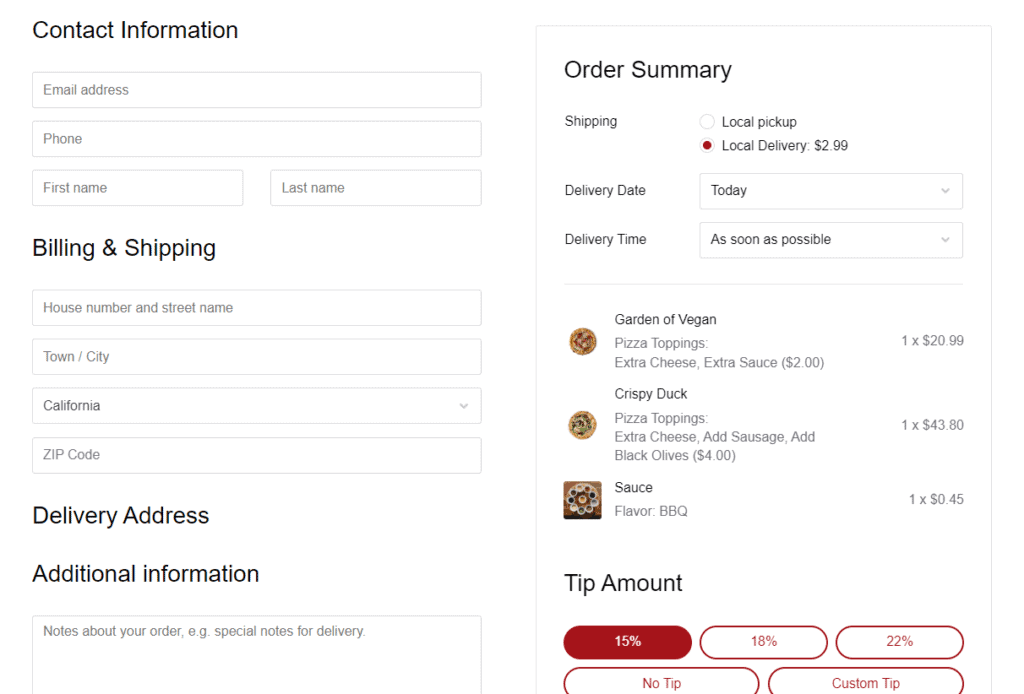
Simplified ordering process & checkout
Try out the system’s ordering process. Is it easy to navigate? Is checking out fast? How about an order summary page?
A good table ordering system should have only a few simple steps to add times to the cart and modify orders. The order summary should be clear, with details for review and submission.
A live order management display screen
A good QR code table ordering system should have a live order display screen where the kitchen staff can see live orders as they come in in real-time. On this screen, your staff can see the table where an order originated, the total price, special requests/preferences, set custom order statuses, and other information.
Check if this display connects with your kitchen display system to streamline food preparation. This integration will also increase your speed of service.
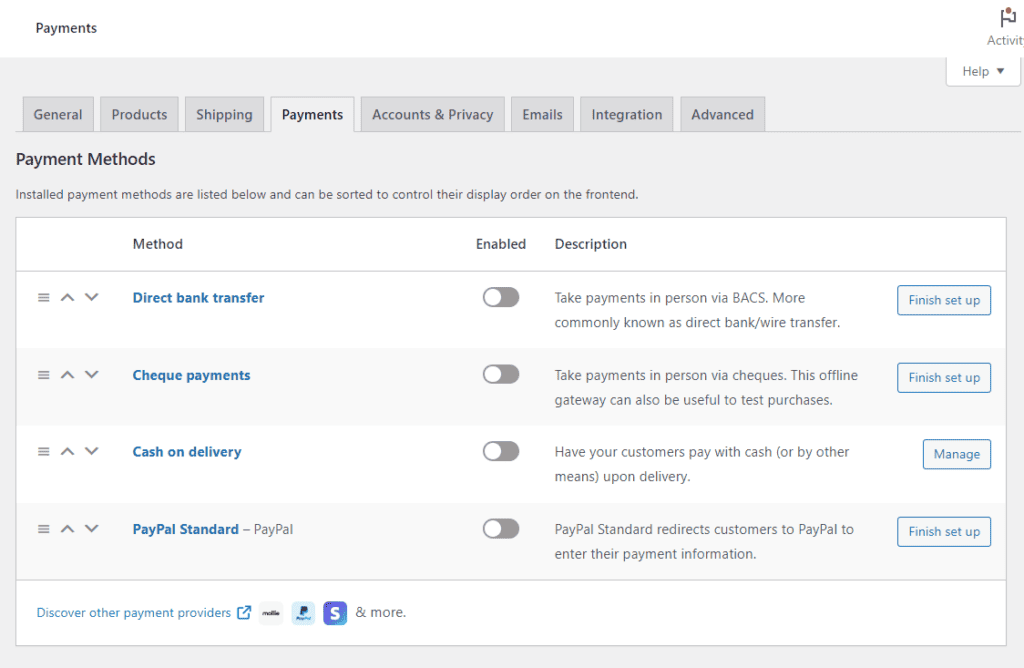
Ability to add multiple payment methods
Find out if the system supports various payment options. These include credit cards, digital wallets, mobile payment services (such as Apple Pay, Google Pay, Samsung Pay, etc.), Stripe, mobile POS payments, or cash.
Note: If you’re considering a contactless payment approach, the system must be able to secure transactions and leave no loose ends.
It’s up to you to decide what payment options you’ll accept.
📈 Providing such instant payment methods doesn’t only streamline the payment process. It can improve your customer satisfaction by 11%.
Check for added features
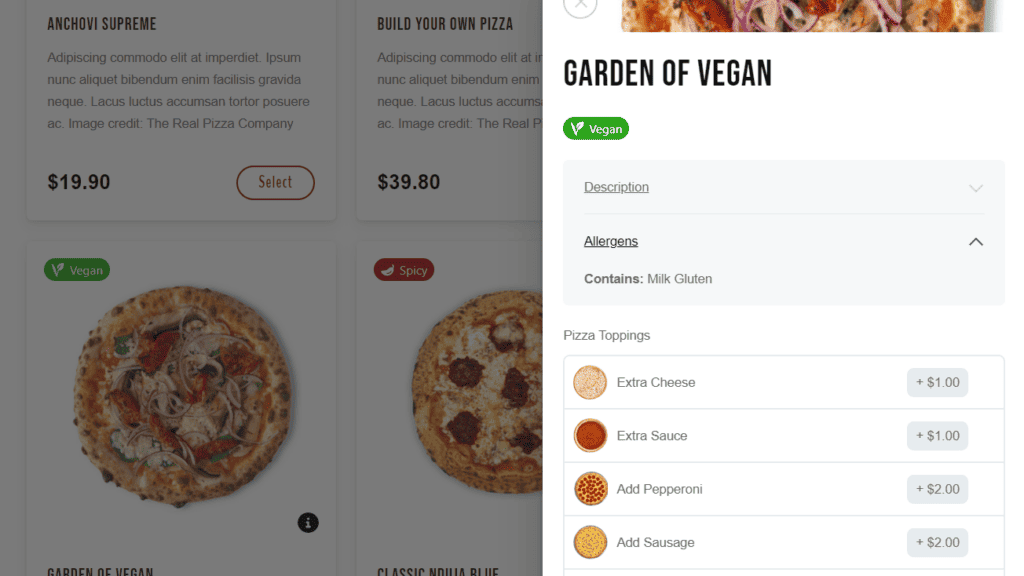
Check out for added features, for example, sales-boosting features like tip prompts, add-ons, etc., in an ordering system. Such features can help restaurants generate extra revenue and maintain a healthier bottom line.
Overall, the best restaurant table ordering system for the customer should align with the experience your customers prefer.
We have a WordPress plugin that checks for all these features (and more) to help you deliver the best QR code table ordering service possible.
So, what’s the plugin in question?
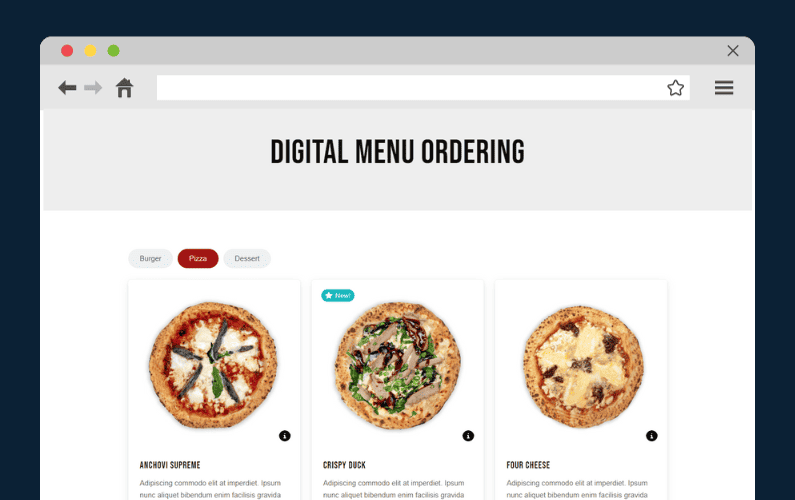
It’s Orderable – the best WordPress plugin for creating a table ordering system in your restaurant.
The best table ordering system for your restaurant
Orderable is an all-in-one WordPress plugin that allows you to generate QR codes for every table within your food establishment easily.
Each table is given an ID, and a unique QR code is generated for it. The codes are then printed and placed on the respective tables. Customers can scan these QR codes with their mobile devices, bring up your menu, and place orders. The table will be correctly assigned to their order.
For the kitchen staff, orders are displayed on a live order screen in real-time. This display includes full details of the order, special instructions/preferences, and customer requests during the ordering process.
Get Your Restaurant Business Online With Orderable
Orderable is a user-friendly WordPress plugin that adds online ordering to your restaurant website.
Add your dishes, create your online ordering menu, customize your delivery schedule, and manage orders with ease.
So, why is Orderable the best choice for a table ordering system within your restaurant?
Why use Orderable for your restaurant table ordering system?
The following are the main reasons you should utilize Orderable as your table ordering system.
You’ll provide convenient contactless ordering
Orderable generates unique QR codes for you and assigns them to the correct table for you to print. Later, customers scan their table’s QR code to access your menu on their mobile device. They pay for the food order. An order notification is instantly sent to the kitchen.
There’s no physical contact with the staff during the ordering process. This plugin handles everything in between. It’s a smooth ordering experience for the customers. For the kitchen, there’s to receive via your kitchen display system, prepare it, and serve it to customers.
You can create mobile-friendly digital menus
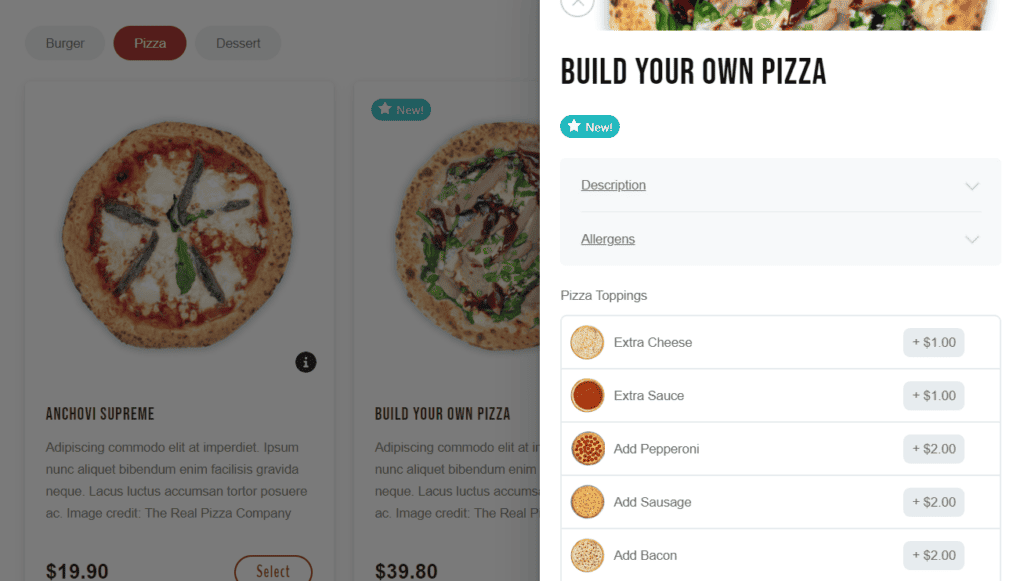
Orderable provides ready-made menu layouts for creating your QR code menus.
It doesn’t have to be just your normal-day digital menu that shows only regular dishes, drinks, or other items available on a typical day at your restaurant.
The menus can be interactive by letting customers add condiments, toppings, sides, etc., for specific dishes.
- You can add high-quality, mouth-watering photos of your food.
- Add food labels or badges that show favorite or popular dishes or the chef’s choice. The badges can easily grab attention.
- Add menu descriptions and nutritional/allergen info.
This plugin also allows you to tailor your digital menu to suit different occasions or needs. For example, you could offer a brunch menu for weekend mornings, a lunch menu for weekdays, and a dinner menu for evenings.

Streamlined ordering process so customers can quickly checkout
If the goal is to get customers to place orders in the shortest time possible, Orderable scores on that big time. Navigating custom-made Orderable menus is extremely fast. Customers can quickly find the dish they’re looking for, add it to their cart (see the price), and proceed to checkout.
This plugin also automatically disables the requirement for a shipping address/shipping method, which implies a swift checkout page. Your customers only have to review their order summary and make payments. It’s that fast.
More upselling opportunities to bring in more revenue
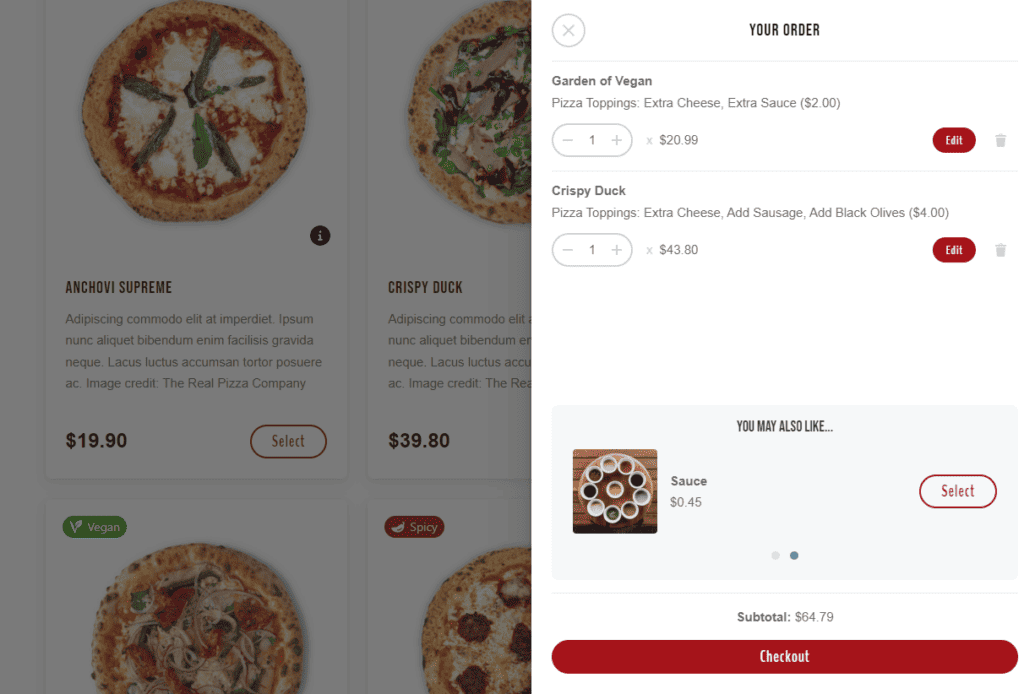
This plugin offers additional sales-boosting features to increase the total value of a customer’s order.
These include:
- Tip prompts at the checkout. Satisfied customers can leave a tip following an excellent service.
- Product add-ons. Customers can customize their orders with extra food items like sides, toppings, appetizers, desserts, etc. Then, charge extra for these food items to increase the average order value.
- Order bumps. Suggest additional items that go well with the food customers want to order.
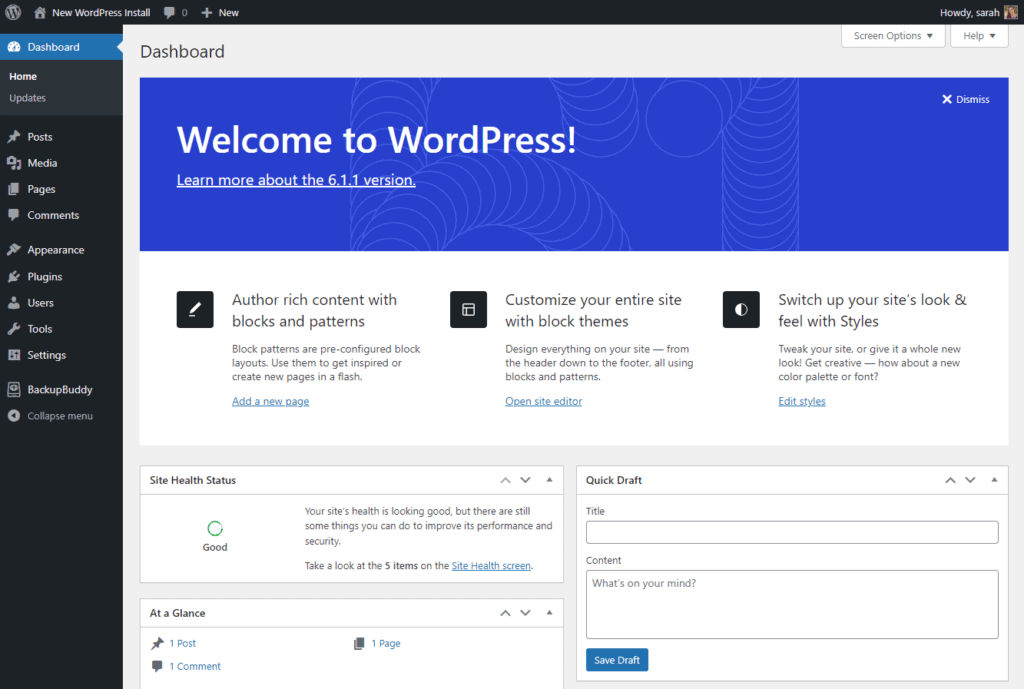
Orderable works with WordPress
By itself, Orderable is a WordPress plugin. It will integrate perfectly with a restaurant website built on WordPress. It even installs WooCommerce for you (if you haven’t already).
The Orderable plugin offers your restaurant business more than just a table ordering system.
It provides a robust online ordering system to help handle online food deliveries and pickups. You can create delivery schedules, set up multiple locations, and easily manage orders. Real-time order tracking, customizable menus, and simple payment options simplify the process for your staff and customers.
If you’re convinced, it’s time to set up Orderable as your table ordering system.
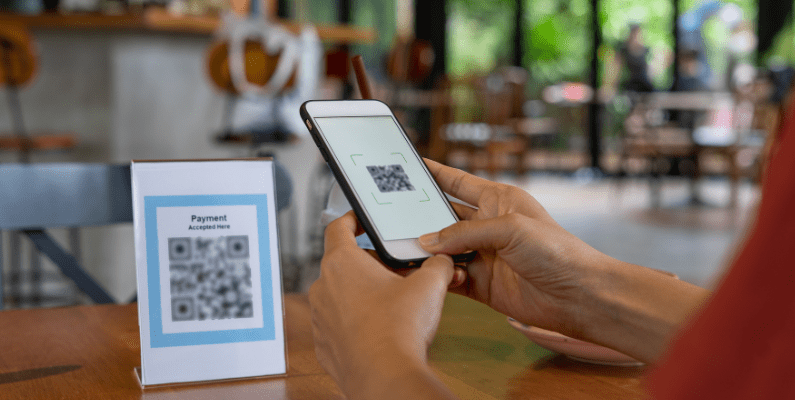
How to set up your table ordering system
In this section, we’ll walk you through setting up a QR code table ordering system using Orderable directly to your WordPress site admin.
Step 1: Install Orderable
Table ordering is a feature of the Orderable Pro.
For this reason, you’ll need to purchase the plugin from the Orderable website: Orderable.com first. Orderable will send an email containing a .zip file with two plugins, Orderable Free and Pro.
Get Your Restaurant Online With Orderable
The WooCommerce plugin designed to help restaurants take orders online – with no added fees!

We’ll install Orderable Free first, then its Pro version. To do this:
- From your WordPress dashboard, go to Plugins > Add New.
- Click the Upload Plugin button at the top of the page.
- Next, select the .zip file with Orderable Free you previously downloaded and click Install Now. Click Activate Plugin to finish.
- Repeat the previous step to install Orderable Pro as well.
Next, Orderable will ask you to enter your restaurant’s information, including your business name, physical address, and email address, (among other details). Use this time to set up your contactless payment methods. This will be how customers pay for their orders.
Next, we’ll create your digital menu.
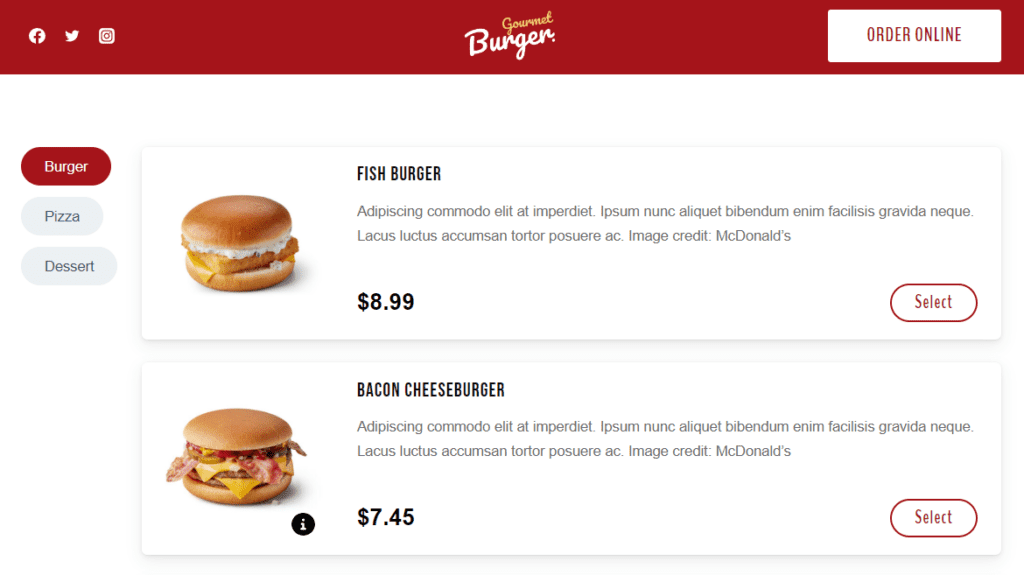
Step 2: Create a contactless menu
This contactless menu contains all the dishes, drinks, sides, toppings, condiments, and other items you’ll serve customers at their tables.
Orderable lets you display food items in categories and add dietary labels, nutritional information, descriptions, photographs, and more.
We’ll create your menu layout using Orderable.
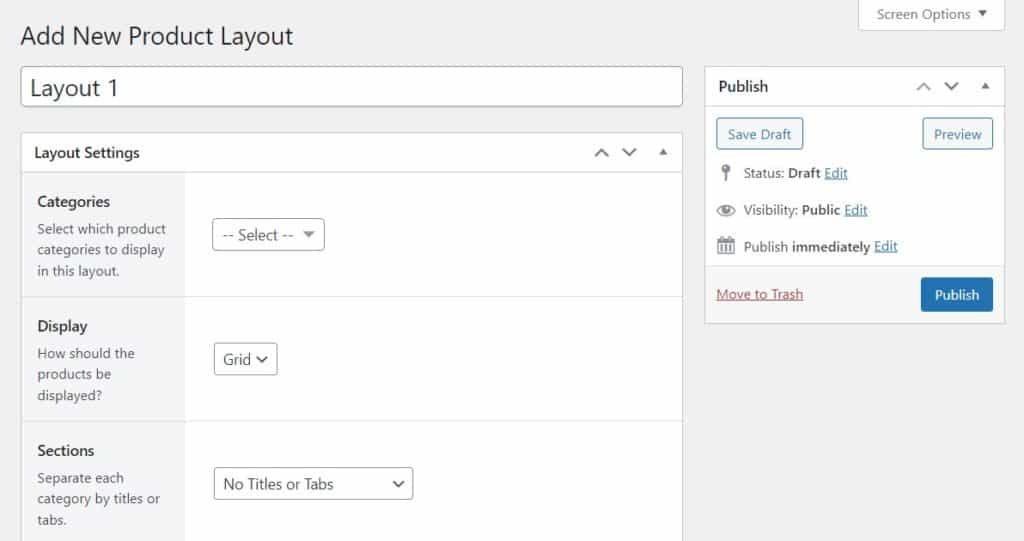
Create your online menu layout
The first step is to create the menu items just as you would add products using the standard WooCommerce installation.
Then, take the following steps to create your menu layout:
- Go to Orderable > Layout Builder > Add New on your WordPress dashboard.
- Give your menu layout a title. Select the display type you prefer (Grid/List), add high-quality images, and adjust other settings.
- On this page, you can also decide whether to display dietary labels, and which categories to display and where.
- You can preview the menu at the bottom of this page and make the necessary changes. Click Publish if you’re happy with the settings.

Finally, we’ll add your menu to your restaurant website and display it to customers.
Add your menu to your restaurant site
To do this, take the following steps:
- Create a new page by going to Pages > Add New on your WordPress dashboard.
- Name this page ‘Menu’ (or any other memorable name). Then, click the plus(+) button to add a new block.
- Search for ‘Orderable’ and click the Orderable: Product Layout block when it appears. A generic product grid/list will be displayed on this page.
- Next, select the specific layout you created from the Layout dropdown on the right sidebar.
- When this is done, click Publish to finish.
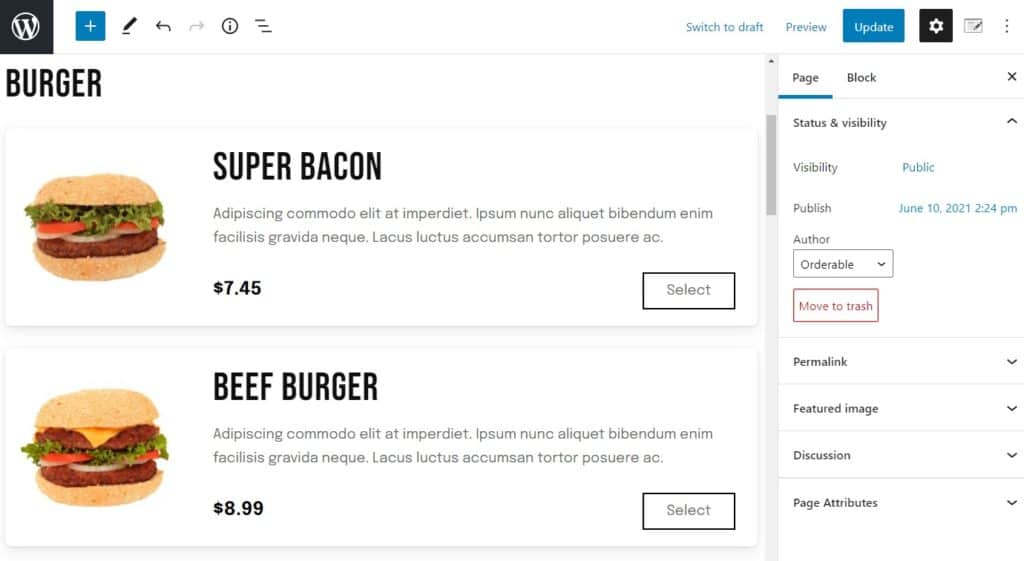
With your menu page now set up, we can create scannable QR codes for your tables and link them to your menu.
Step 3: Generate QR codes for your tables
Orderable Pro allows you to generate scannable QR codes for all tables within your restaurant.
It’s these codes customers will scan to pull up your menu and make an order. The QR codes are designed so that a table will be correctly assigned to a customer’s order.
So, before you can generate a QR code, let’s create a table first. Follow these steps:
- From your WordPress site dashboard, Navigate to Orderable > Table Ordering and click Add New.
- On this page, enter the title of your table (preferably the table number).
- A table ID will be automatically generated based on the title. Alternatively, you can enter a unique ID here.
- Next, enter the URL of the page customers should be directed to when they scan the QR code. Since we want customers to order as quickly as possible, add your menu’s URL link.
Note: Orderable will automatically add your table ID to this URL so orders are correctly assigned to tables within your establishment.
- Click Publish to save these settings. A QR code will be auto-generated for your first table.
- Download the QR code, print it out, and place it on the table in your restaurant.
Repeat the above steps for all your tables and place them where customers can see and easily scan them.
When an order comes through via a QR code, the Service Type is set to Table Order, and the table name is listed with the order in your kitchen’s live order display.
Use Orderable for restaurant tableside ordering today
Direct table ordering is a valuable addition to your restaurant’s ordering process. It provides an additional opportunity to increase sales, enhance efficiency, and lower overhead costs, ultimately contributing to an improved overall dining experience for guests.
The quickest and most efficient way to start providing QR code ordering service to customers is via the Orderable plugin. It generates unique QR codes for each table and correctly assigns food orders to a customer’s table.
Add QR code tableside ordering to your restaurant easily using Orderable.
Get Your Restaurant Business Online With Orderable
Orderable is a user-friendly WordPress plugin that adds online ordering to your restaurant website.
Add your dishes, create your online ordering menu, customize your delivery schedule, and manage orders with ease.
Gina Lucia is our in-house Content Manager at Orderable. She writes articles, user guides, technical documentation, and creates videos on everything WooCommerce and Orderable.
Gina has been working in the WordPress/WooCommerce space since 2012 when she developed WordPress websites for clients large and small.
For the past 8 years, she’s been writing about everything WordPress and WooCommerce, becoming an expert in what makes a WooCommerce store succeed.
When not writing, Gina loves to tend to her vegetable garden, read, or travel to mainland Europe.
Don’t miss out on the latest Orderable news!
Sign up for our newsletter to receive the latest news from the blog, you’ll get pinged every week with a digest of the latest updates.
[fluentform id=”6″]

Related Articles

8 Best Restaurant Ordering Systems Compared (2026)

Restaurant Automation: 10 Techniques to Try in 2026

Get Ready for the 2025 Stellar Sale at Orderable!
Get Your Restaurant Online With Orderable
The WooCommerce plugin designed to help restaurants take orders online – with no added fees!
View Pricing

